Starting a small business: which AI tools help at each step, and where they stop
9 stages, 30 tools
updated
New businesses rarely fail because the logo was wrong. The usual stories are that nobody wanted the thing, or that the owner ran out of cash while doing paperwork. So the order of work matters: check demand first, put numbers on a page, then spend on a name, a site and marketing.
AI shortens the desk work in almost every one of those steps. A plan that used to take weeks of blank-page writing can start as a draft from a questionnaire. Name ideas, a first logo, a one-page website and a welcome email sequence can all exist by the end of a weekend. Bank transactions can be sorted into categories without you typing each line.
What it does not do is carry the risk. A demand score from a model is not a paying customer. A generated forecast is only as honest as the assumptions you type in. Registration rules, tax duties and contract wording depend on where you live, and the tools in this guide say plainly that they are not a lawyer or an accountant. Treat every output as a draft that you, and sometimes a professional, have to check.
Who this is for First-time founders, freelancers turning a side job into a company, and owners of small local or online businesses who are doing the setup work themselves without a dedicated finance, legal or marketing team.
These four cover the steps that come first in practice: testing the idea, writing the plan, securing the name and getting a site online. Each can be tried on its own before you commit to anything else.
Generate a first site from a prompt, then swap in your real contact details, prices and photos.
1
Stage 1: Idea validation and market research
Before any spending, you check whether real people have the problem you want to solve, who they are, what they use today and what they would pay. This means reading competitors, asking potential customers and writing down the assumptions that must be true.
What AI does here
Collect signals of demand from public sources, score an idea against stated criteria, draft customer profiles and write a survey you can send to real prospects the same day.
What AI can’t do here
Replace conversations with actual buyers. A score or a simulated objection is a guess built on patterns, and only a person agreeing to pay proves demand.
Generates an ideal customer profile with needs, pain points and buying behavior, which helps define who the product is for.
Marketing assistant called Elsa AI that builds ideal customer profiles, strategies, ads and social content.
View tool
2
Stage 2: Business plan and financial forecast
You write down the model: what you sell, to whom, at what cost and margin, and how much cash the first years need. A bank, a landlord or a grant body will usually ask for this document with projections.
What AI does here
Draft each plan section from a short questionnaire, turn your inputs into revenue, expense and cash flow projections and assemble a pitch deck from the same information.
What AI can’t do here
Know your real costs, local rents or what a lender will accept. The forecast repeats your assumptions, so wrong inputs give a tidy but wrong plan.
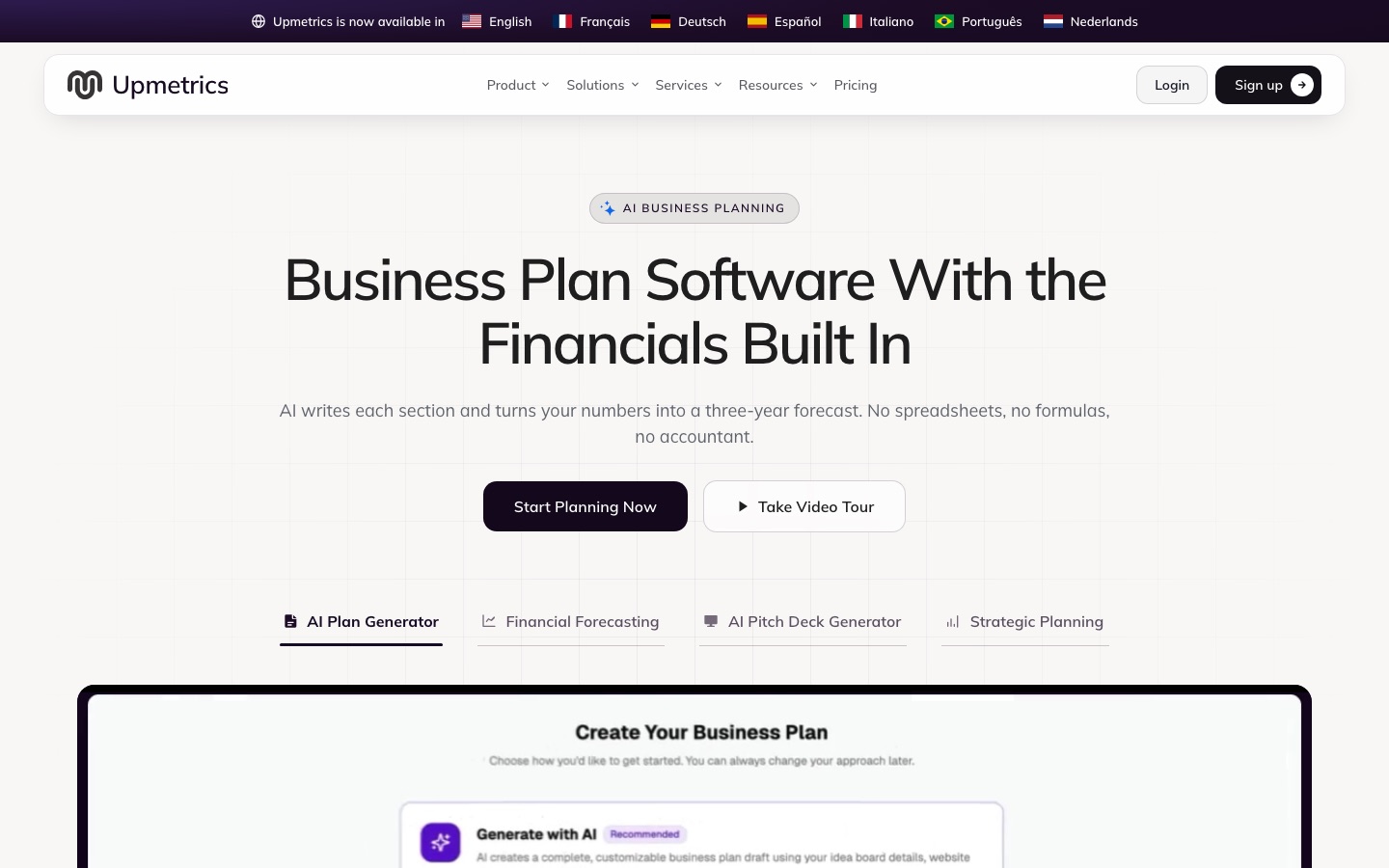
Turns a short questionnaire about the idea, industry and goals into a draft plan that can be downloaded as a PDF.
AI business plan generator that turns a short questionnaire into a downloadable draft plan for free.
View tool
3
Stage 3: Name, domain and logo
You pick a name that is free to use, secure the matching domain and social handles, and create a basic identity: logo, colors and a few templates for cards, invoices and profiles.
What AI does here
Suggest many candidate names, check domain availability and run a first trademark screen, then generate logo concepts and matching brand materials from the chosen name.
What AI can’t do here
Clear a name legally. An initial trademark screen is not legal clearance, and whether a generated logo can itself be registered as a trademark is a question for a specialist.
Generates logo options from a company name, lets you adjust one in an editor and builds matching business cards and social images.
AI logo maker that also builds a brand kit with matching business cards, social assets and templates.
View tool
4
Stage 4: Registration, legal documents and contracts
You choose a legal form, register the company, get a tax number, and prepare the documents a business runs on: terms, a client contract, supplier agreements, a privacy policy and a way to sign them.
What AI does here
Explain legal terms in plain language, summarize an agreement someone sent you, draft standard letters and clauses, and file a company formation in the jurisdictions a service covers.
What AI can’t do here
Give legal advice for your situation. Formation services here cover United States entities only, and a drafted clause still needs a qualified person to review it before you rely on it.
Answers legal questions in chat, summarizes uploaded agreements in plain language and drafts letters, boilerplate clauses and company policy documents.
Legal AI assistant that answers legal questions in chat, summarises and compares documents, and drafts letters and clauses.
Covers the signing step for a new company: electronic signatures can be requested on Docs and PDF files such as vendor or customer agreements.
Google's business suite of Gmail, Drive, Meet, Docs and other apps with Gemini AI assistance built in.
View tool
5
Stage 5: Bookkeeping, invoicing and tax
From the first sale you record income and expenses, send invoices, keep receipts, separate business money from personal money and prepare for tax filings on the schedule your country sets.
What AI does here
Categorize bank and card transactions, match receipts to expenses, create invoices from a prompt and prepare the figures a tax return or an accountant needs.
What AI can’t do here
Take responsibility for your filing. Several of these services are built for US taxes only, and a miscategorized expense remains your error, not the software's.
Provides a dashboard for invoicing, bookkeeping and compliance deadlines, with an assistant that creates invoices from a prompt.
Platform for forming and running a US company remotely, with bookkeeping, invoicing, tax filing and an AI assistant.
View tool
6
Stage 6: Business website
You put up a site that says what you do, where you are and how to buy or book. For most small businesses this is a handful of pages, a contact form and perhaps a shop or booking page.
What AI does here
Generate a complete first version of the site, with layout, text and images, from a written description, and revise sections when you ask in plain language.
What AI can’t do here
Supply the facts and proof that make a site convincing: your real photos, prices, opening hours, reviews and policies. Generated copy needs replacing with your own details.
Generates a multi-page site with text and images from a prompt and adds a drag-and-drop editor, hosting, a CMS and SEO settings.
No-code website builder that generates full sites, copy and images from a prompt and includes hosting, CMS and SEO tools.
View tool
7
Stage 7: CRM and first sales
You need one place for leads and customers: who asked, what was offered, what happens next. Early sales are mostly follow-up, so the job is not to lose anyone who showed interest.
What AI does here
Record emails, calls and meetings on the right contact automatically, enrich records, answer common website questions and prepare follow-up messages for you to review.
What AI can’t do here
Build the relationship or decide what a fair deal is. An agent that contacts leads on your behalf speaks for your business, so its messages need your oversight.
Adds a live chat widget to the site, creates a contact record from each conversation and moves deals through stages on a board.
Free live chat and customer messaging platform with a shared inbox, ticketing, knowledge base, CRM and AI answers.
View tool
8
Stage 8: Marketing and local visibility
You make the business findable and stay in touch with people who already know you: a correct map listing, a small email list, a few posts or ads aimed at the customers you defined earlier.
What AI does here
Draft emails, posts and ad copy for a defined audience, set up automated welcome sequences, and audit a local listing with a list of fixes.
What AI can’t do here
Decide what your business stands for or earn reviews. It also cannot guarantee that an email list was collected with the consent your local rules require.
Uses the customer profile to draft a marketing strategy with positioning, then writes ad copy and social posts for that audience.
Marketing assistant called Elsa AI that builds ideal customer profiles, strategies, ads and social content.
View tool
9
Stage 9: Scheduling and day-to-day automation
Once customers arrive, repeat tasks pile up: booking appointments, sending reminders, copying form entries into a spreadsheet, answering the team. You set up company email and connect the apps so routine steps run themselves.
What AI does here
Let customers book into your real availability, send reminders, pass data between apps when a trigger fires and summarize conversations you missed.
What AI can’t do here
Fix a process that is unclear. Automating a messy routine only repeats the mess faster, and every automation needs someone who notices when it stops working.
Gives each person a company email address on your domain, a calendar and shared file storage, with Gemini drafting and summarizing in Gmail.
Google's business suite of Gmail, Drive, Meet, Docs and other apps with Gemini AI assistance built in.
View tool
Realistic expectations
Validation scores are not customers
Idea scoring tools state that their feedback is generated by a model and aggregate data. Use the output to sharpen questions, then confirm demand with real people, ideally with a pre-order or a signed letter of intent.
Legal and tax output is general information
The legal and formation tools in this guide describe themselves as not being a law practice or professional adviser. Company forms, licenses and tax duties differ by country and sometimes by city, so check with a local accountant or lawyer before filing.
Many finance tools are built for the United States
Several bookkeeping, tax and formation services listed here work with US entities, US banks and US tax forms. If you operate elsewhere, confirm that a tool supports your country before connecting a bank account.
A generated logo may not be exclusive
Logo makers build from shared fonts, symbols and models, so another business may receive something similar. Commercial use rights do not guarantee that the mark can be registered as a trademark.
Customer data comes with duties
A CRM, a chat widget and an email list all store personal data. You remain responsible for consent, unsubscribe handling and privacy notices under the rules of the places where your customers live.
FAQs
Can AI write a business plan that a bank will accept?
It can produce a structured draft with the sections and financial statements lenders usually expect. Whether a bank accepts it depends on the numbers behind it. The planning tools themselves say drafted sections are suggestions to review, so replace generic text with your own research, quotes and costs, and be ready to explain every assumption in person.
Is an AI trademark check enough before I register a business name?
No. The naming tools in this guide describe their screening as an initial check, and some only cover US trademark records. It is useful for removing obvious conflicts from a shortlist. For a name you plan to invest in, a proper search in each country where you will trade, usually through a trademark attorney, is the safer route.
Do I still need an accountant if software categorizes my transactions?
For most owners, yes, at least once a year. Automatic categorization saves the hours of data entry, and some services include review by a tax professional. But choices such as legal form, what counts as deductible and how to pay yourself depend on your circumstances and local law, and software does not take responsibility for them.
Which step should I not skip even on a tiny budget?
Checking demand. A survey, ten customer conversations and a look at what competitors charge cost almost nothing and can save months. Names, logos and websites are quick to produce with AI now, which makes it tempting to start there. They are also the easiest things to change later, unlike a product nobody asked for.
 Slack

 Clemta

 Keeper

 Looka

 Attio
 Spaceship


 Ramp


