
Slack
Team messaging platform with channels, huddles, workflow automation and built-in AI such as Slackbot and AI search.
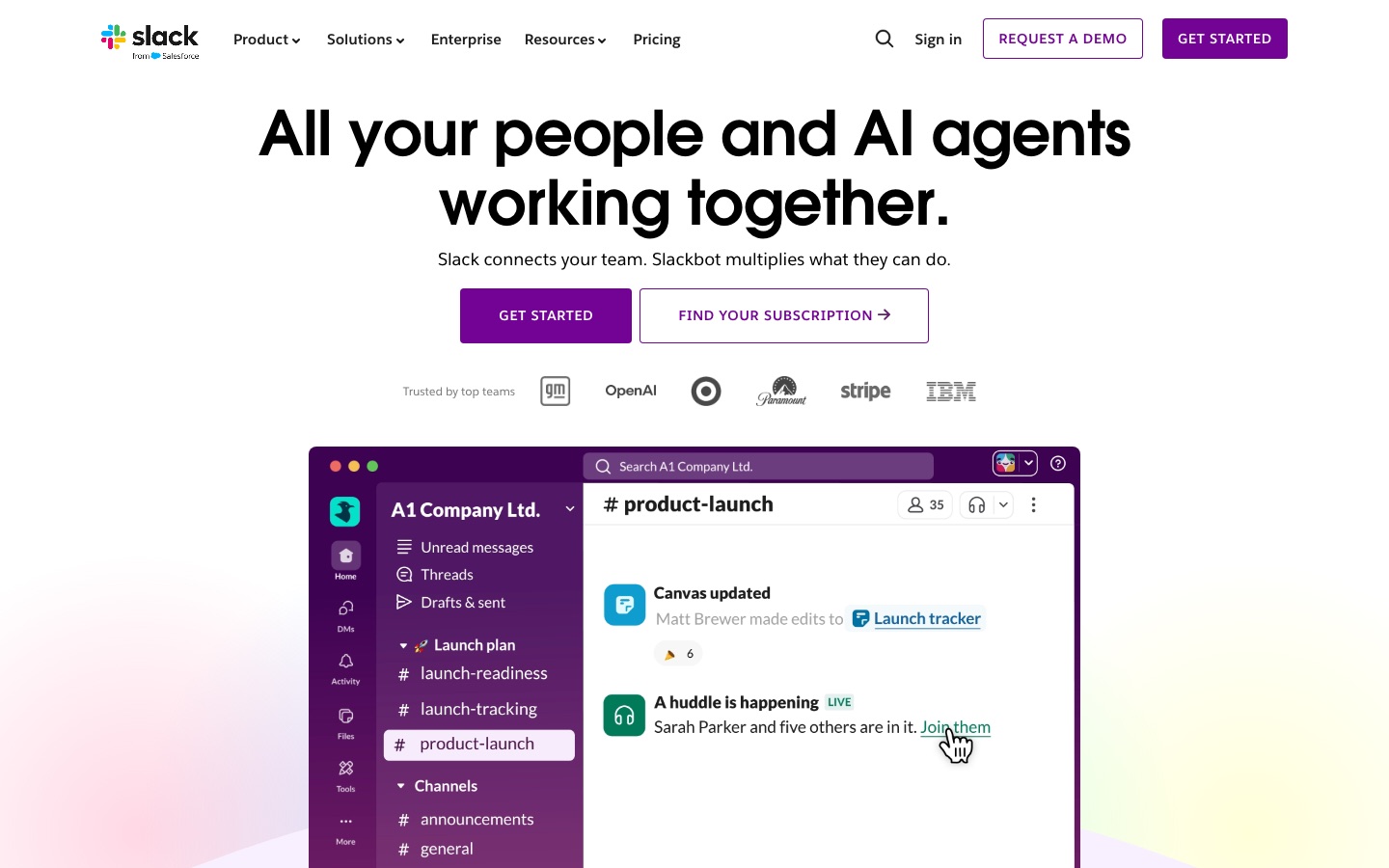
Slack is a work messaging platform where teams talk in channels, hold audio and video huddles, and share documents and task lists. Slack adds AI features such as conversation summaries, AI search and Slackbot, a personal agent, and connects to more than 2,600 apps so that people and AI agents can work in one place.
Best for Teams that want conversations, meetings, project tracking and AI assistance in a single workspace connected to the other apps they use.
- Platforms
- API, MCP
- Pricing model
- Freemium
- Starting price
- $7.25 per month Pro plan, per user, when paying annually
- Free plan
- Yes
- API
- Yes
- Made by
- Slack Technologies, LLC (a Salesforce company)
- Added
Last verified: . Information taken from slack.com.
What is Slack?
Slack is a work communication platform from Slack Technologies, a Salesforce company, that organises team conversation into channels. Alongside messaging it offers huddles for audio and video calls with screen sharing, canvases for shared documents, lists for tracking projects and tasks, and Slack Connect for talking with clients and vendors outside the organisation. AI is built in: the product can summarise conversations and files, answer questions through AI search, write notes during huddles, produce daily recaps and generate workflows from a prompt. Slackbot acts as a personal agent that coordinates work across connected apps and other agents. Workflow Builder automates routine steps such as approvals and stand-ups, and the Slack Marketplace lists more than 2,600 apps. A free subscription sits next to the paid Pro, Business+ and Enterprise+ tiers.
Key Features
Channels
Groups conversation by topic, project or team so that messages, files and decisions stay in one searchable place.
Huddles
Starts audio or video meetings with screen sharing inside the workspace; with AI switched on, notes are written automatically.
Slackbot
Works as a personal AI agent that draws on your conversations, files and projects and can act across connected apps.
AI Search and Summaries
Answers typed questions from past conversations and shared files, and condenses channels, threads and documents you missed.
Workflow Builder
Automates recurring jobs such as approvals and status updates, built either by clicking through steps or by describing the flow in a prompt.
Slack Connect
Extends direct messages and channels to people in other organisations, such as clients, vendors and partners.
Screenshots
Videos
Use Cases
- Catching Up After Time Away
- Read an AI summary of a busy channel or a daily recap instead of scrolling through every message.
- Running a Project
- Track tasks in a list, keep the brief in a canvas and discuss progress in the project channel.
- Working With Clients
- Open a shared channel with an outside company so questions are answered in real time rather than by email.
- Engineering Collaboration
- Bring alerts, code changes and teammates into one channel and involve a coding agent in the review.
- Sales Updates
- Ask Slackbot to update a deal or look up customer data while the account conversation is open.
Pricing
Free
Free
free, free forever
- 90 days of message history
- Up to ten apps
- One-to-one huddles
- One-to-one messages with external people
Pro
$7.25
per user per month, when paying annually
- Unlimited message history
- Unlimited app integrations
- Group huddles
- Basic AI summaries
Business+
$15
per user per month, when paying annually
- Advanced AI including Slackbot and AI search
- AI workflow generation
- SAML-based single sign-on
- SCIM user management
Enterprise+
Custom
contact sales, custom
- Enterprise search across connected systems
- Multiple SAML configurations
- Mobile device management support
- Native data loss prevention
Per-user monthly rates the official pricing page quotes for annual payment, shown there as $US. The same page lists Pro at $US8.75 per user per month when paying monthly and advertises a time-limited 50% discount for newly created teams. Checked 9 Oct 2026 at slack.com.
Things to know
- Free history is limited
- The free subscription keeps messages searchable for 90 days and allows up to ten app integrations.
- AI depends on the plan
- The pricing page separates basic, advanced and enterprise-grade AI, and notes that Slackbot is subject to subscription limits.
- Introductory discount has conditions
- The 50% offer applies only to Pro or Business+ bought online within seven days of creating a team, lasts three months and excludes annual subscriptions.
FAQs
What is Slack?
Slack is a work messaging platform that organises team communication into channels and adds calls, shared documents, task lists, automation and AI features.
What is Slack used for?
Slack is used for team chat, audio and video huddles, project tracking, working with outside partners and automating routine tasks. Its AI features summarise conversations and answer questions from company knowledge.
Is Slack free?
Yes, Slack has a free subscription. The pricing page says it keeps 90 days of message history, allows up to ten apps and supports one-to-one huddles and external direct messages.
How much does Slack cost?
Slack's pricing page lists Pro at $7.25 and Business+ at $15 per user per month when paying annually, in US dollars, with Enterprise+ priced through sales. Paying monthly costs more per user.
Does Slack have AI features?
Yes. Slack includes AI conversation summaries, AI search, daily recaps, file summaries, AI huddle notes and Slackbot, a personal agent; which of these you get depends on the subscription.
Who makes Slack?
Slack is made by Slack Technologies, LLC, which the site describes as a Salesforce company.
Can Slack be used with people outside my company?
Yes. Slack Connect lets a workspace message clients, vendors and partners directly; the Pro plan description mentions channels shared with up to 250 organisations.
Who it's for
- Remote and hybrid teams
- Engineering teams
- Sales teams
- Project managers
- Small businesses
- Enterprises
Used in these workflows
- Running better meetings: where AI tools help before, during and afterStage 8: Searchable meeting knowledge
- Starting a small business: which AI tools help at each step, and where they stopStage 9: Scheduling and day-to-day automation
Each guide lists the stages of one job and the tools that help at each stage. All guides
Comments
No comments yet. If you have used Slack, tell other readers how it went.
Alternatives to Slack
| Tool | Free plan | Starting price | API |
|---|---|---|---|
 MakeVisual automation platform for building workflows and AI agents across 3,000+ app integrations. MakeVisual automation platform for building workflows and AI agents across 3,000+ app integrations. |
Yes | — | Yes |
 MuleRunAI agent that runs on a dedicated always-on computer to carry out scheduled, multi-step workflows. MuleRunAI agent that runs on a dedicated always-on computer to carry out scheduled, multi-step workflows. |
Yes | — | — |
 Process StreetCompliance operations platform that turns policies and SOPs into enforced, AI-assisted workflows with audit trails. Process StreetCompliance operations platform that turns policies and SOPs into enforced, AI-assisted workflows with audit trails. |
— | — | Yes |
 ZapierAutomation platform that connects 9,000+ apps and lets teams build AI workflows, agents and chatbots without code. ZapierAutomation platform that connects 9,000+ apps and lets teams build AI workflows, agents and chatbots without code. |
Yes | — | Yes |
 n8nWorkflow automation platform for building AI agents and automations visually, with code steps and self-hosting. n8nWorkflow automation platform for building AI agents and automations visually, with code steps and self-hosting. |
— | — | — |
Listed in the same categories as Slack. A starting price appears only where we checked it on the maker’s pricing page; a dash means not checked or not published. All Productivity & Team Work tools