
Torii Image Translator
AI translator for manga, manhwa and webtoons that redraws the page with translated lettering, as a browser extension and web app.
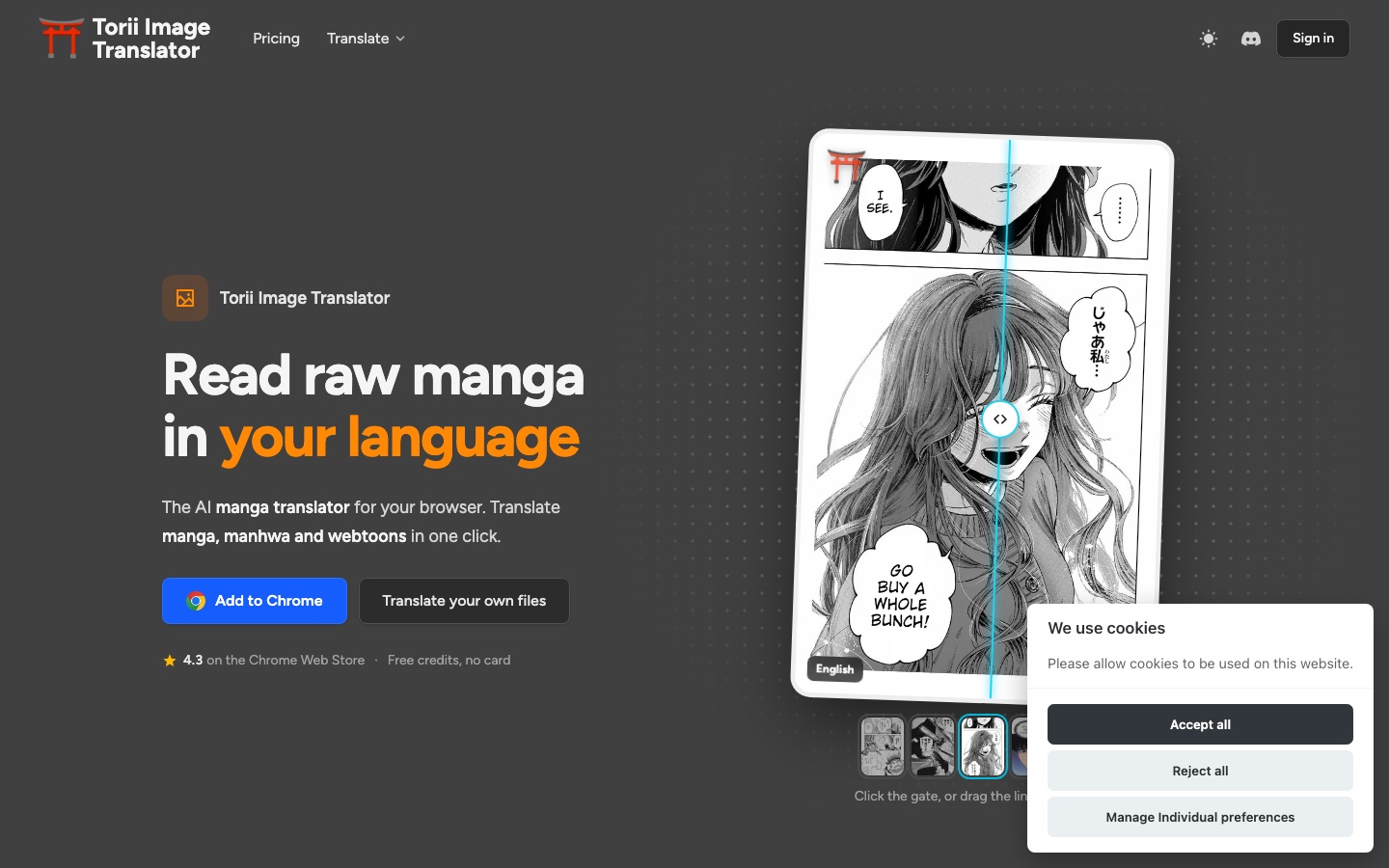
Torii Image Translator is an AI tool that translates manga, manhwa and webtoons by erasing the original lettering and typesetting the translation inside each bubble. Torii Image Translator works as a browser extension on reader sites and as a web app for uploaded chapters, supports over 120 languages, and is paid for with non-expiring credits.
Best for Readers of untranslated comics and scanlation groups who want translated pages that keep the look of the original artwork and can be edited by hand.
- Platforms
- Browser extension, Web, iOS, Android, API
- Pricing model
- Credits
- Free trial
- Yes
- API
- Yes
- Made by
- Torii Translator
- Added
Last verified: . Information taken from toriitranslate.com.
What is Torii Image Translator?
Torii Image Translator is an AI tool for reading comics in another language. Instead of placing a text box over the artwork, it removes the original lettering with inpainting and typesets the translation inside each speech bubble. It runs as a browser extension for Chrome, Edge, Brave, Opera, Firefox and Safari, where you click an icon on any comic image or let pages translate while you scroll, and as a web app for your own files, where a whole chapter uploaded as images, a ZIP or a PDF is processed in one pass. A built-in editor lets you move, restyle or rewrite any bubble, and a colorizer converts black-and-white pages to colour. Translation is carried out by a model you choose, among them Claude, Gemini, GPT, DeepSeek and Grok, across more than 120 languages. Usage is paid with credits rather than a subscription.
Key Features
Clean Typesetting
Erases the source text from the artwork and sets the translated line inside the bubble at a size that fits.
Built-in Editor
Lets you reposition, rotate and restyle text boxes, change fonts, brush away leftovers and re-run OCR on a missed bubble.
Bulk Chapter Translation
Processes every page of an uploaded chapter together; the finished set can be exported as layered PSD files, one PDF or a zipped folder.
Long Strip Support
Handles vertical webtoon strips tens of thousands of pixels tall at full resolution without slicing them into pages.
Model and Prompt Choice
Offers several AI models, custom prompts and glossaries, and shares names and terms between pages for consistency.
Manga Colorizer
Turns monochrome pages into colour, singly or for a full chapter, and the coloured pages can still be translated.
How Torii Image Translator works
Install or open
Add the extension to your browser for reader sites, or open the web app to work with your own files.
Start a translation
Click the gate icon on a comic image, switch on auto-translate, or upload images, a ZIP or a PDF.
Let Torii re-letter the page
The text is detected, removed from the art and replaced with the translation inside each bubble.
Edit if needed
Rewrite a line, change the font or clean a spot with the eraser, brush or inpainting tool.
Download
Save one page at a time, or export the full chapter as PSD, PDF or a zipped folder.
Screenshots
Videos
Use Cases
- Reading Untranslated Series
- Translate raw Japanese, Korean or Chinese chapters on the reader site you already use.
- Scanlation Projects
- Bulk translate, clean and letter a chapter, then correct lines in the editor before exporting PSD files.
- Webtoons on a Phone
- Read through the Firefox add-on on Android or the Safari version on iPhone and iPad.
- Games and Visual Novels
- Use the same credit balance for live translation of on-screen game dialogue.
- Adding Translation to an App
- Send images to the API and receive translated versions from your own software.
Things to know
- Credits do not expire
- Packs are bought once, are shared across all Torii products and devices, and stay on the account until used.
- Cost depends on model and text
- An image translation is one scanning credit plus an AI cost that grows with text length; using your own provider key removes the AI part.
- Cached results are temporary
- Repeating an unchanged translation is free while it is cached, but cached results are cleared after a week by default.
- Sign-in required
- A Google or email login is needed, and disposable email addresses are blocked.
FAQs
What is Torii Image Translator?
Torii Image Translator is an AI manga translator that replaces the lettering in comic images with a translation, available as a browser extension, a web app and an API.
Is Torii Image Translator free?
Torii Image Translator is free to install and gives new accounts some credits without asking for a card. Beyond those, translations are paid for with credit packs; there is no subscription.
How much does Torii Image Translator cost?
Torii Image Translator sells one-off credit packs in sizes from 2,500 to 250,000 credits, and a standard manga page uses about one credit with the fast models. See the official pricing page for current pack prices.
Which languages does Torii Image Translator support?
Torii Image Translator works with more than 120 languages and identifies the source language by itself, vertical Japanese included. The most common use is turning Chinese, Korean or Japanese pages into English.
Does Torii Image Translator work on mobile?
Yes. Torii Image Translator runs on Android through the Firefox add-on and on iPhone or iPad through a Safari version from the App Store, and its web app opens in mobile browsers.
Does Torii Image Translator have an API?
Yes. Torii Image Translator offers a translation API that can be used on its own, without the extension, and is also listed on RapidAPI.
Who makes Torii Image Translator?
Torii Image Translator is built and maintained by a single developer, who handles support through the project's Discord server.
Who it's for
- Manga readers
- Webtoon readers
- Scanlators
- Visual novel players
- Developers
Used in these workflows
- Comics and manga with AI: what the tools can draw, and what stays in your handsStage 4: Inking, color and finishing
- Translation and localization, job by job: AI tools for documents, subtitles, dubbing and live speechStage 6: Images and on-screen text
- Comics and manga with AI: what the tools can draw, and what stays in your handsStage 7: Translation and motion versions
Each guide lists the stages of one job and the tools that help at each stage. All guides
Comments
No comments yet. If you have used Torii Image Translator, tell other readers how it went.
Alternatives to Torii Image Translator
| Tool | Free plan | Starting price | API |
|---|---|---|---|
 Manga TranslatorBrowser extension that detects text in manga, manhwa and webtoon pages and translates it in place into 100+ languages. |
— | — | — |
 AI Manga TranslatorOnline tool that translates the text in manga and comic images while keeping the original page layout. |
Yes | — | Yes |
 Cartoonize.netBrowser-based photo editor that turns pictures into cartoons, sketches and paintings and adds AI retouching tools. |
Yes | — | — |
 Cleanup.picturesWeb inpainting tool that removes objects, people, text and defects from photos by brushing over them. |
Yes | — | Yes |
 EditTextImageAI editor that swaps words inside existing images while matching the original font, color and perspective. |
Yes | — | — |
Listed in the same categories as Torii Image Translator. A starting price appears only where we checked it on the maker’s pricing page; a dash means not checked or not published. All Anime & Comic Art tools