
Language Reactor
Chrome extension and web toolbox for learning languages from Netflix, YouTube, books and web pages with dual subtitles.
Language Reactor is a Chrome extension and website for studying a foreign language through Netflix, YouTube, podcasts, books and web pages. Language Reactor shows dual-language subtitles, a click-to-translate dictionary with AI explanations, vocabulary saving with review drills, and a chatbot for conversation practice. The core features are free, with an optional Pro mode.
Best for Self-directed language learners who want to study from films, series and videos they already watch rather than from course material.
- Listed in
- Language Learning
- Platforms
- Web, Browser extension
- Pricing model
- Freemium
- Free plan
- Yes
- Added
Last verified: . Information taken from languagereactor.com.
What is Language Reactor?
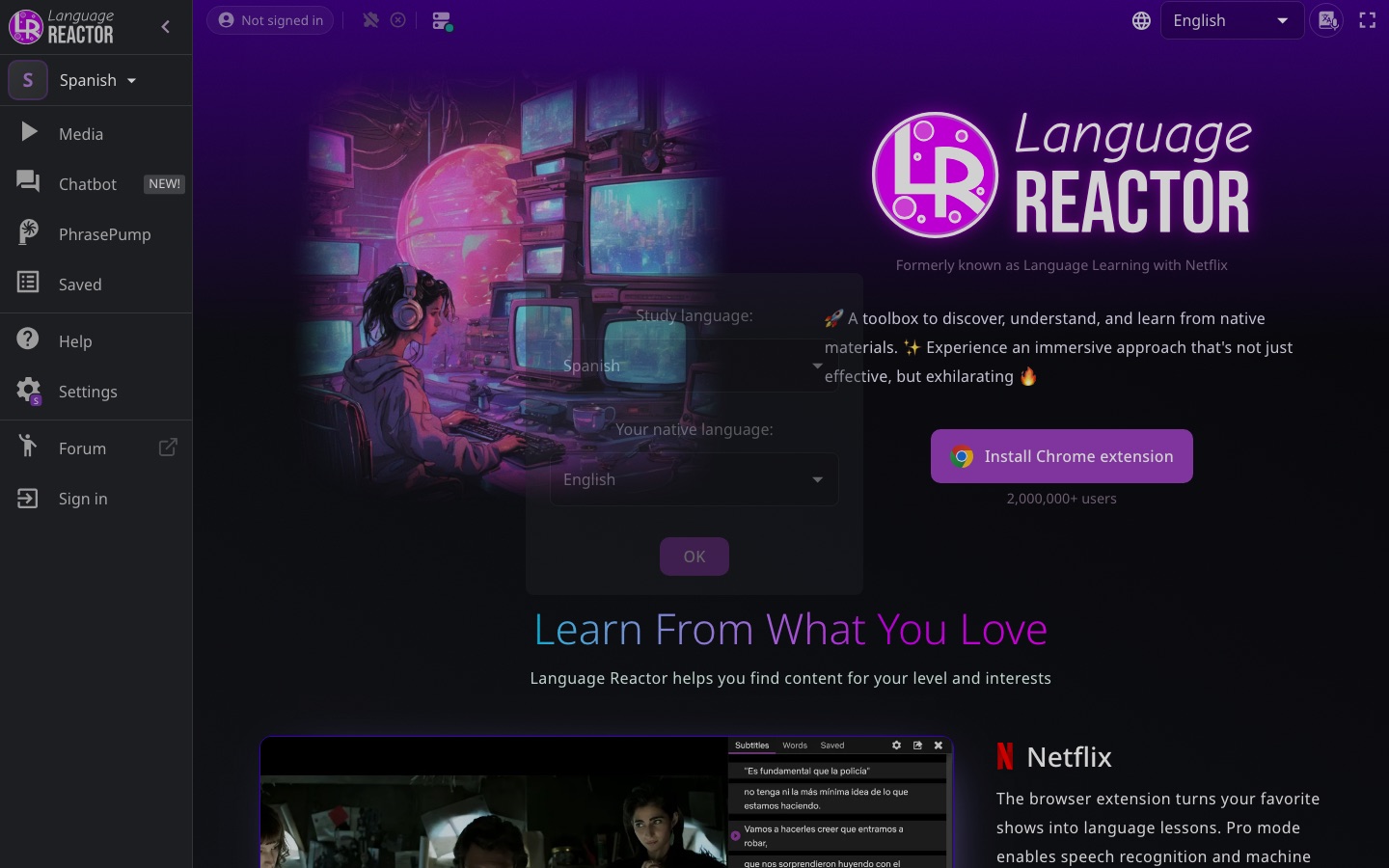
Language Reactor is a language-learning toolbox that turns films, series, online videos and written texts into study material. It was previously called Language Learning with Netflix and is installed as a Chrome extension, with a companion website that also opens on phones and tablets. On Netflix and YouTube it displays subtitles in two languages at once, pauses automatically after every line if asked, changes the playback speed and responds to keyboard shortcuts. Clicking a word opens a dictionary with translations, spoken example sentences and an AI explanation of how the word is used in that context. Saved words are highlighted wherever they reappear, including inflected forms, and can be reviewed in a listening drill called PhrasePump or exported to Anki. A chatbot named Aria offers conversation practice with corrections. Most functions are free, and an optional Pro mode adds extras such as speech recognition and machine translation.
Key Features
Dual-Language Subtitles
Shows the original line and its translation together on Netflix and YouTube, with transliteration for languages written in another script.
Playback Controls
Stops the video after each subtitle, changes speed and jumps between lines through shortcuts and gestures.
Dictionary and Lexa AI
Opens translations and example sentences with audio when a word is clicked, plus an AI note on what it means in that sentence.
Smart Highlighting
Marks every saved word across all content and recognises its plurals, conjugations and related forms.
PhrasePump
Plays sentences picked to revisit saved vocabulary that is due for review while adding new words, mainly as listening practice.
Text and Book Import
Loads a web page or an uploaded book into the reader and reads it aloud with text-to-speech.
Use Cases
- Studying With a Series
- Watch a Netflix show with both languages on screen and stop after each line to check meaning.
- Listening Training
- Hide the subtitles and reveal them with the cursor only when a phrase is not understood.
- Building Flashcards
- Save words while watching and send them to Anki as cards with a screenshot and an audio clip.
- Speaking Practice
- Chat with the Aria bot for corrections, or follow the FSI and DLI speaking drills included on the site.
- Reading Foreign Articles
- Import a web page and look up unknown words with a click while the text is read aloud.
Things to know
- Netflix support is desktop only
- The Netflix feature runs through the browser extension and is labelled as desktop only on the site.
- Pro mode is optional
- The site describes Pro mode as an add-on to the free features; it is what enables speech recognition and machine translation on Netflix.
- Lexa AI Chat is in beta
- The AI chat inside the dictionary panel carries a beta label.
FAQs
What is Language Reactor?
Language Reactor is a Chrome extension and website that helps people learn languages from native material such as Netflix shows, YouTube videos, podcasts, books and web pages.
What is Language Reactor used for?
Language Reactor is used to watch or read content in a foreign language with dual subtitles, instant word lookups and vocabulary saving, and to review that vocabulary afterwards.
Is Language Reactor free?
Yes, Language Reactor has a set of free features. An optional Pro mode adds extras such as speech recognition and machine translation; the home page does not state its price.
Which languages does Language Reactor support?
Language Reactor works with content in more than 40 languages and shows transliterations for languages that use a different writing system.
Does Language Reactor work on mobile?
Language Reactor says its website works on phones and tablets. The Netflix feature relies on the browser extension and is marked as desktop only.
Is Language Reactor the same as Language Learning with Netflix?
Yes. Language Reactor is the new name of the tool formerly known as Language Learning with Netflix.
Can Language Reactor export to Anki?
Yes. Language Reactor can export saved items to Anki as flashcards that include screenshots and audio clips.
Who it's for
- Language learners
- Self-taught learners
- Students
- Anki users
Used in these workflows
- Learning a language with AI: which tool for which skill?Stage 3: Vocabulary and flashcards
- Learning a language with AI: which tool for which skill?Stage 4: Listening with subtitles
Each guide lists the stages of one job and the tools that help at each stage. All guides
Comments
No comments yet. If you have used Language Reactor, tell other readers how it went.
Alternatives to Language Reactor
| Tool | Free plan | Starting price | API |
|---|---|---|---|
 TrancyLanguage-learning extension with AI bilingual subtitles for streaming video and in-page translation of websites. |
Yes | — | — |
 Lufe AIAI translation browser extension that shows web pages bilingually and also translates images, PDFs and selected text. |
Yes | — | — |
 APEUniPTE exam practice platform that scores speaking and writing answers with AI. |
Yes | — | — |
 Alfa PTEOnline PTE practice platform with AI-scored questions, mock tests and performance analytics. |
— | — | — |
 Deep EnglishEnglish learning site that combines story-based listening lessons with an AI chatbot for speaking practice. |
— | — | — |
Listed in the same category as Language Reactor. A starting price appears only where we checked it on the maker’s pricing page; a dash means not checked or not published. All Language Learning tools