
TurboScribe
Audio and video transcription service powered by Whisper, with speaker labels, translation and subtitle export.
TurboScribe is an AI transcription service that converts audio and video files into text using Whisper. TurboScribe is used by uploading a file, choosing the language and one of three transcription modes, and downloading the transcript as DOCX, PDF, TXT or subtitle files. A free tier allows three transcripts per day.
Best for People who regularly transcribe long recordings, such as interviews, podcasts, lectures and meetings, and want subtitles or translations from the same upload.
- Listed in
- Transcription & CaptionsTranslation
- Platforms
- Web
- Pricing model
- Freemium
- Free plan
- Yes
- Added
Last verified: . Information taken from turboscribe.ai.
What is TurboScribe?
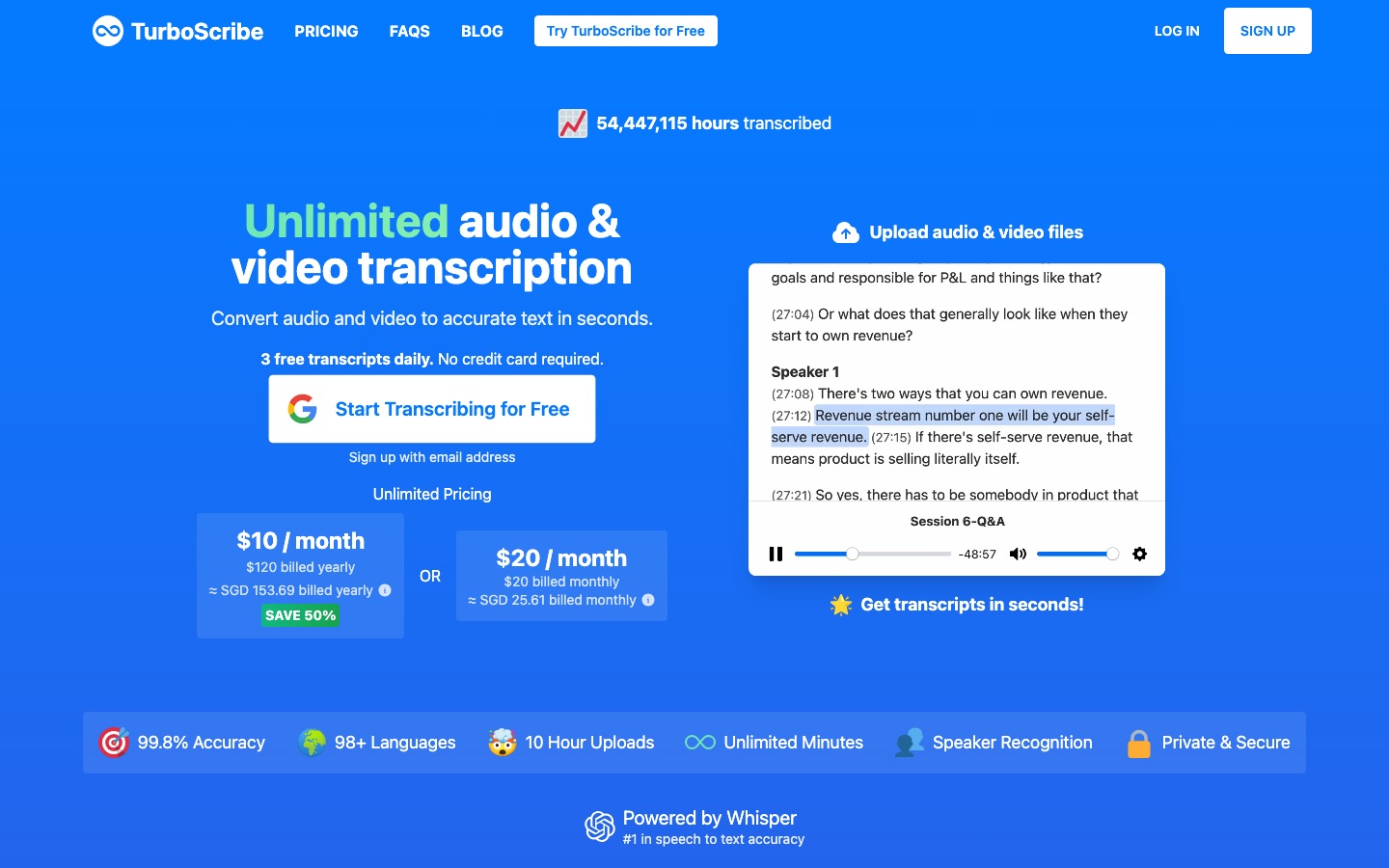
TurboScribe is an AI transcription service that converts audio and video files into text. It runs on Whisper and recognises speech in more than 98 languages, with three transcription modes named Cheetah, Dolphin and Whale that trade speed against accuracy. Options at upload include speaker recognition, which labels who is talking, direct transcription into English from another language, and an audio restoration step for noisy recordings. Finished transcripts can be translated into over 130 languages and exported as DOCX, PDF, TXT or SRT and VTT subtitle files. A free tier covers three files a day of up to 30 minutes each, while the paid Unlimited plan accepts files as long as ten hours, fifty at a time, with priority processing. The site says files and transcripts are stored encrypted and are visible only to the account holder.
Key Features
Multilingual Transcription
Turns speech in 98-plus languages into text, with the strongest results in widely spoken languages such as English and Spanish.
Three Transcription Modes
Offers Cheetah for speed, Dolphin as a middle setting and Whale for the highest accuracy.
Speaker Recognition
Marks each section of the transcript with the person speaking, for a set number of speakers or detected automatically.
Translation
Converts a transcript or subtitle file into another language, or transcribes foreign-language audio straight into English.
Export Formats
Downloads results as Word, PDF or plain-text documents and as SRT or VTT captions.
Audio Restoration
Cleans background noise and enhances voices before transcription when a recording is poor.
How TurboScribe works
Upload a file
Drag in or browse for an audio or video file in a supported format.
Pick language and mode
Select the spoken language and one of the three transcription modes.
Set extra options
Optionally turn on speaker recognition, transcription to English or audio restoration.
Download the transcript
Export the text as a document or as caption files, or translate it first.
Screenshots
Use Cases
- Meeting and Interview Notes
- A journalist uploads a recorded interview and gets a transcript labelled by speaker.
- Podcast Transcripts
- A podcaster publishes a text version of each episode alongside the audio.
- Video Subtitles
- A course creator exports SRT files and adds translated captions to existing videos.
- Research Recordings
- An academic transcribes hours of lecture or fieldwork audio in a batch.
- Foreign-Language Material
- A team transcribes a recording made in another language directly into English.
Things to know
- Free tier limits
- Free use is capped at three files a day, 30 minutes per file and one upload at a time, with lower priority.
- Upload size on the paid plan
- Unlimited accepts files of up to 10 hours or 5 GB and 50 uploads at once.
- Accuracy varies
- The site says results differ by language and that clean audio works better than noisy recordings.
- Extra options add time
- Speaker recognition and audio restoration each lengthen processing by a few minutes per hour of audio.
FAQs
What is TurboScribe?
TurboScribe is an online service that uses AI to transcribe audio and video files into text.
What is TurboScribe used for?
TurboScribe is used to transcribe meetings, interviews, podcasts and videos, and to produce subtitles and translated transcripts.
Is TurboScribe free?
Yes, TurboScribe has a free tier that transcribes three files per day, each up to 30 minutes long, with lower queue priority. No credit card is needed.
How much does TurboScribe cost?
TurboScribe sells one paid plan, TurboScribe Unlimited, for a single user with monthly or yearly billing. See the official site for the current price in your currency.
Which languages does TurboScribe support?
TurboScribe transcribes more than 98 languages and translates transcripts into over 130; accuracy varies by language.
What file formats does TurboScribe accept?
TurboScribe accepts common audio and video formats, among them MP3, WAV, M4A, AAC, OGG, MP4, MOV and WMV, and exports DOCX, PDF, TXT, SRT and VTT.
Who makes TurboScribe?
TurboScribe is built by a developer named Leif, who writes on the site that he previously worked on AI systems at companies such as Meta.
Who it's for
- Podcasters
- Journalists
- Researchers
- Students
- Video creators
- Teams
Used in these workflows
- Where AI tools fit in making a documentary, from research to subtitlesStage 2: Recording and transcribing interviews
- Translation and localization, job by job: AI tools for documents, subtitles, dubbing and live speechStage 3: Subtitles and captions
- Learning a language with AI: which tool for which skill?Stage 4: Listening with subtitles
- How to build an online course with AI tools, from outline to enrollmentStage 7: Captions and translation
- Making an animated explainer video with AI, from script to subtitlesStage 7: Captions and language versions
- What it takes to start a podcast, and where AI tools save the most timeStage 7: Transcripts and show notes
- AI tools for making a film, stage by stageStage 8: Subtitles and translation
- Where AI tools fit in making a documentary, from research to subtitlesStage 9: Subtitles and translation
Each guide lists the stages of one job and the tools that help at each stage. All guides
Comments
No comments yet. If you have used TurboScribe, tell other readers how it went.
Alternatives to TurboScribe
| Tool | Free plan | Starting price | API |
|---|---|---|---|
 iFlytek Tingjian (讯飞听见)Chinese speech-to-text service from iFlytek for transcribing recordings, summarising meetings and translating speech. |
— | — | Yes |
 Felo TranslatorMobile app that transcribes speech and translates it in real time, with audio or text output. |
— | — | — |
 JotMeReal-time AI translation, transcription and meeting notes for multilingual meetings and events. |
Yes | — | — |
 TrancyLanguage-learning extension with AI bilingual subtitles for streaming video and in-page translation of websites. |
Yes | — | — |
 Transync AIReal-time AI speech translator for meetings and conversations, with spoken output, subtitles and meeting notes. |
Yes | — | — |
Listed in the same categories as TurboScribe. A starting price appears only where we checked it on the maker’s pricing page; a dash means not checked or not published. All Transcription & Captions tools