
VMEG AI
Translates and dubs video into 170+ languages, with voice cloning, lip-sync, subtitles and an editing studio.
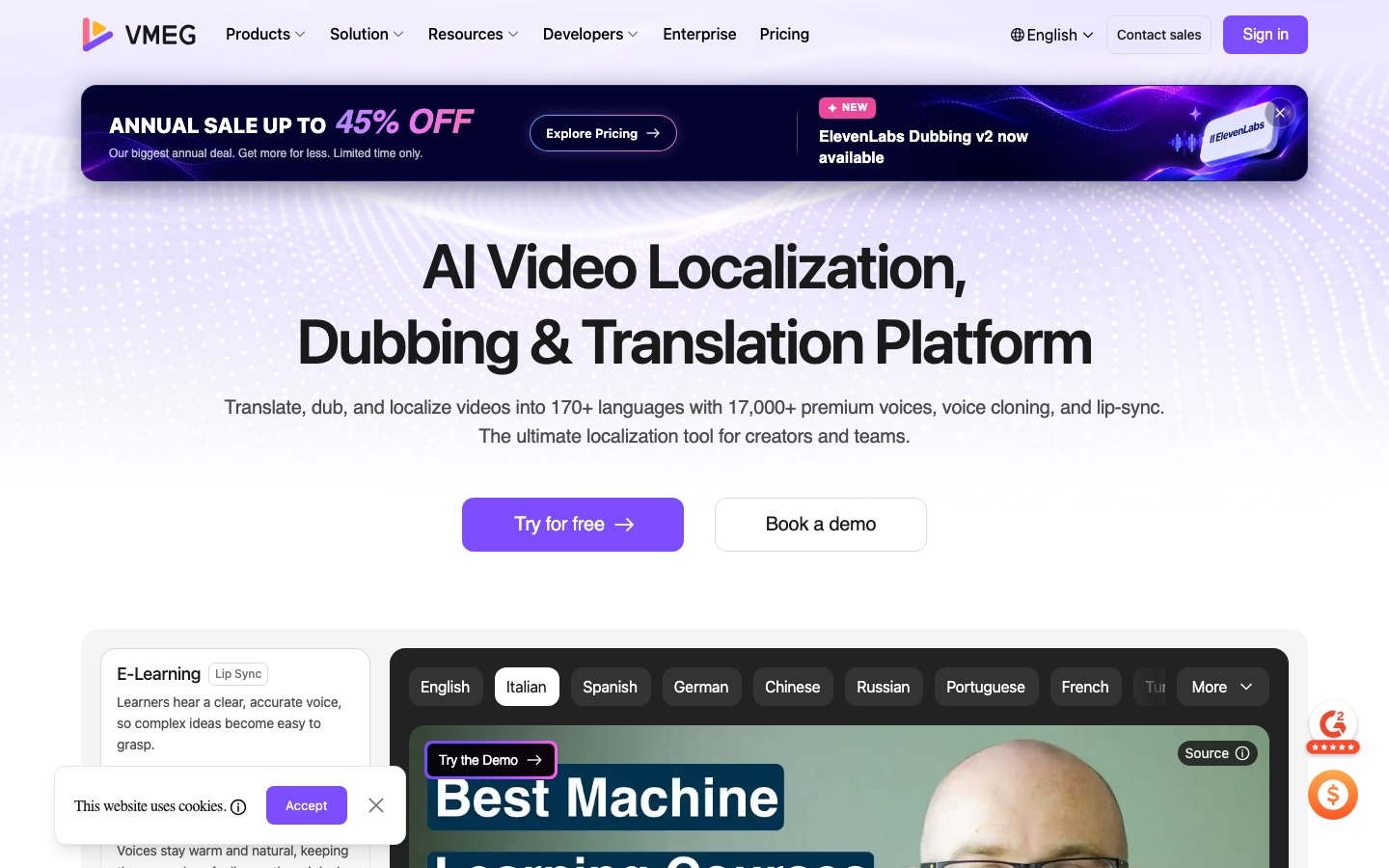
VMEG AI is a video localization platform for moving spoken video into other languages. VMEG AI transcribes the source, translates the script, generates a dubbed voice track with optional voice cloning and lip-sync, and adds subtitles. Users upload a file or paste a link, pick a target language and can edit script and voices in a studio before exporting.
Best for Creators and companies that publish the same video in several languages and want translation, dubbing, subtitles and lip-sync handled in one workflow.
- Platforms
- Web, API, MCP
- Pricing model
- Credits
- API
- Yes
- Made by
- PixRipple
- Added
Last verified: . Information taken from vmeg.ai.
What is VMEG AI?
VMEG AI is a platform for translating and dubbing video and audio, operated by PixRipple. It covers more than 170 languages, dialects and accents and offers a catalogue of over 17,000 voices, along with voice cloning that carries a speaker's own voice into the translated track. Lip-sync adjusts mouth movement to match the new audio. An editing studio lets users review source and target scripts side by side, reassign voices, manage a glossary and pronunciation, and style bilingual subtitles. Around the core dubbing product sit transcription tools, subtitle generation and translation, text to speech, a voice changer and a slides-to-video converter. For larger organisations there is a structured dubbing workflow with approvals, batch processing, a localization agent and a managed service in which human linguists check the result. Developers get an API and MCP access.
Key Features
AI Dubbing
Replaces the spoken track with a translated voice while keeping timing and background audio.
Voice Cloning
Reproduces the original speaker's voice in the target language instead of a stock voice.
Lip Sync
Adjusts the speaker's mouth movement so it matches the dubbed audio.
Speaker Identification
Detects multiple speakers and lets each be given a separate cloned or library voice.
Script and Subtitle Editor
Shows original and translated text together for proofreading and exports SRT files.
Glossary Control
Keeps chosen terms consistent and allows pronunciation to be set word by word.
How VMEG AI works
Upload or paste a link
Add a video file or paste a link from a platform such as YouTube or TikTok.
Choose the target language
Select the language and options such as subtitles or speed adjustment.
Review in the studio
Check the translated script, change voices and redo individual lines.
Add lip sync and export
Apply lip-sync if wanted and export the finished video.
Screenshots
Use Cases
- Translating a YouTube Channel
- Publish existing videos in new languages to reach viewers abroad.
- Localising Training Courses
- Dub e-learning modules so staff or students hear them in their own language.
- Multilingual Ad Campaigns
- Produce versions of one advert for several markets.
- Podcast Distribution
- Release episodes in other languages using the host's cloned voice.
- Subtitling Short Clips
- Generate timed bilingual subtitles for social media video.
Things to know
- Credits follow video length
- Usage is charged in credits that depend on how long the video is.
- Edits do not cost extra
- The site states that script, speed and voice changes on a purchased video use no additional credits.
- Third-party models available
- The platform lists outside models, including an ElevenLabs dubbing option, next to its own OpenDub model.
FAQs
What is VMEG AI?
VMEG AI is an online platform for localizing video: it translates the speech, dubs it in another language and can lip-sync the result, across more than 170 languages.
What is VMEG AI used for?
VMEG AI is used to adapt videos, podcasts and courses for audiences who speak other languages, by producing translated voice tracks and subtitles.
How many languages does VMEG AI support?
VMEG AI supports over 170 languages, including regional dialects and accents.
Does VMEG AI have an API?
Yes. VMEG AI lists an API, MCP access and integrations in its developer section.
How does VMEG AI pricing work?
VMEG AI uses credits calculated from video length. The site says a video that has been paid for can be re-edited and reprocessed without further charges. See the official pricing page for plan prices.
Does VMEG AI offer human review?
Yes. VMEG AI offers a managed service in which professional linguists check the dubbing before delivery.
Who makes VMEG AI?
VMEG AI is operated by PixRipple, according to the copyright notice on its website.
Who it's for
- Content creators
- Marketing teams
- E-learning producers
- Agencies
- Media companies
- Podcasters
Used in these workflows
- The AI toolkit for running a YouTube channel, one upload at a timeStage 7: Captions, chapters and dubbing
Each guide lists the stages of one job and the tools that help at each stage. All guides
Comments
No comments yet. If you have used VMEG AI, tell other readers how it went.
Alternatives to VMEG AI
| Tool | Free plan | Starting price | API |
|---|---|---|---|
 Rask AIAI video and audio localisation tool for translation, dubbing, voice cloning and lip-sync in 135+ languages. Rask AIAI video and audio localisation tool for translation, dubbing, voice cloning and lip-sync in 135+ languages. |
— | — | Yes |
 Vozo AIAI video localisation tool that dubs, lip-syncs and subtitles videos and translates their on-screen text in more than 160 languages. Vozo AIAI video localisation tool that dubs, lip-syncs and subtitles videos and translates their on-screen text in more than 160 languages. |
Yes | $29/mo | Yes |
 MaestraAI media localisation platform for transcription, subtitles, translation and dubbing in 125+ languages, on files or live. MaestraAI media localisation platform for transcription, subtitles, translation and dubbing in 125+ languages, on files or live. |
— | — | Yes |
 ClideoBrowser-based video editor and toolset for compressing, cutting, subtitling, translating and converting media. ClideoBrowser-based video editor and toolset for compressing, cutting, subtitling, translating and converting media. |
Yes | — | — |
 ElevenLabsAI audio platform for text to speech, voice cloning, transcription, dubbing, music and conversational voice agents. ElevenLabsAI audio platform for text to speech, voice cloning, transcription, dubbing, music and conversational voice agents. |
Yes | — | Yes |
Listed in the same categories as VMEG AI. A starting price appears only where we checked it on the maker’s pricing page; a dash means not checked or not published. All Video Translation & Dubbing tools