
Plane
Project management and wiki workspace with built-in AI agents, available in the cloud or self-hosted.
Plane is a project management platform that brings work tracking, a wiki and AI agents into one workspace. Teams use Plane to plan projects in cycles, view work as boards or Gantt charts, document decisions and ask Plane AI for status across projects. Plane runs in the cloud or self-hosted, including air-gapped setups.
Best for Product and engineering teams that want an issue tracker with docs and AI built in, particularly when self-hosting or data control is a requirement.
- Platforms
- Web, iOS, Android, macOS, Windows, API, MCP
- Pricing model
- Freemium
- Free plan
- Yes
- Free trial
- Yes
- API
- Yes
- Made by
- Plane
- Added
Last verified: . Information taken from plane.so.
What is Plane?
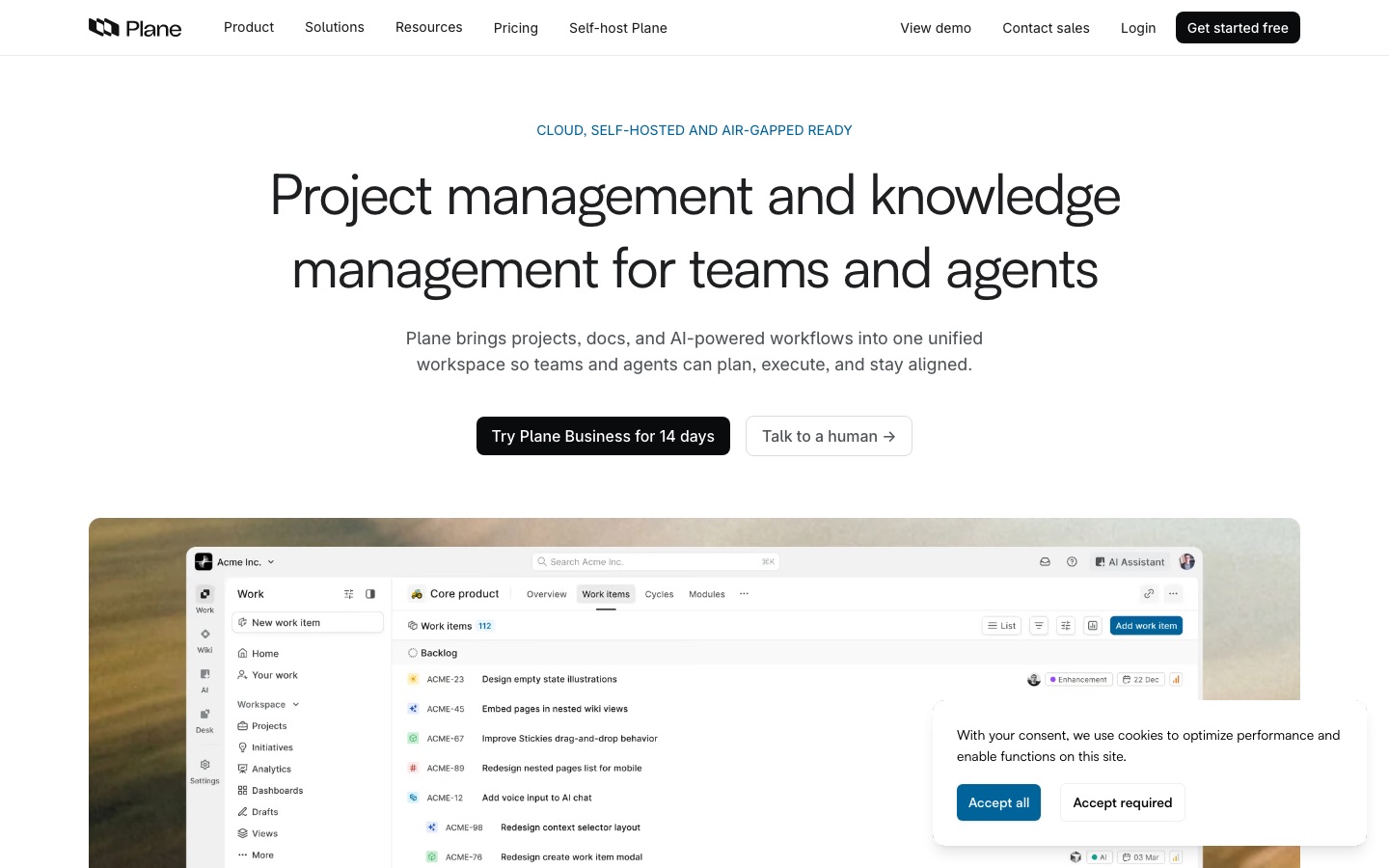
Plane is a project management platform that combines work tracking, a wiki and an AI layer in a single workspace. Work is organised from initiatives down through projects, epics and time-boxed cycles, and can be viewed as a board, list, spreadsheet or Gantt chart. Dashboards report velocity, workload and blockers without manual setup. Plane AI reads across projects, documents and threads to answer status questions, and built-in agents can triage requests, assign owners and post updates; the assistant is also reachable from Slack. Developers get a REST API, webhooks, SDKs for Python and Node.js, a native MCP server and a YAML-based way to define projects as code. Plane runs as a cloud service or on your own infrastructure with Docker or Kubernetes, including air-gapped environments, and offers mobile and desktop apps.
Key Features
Work Items and Cycles
Tracks tasks through projects, epics and sprints with burndown charts and velocity figures included.
Multiple Views
Shows the same work as a Gantt timeline, a list, a spreadsheet or a board, switchable at any point.
Wiki
Keeps company documentation next to the projects it relates to, in the same workspace.
Plane AI and Agents
Answers questions using workspace context and lets agents be assigned to work items to triage, draft and update.
Self-Hosting
Deploys on Docker or Kubernetes with your own Postgres, Redis and object storage, managed through an admin panel and CLI.
Developer Platform
Offers OAuth apps, signed webhooks, typed SDKs, an MCP server and Plane Compose for project configuration in Git.
Screenshots
Use Cases
- Sprint Planning
- Plan and review engineering cycles with built-in burndown and scope-change tracking.
- Moving Off Another Tracker
- Import issues, comments and attachments from Jira, Linear, Asana, ClickUp or Monday.
- Regulated Deployments
- Run project tracking on-premises or in an air-gapped network where cloud tools are not permitted.
- Turning Chat Into Tasks
- Mention the assistant in a Slack channel to create and assign a work item from the conversation.
- Roadmap Alignment
- Link team-level epics to organisation-wide initiatives and follow rolled-up progress.
Things to know
- Some parts are not released yet
- The Desk customer-support product and the Microsoft Teams integration are both marked as coming soon.
- Compliance certifications
- Plane lists compliance with ISO 27001, SOC 2, CCPA and GDPR and publishes details on a separate security site.
- Separate self-hosted editions
- Self-hosting comes in commercial and air-gapped editions, priced separately from the cloud plans.
- Migration assistance
- Plane describes a three-week assisted migration process for organisations moving from other trackers.
FAQs
What is Plane?
Plane is a project management and knowledge management platform with built-in AI agents, offered as a cloud service and as self-hosted software.
Is Plane free?
Yes. Plane has a Free plan, and paid tiers named Pro, Business and Enterprise Grid sit above it; the Business tier can be tried for 14 days.
How much does Plane cost?
Plane prices its paid plans per seat, with monthly or yearly billing and separate cloud and self-hosted options. See the official pricing page for current amounts.
Can Plane be self-hosted?
Yes. Plane can be deployed with Docker or with Kubernetes and Helm charts, and it supports fully air-gapped installations.
Does Plane have an API?
Yes. Plane provides a REST API secured with OAuth 2.0, signed webhooks, SDKs for Python and Node.js, and its own MCP server for AI agents.
Does Plane work on mobile?
Yes. Plane has iOS and Android apps that work with both the cloud service and self-hosted instances, plus desktop downloads for Mac and Windows.
What does Plane AI do?
Plane AI answers questions about cycles, projects and documents using the full workspace as context, and its agents can triage incoming requests, assign owners and send updates.
Which tools does Plane integrate with?
Plane integrates with GitHub, GitLab, Slack, Sentry, Figma and others through its marketplace, and a Microsoft Teams integration is listed as coming soon.
Who it's for
- Product teams
- Engineering teams
- Project managers
- Enterprises
- Startups
Used in these workflows
- Keeping a project on track: AI tools from the first plan to the weekly status reportStage 2: Tasks and boards
- Keeping a project on track: AI tools from the first plan to the weekly status reportStage 3: Docs and specs
Each guide lists the stages of one job and the tools that help at each stage. All guides
Comments
No comments yet. If you have used Plane, tell other readers how it went.
Alternatives to Plane
| Tool | Free plan | Starting price | API |
|---|---|---|---|
 MulticaSource-available project management platform where AI coding agents are assigned issues like human teammates. |
— | — | Yes |
 NotionWorkspace for docs, databases and projects with built-in AI agents, meeting notes and cross-app search. |
Yes | — | Yes |
 LinearIssue tracking and product planning tool where human teammates and AI agents share the same workflow. |
Yes | — | Yes |
 OnyxOpen-source enterprise search and AI chat that connects company tools and answers with permission-aware context. |
— | — | Yes |
 OpenClawOpen-source personal AI assistant that runs on your own machine and takes instructions through chat apps. |
Yes | — | — |
Listed in the same categories as Plane. A starting price appears only where we checked it on the maker’s pricing page; a dash means not checked or not published. All Productivity & Team Work tools