
Linear
Issue tracking and product planning tool where human teammates and AI agents share the same workflow.
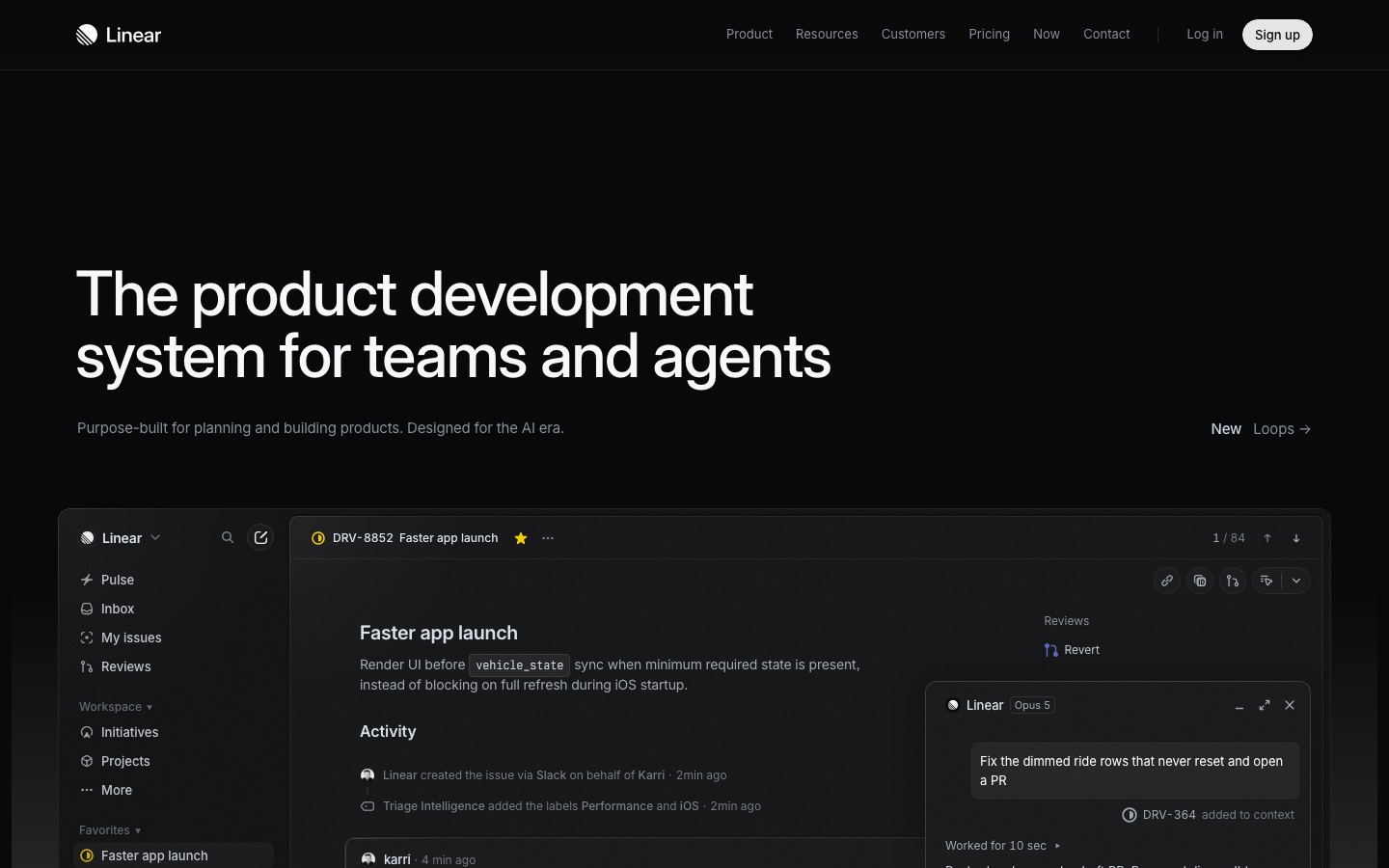
Linear is a product development tool for software teams. Linear tracks issues, organises them into projects, cycles and initiatives, and shows code diffs for review. Teams can also assign issues to Linear Agent or connected third-party agents, which draft code and open pull requests. Linear offers a free tier plus paid per-user plans.
Best for Software product teams that want issue tracking, roadmap planning and agent-assisted coding in a single workspace.
- Platforms
- Web, API, MCP
- Pricing model
- Freemium
- Free plan
- Yes
- API
- Yes
- Made by
- Linear
- Added
Last verified: . Information taken from linear.app.
What is Linear?
Linear is a product development tool that combines issue tracking, project planning and code review in one workspace. Incoming requests from Slack, email or web forms become issues, and a triage feature can label and route them automatically. Planning happens through initiatives, projects, cycles and written documents, with roadmap views and reporting on top. Linear also treats AI agents as participants: its own Linear Agent can be handed an issue and will write and test code in a cloud environment before opening a pull request, while outside agents such as Cursor can connect too. A review area shows diffs, including stacked pull requests, next to the related issue. The company says more than 40,000 product teams use the tool, and it offers a free tier alongside paid plans.
Key Features
Issue Intake
Converts Slack threads, emails and form submissions into issues, then applies labels and routes them to a team.
Roadmaps and Initiatives
Groups projects under initiatives, shows them on a timeline and keeps product requirement documents beside the work.
Linear Agent Coding Sessions
Takes an assigned issue, writes and tests the change in a hosted environment and opens a pull request for a human to review.
Diffs and Guided Reviews
Displays pull request changes inside Linear, with review, CI and merge status visible for each item in a stack.
Loops
Runs recurring agent workflows that react to workspace activity, edit documents and post updates to Slack.
API, Webhooks and MCP
Exposes workspace data to scripts and to MCP-compatible AI clients so external tools can read and update issues.
Screenshots
Use Cases
- Running Sprint Cycles
- Plan a cycle, track progress on each issue and review what carried over.
- Triaging Bug Reports
- Collect reports arriving from support channels and sort them by team and priority.
- Delegating Small Fixes to an Agent
- Assign a well-described issue to the coding agent and review the draft pull request it produces.
- Tracking Customer Requests
- Attach customer feedback to issues to see which requests come up most often.
- Quarterly Roadmap Planning
- Lay out initiatives on a timeline and share status updates with stakeholders.
Things to know
- Free tier has hard caps
- The Free plan allows unlimited members but only 2 teams and 250 issues.
- Some AI features need credits
- The plan comparison marks certain agent features as requiring AI credits.
- Enterprise is yearly only
- The Enterprise plan is sold with annual billing and custom pricing through sales.
FAQs
What is Linear?
Linear is a tool for planning and building software products. It covers issue tracking, projects, roadmaps and code review, and lets AI agents work on issues alongside people.
What is Linear used for?
Linear is used by product and engineering teams to capture requests, plan work in cycles and projects, and follow code changes through review.
Is Linear free?
Linear has a Free plan with unlimited members that is capped at 2 teams and 250 issues. Paid plans named Basic, Business and Enterprise lift those caps and add features.
How much does Linear cost?
Linear lists Free, Basic, Business and Enterprise plans, with paid tiers charged per user. See the official pricing page for current figures.
Does Linear have an API?
Yes. Linear's plan comparison lists API and webhook access, and the product also offers an MCP connection for AI clients.
Can AI agents work inside Linear?
Yes. Linear Agent can take on an issue and open a pull request, and third-party agents such as Cursor and ChatPRD appear as connectable agents on the site.
Does Linear integrate with Slack?
Yes. Linear can create issues from Slack conversations, and the plan table lists Slack intake along with Microsoft Teams, Zendesk, Intercom and Salesforce integrations on certain tiers.
Who it's for
- Product teams
- Software engineers
- Engineering managers
- Startups
- Enterprises
Used in these workflows
- Keeping a project on track: AI tools from the first plan to the weekly status reportStage 1: Scope and plan
- Keeping a project on track: AI tools from the first plan to the weekly status reportStage 2: Tasks and boards
Each guide lists the stages of one job and the tools that help at each stage. All guides
Comments
No comments yet. If you have used Linear, tell other readers how it went.
Alternatives to Linear
| Tool | Free plan | Starting price | API |
|---|---|---|---|
 MulticaSource-available project management platform where AI coding agents are assigned issues like human teammates. |
— | — | Yes |
 monday.comWork management platform where teams run projects on boards and assign tasks to configurable AI agents. |
Yes | — | Yes |
 FastioProject workspaces where a team's files, members and AI agents work from one shared, searchable copy. |
No | — | Yes |
 MakeVisual automation platform for building workflows and AI agents across 3,000+ app integrations. |
Yes | — | Yes |
 PlaneProject management and wiki workspace with built-in AI agents, available in the cloud or self-hosted. |
Yes | — | Yes |
Listed in the same categories as Linear. A starting price appears only where we checked it on the maker’s pricing page; a dash means not checked or not published. All Productivity & Team Work tools