
OpenClaw
Open-source personal AI assistant that runs on your own machine and takes instructions through chat apps.
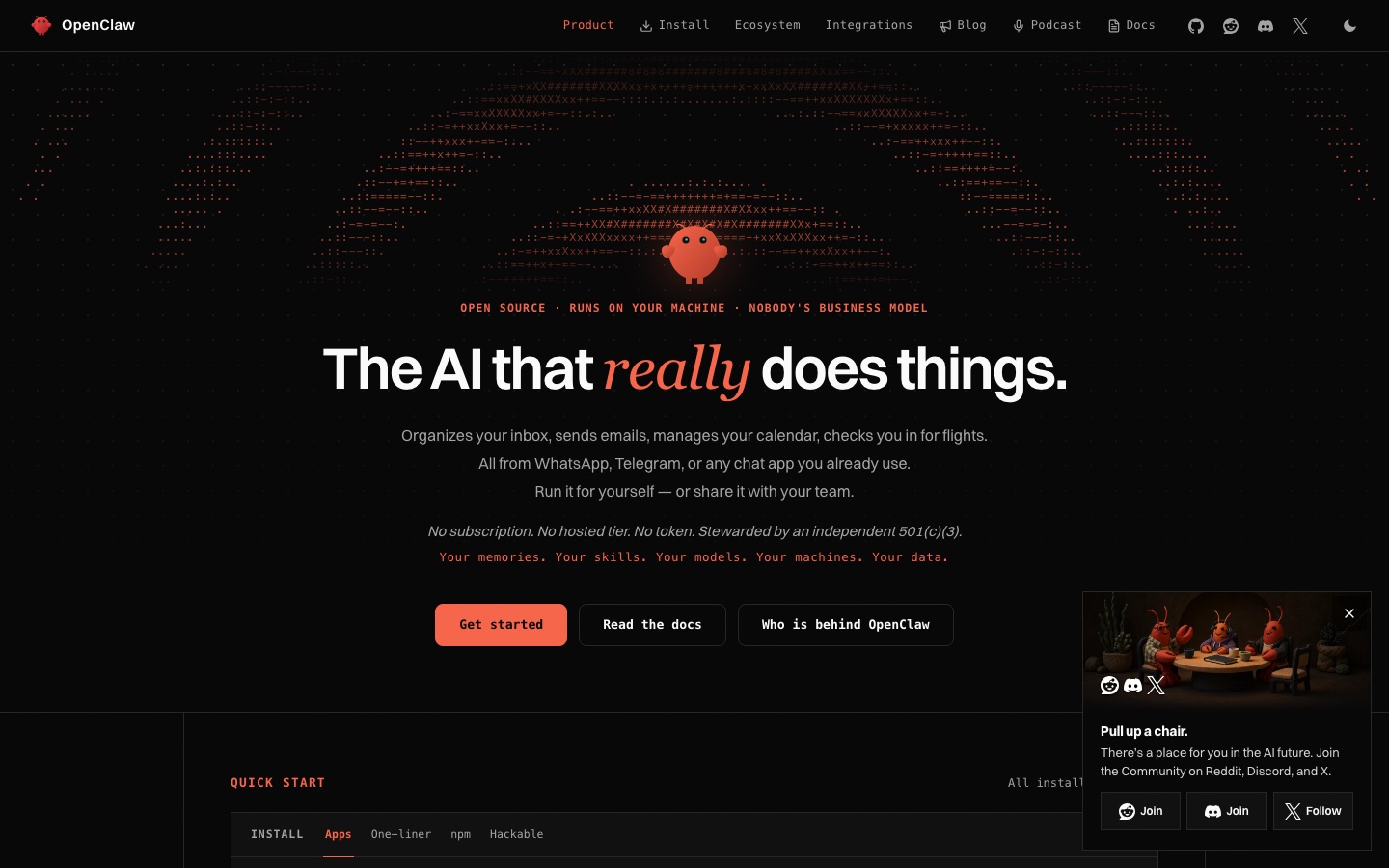
OpenClaw is an open-source AI assistant that runs on the user's own computer instead of a hosted service. OpenClaw receives requests through WhatsApp, Telegram or another chat app and carries out tasks such as sorting an inbox, sending email, managing a calendar and checking in for flights. OpenClaw installs on macOS, Windows and Linux.
Best for Technically comfortable users and teams who want a self-hosted assistant that acts on their accounts while data stays on their own machines.
- Platforms
- macOS, Windows, Linux
- Pricing model
- Free
- Free plan
- Yes
- Added
Last verified: . Information taken from openclaw.ai.
What is OpenClaw?
OpenClaw is an open-source personal AI assistant that you install and run on your own hardware. You talk to it through messaging apps you already use, such as WhatsApp or Telegram, and it performs the work: triaging an inbox, writing and sending email, keeping a calendar and handling flight check-in. Because it runs locally, the memories, skills, model choices and data belong to the person operating it, and the same installation can be shared with a team. The project has no subscription, no hosted tier and no token, and the site states that an independent 501(c)(3) organisation stewards it. Installation is offered as desktop apps for macOS, Windows and Linux, a one-line shell installer, an npm package or a source checkout from GitHub, followed by an onboarding command. Stable and development release channels are available.
Key Features
Chat App Interface
Accepts instructions through WhatsApp, Telegram and other messaging apps rather than a dedicated web console.
Inbox and Email Handling
Organises incoming mail and drafts and sends messages on the user's behalf.
Calendar and Travel Tasks
Manages calendar entries and completes airline check-in when asked.
Local Operation
Runs on the user's own machine so memories, skills and data are not held by a hosted provider.
Desktop Apps
Provides installers for macOS, Windows and Linux that set up the gateway, chat, setup and node components together.
Multiple Install Paths
Can be installed with a single shell command, through npm, or built from the public GitHub repository.
How OpenClaw works
Install
Download a desktop app or run the installer command for your operating system.
Onboard
Run the onboarding step to set up the assistant and connect it to a chat app.
Message it
Send requests from WhatsApp, Telegram or another connected chat and let it act.
Use Cases
- Personal Admin by Message
- Send a chat message to have mail answered or an appointment moved.
- Shared Team Assistant
- Run one installation that several colleagues can address.
- Self-Hosted Automation
- Keep an always-available agent on a spare computer under your own control.
- Bring Your Own Model
- Pair the assistant with the AI models you choose rather than a fixed vendor.
- Extending with Skills
- Add or write skills so the assistant can handle new kinds of task.
Things to know
- No hosted version
- There is no cloud tier; the assistant has to be installed and kept running on your own hardware.
- Administrator rights on macOS
- The installer notes that a first run on macOS may need an administrator account for Homebrew.
- Windows shell installer is in beta
- The command-line installer for Windows is labelled beta on the site.
FAQs
What is OpenClaw?
OpenClaw is an open-source AI assistant that runs on your own computer and carries out tasks you send it from a chat app.
What is OpenClaw used for?
OpenClaw is used to organise an inbox, send emails, manage a calendar, check in for flights and automate similar personal or team chores.
Is OpenClaw free?
OpenClaw is open source and its site says there is no subscription and no hosted tier. The site does not describe what any AI models you connect to it may cost.
Which platforms does OpenClaw run on?
OpenClaw offers desktop apps for macOS 15 or later, Windows 10 and 11, and Linux as an AppImage or Debian package.
How do I install OpenClaw?
OpenClaw can be installed from a desktop app, a one-line shell script, the npm package or a git checkout, and is then configured with its onboarding command.
Who is behind OpenClaw?
OpenClaw says the project is stewarded by an independent 501(c)(3) organisation, with source code published on GitHub.
Where does OpenClaw keep my data?
OpenClaw runs on your own machines, and the site describes memories, skills, models and data as staying with the user.
Who it's for
- Developers
- Technical power users
- Small teams
- Self-hosters
- Open-source contributors
Comments
No comments yet. If you have used OpenClaw, tell other readers how it went.
Alternatives to OpenClaw
| Tool | Free plan | Starting price | API |
|---|---|---|---|
 MulticaSource-available project management platform where AI coding agents are assigned issues like human teammates. MulticaSource-available project management platform where AI coding agents are assigned issues like human teammates. |
— | — | Yes |
 PlaneProject management and wiki workspace with built-in AI agents, available in the cloud or self-hosted. PlaneProject management and wiki workspace with built-in AI agents, available in the cloud or self-hosted. |
Yes | — | Yes |
 n8nWorkflow automation platform for building AI agents and automations visually, with code steps and self-hosting. n8nWorkflow automation platform for building AI agents and automations visually, with code steps and self-hosting. |
— | — | — |
 AjelixAgentic AI workspace that turns uploaded data into Excel files, dashboards, slide decks and other deliverables. AjelixAgentic AI workspace that turns uploaded data into Excel files, dashboards, slide decks and other deliverables. |
Yes | — | — |
 FastioProject workspaces where a team's files, members and AI agents work from one shared, searchable copy. FastioProject workspaces where a team's files, members and AI agents work from one shared, searchable copy. |
No | — | Yes |
Listed in the same categories as OpenClaw. A starting price appears only where we checked it on the maker’s pricing page; a dash means not checked or not published. All AI Agents & Automation tools