
UX Pilot
AI design tool that generates wireframes, high-fidelity UI screens and user flows, then exports to Figma or code.
UX Pilot is an AI product design tool that creates wireframes and interface designs from a prompt, a sketch, a screenshot or an imported requirements document. UX Pilot can produce four visual directions at once, generate every screen in a user journey, and send the result to Figma or export it as code.
Best for Product designers and product teams who want to move from an idea or requirements document to wireframes and polished screens quickly, while staying connected to Figma.
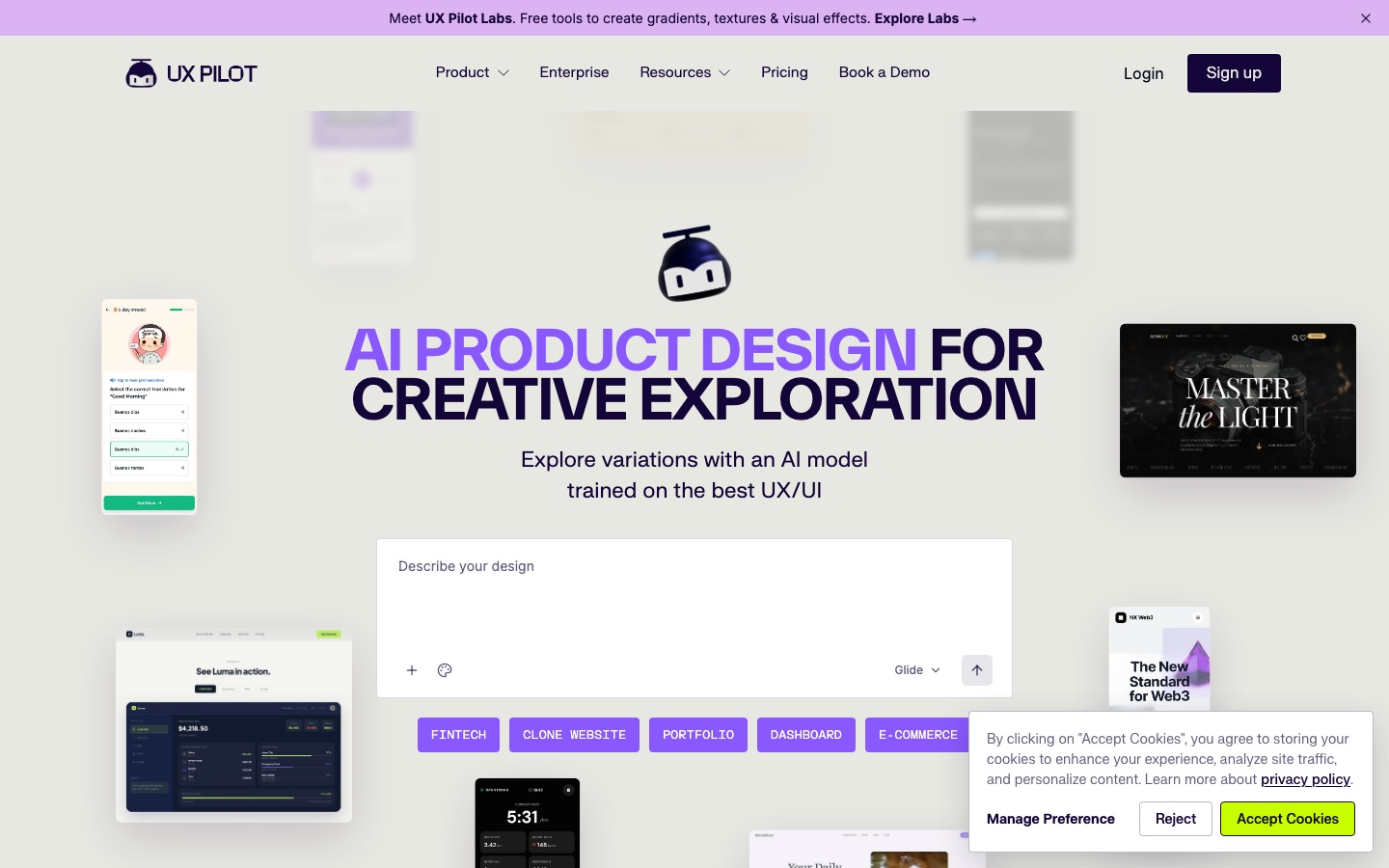
- Listed in
- UI & UX DesignApp & Website Builders
- Free plan
- Yes
- Made by
- UX Pilot AI
- Added
Last verified: . Information taken from uxpilot.ai.
What is UX Pilot?
UX Pilot is a design tool that uses an AI model trained on interface work to produce wireframes and UI screens. A project can begin from a written idea, a hand sketch, a PDF, a screenshot or an imported product requirements document. The tool generates low- to high-fidelity wireframes, converts them into finished on-brand screens in the same workspace, and can lay out an entire user journey screen by screen. Separate modes trade speed for depth: one produces four different looks for comparison, another focuses on stronger layout hierarchy, and another fills in states and edge cases. Teams can import Figma components so output follows their existing design system. Results move back into Figma or leave as code, including automatic delivery to a GitHub repository. A flowchart generator and a template library are also included.
Key Features
Wireframe Generation
Produces structured wireframes from low to high fidelity without drawing blocks by hand.
High-Fidelity Screens
Turns wireframes into polished, brand-matched UI inside the same tool.
Four Directions at Once
Generates four distinct visual treatments in a single run so a direction can be chosen by comparison.
Autoflow
Creates every screen in a user journey so the whole product flow can be reviewed and refined.
Design System Import
Brings in Figma components and saves them as a custom model to keep output consistent.
Figma and Code Export
Sends designs to Figma for collaboration or delivers code, with optional sync to GitHub.
How UX Pilot works
Start from an input
Begin with a written idea, a sketch or an imported requirements document.
Generate wireframes
UX Pilot produces structured wireframes that suit the described flow.
Raise the fidelity
Convert the wireframes into polished screens that follow your brand.
Export
Send the designs to Figma or hand off code to developers.
Use Cases
- Turning a PRD into Screens
- Import a requirements document and receive a first set of wireframes.
- Exploring Visual Directions
- Compare several looks for the same screen before committing to one.
- Digitising Sketches
- Upload a hand-drawn sketch or screenshot and get an editable layout.
- Mapping User Journeys
- Generate a flowchart showing how screens and interactions connect.
- Developer Handoff
- Export finished screens as code or push them to a repository.
Things to know
- Several generation modes
- Different modes prioritise quick comparison, layout quality or detailed states, so the right one depends on the stage of the work.
- Community and guides
- The company runs a Slack community and publishes a prompting handbook and tutorials.
FAQs
What is UX Pilot?
UX Pilot is an AI tool that generates wireframes, UI designs and user flows for digital products.
What is UX Pilot used for?
UX Pilot is used to go from an idea, sketch or requirements document to wireframes and high-fidelity screens, and to hand those designs to Figma or developers.
Is UX Pilot free?
UX Pilot's site invites visitors to start generating for free. For the limits of free use and the paid plans, see the official plans page.
Does UX Pilot work with Figma?
Yes. UX Pilot describes a two-way connection with Figma: designs can be pulled into Figma, and Figma components can be imported to guide generation.
Can UX Pilot export code?
Yes. UX Pilot can export code that is ready to build on and can send it to GitHub repositories automatically.
What inputs does UX Pilot accept?
UX Pilot accepts text prompts, sketches, PDFs, screenshots and imported product requirements documents.
Who it's for
- Product designers
- UX designers
- Product managers
- Founders
- Agencies
Used in these workflows
- Which AI tools do you need to build a website?Stage 2: Design and wireframes
Each guide lists the stages of one job and the tools that help at each stage. All guides
Comments
No comments yet. If you have used UX Pilot, tell other readers how it went.
Alternatives to UX Pilot
| Tool | Free plan | Starting price | API |
|---|---|---|---|
 RelumeAI website builder that goes from a written brief to sitemap, wireframes and a marketing site you can publish or export. RelumeAI website builder that goes from a written brief to sitemap, wireframes and a marketing site you can publish or export. |
Yes | — | — |
 AuraAI landing page builder that generates designs from prompts, with templates, a CMS and HTML or Figma export. AuraAI landing page builder that generates designs from prompts, with templates, a CMS and HTML or Figma export. |
Yes | — | — |
 MotionSites AILibrary of ready-made website design prompts for AI builders, also reachable by coding agents through an MCP server. MotionSites AILibrary of ready-made website design prompts for AI builders, also reachable by coding agents through an MCP server. |
Yes | — | — |
 v0Vercel's AI app builder that turns prompts into full-stack web apps and publishes them. v0Vercel's AI app builder that turns prompts into full-stack web apps and publishes them. |
Yes | $30/mo | — |
 FlutterFlowVisual development platform for building mobile, web and desktop apps, with AI generation and exportable code. FlutterFlowVisual development platform for building mobile, web and desktop apps, with AI generation and exportable code. |
Yes | — | — |
Listed in the same categories as UX Pilot. A starting price appears only where we checked it on the maker’s pricing page; a dash means not checked or not published. All UI & UX Design tools