
GetLayers
Library of website templates, 3D scenes, sections and gradients delivered as prompts for AI coding tools.
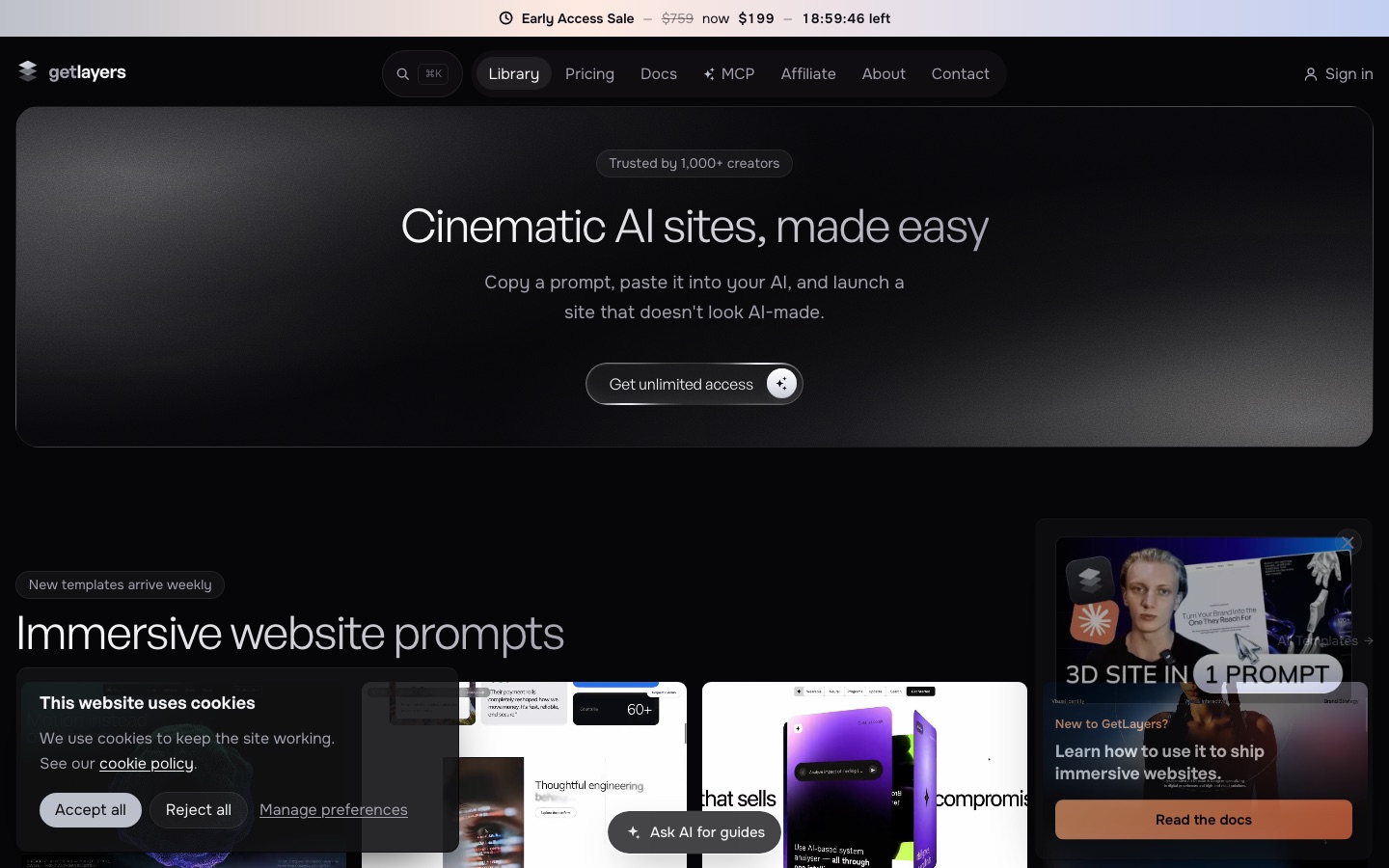
GetLayers is a library of web design building blocks, including full templates, 3D scenes, page sections, animated backgrounds and gradients, each written as a prompt. GetLayers is used by copying a prompt, pasting it into an AI coding tool such as Claude, Cursor or v0, and receiving a self-contained HTML page to adapt.
Best for Freelancers, agencies and founders who build sites with AI coding assistants and want motion-heavy starting points.
- Listed in
- UI & UX DesignApp & Website Builders
- Platforms
- Web, MCP
- Pricing model
- One-time
- Free plan
- Yes
- Made by
- Textura
- Added
Last verified: . Information taken from getlayers.ai.
What is GetLayers?
GetLayers is a prompt library for building websites with AI coding assistants. Its items, called layers, fall into five types: complete landing page templates, real-time 3D WebGL scenes, page sections with built-in motion, animated or still backgrounds, and pointer-reactive gradients. Each layer is stored as structured text that a user copies into an assistant such as Claude, ChatGPT, Cursor, Copilot, Lovable, Bolt or v0, which then rebuilds it as a single HTML file or, with an extra instruction, in a framework like Next.js, Astro or Vue. Scenes and gradients can be adjusted in the browser before copying so the prompt carries those settings. An MCP server lets an assistant search and pull layers directly. The library is produced by the studio Textura, and a set of free layers is available without a card.
Key Features
Template Prompts
Supplies whole landing pages, including their animation, as a single copyable prompt.
3D Scene Prompts
Provides WebGL scenes with particles, fluid or terrain that render in real time.
Section Library
Offers stand-alone blocks such as carousels, card layouts and roadmaps with scroll or mouse motion.
Backgrounds and Gradients
Includes animated backdrops and small interactive WebGL gradients that respond to the pointer.
In-Browser Tuning
Lets you configure a scene or gradient on the page so the copied prompt reflects your values.
MCP Server
Connects the library to an AI assistant so it can find and insert layers during a build.
How GetLayers works
Pick a layer
Browse templates, scenes, sections, backgrounds or gradients in the library.
Tune it
Adjust a scene or gradient in the browser if you want different values.
Copy the prompt
Press the copy button to take the layer as structured text.
Paste into your AI
Give the prompt to a coding assistant, which returns a self-contained HTML page.
Move it into your project
Drop the page into your codebase or ask the assistant to port it to your framework.
Screenshots
Use Cases
- Client Landing Pages
- Start a client site from a template prompt and restyle it for their brand.
- Adding a Hero Scene
- Drop a 3D scene behind the headline of an existing page.
- Mixing Layers
- Combine the hero of one layer with sections taken from another.
- Porting to a Framework
- Have the assistant rebuild a layer inside a Next.js or WordPress project.
- Agent-Built Sites
- Let an assistant assemble a full site from the library through MCP.
Things to know
- Results depend on the model
- GetLayers says older or smaller models tend to keep the layout but lose the motion.
- Free layers are for evaluation
- The site asks users to extend free layers into their own work and reserves the commercial license for paid plans.
- No mid-cycle refunds
- Subscriptions can be cancelled from the account, with access to the end of the paid period; purchases are not refunded part-way.
- Bulk copying is restricted
- Automated or bulk downloading of the library breaches the terms and can lead to a temporary restriction.
FAQs
What is GetLayers?
GetLayers is a library of website templates, sections, 3D scenes, backgrounds and gradients written as prompts that an AI coding tool can build from.
What is GetLayers used for?
GetLayers is used to give an AI coding assistant a detailed design prompt so that it produces an animated, polished web page instead of a generic layout.
Is GetLayers free?
GetLayers offers a selection of layers at no cost, each with its complete prompt and no card required. The rest of the library needs a paid plan.
How much does GetLayers cost?
A yearly option and a higher Full Stack plan are also on the pricing page.
Which AI tools work with GetLayers?
GetLayers prompts can be pasted into Claude, ChatGPT, Cursor, Windsurf, Copilot, Lovable, Bolt or v0; the site recommends a current coding model.
Can I use GetLayers for client work?
Yes, on a paid plan. GetLayers includes a commercial license with no attribution requirement and no limit on the number of sites.
Does GetLayers have an MCP server?
Yes. GetLayers has an MCP server that lets an assistant search and pull layers; the pricing FAQ says it comes with Full Stack Lifetime.
Who it's for
- Freelancers
- Agencies
- Founders
- Front-end developers
- Designers
Comments
No comments yet. If you have used GetLayers, tell other readers how it went.
Alternatives to GetLayers
| Tool | Free plan | Starting price | API |
|---|---|---|---|
 MotionSites AILibrary of ready-made website design prompts for AI builders, also reachable by coding agents through an MCP server. MotionSites AILibrary of ready-made website design prompts for AI builders, also reachable by coding agents through an MCP server. |
Yes | — | — |
 AuraAI landing page builder that generates designs from prompts, with templates, a CMS and HTML or Figma export. AuraAI landing page builder that generates designs from prompts, with templates, a CMS and HTML or Figma export. |
Yes | — | — |
 Magic PatternsAI design tool that turns prompts and product requirements into interactive UI prototypes matching your design system. Magic PatternsAI design tool that turns prompts and product requirements into interactive UI prototypes matching your design system. |
Yes | — | — |
 ReaddyAI website builder that generates full sites from a prompt, image or URL and includes hosting, a backend and SEO tools. ReaddyAI website builder that generates full sites from a prompt, image or URL and includes hosting, a backend and SEO tools. |
Yes | — | — |
 RelumeAI website builder that goes from a written brief to sitemap, wireframes and a marketing site you can publish or export. RelumeAI website builder that goes from a written brief to sitemap, wireframes and a marketing site you can publish or export. |
Yes | — | — |
Listed in the same categories as GetLayers. A starting price appears only where we checked it on the maker’s pricing page; a dash means not checked or not published. All UI & UX Design tools