
Process Street
Compliance operations platform that turns policies and SOPs into enforced, AI-assisted workflows with audit trails.
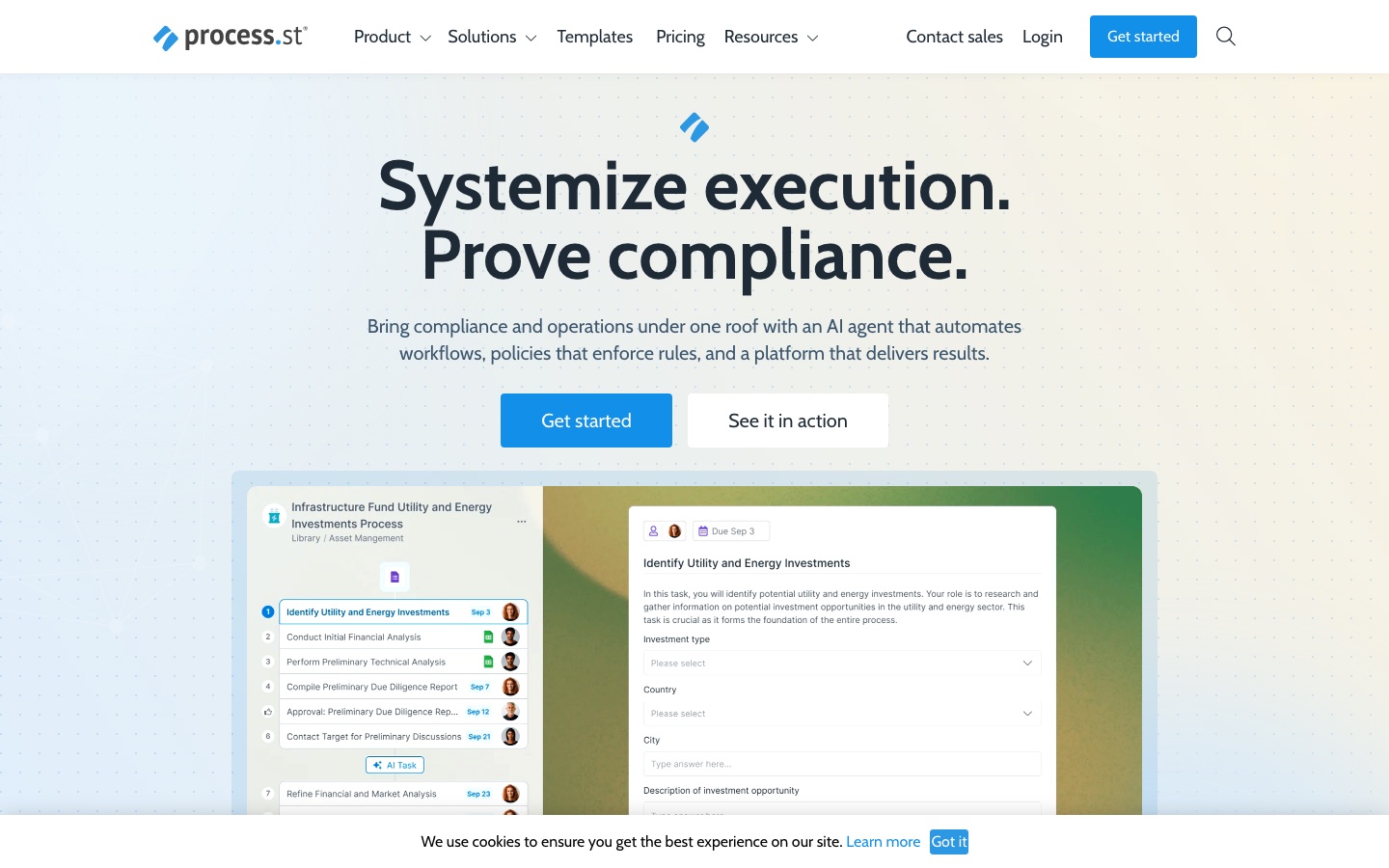
Process Street is a compliance operations platform for running repeatable business processes. Process Street stores policies and SOPs, turns them into workflows with approvals, conditional logic and enforced task order, and records each step for audits. An AI agent called Cora monitors regulations and flags risks. New accounts begin with a 14-day Pro trial.
Best for Operations and compliance teams in regulated industries that need procedures followed consistently and documented for audits.
- Platforms
- Web, iOS, Android, API
- Pricing model
- Contact sales
- Free trial
- Yes
- API
- Yes
- Made by
- Process Street
- Added
Last verified: . Information taken from process.st.
What is Process Street?
Process Street is a compliance operations platform that combines document control with workflow automation so that recurring business processes are carried out the same way each time and leave evidence behind. It has three named products. Docs stores policies and standard operating procedures with governance for frameworks such as ISO 9001, SOC 2, SOX and FDA rules. Ops runs those procedures as workflows with form fields, conditional logic, approvals, enforced task order, role assignments and schedules. Cora is an AI agent that watches regulations, automates work and flags risks, and a Process AI feature drafts a new workflow from a description. Analytics dashboards show task and workflow status. The platform connects to other software through native automations, Zapier, Make, Power Automate, Tray.io and a public API, and has apps for iOS, Android, Slack and Microsoft Teams.
Key Features
Docs
Centralises policies and SOPs with approvals and audit trails so the current version is the one people follow.
Ops Workflows
Runs repeatable processes as checklists with forms, conditional branches, due dates and a required step order.
Cora
Acts as an AI compliance agent that monitors regulatory changes and surfaces gaps before an audit.
Process AI
Generates a workflow from a short description and applies AI to steps inside existing processes.
Analytics and Reports
Displays the status of tasks and workflow runs in a dashboard, with custom reports and BI sync on higher tiers.
Integrations and API
Connects through built-in automation apps, connectors for Zapier, Make, Power Automate and Tray.io, and a public API.
Screenshots
Use Cases
- Employee Onboarding
- Give each new hire the same sequence of tasks, forms and sign-offs.
- Client Onboarding
- Standardise the intake steps a services firm runs for every new customer.
- ISO and SOC 2 Evidence
- Keep a record of who completed which control and when, ready for auditors.
- Document Control
- Manage versions and approvals of policies in a regulated business.
- Property and Financial Operations
- Run recurring inspections, reviews or investment checks as tracked workflows.
Things to know
- Plans are sold through sales
- The plan table shows feature limits for Startup, Pro and Enterprise but no public rates.
- Startup plan has eligibility rules
- It is limited to companies below 15 employees and $2 million in revenue, and includes 5 users and 10 guests.
- Security features vary by tier
- Items such as single sign-on, SCIM provisioning and HIPAA support appear in the comparison as plan-dependent.
- Other purchase routes
- Registered non-profits can ask for a discount, and the product is also sold on AWS Marketplace.
FAQs
What is Process Street?
Process Street is a compliance operations platform. It manages policies and SOPs and runs them as automated workflows that produce an audit trail.
What is Cora in Process Street?
Cora is Process Street's AI compliance and risk agent. It monitors regulations, automates work and flags risks.
Is there a free trial of Process Street?
Yes. Process Street starts new accounts with a 14-day trial of the Pro plan, and no credit card is required.
How much does Process Street cost?
Process Street lists Startup, Pro and Enterprise plans without public rates in its plan table, and payment is charged in US dollars. Contact sales or see the official pricing page for a quote.
Who qualifies for the Process Street Startup plan?
Process Street's Startup plan is open to companies whose headcount is below 15 and whose revenue is less than $2 million; it is a reduced-price version of Pro.
Does Process Street have an API?
Yes. Process Street provides a public API, with call limits that depend on the plan, plus connectors for Zapier, Make, Power Automate and Tray.io.
Does Process Street work on mobile?
Yes. Process Street's plan table lists iOS and Android apps, along with apps for Slack and Microsoft Teams.
Who it's for
- Operations teams
- Compliance managers
- HR teams
- IT and security teams
- Financial services firms
- Property managers
Used in these workflows
- AI tools for automating business workflows, from process map to monitoringStage 8: Monitoring, approvals and audit
Each guide lists the stages of one job and the tools that help at each stage. All guides
Comments
No comments yet. If you have used Process Street, tell other readers how it went.
Alternatives to Process Street
| Tool | Free plan | Starting price | API |
|---|---|---|---|
 FastioProject workspaces where a team's files, members and AI agents work from one shared, searchable copy. |
No | — | Yes |
 MarvisTencent's AI assistant for PC and phone that searches local files, changes system settings and runs tasks by command. |
— | — | — |
 MakeVisual automation platform for building workflows and AI agents across 3,000+ app integrations. |
Yes | — | Yes |
 MuleRunAI agent that runs on a dedicated always-on computer to carry out scheduled, multi-step workflows. |
Yes | — | — |
 NanonetsPlatform that turns documented business processes into AI agents for invoices, claims, orders and other back-office work. |
Yes | — | Yes |
Listed in the same categories as Process Street. A starting price appears only where we checked it on the maker’s pricing page; a dash means not checked or not published. All Productivity & Team Work tools