
Lifestack
AI daily planner that schedules tasks around your energy levels using sleep and wearable health data.
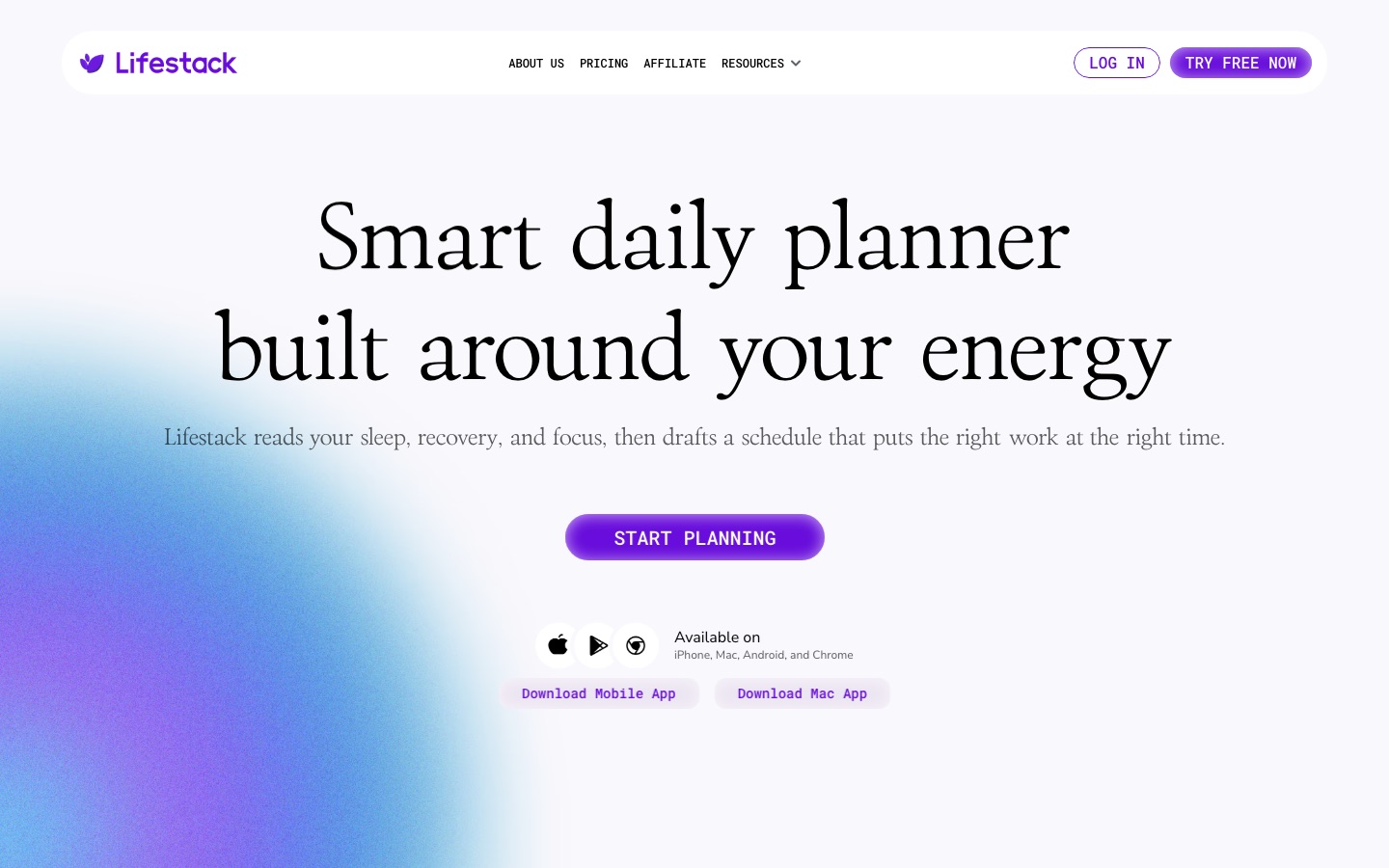
Lifestack is an AI daily planner that builds a schedule around a person's energy instead of the clock alone. Lifestack is used by connecting a calendar and health data from a wearable; the app reads sleep, recovery and focus, predicts high and low energy periods, and drafts a plan that places demanding work in the stronger periods.
Best for People who already track sleep or recovery with a wearable and want their calendar and task list arranged around predicted energy peaks and dips.
- Platforms
- iOS, Android, macOS, Browser extension
- Pricing model
- Subscription
- Free trial
- Yes
- Made by
- Lifestack
- Added
Last verified: . Information taken from lifestack.ai.
What is Lifestack?
Lifestack is a planning app that combines calendar scheduling with health data. It reads signals such as sleep, recovery and focus, maps the day into Energy Zones, and drafts a schedule intended to put important tasks into periods of higher energy. Each morning it proposes a plan that also covers meals and rest around the day's commitments, and wearable insights are displayed next to calendar entries so the data is seen in context. A chat assistant is available for day-to-day planning questions. The site describes the product as an energy-aware planner for ADHD and lists availability on iPhone, Mac, Android and Chrome, the last through a browser extension that works with calendars. Paid access comes as monthly, annual and lifetime plans, and the annual plan includes a 7-day trial. Lifestack states that health and calendar data is kept private and not sold.
Key Features
Energy Zones
Divides the day into predicted energy periods so high-effort work can be matched to peaks.
Automatic Daily Plan
Drafts a schedule each morning from sleep, recovery and focus readings.
Meal and Sleep Planning
Places meals and rest in the plan according to what the day demands.
Wearable Insights
Shows health data alongside calendar events and plans rather than in a separate app.
Chat Assistant
Answers planning questions in context and adapts suggestions as the day changes.
Calendar and Task Sync
Works with existing calendars and tasks, with a Chrome extension for use on the desktop.
Videos
Use Cases
- Scheduling Deep Work
- Move writing or analysis into the hours when focus is predicted to be highest.
- Planning After Poor Sleep
- Lighten the day's plan when recovery data shows a short night.
- Structuring an ADHD Day
- Use a prepared plan with energy cues to decide what to do next.
- Timing Meetings
- Avoid placing important meetings in a predicted low-energy period.
- Reviewing Energy Patterns
- Look back at how energy readings lined up with the calendar across a week.
Things to know
- Trial only on the annual plan
- The monthly and lifetime options are marked as having no free trial; the annual plan starts with seven days free.
- A lifetime option exists
- Besides subscriptions, a one-time lifetime purchase is offered.
- Planning aid, not medical care
- Lifestack is presented as a planner that uses health readings for scheduling; the pages reviewed make no treatment claims.
FAQs
What is Lifestack?
Lifestack is an AI daily planner that uses sleep, recovery and focus data to arrange tasks around your energy levels.
What is Lifestack used for?
Lifestack is used to plan the day so that demanding work falls in high-energy periods and meals and rest fit around commitments.
Does Lifestack work on mobile?
Yes. Lifestack lists apps for iPhone and Android, along with a Mac app and a Chrome extension.
Is Lifestack free?
Lifestack's pricing page lists paid monthly, annual and lifetime plans; only the annual plan comes with a 7-day free trial. See the official pricing page for current prices.
Does Lifestack use wearable data?
Yes. Lifestack shows wearable health data together with your calendar and uses it when drafting the daily plan.
Is my health data private in Lifestack?
Lifestack states that health and calendar data stays private and is never sold or shared.
Who it's for
- Knowledge workers
- People with ADHD
- Wearable users
- Freelancers
- Students
Comments
No comments yet. If you have used Lifestack, tell other readers how it went.
Alternatives to Lifestack
| Tool | Free plan | Starting price | API |
|---|---|---|---|
 AkiflowTime-blocking planner that merges tasks, calendars and an inbox, with an AI assistant called Aki. |
No | — | — |
 BodBotAdaptive workout and nutrition planner that tailors each session to your goals, equipment, schedule and recovery. |
Yes | — | — |
 AI Exporter HubChrome extension that bulk exports chats from six AI assistants to Notion, Markdown, Obsidian or PDF with media kept intact. |
— | — | — |
 AI Meal PlannerGenerates a seven-day meal plan with recipes, macro counts and a combined grocery list from a short quiz. |
Yes | — | — |
 AIPRMPrompt management tool and community prompt library that adds ready-made prompt templates to ChatGPT and Claude. |
Yes | — | — |
Listed in the same categories as Lifestack. A starting price appears only where we checked it on the maker’s pricing page; a dash means not checked or not published. All Productivity & Team Work tools