

BeFunky
Online photo editor, collage maker and graphic design tool with AI editing and batch processing.
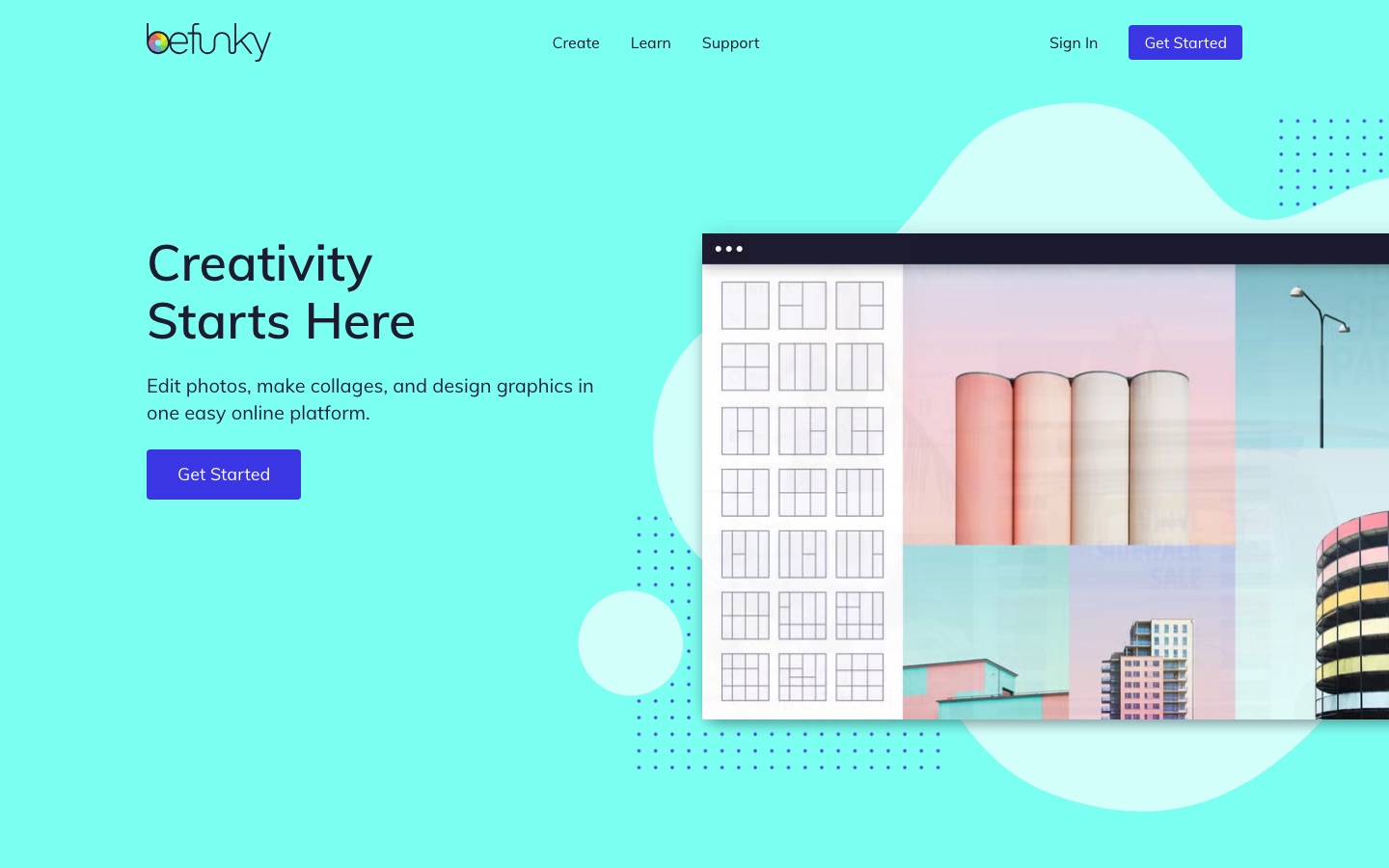
BeFunky is an online platform for editing photos, making collages and designing graphics. BeFunky combines standard adjustments and effects with AI tools such as background removal, upscaling and prompt-based Smart Edit, and it can process images in batches. BeFunky runs in a desktop browser or on iOS and Android, with a free plan and paid upgrades.
Best for Hobbyists, content creators and small businesses who want photo editing, collages and template-based design in one browser tool.
- Platforms
- Web, iOS, Android
- Pricing model
- Freemium
- Free plan
- Yes
- Made by
- BeFunky Inc.
- Added
Last verified: . Information taken from befunky.com.
What is BeFunky?
BeFunky is an online creative platform that puts a photo editor, a collage maker and a graphic design tool under one roof. The company has built browser-based photo tools since 2007, and photo editing is still the centre of the product. The Photo Editor covers adjustments, portrait touch-ups, background and object removal and artistic effects. The Collage Maker arranges several pictures in grid layouts that can be customised, and the Graphic Designer starts from templates for flyers, cards, banners and social posts. Its AI tools include an image enhancer, an upscaler, sky replacement, old photo restoration and Smart Edit, which carries out changes typed as a request. Batch workflows repeat one edit over a whole set of pictures. BeFunky works in desktop browsers and on Apple and Android phones and tablets, with a free tier plus paid Plus and Pro subscriptions.
Key Features
Photo Editor
Adjusts composition, colour and lighting, retouches portraits and applies filters such as cartoon, pop art and vintage looks.
AI Editing Tools
Removes backgrounds and unwanted objects, swaps skies, sharpens blurry shots, upscales images and repairs old photographs.
Smart Edit
Takes a written description of the change you want and applies it, after which the result can be refined further.
Collage Maker
Places several photos into customisable layouts and templates, with automatic image placement to fill the grid.
Graphic Designer
Builds social posts, invitations, business cards and banners from a blank canvas, a template or a Smart Template.
Batch Editing
Runs the same adjustment, background removal or Artsy effect across hundreds of images in one pass.
Use Cases
- Cleaning Up Product Photos
- Strip the background from a whole folder of product shots in a single batch job.
- Social Media Graphics
- Design posts, stories, banners and ads from templates sized for each channel.
- Holiday and Trip Collages
- Combine pictures from one event into a single layout to print or share.
- Small Business Print Material
- Lay out menus, flyers, brochures and business cards without a separate design program.
- Pet Portrait Gifts
- Turn a photo of a pet into stylised artwork for a keepsake.
Things to know
- No account needed for the free plan
- The site states that the free plan can be used without registering; premium tools need a Plus or Pro subscription.
- AI credits reset monthly
- Plus comes with 1,000 AI credits a month and Pro with 5,000. Unused monthly credits are not carried forward, while purchased top-up credits stay available for as long as the subscription is active.
- Batch AI tools are Pro only
- Batch AI editing and the batch background remover are listed as Pro features.
- Subscriptions renew automatically
- Plans renew at the end of each monthly or annual cycle unless cancelled, and premium access continues until the paid period finishes.
FAQs
What is BeFunky?
BeFunky is a browser-based creative platform with three connected tools: a Photo Editor, a Collage Maker and a Graphic Designer. It also includes AI-assisted editing and batch processing.
What is BeFunky used for?
BeFunky is used to edit and retouch photos, remove backgrounds, build photo collages and design items such as social media graphics, flyers, invitations and marketing material.
Is BeFunky free?
Yes. BeFunky has a free plan that can be used without creating an account and covers a selection of editing, collage and design tools. Premium tools, exclusive effects and AI features require a Plus or Pro subscription.
Does BeFunky work on mobile?
Yes. BeFunky is available on iPhones, iPads and Android phones and tablets as well as desktop browsers and Chromebooks, and a subscription carries across devices once you sign in.
What is the difference between BeFunky Plus and Pro?
BeFunky Plus includes the premium editing and design tools and 1,000 AI credits a month. Pro adds batch AI editing and the batch background remover and raises the allowance to 5,000 AI credits a month.
Can BeFunky edit several photos at once?
Yes. BeFunky has batch editing workflows that apply the same adjustments, background removal or art effects to many images together.
Who makes BeFunky?
BeFunky is made by BeFunky Inc., which says it has been developing online photo editing tools since 2007.
Who it's for
- Photographers
- Content creators
- Small businesses
- Marketers
- Educators
Read about it
Used in these workflows
- From culling a shoot to repairing old prints: AI tools for photo workStage 6: Generative edits and expansion
- From culling a shoot to repairing old prints: AI tools for photo workStage 7: Batch processing and export
- Planning a trip with AI: which tools help before, during and afterStage 7: Photos and trip memories
Each guide lists the stages of one job and the tools that help at each stage. All guides
Comments
No comments yet. If you have used BeFunky, tell other readers how it went.
Alternatives to BeFunky
| Tool | Free plan | Starting price | API |
|---|---|---|---|
 LayerGrabAI tool that separates a flat image into named, transparent layers and fills in the background behind them. |
— | — | — |
 PhotopeaFree browser-based photo and graphics editor that opens PSD, RAW and dozens of other file formats. |
Yes | — | Yes |
 PhotoroomAI photo editor for e-commerce product images, with background removal, batch editing and an API. |
Yes | — | Yes |
 Pixelcut AIAI photo editor for product visuals: background removal, upscaling, generative edits, batch work and video. |
Yes | — | Yes |
 PixlrBrowser-based photo editor with AI tools for generating images, video and audio and removing backgrounds. |
Yes | — | — |
Listed in the same categories as BeFunky. A starting price appears only where we checked it on the maker’s pricing page; a dash means not checked or not published. All Image Editing tools