
Pixlr
Browser-based photo editor with AI tools for generating images, video and audio and removing backgrounds.
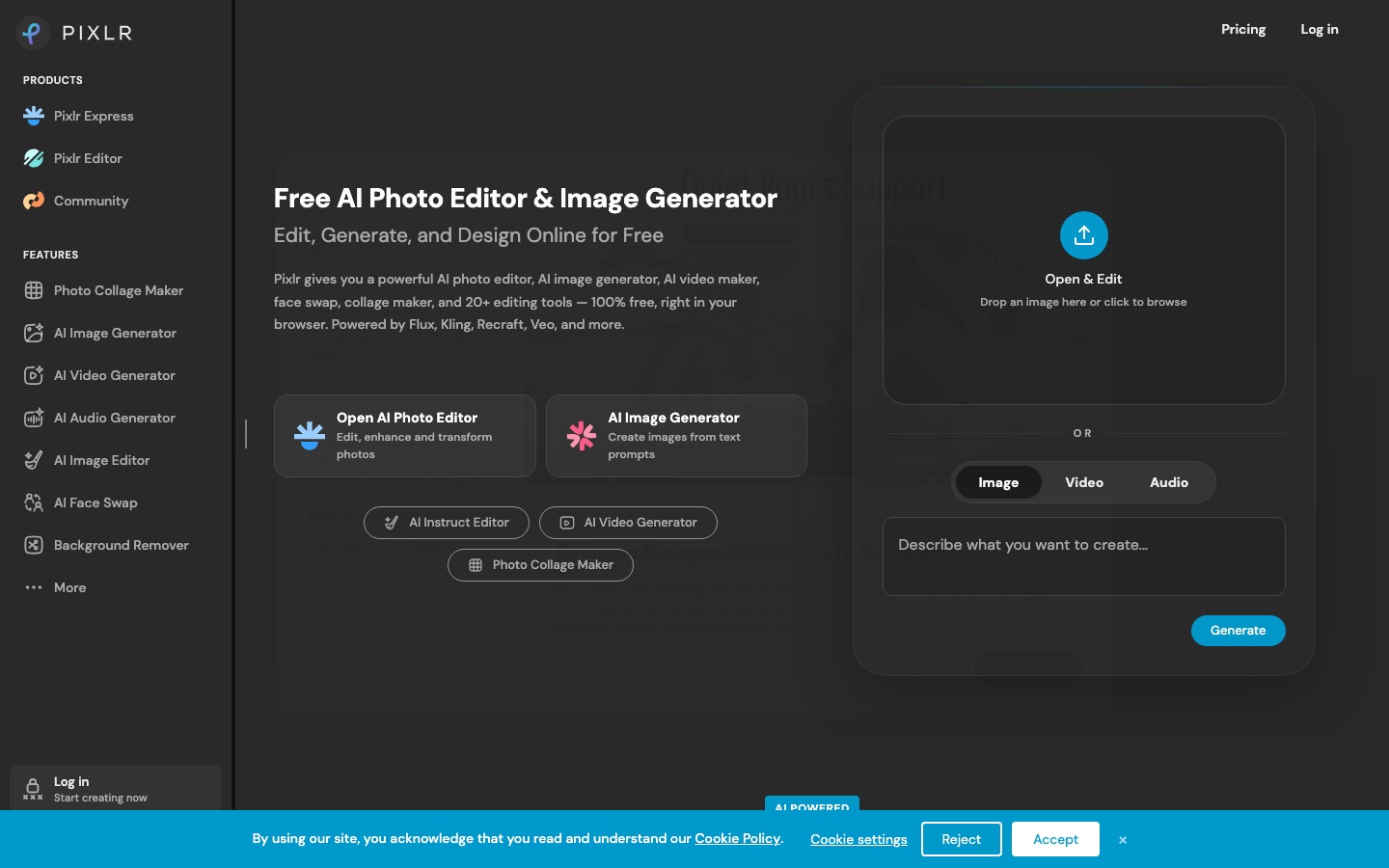
Pixlr is a suite of online photo editors and AI tools that runs in the browser, with mobile and desktop versions. Pixlr is used to adjust and retouch photos, remove backgrounds or objects, fill and extend images, and generate images, video and audio from text. A free version exists, and paid plans add AI credits.
Best for Casual editors, social media creators and small businesses who want photo editing and AI generation in the browser without installing a desktop program.
- Platforms
- Web, iOS, Android
- Pricing model
- Freemium
- Free plan
- Yes
- Made by
- Pixlr Pte Ltd
- Added
Last verified: . Information taken from pixlr.com.
What is Pixlr?
Pixlr is a suite of online photo editors and design tools that runs in the browser, with mobile and desktop versions as well. Its two main editors, Pixlr Express and Pixlr Editor, cover everyday work such as brightness and contrast, text, filters, retouching and collages. On top of these sits a growing set of AI functions: text-to-image generation, generative fill and expand, background and object removal, upscaling, noise reduction, face swap and an instruction-based editor that applies changes you describe in plain language. The platform also generates video and audio through models from outside providers, among them Flux, Kling, Recraft and Veo. A free version is available, and paid plans remove ads and include AI credits.
Key Features
Two Photo Editors
Pairs the quick Pixlr Express with the fuller Pixlr Editor aimed at photographers and designers.
Generative Fill and Expand
Replaces a selected area from a description or extends the picture past its original edges.
Background and Object Removal
Isolates the subject in one click and erases unwanted items you draw around.
Upscaling and Clean-Up
Enlarges images up to 25 megapixels and reduces grain or sharpens soft photos.
Image Generation
Creates pictures and transparent stickers from text prompts, or reworks an existing image with guidance.
Video and Audio Generation
Produces clips from text or stills, and offers speech synthesis, transcription and music from text.
Use Cases
- Quick Photo Fixes
- Adjust exposure, crop and retouch a picture in the browser without installing software.
- Product Photos
- Cut out backgrounds, erase stray objects and tidy up shots for a shop listing.
- Social Media Graphics
- Generate a visual from a prompt, add text and export it for a post.
- Photo Collages
- Combine several photos in ready-made grid layouts.
- Short Animated Clips
- Turn a still image into a brief video with one of the video models.
Things to know
- Subscription credits reset
- AI credits that come with a plan are refilled to the plan amount at each renewal instead of accumulating, and drop to zero on cancellation.
- Credit packs are separate
- Credits bought as packs never expire and are spent only after the subscription credits are used up.
- No refunds
- Subscription payments are not refunded once processed, and plan upgrades are available only for card payments, not PayPal.
- Fair use on unlimited generations
- The unlimited fast image generations on Ultra are subject to fair use, and availability of AI services can vary with demand.
FAQs
What is Pixlr?
Pixlr is a set of online photo editing and design tools with built-in AI generation and editing features, available in the browser, on mobile and on desktop.
What is Pixlr used for?
Pixlr is used for everyday photo editing such as adjustments, retouching, text and collages, and for AI tasks like background removal, generative fill, upscaling and generating images, video and audio.
Is Pixlr free?
Yes, Pixlr has a free version that can be used without an account. Paid plans add content, AI credits and ad-free editing, and the site says Pixlr is free for education.
How much does Pixlr cost?
Pixlr: a free plan is available. Paid plan rates are published on pixlr.com. Check the official pricing page for current amounts.
Does Pixlr work on mobile?
Yes. Pixlr runs in web browsers and has iOS and Android apps plus a desktop version, and one subscription covers all of them.
Do Pixlr AI credits expire?
Pixlr subscription credits are topped back up at each renewal and reset to zero if you cancel. Credits bought as credit packs do not expire and are used after the subscription credits run out.
Can I get a refund from Pixlr?
No, Pixlr says subscription payments are not refunded once processed. Purchases made in a mobile app are handled by the app store.
Who makes Pixlr?
Pixlr is made by Pixlr Pte Ltd, the company named in the site's copyright notice.
Who it's for
- Casual photo editors
- Social media creators
- Small businesses
- Students and teachers
- Designers
Used in these workflows
- From culling a shoot to repairing old prints: AI tools for photo workStage 6: Generative edits and expansion
Each guide lists the stages of one job and the tools that help at each stage. All guides
Comments
No comments yet. If you have used Pixlr, tell other readers how it went.
Alternatives to Pixlr
| Tool | Free plan | Starting price | API |
|---|---|---|---|
 PokecutOnline AI photo editor and image generator with background removal, enhancement, portrait retouching and batch editing. |
Yes | — | — |
 Cutout.ProOnline toolbox for background removal, photo enhancement, AI image and video generation, with an API. |
— | — | Yes |
 BeFunkyOnline photo editor, collage maker and graphic design tool with AI editing and batch processing. |
Yes | — | — |
 CanvaBrowser-based design suite for social posts, presentations, video and print, with built-in AI tools. |
Yes | — | — |
 IdeogramImage models known for accurate text rendering, with task-focused apps and a unified API. |
— | — | Yes |
Listed in the same categories as Pixlr. A starting price appears only where we checked it on the maker’s pricing page; a dash means not checked or not published. All Image Editing tools