
Pixelcut AI
AI photo editor for product visuals: background removal, upscaling, generative edits, batch work and video.
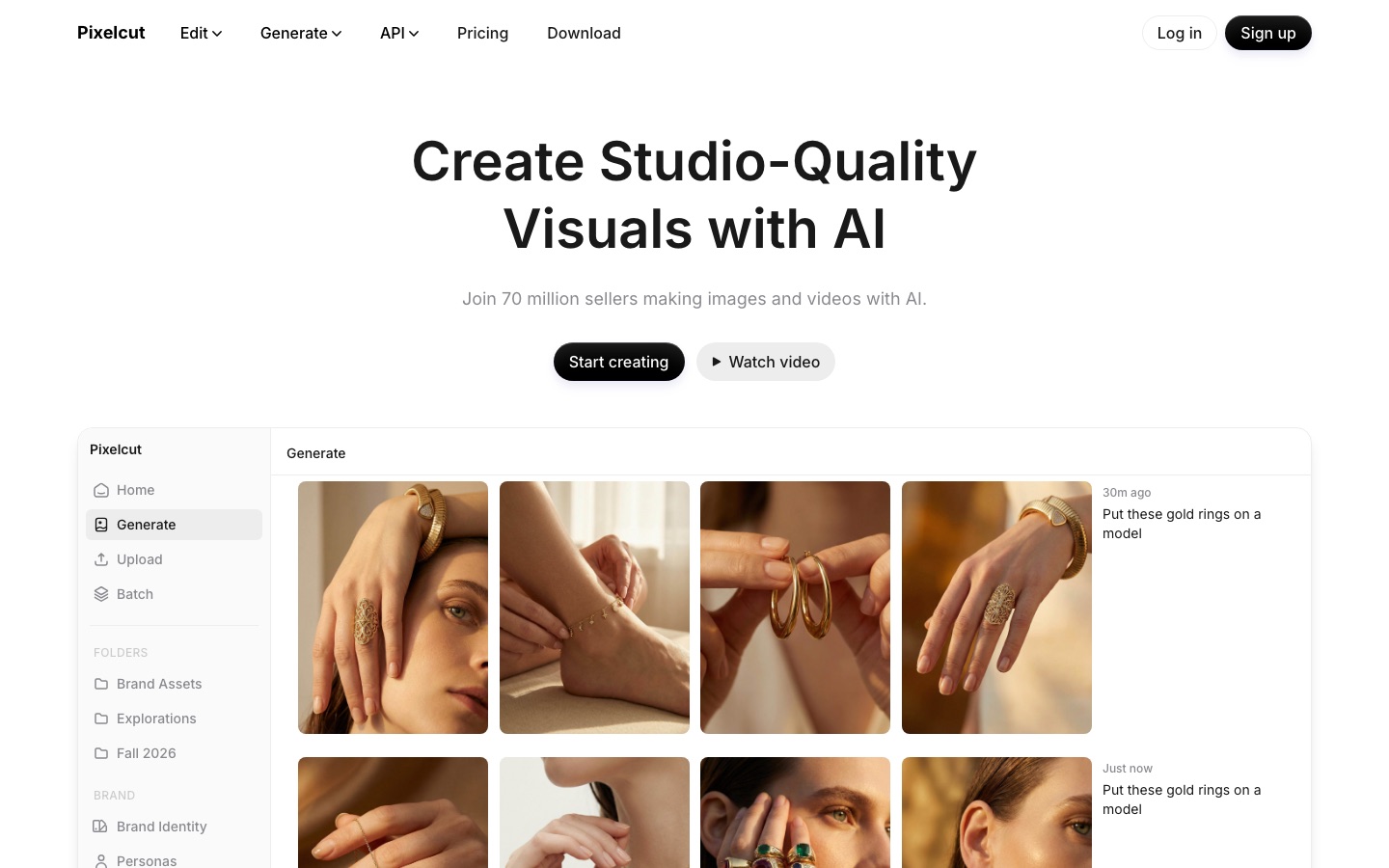
Pixelcut is an AI photo and video editor aimed at product and marketing visuals. Pixelcut removes backgrounds, upscales images up to 16x, extends or retouches pictures and applies one edit to hundreds of files, while a creative agent generates new images and videos from prompts. Pixelcut runs in the browser and as iOS and Android apps.
Best for Online sellers, brands and small businesses that need clean product photos, bulk catalogue edits and short promotional videos without a studio.
- Platforms
- Web, iOS, Android, API
- Pricing model
- Freemium
- Free plan
- Yes
- API
- Yes
- Made by
- Pixelcut
- Added
Last verified: . Information taken from pixelcut.ai.
What is Pixelcut?
Pixelcut is an AI photo editor used mainly for product and marketing visuals. Its everyday tools remove backgrounds from images and video, upscale up to 16x, extend an image beyond its frame, retouch or erase with generative fill, generate shadows and apply edits to hundreds of files at once. On top of that, a creative agent interprets a prompt and carries out the steps using third-party models such as Nano Banana Pro and Sora 2. Workflows are provided for product showcases, talking UGC-style ads and reusable personas that stay consistent across content. It runs in the browser and as iOS and Android apps, and an API is available. There are Free, Pro and Business plans; the paid ones include team seats and a monthly credit allowance that advanced models draw on.
Key Features
Background Removal
Cuts out the subject in photos and in video using Pixelcut's own model.
Upscaling
Increases resolution up to 16x, with a choice of models that includes Topaz.
Expand and Retouch
Extends the canvas past the original edges and erases or changes areas with generative fill.
Batch Editing
Runs the same edit over hundreds of files in one go.
Creative Agent
Reads a plain prompt, plans the steps and carries them out with the generation tools available.
Personas and AI Actors
Keeps a character or brand look consistent across generated images and videos.
Screenshots
Use Cases
- Product Photography
- Generate studio-style product images from a prompt.
- UGC-Style Ads
- Create talking promotional videos for a brand.
- Catalogue Processing
- Remove backgrounds and add shadows across a large set of listings.
- Reframing Images
- Extend a picture beyond its original edges with the expand tool.
- Editing Inside an App
- Build image editing into your own product through the API.
Things to know
- Advanced models use credits
- Models from third-party partners draw on a monthly credit allowance, and video usage is counted per 5 seconds of generated footage.
- Seats are included in plans
- Team members are not billed individually: Pro covers 3 people and Business 10 or more, all sharing one credit pool.
- Yearly billing is discounted
- According to Pixelcut, yearly billing works out 20% cheaper than a month-to-month subscription.
- The free version is limited
- The Free plan is listed with limited background removal and limited upscaling; its exports carry no watermark.
FAQs
What is Pixelcut?
Pixelcut is an AI editor for creating and cleaning up images and videos, aimed largely at online sellers and brands.
What is Pixelcut used for?
Pixelcut is used for product photos, background removal, upscaling and promotional videos. Its workflows cover product showcases, talking UGC-style ads and consistent brand personas.
Is Pixelcut free?
Yes, Pixelcut has a free version with basic editing tools. The pricing page lists limited background removal and upscaling for it, with exports that carry no watermark.
What are Pixelcut credits?
Pixelcut credits are an allowance spent when you use certain advanced AI models, particularly those from third-party partners. Paid plans include a monthly amount.
How do Pixelcut teams work?
Pixelcut includes team seats in the plan instead of charging per person. Pro includes 3 seats and Business 10 or more, and members share the organisation's credits.
Does Pixelcut work on mobile?
Yes. Pixelcut has iOS and Android apps and also runs in mobile and desktop browsers.
Does Pixelcut have an API?
Yes. Pixelcut offers an API with a key sign-up and public documentation for building its image editing into other apps.
Can I cancel a Pixelcut subscription?
Yes. Pixelcut says a subscription can be cancelled at any time.
Who it's for
- Online sellers
- Brands
- Small businesses
- Creators
- Developers
Read about it
Comments
No comments yet. If you have used Pixelcut AI, tell other readers how it went.
Alternatives to Pixelcut AI
| Tool | Free plan | Starting price | API |
|---|---|---|---|
 Artguru AIOnline AI enhancer for photos, video and documents: upscaling, old photo restoration, denoising and sharper scans. Artguru AIOnline AI enhancer for photos, video and documents: upscaling, old photo restoration, denoising and sharper scans. |
— | — | Yes |
 SnapEditOnline AI photo editor for removing objects and backgrounds, enhancing images and batch processing. SnapEditOnline AI photo editor for removing objects and backgrounds, enhancing images and batch processing. |
Yes | — | Yes |
 PhotoroomAI photo editor for e-commerce product images, with background removal, batch editing and an API. PhotoroomAI photo editor for e-commerce product images, with background removal, batch editing and an API. |
Yes | — | Yes |
 BeFunkyOnline photo editor, collage maker and graphic design tool with AI editing and batch processing. BeFunkyOnline photo editor, collage maker and graphic design tool with AI editing and batch processing. |
Yes | — | — |
 PixlrBrowser-based photo editor with AI tools for generating images, video and audio and removing backgrounds. PixlrBrowser-based photo editor with AI tools for generating images, video and audio and removing backgrounds. |
Yes | — | — |
Listed in the same categories as Pixelcut AI. A starting price appears only where we checked it on the maker’s pricing page; a dash means not checked or not published. All Image Editing tools