
VEED
Browser-based video platform that generates clips with AI and edits, subtitles, dubs and brands them in one workflow.
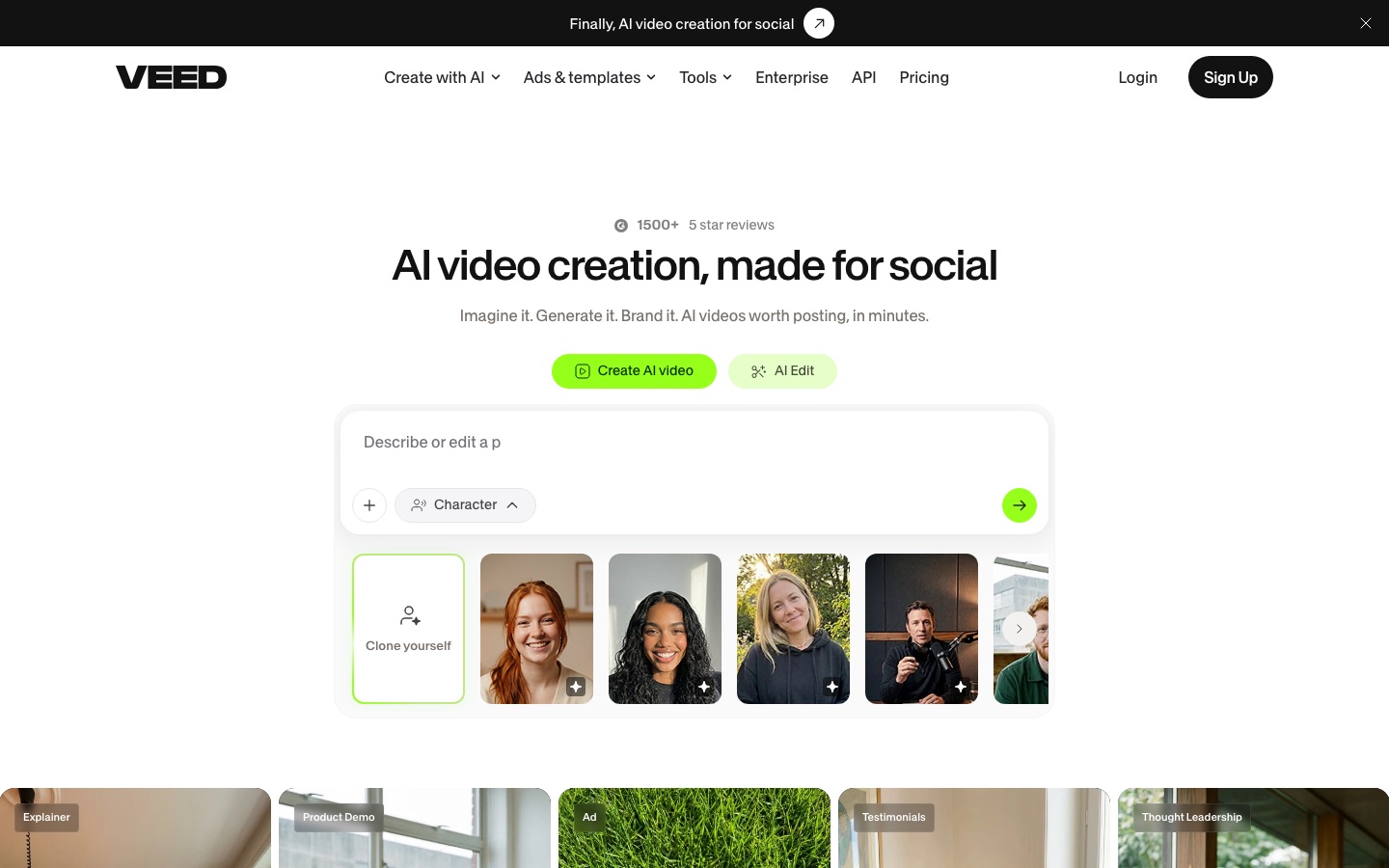
VEED is a browser-based video platform that combines AI generation with an online editor. VEED is used by describing a video or uploading footage, then editing it with tools for subtitles, dubbing, avatars, noise removal and branding before exporting for social channels. VEED can be started for free and has developer APIs.
Best for Marketers and solo creators who publish frequent social videos and want generation, captioning and brand styling without desktop software.
- Platforms
- Web, API
- Pricing model
- Freemium
- Free plan
- Yes
- API
- Yes
- Made by
- VEED
- Added
Last verified: . Information taken from veed.io.
What is VEED?
VEED is an online video creation platform that joins AI generation and editing in a single browser workflow. Users can produce footage from a text prompt, script or image, create talking-head videos with avatars or a clone of themselves, and generate voices, music and images. The resulting clips, or uploaded recordings, are finished in the editor: cut and joined, cleaned of background noise, given automatic subtitles, translated or dubbed, and styled with saved brand colours, fonts and logos. The site also hosts a long list of single-purpose tools, including a compressor, converter, screen and webcam recorder, teleprompter and transcription. Third-party generation models such as Sora 2, Veo 3.1 and Kling are offered next to VEED's own Fabric model. For developers there are APIs for lip sync, subtitles and background removal. It is free to start, with paid plans that add AI credits.
Key Features
AI Video Generation
Creates video from a prompt, script or still image, with visuals, voiceover, avatars and subtitles included.
Avatars and Lip Sync
Produces presenter videos from stock avatars, a talking photo or a digital copy of yourself, and corrects eye contact.
Automatic Subtitles
Transcribes speech and adds styled captions, with translation into other languages.
Dubbing and Voice Tools
Dubs a video into another language and offers text to speech, voice cloning and noise removal.
Brand Kit
Applies stored colours, fonts, logos and voice to each new video.
Video APIs
Exposes image-to-video, lip sync, subtitle, green screen and background removal functions to developers.
Screenshots
Videos
Use Cases
- Social Video Ads
- Build ads and UGC-style clips from templates sized for Instagram, TikTok and YouTube.
- Explainers Without Filming
- Generate a product demo or explainer from a script using an avatar.
- Captioning Existing Footage
- Add subtitles to interviews, webinars or testimonials for silent viewing.
- Localising Content
- Translate and dub a video for audiences in other languages.
- Repurposing Long Recordings
- Cut a long recording into short clips for social feeds.
Things to know
- AI features run on credits
- Paid plans include AI credits, and the pricing FAQ covers how credits work and whether more can be added.
- Interface in many languages
- The site is offered in dozens of locales in addition to English.
FAQs
What is VEED?
VEED is a browser-based platform for generating videos with AI and editing them, including subtitles, dubbing and branding.
What is VEED used for?
VEED is used to make social videos, ads, explainers, product demos and talking-head content, and to subtitle, translate or convert existing video.
Is VEED free?
VEED can be started for free, and paid plans unlock further features and AI credits. Plan prices are on the official pricing page.
Does VEED have an API?
Yes. VEED offers video APIs including Fabric 1.0, lip sync, subtitles, background removal and green screen.
Can VEED add subtitles automatically?
Yes. VEED has an auto subtitle generator and can also translate captions and dub audio.
Does VEED need to be installed?
No. VEED describes its tools as running right in the browser.
Which AI video models does VEED offer?
VEED lists its own Fabric 1.0 alongside third-party models such as Sora 2, Veo 3.1 and Kling AI.
Who it's for
- Marketers
- Solopreneurs
- Social media managers
- Content teams
- Developers
Used in these workflows
- Short-form video from idea to posted clip: which AI tool does which jobStage 5: Captions and edit polish
- Running a social media campaign: which AI tools fit which stage?Stage 5: Short videos
- The AI toolkit for running a YouTube channel, one upload at a timeStage 7: Captions, chapters and dubbing
- Which AI tools help you develop a game, from design document to launch?Stage 8: Trailer and store page
Each guide lists the stages of one job and the tools that help at each stage. All guides
Comments
No comments yet. If you have used VEED, tell other readers how it went.
Alternatives to VEED
| Tool | Free plan | Starting price | API |
|---|---|---|---|
 FlexClipOnline video maker and editor with templates, stock media and AI tools for text-to-video, subtitles and voice. FlexClipOnline video maker and editor with templates, stock media and AI tools for text-to-video, subtitles and voice. |
— | — | — |
 KapwingBrowser-based video editor for teams with AI generation, automatic subtitles, dubbing and clip repurposing. KapwingBrowser-based video editor for teams with AI generation, automatic subtitles, dubbing and clip repurposing. |
Yes | — | — |
 Zeemo AIOnline AI studio that captions, translates and edits video and also generates images, clips and audio. Zeemo AIOnline AI studio that captions, translates and edits video and also generates images, clips and audio. |
Yes | $8/mo | — |
 ClideoBrowser-based video editor and toolset for compressing, cutting, subtitling, translating and converting media. ClideoBrowser-based video editor and toolset for compressing, cutting, subtitling, translating and converting media. |
Yes | — | — |
 ClipchampBrowser-based video editor from Microsoft with AI voiceovers, automatic subtitles, recording tools and stock media. ClipchampBrowser-based video editor from Microsoft with AI voiceovers, automatic subtitles, recording tools and stock media. |
Yes | — | — |
Listed in the same categories as VEED. A starting price appears only where we checked it on the maker’s pricing page; a dash means not checked or not published. All Video Editing tools