
Flixier
Browser-based video editor with cloud rendering, automatic subtitles and an AI assistant that cuts or generates videos.
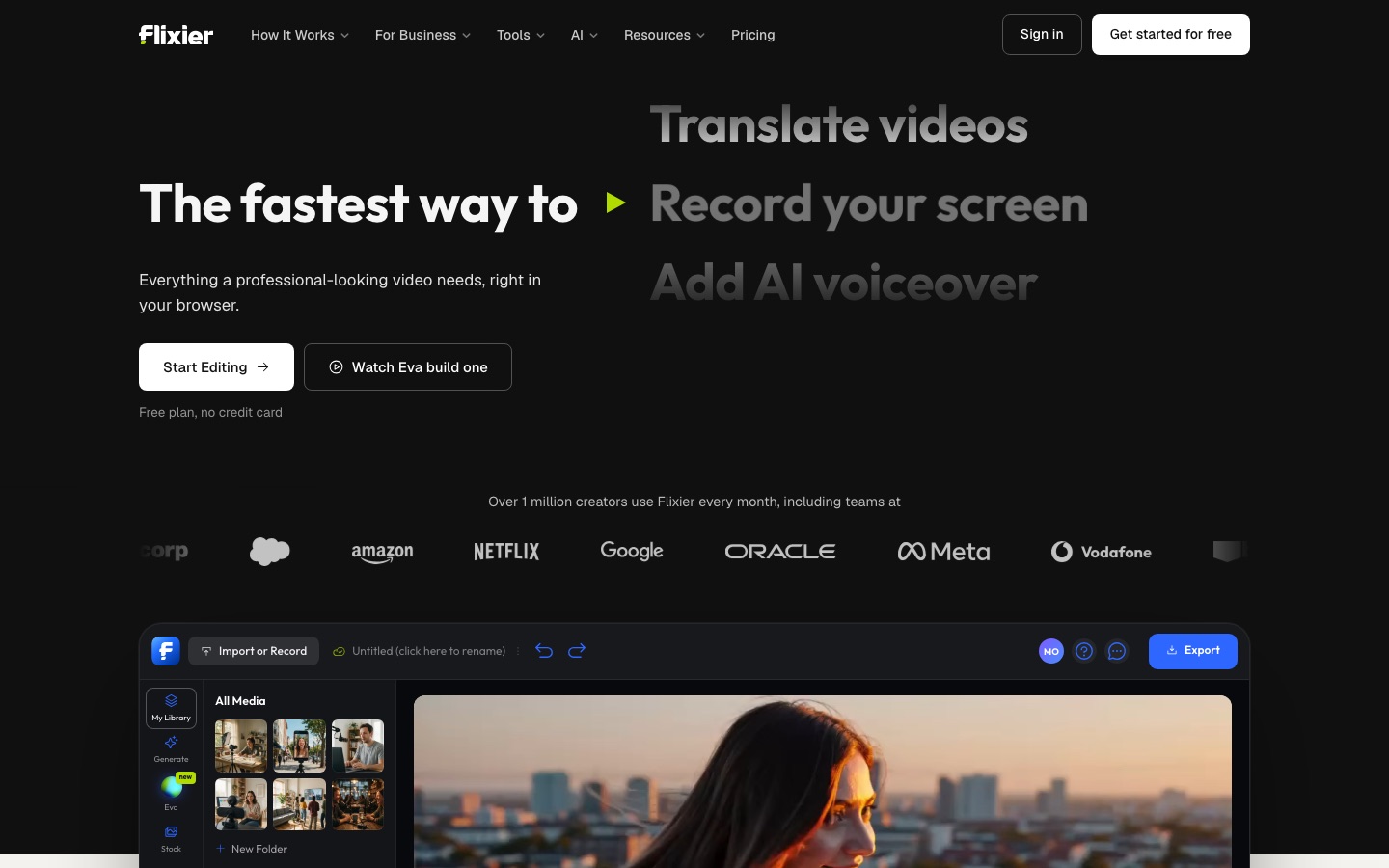
Flixier is a video editor that runs in the browser and renders in the cloud. Flixier is used to cut footage, add subtitles in 130+ languages, record the screen and generate clips with AI models. Its assistant, Eva, can prepare a first cut or build a whole video from a prompt. Flixier has a free plan.
Best for Creators, marketers and training teams who want to edit and caption video on any computer without installing software.
- Platforms
- Web
- Pricing model
- Freemium
- Free plan
- Yes
- Added
Last verified: . Information taken from flixier.com.
What is Flixier?
Flixier is an online video editor that runs in the browser and renders exports on its own servers, so it works on Chromebooks and older laptops without installing anything. The editor offers multiple video and audio tracks, a screen and webcam recorder, a stock library, brand kits, transitions, filters and automatic subtitles in more than 130 languages. Its AI assistant, Eva, can build a rough cut from a recording by removing silences and filler words and adding captions, pull short clips out of long footage, or produce a complete video from one sentence by writing a script, generating shots, recording a voiceover and adding music. Individual shots can also be generated inside the timeline with models such as Veo, Kling and Sora. Teams get real-time collaboration with comments placed on the timeline. A free plan with a watermark is available, with Starter, Creator and Business tiers above it.
Key Features
Cloud Rendering
Processes exports on Flixier's servers, so long videos finish in minutes regardless of the computer used.
Eva Rough Cuts
Assembles a first cut from a recording, removing dead air and filler words and applying captions, titles and the brand kit.
AI Video Generation
Creates clips from a prompt or a frame inside the timeline, extends existing clips and generates transitions between shots.
Subtitles and Translation
Generates captions automatically in 130+ languages and translates subtitles and audio.
Recording Tools
Records the screen, a webcam or a voice track directly into a project.
Collaboration and Brand Kit
Supports simultaneous editing, timestamped comments and shared logos, fonts and colours.
How Flixier works
Import or record
Upload files, pull them from cloud storage or a link, or record the screen and webcam.
Edit on the timeline
Cut, arrange tracks, and add text, music, transitions and brand elements.
Add captions or AI help
Generate subtitles, or ask Eva to prepare a cut or create missing shots.
Export or publish
Render in the cloud and send the result to a platform such as YouTube, TikTok or Google Drive.
Screenshots
Use Cases
- YouTube Videos and Shorts
- Edit the full-length version, then cut vertical short clips from the same project.
- Online Course Lessons
- Remove retakes, add captions and keep a consistent look across lessons.
- Product Demos
- Record screen and webcam together and add an AI voiceover.
- Training and Onboarding
- Use shared templates and a brand kit, and collect reviewer comments on the video itself.
- Podcast Video Versions
- Convert an audio recording into a video episode plus clips for social channels.
Things to know
- Free exports carry a watermark
- The free plan allows 10 minutes of export per month at 720p with 2 GB of storage, and any paid plan removes the watermark.
- AI generation uses credits
- Credits pay for AI generation and transcription, and the cost depends on the model and the clip length.
- Credit top-ups are tier-limited
- Additional AI credits can be bought only on Creator and Business plans.
- Refunds depend on usage
- A full refund is available within 14 days of subscribing if the service has not been used.
FAQs
What is Flixier?
Flixier is an online video editor with AI features that runs entirely in the browser and renders videos in the cloud.
What is Flixier used for?
Flixier is used to cut and caption videos, record screens, translate subtitles and generate video with AI, for uses such as social clips, course lessons, demos and training material.
Is Flixier free?
Yes, Flixier has a free plan that needs no credit card. The free plan is limited to 10 minutes of export a month at 720p and adds a Flixier watermark.
How much does Flixier cost?
Flixier sells Starter, Creator and Business plans above the free tier, with monthly or yearly billing. See the official pricing page for current figures in your currency.
What file formats does Flixier support?
Flixier accepts common video formats such as MP4, MOV, AVI and WebM, audio in MP3, WAV and AAC, and PNG, JPG and GIF images.
Does Flixier work on a Chromebook?
Yes. Flixier needs only a browser because processing happens in the cloud, so it runs on Chromebooks and low-spec laptops.
Can teams collaborate in Flixier?
Yes. Flixier supports real-time collaboration, project sharing by link and comments attached to moments on the timeline.
Which Flixier plans include Eva?
Editing and generating with Eva are available on the Creator plan and above, according to the Flixier home page.
Who it's for
- Marketers
- Online educators
- Social media creators
- Business owners
- Training teams
Comments
No comments yet. If you have used Flixier, tell other readers how it went.
Alternatives to Flixier
| Tool | Free plan | Starting price | API |
|---|---|---|---|
 VEEDBrowser-based video platform that generates clips with AI and edits, subtitles, dubs and brands them in one workflow. |
Yes | — | Yes |
 FlexClipOnline video maker and editor with templates, stock media and AI tools for text-to-video, subtitles and voice. |
— | — | — |
 KapwingBrowser-based video editor for teams with AI generation, automatic subtitles, dubbing and clip repurposing. |
Yes | — | — |
 ClipchampBrowser-based video editor from Microsoft with AI voiceovers, automatic subtitles, recording tools and stock media. |
Yes | — | — |
 Zeemo AIOnline AI studio that captions, translates and edits video and also generates images, clips and audio. |
Yes | $8/mo | — |
Listed in the same categories as Flixier. A starting price appears only where we checked it on the maker’s pricing page; a dash means not checked or not published. All Video Editing tools