
Swishy
AI motion design tool that turns a text prompt into an animation for text, logos, charts and UI, exported as video or GIF.
Swishy is an AI motion design tool that generates animations from a written prompt. Swishy covers kinetic typography, logo reveals, animated charts, UI mock-ups and social media clips, and it offers a template library and a community gallery to start from. Finished animations are exported as MP4, MOV or GIF files.
Best for Marketers, creators and designers who need short motion graphics without building them by hand in a compositing program.
- Listed in
- Graphic DesignAI Video Generator
- Platforms
- Web
- Made by
- Swishy
- Added
Last verified: . Information taken from swishy.ai.
What is Swishy?
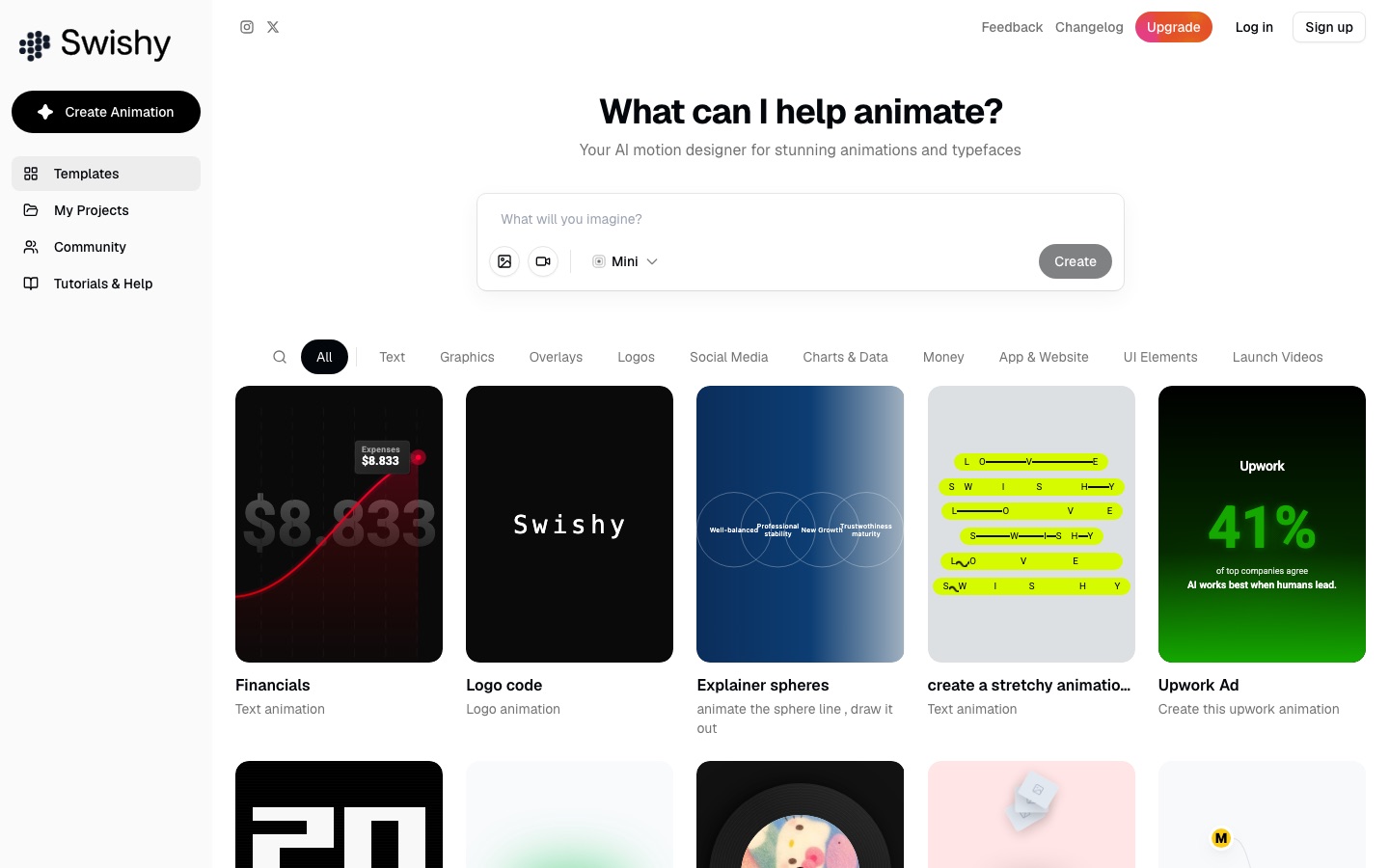
Swishy is a web-based animation generator that presents itself as an AI motion designer. The home screen is a prompt box asking what you want animated, with a gallery of example projects underneath. Those examples are grouped into categories such as text, graphics, overlays, logos, social media, charts and data, app and website, UI elements and launch videos, and they range from typewriter effects and iMessage-style phone conversations to bar charts and logo reveals. The site describes separate strengths in animated typefaces, titles and lower thirds, and multi-layer compositions. Output can be downloaded as MP4, MOV or GIF. Swishy positions the product as an alternative to After Effects for people who do not have animation experience, and it recommends using the tool on a desktop computer.
Key Features
Prompt-Based Animation
Creates an animation from a plain-language description typed into the prompt box.
Typeface and Text Animation
Produces kinetic typography, animated titles and lower thirds for video.
Template Gallery
Offers ready-made projects by category, including logos, overlays, charts and UI elements.
Charts and Data Graphics
Animates bar charts, percentage charts, timelines and counters.
Community Projects
Shows animations made by other users, together with the prompts that were used.
Video and GIF Export
Saves finished work as MP4, MOV or GIF.
Use Cases
- Product Launch Videos
- Build a short announcement clip with animated app screens and text.
- Social Media Posts
- Make a looping animation sized for Instagram, TikTok or YouTube.
- Logo Reveals
- Turn a static logo into an animated intro.
- Animated Statistics
- Present a figure or trend as a moving chart in a presentation or video.
- Video Overlays
- Add notification pop-ups, subscribe buttons or captions on top of footage.
Things to know
- Desktop recommended
- The site advises using Swishy on a desktop computer.
- Paid upgrade exists
- The interface includes an Upgrade option, but no prices appear on the home page.
FAQs
What is Swishy?
Swishy is an AI tool for motion design. It generates animations for text, logos, charts and interface elements from a prompt.
What is Swishy used for?
Swishy is used to make motion graphics such as text animations, logo reveals, animated charts and social media clips.
What export formats does Swishy support?
Swishy exports animations as MP4, MOV and GIF.
Can beginners use Swishy?
Yes. Swishy is presented as a way to create motion graphics by describing them, without working in After Effects.
Does Swishy have templates?
Yes. Swishy has a template section organised by type, such as text, logos, overlays, charts and launch videos.
Does Swishy work on mobile?
Swishy's site recommends desktop for the full experience and offers to email a link when it is opened on a smaller screen.
Who it's for
- Motion designers
- Marketers
- Content creators
- Product teams
Used in these workflows
- Launching a product with AI: what to use from positioning to feedbackStage 4: Launch visuals
- Making an animated explainer video with AI, from script to subtitlesStage 5: Animating the scenes
- From app idea to the app stores: where AI tools help at each stageStage 8: App store assets
Each guide lists the stages of one job and the tools that help at each stage. All guides
Comments
No comments yet. If you have used Swishy, tell other readers how it went.
Alternatives to Swishy
| Tool | Free plan | Starting price | API |
|---|---|---|---|
 MorphLogoAI tool that turns an uploaded static logo file into a short animated clip in a chosen motion style. |
— | — | — |
 AdCreative.aiAI platform that generates ad banners, copy, product photos and video ads, and scores creatives before launch. |
— | — | — |
 AdGPTAI ad generator that turns a product link or prompt into image ads, short videos, UGC-style clips and campaigns. |
— | — | Yes |
 AwenConversational workspace that turns a creative brief into images, video and other visuals without manual prompting. |
Yes | — | — |
 The BriefAI ad creation platform that generates, resizes, animates and publishes on-brand ads across ad networks. |
No | — | Yes |
Listed in the same categories as Swishy. A starting price appears only where we checked it on the maker’s pricing page; a dash means not checked or not published. All Graphic Design tools