
Renamer.ai
AI file renamer that reads documents, PDFs and photos and gives them descriptive, searchable names.
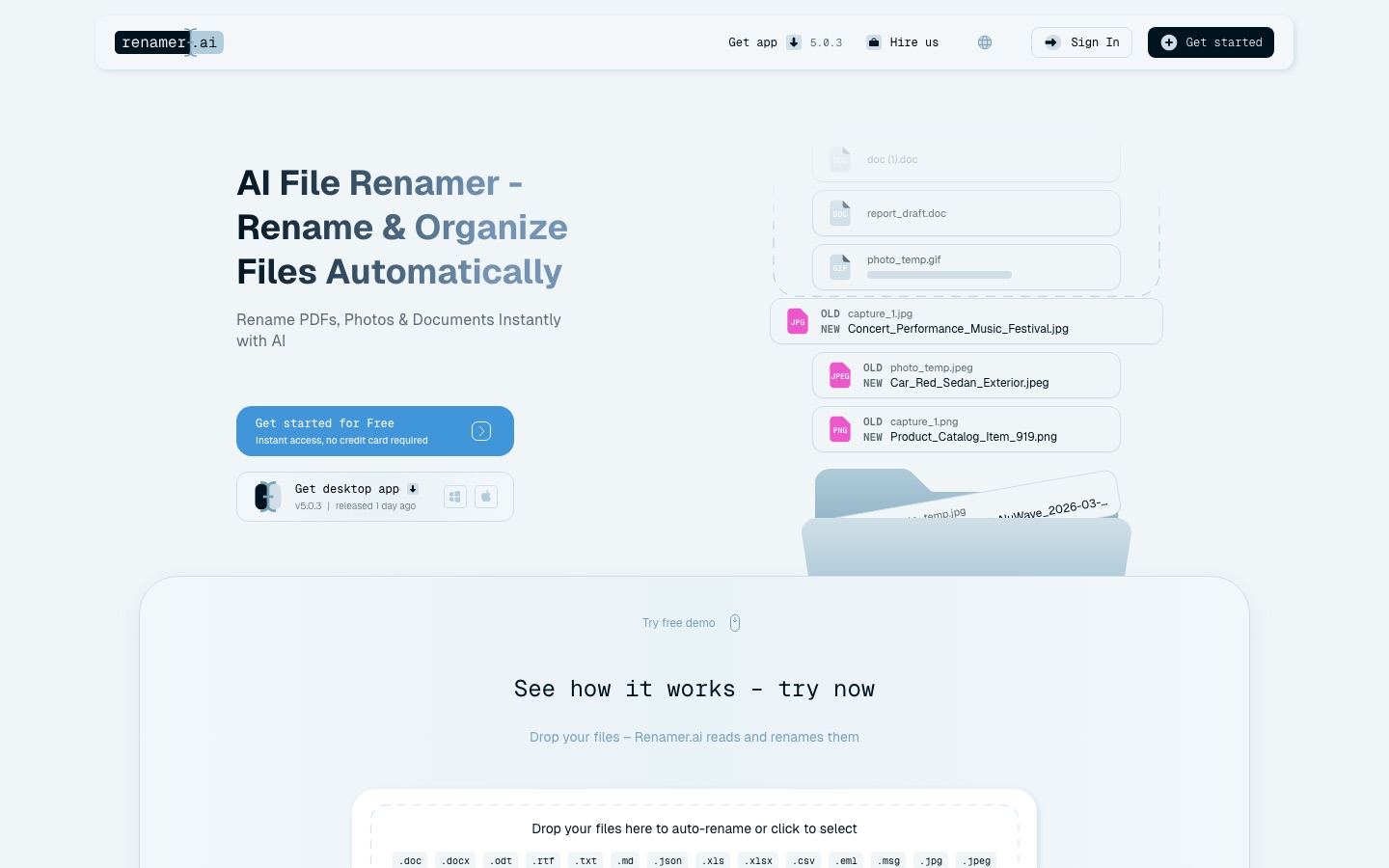
Renamer.ai is a file renaming tool that reads what is inside a document, PDF or image and proposes a descriptive name based on that content. Renamer.ai runs as a web uploader for occasional files and as a desktop app for Windows and Mac, where bulk renaming, custom templates and automatically watched folders are available.
Best for People and teams who receive many scanned or downloaded files, such as invoices, contracts and client documents, and want them named consistently without typing each name.
- Platforms
- Web, Windows, macOS
- Pricing model
- Freemium
- Free plan
- Yes
- Added
Last verified: . Information taken from renamer.ai.
What is Renamer.ai?
Renamer.ai is an AI-based utility that renames files according to their contents rather than fixed rules. It applies OCR to documents and scans, and image analysis to photos, then pulls out details such as dates, company names, amounts and document type to compose a filename. A generic scan might become a name that states the supplier and invoice date, for example. The FAQ lists more than 30 supported formats, covering office documents, spreadsheets, presentations, common image types, vector files and email files, and over 20 languages with automatic detection. Users can define their own naming patterns in a drag-and-drop template builder, preview changes and undo them. A feature called Magic Folders watches chosen folders and renames new arrivals in the background. The company also takes on custom document-organisation projects for organisations.
Key Features
Content-Based Naming
Reads text and images inside each file and builds a name from details such as date, sender, amount and document type.
Bulk Rename
Processes many files in one pass using a single naming template for the whole batch.
Magic Folders
Monitors folders you select, such as Downloads or a shared drive, and renames files as they land there.
Template Builder
Offers drag-and-drop variables including invoice numbers, people, projects and custom context fields, plus ready-made templates.
Multilingual Recognition
Detects the language of a document automatically or lets you choose one from the supported list.
Preview and Undo
Shows the proposed names before they are applied and allows a rename to be reversed.
How Renamer.ai works
Choose a folder
Select a location such as Downloads or a shared drive that receives files regularly.
Switch on Magic Folders
Enable monitoring for that location; it can be paused and resumed later.
Set the naming pattern
Pick the template that new files in the folder should follow.
Let it run
Files that appear in the folder are renamed in the background without further input.
Use Cases
- Supplier Invoices
- Rename incoming invoice PDFs with the vendor and date so the accounts team can find them.
- Tidy Downloads Folder
- Point a watched folder at Downloads and have new files named as they arrive.
- Legacy Case Files
- Bring inconsistent names in an old legal archive into one convention.
- Photo Libraries
- Replace camera-generated names with short descriptions of what each picture shows.
- Tax Season Paperwork
- Label client tax documents so each one can be searched by name later.
Things to know
- Plans are metered by file count
- Each plan includes a fixed number of renames per month, from 25 on the free tier up to 5,000 on the largest listed plan.
- Content is processed on servers
- According to the FAQ, the desktop app transmits files for extraction and AI analysis and removes them after processing; the service is not a storage product.
- Scan quality matters
- The site notes that results can vary for handwriting and very poor scans, and that clear, well-formatted documents work most reliably.
- Not used for model training
- Renamer.ai says the AI services it relies on are bound by data processing agreements and may not train on customer files.
FAQs
What is Renamer.ai?
Renamer.ai is an AI file renaming tool that analyses the content of documents, PDFs and images and generates descriptive filenames from it.
What is Renamer.ai used for?
Renamer.ai is used to organise large sets of files, for example invoices, contracts, research papers or photos, by giving them consistent and searchable names.
Is Renamer.ai free?
Renamer.ai has a free Starter plan that covers 25 renames a month and includes the desktop app, batch renaming and Magic Folders. Higher monthly volumes need a paid plan.
How much does Renamer.ai cost?
Renamer.ai offers Starter, Pro, Power User and Ultimate plans that differ by monthly file allowance, plus custom plans. Current prices are on the official website.
Which file types does Renamer.ai support?
Renamer.ai's FAQ lists more than 30 formats, among them PDF, DOCX, XLSX, PPTX, JPG, PNG, HEIC, TIFF, SVG and EML. The upload limit shown on the site is 100MB per file.
Do I need to install Renamer.ai?
No. Renamer.ai has a web interface for quick renaming without installation, while the desktop app for Windows and Mac adds Magic Folders, custom templates and bulk processing.
What happens to files uploaded to Renamer.ai?
Renamer.ai says files uploaded on the web are kept for up to 24 hours so the renamed copies can be downloaded, and that files sent from the desktop app are deleted once processing finishes.
Which languages does Renamer.ai handle?
Renamer.ai states that it works with over 20 languages, including English, Spanish, German, Chinese and Japanese, and can detect the language automatically.
Who it's for
- Accountants
- Law firms
- Office administrators
- Freelancers
- Researchers
Used in these workflows
- Small business bookkeeping: where AI saves the typing and where you still need an accountantStage 2: Receipts and expense capture
- Going paperless: the AI tools for scanning, reading and filing documentsStage 7: Filing and search
Each guide lists the stages of one job and the tools that help at each stage. All guides
Comments
No comments yet. If you have used Renamer.ai, tell other readers how it went.
Alternatives to Renamer.ai
| Tool | Free plan | Starting price | API |
|---|---|---|---|
 RenameClickDesktop app for Mac and Windows that renames, sorts and finds files by their content using local or cloud AI. |
Yes | — | — |
 Quark AIChinese-language AI browser with a system-wide assistant, cloud drive, document scanner and PDF tools. |
— | — | Yes |
 AI Exporter HubChrome extension that bulk exports chats from six AI assistants to Notion, Markdown, Obsidian or PDF with media kept intact. |
— | — | — |
 FastioProject workspaces where a team's files, members and AI agents work from one shared, searchable copy. |
No | — | Yes |
 FilloutForm builder for forms, surveys and quizzes with scheduling, payments, PDFs, signatures and AI tools. |
Yes | — | Yes |
Listed in the same categories as Renamer.ai. A starting price appears only where we checked it on the maker’s pricing page; a dash means not checked or not published. All Documents & PDF tools