
RenameClick
Desktop app for Mac and Windows that renames, sorts and finds files by their content using local or cloud AI.
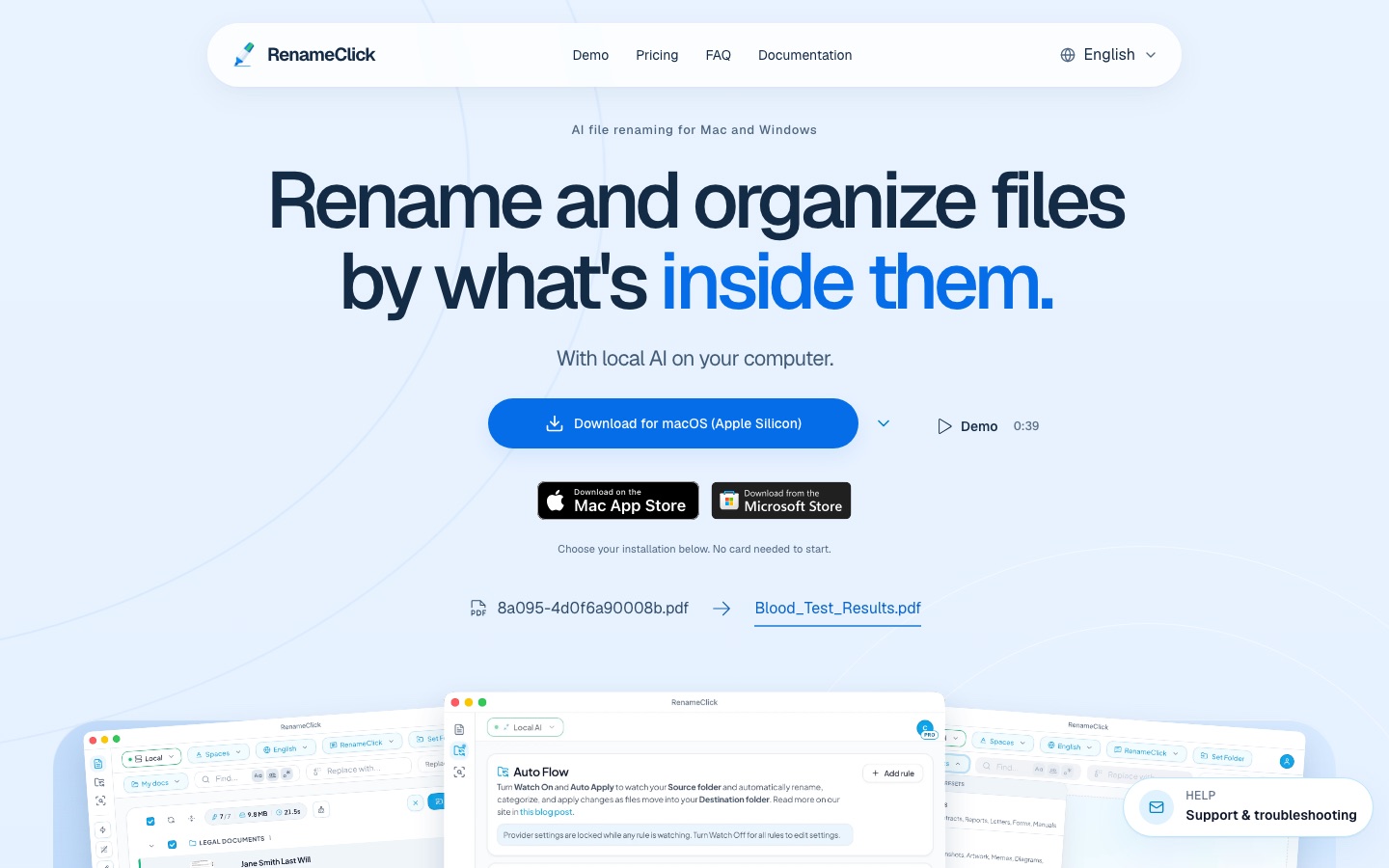
RenameClick is a desktop app for macOS and Windows that renames and organises files by their content. RenameClick analyses documents, images and spoken audio with a local or cloud AI model, suggests filenames and folders for review, and can search an indexed folder by description. A free tier covers 100 applied changes per month.
Best for People with folders of badly named documents, scans, photos or recordings who want them renamed and filed, with the option to keep processing on their own machine.
- Platforms
- macOS, Windows
- Pricing model
- Freemium
- Free plan
- Yes
- Made by
- RenameClick
- Added
Last verified: . Information taken from rename.click.
What is RenameClick?
RenameClick is a desktop application for macOS and Windows that names and organises files according to what they contain. It reads documents and images, or transcribes speech in audio recordings, and proposes a descriptive filename and a destination folder, which the user reviews before anything is changed. The app has three workspaces: Rename for batches, AI Search for indexing a folder and finding a file by describing it, and Auto Flow for watching folders and filing new arrivals. Analysis can run on a built-in local model that works offline after a one-time download, on a local server such as Ollama or LM Studio, or through a cloud provider with the user's own API key. Supported formats span common image, document and audio types. A free tier allows 100 applied renames or moves per month.
Key Features
Content-Based Renaming
Reads each file and suggests a clear name in place of a cryptic one, shown beside the original for comparison.
Folder Categorisation
Moves files into folders using content categories, metadata paths or the folders you already have.
AI Search
Indexes a local folder once and then finds documents or images from a plain description of their contents.
Auto Flow
Watches chosen folders while the app is open and applies rules to incoming files, with automatic apply as an option.
Audio Naming
Transcribes speech in MP3, WAV, FLAC, M4A or AAC files on the device to name voice notes and interviews.
Choice of AI Provider
Runs on the bundled local model, a model server you operate, or a cloud API billed by that provider.
How RenameClick works
Pick a provider
Install the local model when prompted, or configure another supported provider.
Set what should change
In the Rename workspace, turn on renaming, categorising or both.
Add files
Drop in supported files; analysis starts automatically or when you run it.
Compare suggestions
Check proposed names and destinations against the originals and edit where needed.
Apply
Confirm the rename, the move or both for the rows you selected.
Screenshots
Use Cases
- Cleaning Up a Downloads Folder
- Rename and sort a pile of files with meaningless names in one batch.
- Naming Scanned Paperwork
- Turn scanner output into filenames that describe each document.
- Locating a Forgotten Document
- Describe a contract or lab report and find it without knowing what it was called.
- Organising Voice Recordings
- Give lectures and interviews titles based on what was said.
- Automatic Filing
- Let new downloads be renamed and moved by folder rules as they arrive.
Things to know
- Undo is limited
- The documentation says Rename undo keeps up to ten entries in memory and is cleared when the app restarts.
- Mac App Store build differs
- That build excludes cloud providers, and its purchases are separate from direct licenses.
- Provider fees are separate
- Charges from external AI services used with your own key are not part of RenameClick's price.
- Long audio is sampled
- Lengthy recordings are analysed from samples, and the feature targets speech, not song identification.
FAQs
What is RenameClick?
RenameClick is a desktop app for Mac and Windows that uses AI to rename, sort and search files based on their content.
Is RenameClick free?
RenameClick has a free tier with unlimited analysis and 100 successful renames or moves per month. Pro Monthly and Pro Lifetime options remove that limit; see the official site for current prices.
Does RenameClick work offline?
Yes. With the Local provider, RenameClick processes files on the computer and works without internet once the model has been downloaded. Cloud providers need a connection.
Are my files uploaded by RenameClick?
With RenameClick Local AI, files stay on the computer. If you choose a cloud provider or a remote model server, content is sent to that service.
Which file types does RenameClick support?
RenameClick supports images such as JPG, PNG and HEIC, documents such as PDF, DOCX, XLSX and TXT, and audio such as MP3, WAV and M4A.
Can RenameClick changes be reviewed first?
Yes. RenameClick shows suggested names and destinations for review before applying them, and Auto Flow can run with automatic apply switched off.
What hardware does RenameClick need?
RenameClick recommends 16 GB of system RAM for local AI and about 4 GB of disk space for the bundled model. A dedicated GPU is optional.
How many devices does a RenameClick license cover?
A direct RenameClick license for macOS and Windows covers up to three active devices. Mac App Store purchases are handled separately.
Who it's for
- Office workers
- Freelancers
- Photographers
- Researchers
- Privacy-conscious users
Used in these workflows
- Going paperless: the AI tools for scanning, reading and filing documentsStage 7: Filing and search
Each guide lists the stages of one job and the tools that help at each stage. All guides
Comments
No comments yet. If you have used RenameClick, tell other readers how it went.
Alternatives to RenameClick
| Tool | Free plan | Starting price | API |
|---|---|---|---|
 Renamer.aiAI file renamer that reads documents, PDFs and photos and gives them descriptive, searchable names. |
Yes | — | — |
 AI Exporter HubChrome extension that bulk exports chats from six AI assistants to Notion, Markdown, Obsidian or PDF with media kept intact. |
— | — | — |
 FastioProject workspaces where a team's files, members and AI agents work from one shared, searchable copy. |
No | — | Yes |
 FilloutForm builder for forms, surveys and quizzes with scheduling, payments, PDFs, signatures and AI tools. |
Yes | — | Yes |
 FormstackNo-code suite for online forms, document generation and eSignatures, with tools built for Salesforce. |
No | — | Yes |
Listed in the same categories as RenameClick. A starting price appears only where we checked it on the maker’s pricing page; a dash means not checked or not published. All Documents & PDF tools