
Picture to Text
Online OCR converter that extracts editable text from images, screenshots, scans and handwriting.
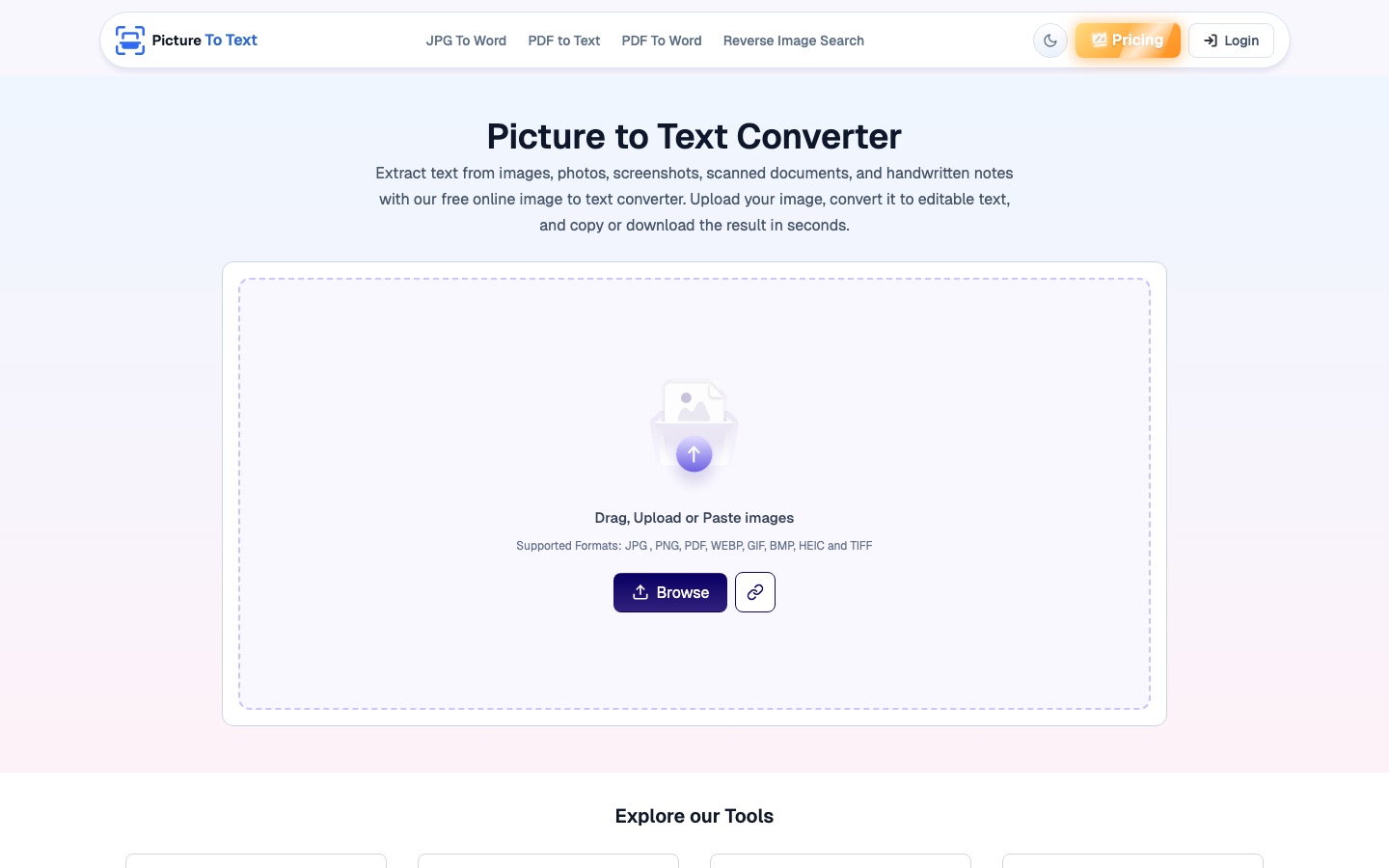
Picture to Text is an online OCR converter that extracts editable text from images. A user uploads, pastes or drags in a photo, screenshot, scanned page or handwritten note, clicks convert, and copies the result or downloads it as a TXT file. Picture to Text works without registration, and a premium version adds larger batches.
Best for Students and office staff who need to copy text out of pictures, scans or handwritten pages without retyping it.
- Listed in
- Image Recognition & OCR
- Platforms
- Web
- Pricing model
- Freemium
- Free plan
- Yes
- Free trial
- No
- API
- No
- Added
Last verified: . Information taken from picturetotext.info.
What is Picture to Text?
Picture to Text is a web-based image to text converter built on optical character recognition. It reads printed text with OCR and uses intelligent character recognition for handwriting, and the site says the combination also copes with low-resolution or blurry pictures. Input can be uploaded, pasted or dragged into the page, in formats including PNG, JPG, WEBP, GIF, BMP, TIFF, HEIC and PDF. Once the conversion finishes, the extracted text can be copied to the clipboard or saved as a TXT file. More than 20 languages are recognised. Conversions on the site are available without an account, while a paid premium tier raises the batch size to 50 images per submission, removes ads and captcha, and speeds up processing. The same site hosts sister tools: reverse image search plus converters that turn PDFs into text or Word files and JPGs into Word documents.
Key Features
OCR Text Extraction
Converts printed text in photos, screenshots and scanned documents into editable characters.
Handwriting Recognition
Applies intelligent character recognition to read handwritten notes and assignments.
Wide Format Support
Accepts PNG, JPG, WEBP, GIF, BMP, TIFF and HEIC images as well as PDF files.
Batch Conversion
Processes several images in one submission, with up to 50 at once for premium users.
Copy or Download
Outputs the recognised text to the clipboard or as a downloadable TXT file.
Multilingual Recognition
Recognises text in more than 20 languages.
How Picture to Text works
Add the image
Upload, paste or drag and drop the picture into the input box.
Convert
Click the convert button to start recognition.
Use the text
Send the result to the clipboard or save it as a TXT file.
Use Cases
- Digitising Paperwork
- Turn scanned invoices, reports and contracts into text that can be edited and searched.
- Capturing Screenshot Text
- Pull wording out of a screenshot instead of typing it again.
- Typing Up Handwritten Notes
- Convert lecture notes or assignments written by hand into a shareable document.
- Reducing Manual Data Entry
- Extract the contents of printed forms for pasting into another system.
- Reading Signs While Travelling
- Lift text from a photographed sign or menu so it can be translated.
Things to know
- Free batch limit is stated inconsistently
- One part of the site says free users can upload up to 3 images at once and another says up to 10.
- No trial of premium
- The pricing FAQ says there is no free trial; a weekly plan is offered as the way to test premium features.
- Cancellation is by request
- Subscriptions are cancelled by contacting the company through its form or by email.
FAQs
What is Picture to Text?
Picture to Text is an online OCR tool that reads the words in a picture, scan, screenshot or PDF and returns them as editable text.
What is Picture to Text used for?
Picture to Text is used to digitise documents, copy text from screenshots and photos, and convert handwritten notes into typed text.
Is Picture to Text free?
Yes for basic use. Picture to Text says conversions are available at no cost without registration, and it sells weekly, monthly and yearly premium plans for heavier use.
Which file formats does Picture to Text support?
Picture to Text accepts PNG, JPG, WEBP, GIF, BMP, TIFF and HEIC images and PDF files, among others.
Can Picture to Text convert several images at once?
Yes. Picture to Text supports batch uploads for free users and raises the limit to 50 images per submission on premium plans.
Does Picture to Text have an API?
No. Picture to Text says it does not currently offer an API, although a customised API plan can be requested by contacting the team.
Does Picture to Text keep my images?
Picture to Text states that it does not store images or extracted text and that data is deleted automatically after conversion.
Who it's for
- Students
- Office workers
- Researchers
- Writers
- Legal staff
Used in these workflows
- Going paperless: the AI tools for scanning, reading and filing documentsStage 1: Scanning and OCR
Each guide lists the stages of one job and the tools that help at each stage. All guides
Comments
No comments yet. If you have used Picture to Text, tell other readers how it went.
Alternatives to Picture to Text
| Tool | Free plan | Starting price | API |
|---|---|---|---|
 Image to Text ConverterOnline OCR tool that pulls editable text out of photos, screenshots, handwriting and PDFs, with batch conversion. |
Yes | — | Yes |
 Digitap.aiAPI platform for banks and fintechs covering digital KYC onboarding, bank statement analysis and alternate-data credit assessment. |
— | — | Yes |
 LightPDFAI-assisted PDF toolkit for editing, converting, signing, OCR, translation and chatting with documents. |
Yes | — | — |
 Manga TranslatorBrowser extension that detects text in manga, manhwa and webtoon pages and translates it in place into 100+ languages. |
— | — | — |
PDFgearFree PDF editor for desktop, mobile and web with AI features, conversion and OCR. |
Yes | — | — |
Listed in the same category as Picture to Text. A starting price appears only where we checked it on the maker’s pricing page; a dash means not checked or not published. All Image Recognition & OCR tools