
Parseur
AI document parsing software that extracts structured data from PDFs, emails, scans and images and sends it to other apps.
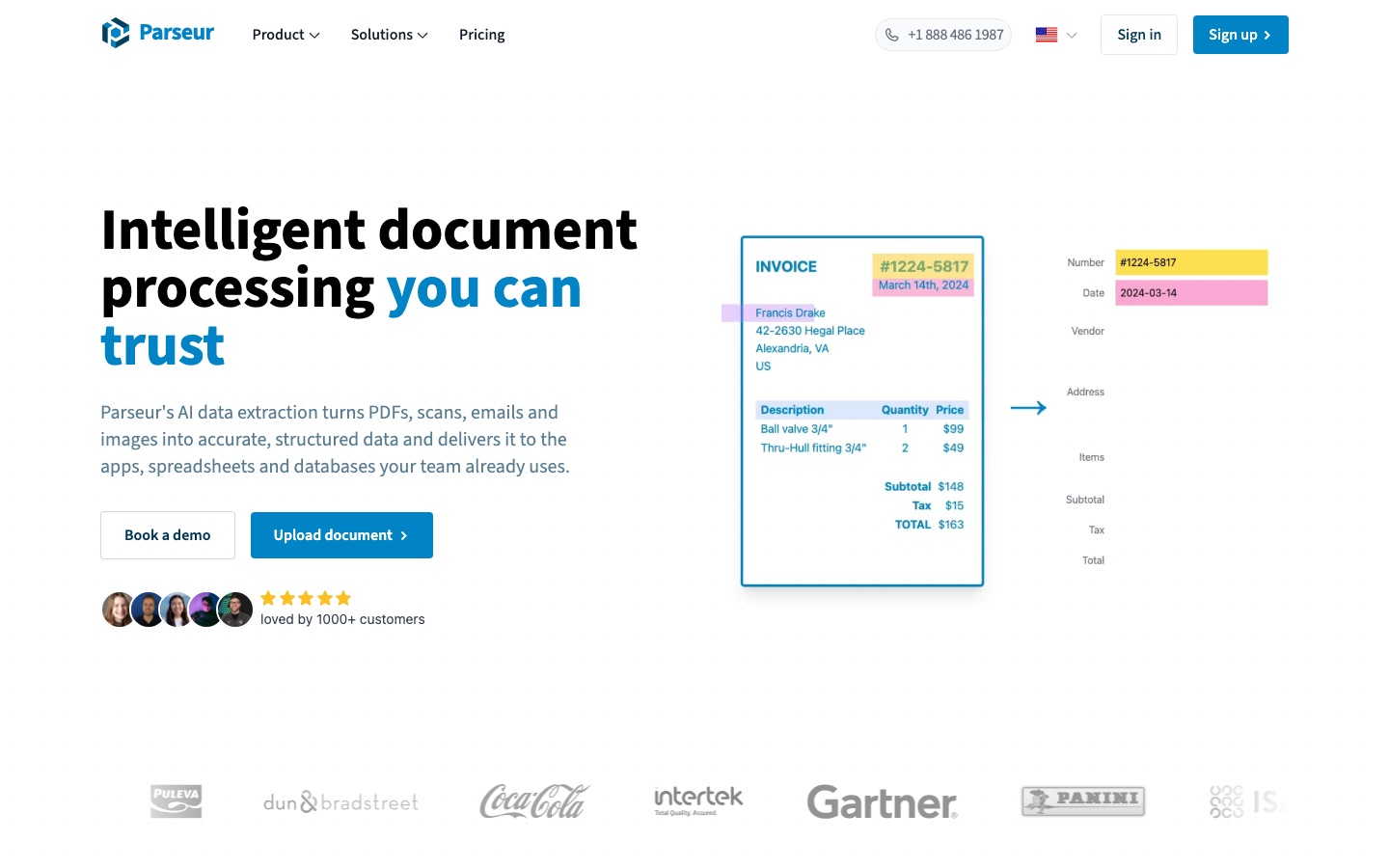
Parseur is an AI data extraction tool that reads PDFs, emails, scans, images and spreadsheets and returns structured data. Users create a mailbox, name the fields they want in plain English, and send documents by upload, email forwarding or API. Parseur then exports the results as Excel, CSV or JSON, or pushes them to connected apps.
Best for Operations, finance and logistics teams that retype data from invoices, emails and forms and want it delivered to their systems automatically.
- Platforms
- Web, API
- Pricing model
- Freemium
- Free plan
- Yes
- API
- Yes
- Made by
- Parseur
- Added
Last verified: . Information taken from parseur.com.
What is Parseur?
Parseur is a document parsing platform that turns unstructured files into structured data without model training. It has been in production since 2016 and says it has processed more than 100 million documents. Documents arrive through drag-and-drop upload, a dedicated email address, the API or automation tools such as Zapier, Make and n8n. An AI engine then pulls out the fields the user has described, and a template engine and built-in OCR covering 200+ languages, handwriting included, are also available. Extracted data can be normalised and validated before it is downloaded or delivered to Google Sheets, Salesforce, Airtable, Slack, Power Automate or a webhook. Parseur runs as a point-and-click web app for operations teams and as an API for developers. Its infrastructure is hosted in the European Union, and a free tier covers 20 pages a month.
Key Features
AI Parsing Engine
Extracts the fields you name and describe, adapting to new layouts without a predefined template.
Template Engine
Offers rule-based templates as an alternative for documents with a fixed structure.
Built-In OCR
Reads scans and photos in more than 200 languages, handwritten text included.
Multiple Intake Routes
Accepts documents by upload, forwarded email, API call or an automation platform.
Exports and Integrations
Delivers parsed data as Excel, CSV or JSON files, or to tools such as Google Sheets, Zapier and webhooks.
Retention Controls
Lets you set how long documents are stored, separately for each mailbox.
How Parseur works
Send your documents
Upload files in the app, forward them to a dedicated address, call the API or connect an automation tool.
Let the AI read them
Name the fields you need and Parseur extracts them, whatever the layout or scan quality.
Collect structured data
Download the output as a spreadsheet file or have it sent to the apps you already use.
Screenshots
Use Cases
- Accounts Payable
- Capture invoice and purchase order details and pass them to an accounting system.
- Logistics Paperwork
- Convert bills of lading and delivery notes into rows a logistics tool can read.
- Resume Intake
- Parse incoming CVs and send candidate details to an applicant tracking system.
- Real Estate Leads
- Turn enquiry emails from property portals into CRM records.
- Google Alerts Tracking
- Forward alert emails and collect every mention in a spreadsheet.
Things to know
- One credit per page
- A PDF costs one credit for each page, while an email or a spreadsheet counts as a single page whatever its length.
- Processing stops at the quota
- When credits run out, new documents are marked as quota exceeded and can be reprocessed once credits are available again.
- Post-processing needs a Scale plan
- Custom Python post-processing is limited to plans with 10,000 or more credits per month.
- Data is hosted in the EU
- Parseur processes and stores customer data in the European Union and says it does not reuse it to train AI models.
FAQs
What is Parseur?
Parseur is an AI data extraction and document parsing tool. It reads documents such as PDFs, emails and scans and outputs structured data.
What is Parseur used for?
Parseur is used to automate data entry, for example pulling totals from invoices, details from shipping documents or contact data from lead emails.
Is Parseur free?
Parseur has a free tier that includes 20 pages each month, and no credit card is needed to sign up. Larger volumes require a paid plan.
How much does Parseur cost?
Parseur prices its paid plans by the number of pages processed per month, with monthly and annual billing. See the official pricing page for current figures in your currency.
Does Parseur have an API?
Yes. Parseur provides a document parsing API for sending files and receiving structured data, alongside its no-code web app.
What file types does Parseur support?
Parseur handles emails, PDFs, scanned documents, images and spreadsheets, as well as HTML pages and plain text files.
Is Parseur secure?
Parseur states that it is SOC 2 Type II compliant, hosts data in the European Union and encrypts data in transit and at rest. HIPAA compliance is described as in progress.
Can non-technical teams use Parseur?
Yes. Parseur's web app lets non-technical staff set up extraction and exports, while the API is there for deeper integration.
Who it's for
- Operations teams
- Accounts payable
- Logistics teams
- HR teams
- Real estate agents
- Developers
Comments
No comments yet. If you have used Parseur, tell other readers how it went.
Alternatives to Parseur
| Tool | Free plan | Starting price | API |
|---|---|---|---|
 Image to Text ConverterOnline OCR tool that pulls editable text out of photos, screenshots, handwriting and PDFs, with batch conversion. Image to Text ConverterOnline OCR tool that pulls editable text out of photos, screenshots, handwriting and PDFs, with batch conversion. |
Yes | — | Yes |
 LightPDFAI-assisted PDF toolkit for editing, converting, signing, OCR, translation and chatting with documents. LightPDFAI-assisted PDF toolkit for editing, converting, signing, OCR, translation and chatting with documents. |
Yes | — | — |
PDFgearFree PDF editor for desktop, mobile and web with AI features, conversion and OCR. |
Yes | — | — |
 NanonetsPlatform that turns documented business processes into AI agents for invoices, claims, orders and other back-office work. NanonetsPlatform that turns documented business processes into AI agents for invoices, claims, orders and other back-office work. |
Yes | — | Yes |
 VeryfiOCR APIs and capture SDKs that turn receipts, invoices, checks and other documents into structured data and flag fraud. VeryfiOCR APIs and capture SDKs that turn receipts, invoices, checks and other documents into structured data and flag fraud. |
Yes | — | Yes |
Listed in the same categories as Parseur. A starting price appears only where we checked it on the maker’s pricing page; a dash means not checked or not published. All Documents & PDF tools