
Movavi Video Editor 2026
Desktop video editor for Mac and Windows with one-click AI tools for subtitles, noise removal and motion tracking.
Movavi Video Editor 2026 is a desktop video editing program for Mac and Windows. Movavi Video Editor 2026 combines timeline tools for cutting, cropping and colour adjustment with one-click AI functions for subtitles, noise removal, motion tracking and silence removal. A free version with a watermark and export limits is available for trying it.
Best for Beginners and casual creators who want a straightforward desktop editor with automated captioning and audio clean-up.
- Platforms
- macOS, Windows
- Free trial
- Yes
- Made by
- Movavi
- Added
Last verified: . Information taken from movavi.com.
What is Movavi Video Editor 2026?
Movavi Video Editor 2026 is a desktop video editing program for Mac and Windows that pairs a simple timeline with a set of automated AI tools. Basic work such as cutting, cropping, rotating, colour adjustment and speed changes sits alongside hundreds of filters, transitions, titles and overlays. The AI functions generate subtitles from speech in a click, strip background sounds like wind or traffic from audio, attach graphics to moving objects through motion tracking and cut out silent pauses. Movavi also offers over 1,500 music tracks and a library of 10,000-plus effects through its effects store. The program can be downloaded and tried at no cost, with a watermark and export limits, before buying the full version. The publisher has since announced Movavi Video Editor 2027, which adds block-based templates.
Key Features
Automatic Subtitles
Converts speech to on-screen captions in many languages, with control over font, colour and position.
AI Noise Removal
Cleans car, wind and similar background sounds from a clip's audio track automatically.
AI Motion Tracking
Pins photos, videos, emojis or other graphics to an object so they follow it through the shot.
Silence Removal
Cuts pauses automatically, or lets you set the pause length and volume threshold yourself.
Adjustable Effects
Applies customisable looks such as light leaks, dust particles, retro and VHS styles.
Drag-and-Drop Transitions
Adds a transition by dropping it between two clips on the timeline.
Screenshots
Use Cases
- YouTube Videos and Vlogs
- Cut footage, add titles and music, and caption speech for a channel upload.
- Short Vertical Clips
- Prepare Reels, Shorts or TikTok clips with subtitles and effects.
- Family and Event Films
- Combine clips and photos from weddings, birthdays or holidays into one video.
- Tutorials and Lessons
- Record material and assemble a structured lesson with picture-in-picture and transitions.
- Business Promos
- Produce a presentation or advert with company text, colours and logo.
Things to know
- Free version limits
- Exports carry a Movavi watermark and are capped at 60 seconds of video or half the audio length, with some advanced features locked.
- Superseded by the 2027 release
- Movavi now promotes Video Editor 2027 and Video Suite 2027 on its site.
- Effects store is separate
- The music tracks (1,500+) and effects (10,000+) are presented under Movavi Effects, and the Movavi Unlimited bundle includes them.
FAQs
What is Movavi Video Editor 2026?
Movavi Video Editor 2026 is a desktop video editing program for Mac and Windows that combines standard timeline editing with AI tools for subtitles, audio clean-up and tracking.
What is Movavi Video Editor 2026 used for?
Movavi Video Editor 2026 is used to cut and enhance videos for social media, family films, tutorials and business promos.
Is Movavi Video Editor 2026 free?
Movavi Video Editor 2026 has a free version for trying the program. The site says it adds a Movavi watermark, limits output to 60 seconds of video or half the audio, and locks some advanced export features.
How long can I try Movavi Video Editor?
Movavi's site says the editor can be downloaded and tried without charge, and that the full version must be bought after 7 days.
Does Movavi Video Editor 2026 work on Mac and Windows?
Yes. Movavi offers the Video Editor for both Mac and Windows as separate downloads.
Which AI features does Movavi Video Editor 2026 have?
Movavi Video Editor 2026 includes automatic subtitles, AI noise removal, AI motion tracking and automatic silence removal.
Is there a newer version of Movavi Video Editor?
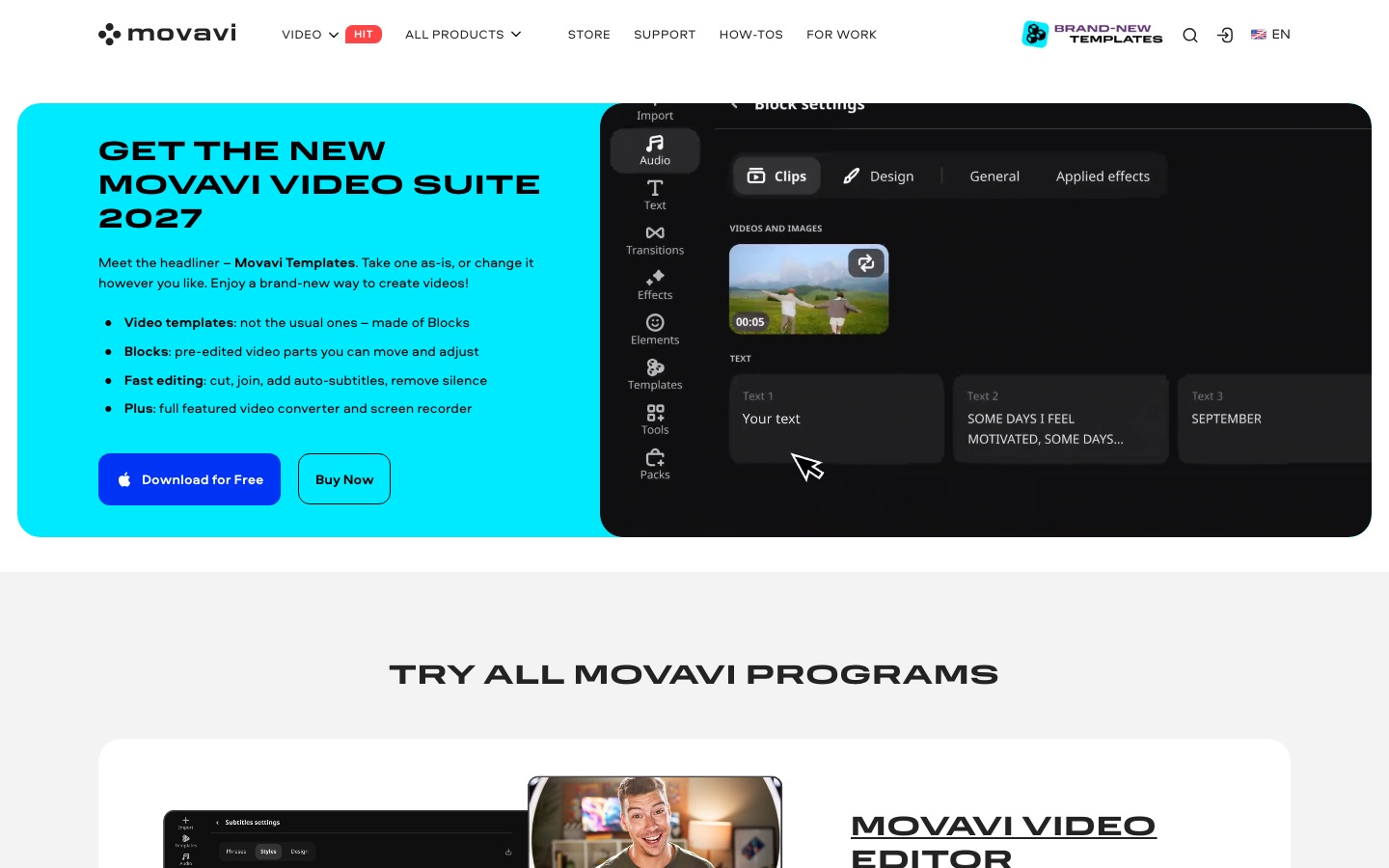
Yes. Movavi's site announces Movavi Video Editor 2027, which introduces templates built from pre-edited blocks.
Who it's for
- Beginner video editors
- Vloggers
- Social media creators
- Educators
- Small businesses
Used in these workflows
- AI tools for making a film, stage by stageStage 7: Editing and finishing
Each guide lists the stages of one job and the tools that help at each stage. All guides
Comments
No comments yet. If you have used Movavi Video Editor 2026, tell other readers how it went.
Alternatives to Movavi Video Editor 2026
| Tool | Free plan | Starting price | API |
|---|---|---|---|
 KapwingBrowser-based video editor for teams with AI generation, automatic subtitles, dubbing and clip repurposing. KapwingBrowser-based video editor for teams with AI generation, automatic subtitles, dubbing and clip repurposing. |
Yes | — | — |
 VEEDBrowser-based video platform that generates clips with AI and edits, subtitles, dubs and brands them in one workflow. VEEDBrowser-based video platform that generates clips with AI and edits, subtitles, dubs and brands them in one workflow. |
Yes | — | Yes |
 ChoppityAI video editor that cuts podcasts and long videos into captioned short clips for TikTok, Reels and Shorts. ChoppityAI video editor that cuts podcasts and long videos into captioned short clips for TikTok, Reels and Shorts. |
Yes | — | Yes |
 ClideoBrowser-based video editor and toolset for compressing, cutting, subtitling, translating and converting media. ClideoBrowser-based video editor and toolset for compressing, cutting, subtitling, translating and converting media. |
Yes | — | — |
 ClipchampBrowser-based video editor from Microsoft with AI voiceovers, automatic subtitles, recording tools and stock media. ClipchampBrowser-based video editor from Microsoft with AI voiceovers, automatic subtitles, recording tools and stock media. |
Yes | — | — |
Listed in the same categories as Movavi Video Editor 2026. A starting price appears only where we checked it on the maker’s pricing page; a dash means not checked or not published. All Video Editing tools