
AI Video Cut
Prompt-driven tool that cuts long videos into captioned short clips for Shorts, TikTok, Reels and ads.
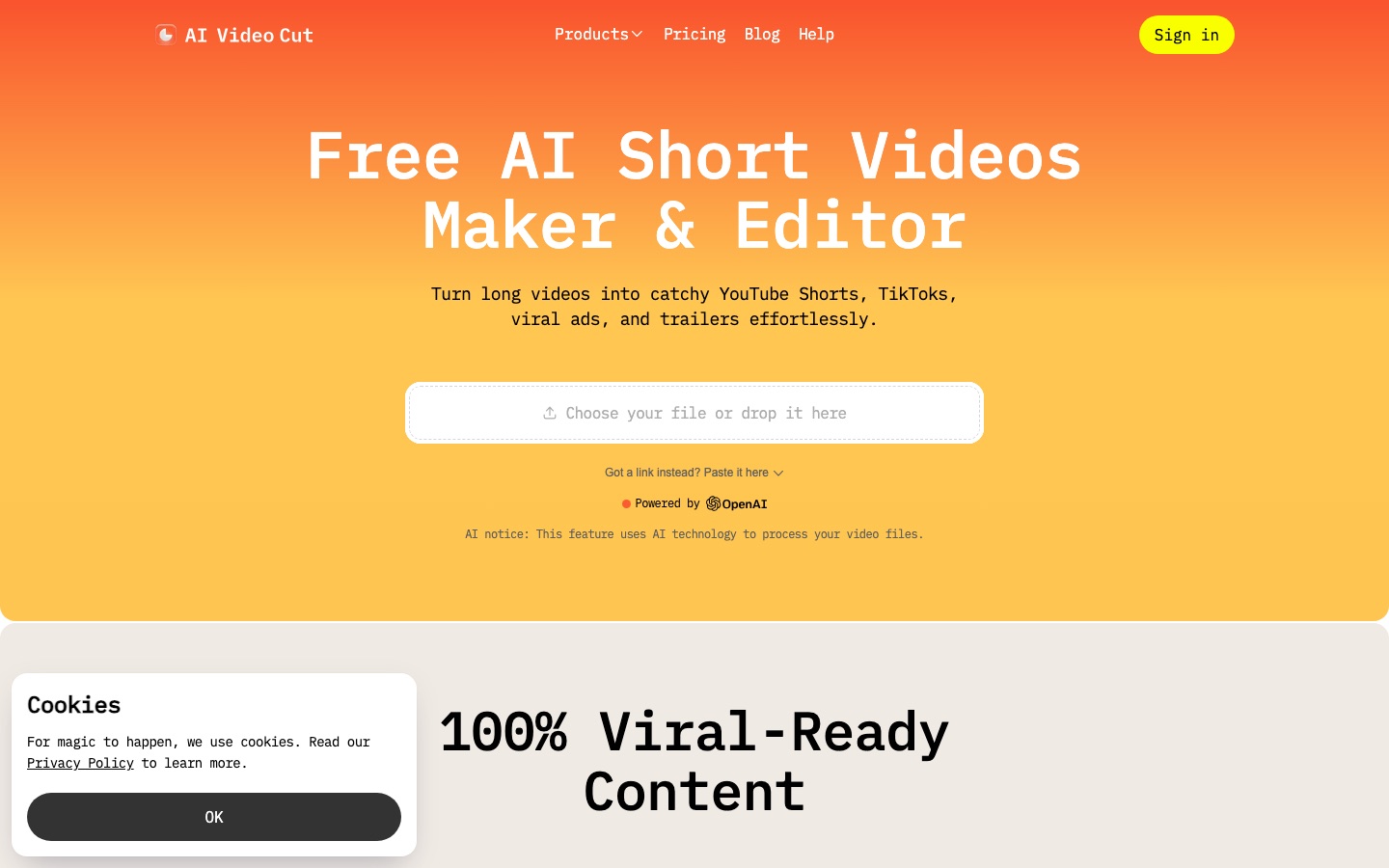
AI Video Cut is an online editor that turns long recordings into short clips. A user uploads a file or pastes a link in AI Video Cut, picks a ready-made prompt or writes one, and the tool selects the passages, crops around the speaker and adds captions. Clips can be refined by editing the transcript and exported as MP4.
Best for Creators, podcasters and marketers who repurpose long videos into vertical clips and want prompts rather than a timeline to decide what gets cut.
- Platforms
- Web
- Pricing model
- Freemium
- Free plan
- Yes
- Made by
- Omnisale GmbH
- Added
Last verified: . Information taken from aivideocut.com.
What is AI Video Cut?
AI Video Cut is a web-based video repurposing tool that produces short clips from longer footage. After a video is imported from a local file or a link, a prompt tells the system what kind of result to make, for example a trailer, a product review, funny moments or sports highlights, and a custom prompt field accepts free-form instructions. The tool transcribes the audio, and the transcript doubles as an editing surface: deleting text removes the matching footage and cleans up captions. Automatic cropping detects speaker faces to keep them in frame, and several caption styles are available. Output length is set in phrases, with aspect ratios including vertical, square and the original shape. A Telegram bot offers the same clipping outside the browser. The site is operated by Omnisale GmbH.
Key Features
Prompt Library
Provides prepared prompts for viral clips, show or gaming highlights, product reviews, trailers and similar formats.
Custom Prompts
Accepts a written instruction describing how you want the source video cut.
Transcript-Based Editing
Lets you trim a clip by editing its transcript, which also corrects the captions.
Smart Crop with Face Detection
Finds the speaker's face and reframes the picture so key people stay centred.
Caption Styles
Burns in subtitles using a choice of visual styles for viewers who watch muted.
Flexible Export
Exports MP4 in 9:16, 16:9, 1:1 or original framing, with clip length chosen from 7, 15 or 25 phrases.
How AI Video Cut works
Import
Upload a video from your device or paste a YouTube link.
Pick a prompt
Choose what to make, such as a teaser, review, tutorial or a batch of clips.
Adjust
Set clip length and aspect ratio and choose a caption style.
Publish
Preview the result, download it and post it to your platforms.
Videos
Use Cases
- Podcast Teasers
- Pull the strongest exchanges from an episode to promote it on social channels.
- Webinar and Event Recaps
- Condense conference or webinar recordings into highlight clips for future promotion.
- Product Video Ads
- Cut a long demonstration into a short ad or review-style clip for a store.
- Daily Social Posting
- Generate several clips in bulk from one upload to fill a content calendar.
- Stream Highlights
- Extract gaming or sports moments from long broadcasts.
Things to know
- Free minutes do not renew
- The free allowance is granted once, while paid plans refresh their minutes each billing cycle.
- Watermark on the free plan
- Clips made without a subscription include a watermark.
- Stored files expire
- Uploads are kept for 14 days on the free plan and six months on paid plans.
- Logo branding not yet available
- Applying a custom logo to exported videos is labelled as coming soon.
FAQs
What is AI Video Cut?
AI Video Cut is an online tool that uses AI prompts to cut long videos into short clips with captions and automatic reframing.
What is AI Video Cut used for?
AI Video Cut is used to repurpose podcasts, webinars, streams and other long footage into clips for YouTube Shorts, TikTok, Instagram and ads.
Is AI Video Cut free?
AI Video Cut has a free plan with a one-time allowance of 50 upload minutes. Free output carries a watermark and editing is limited.
How much does AI Video Cut cost?
AI Video Cut has a free plan with a one-time allowance of 50 upload minutes. Paid plans remove the watermark, refresh their minutes each billing cycle and differ mainly in upload minutes and file length. Check the official pricing page for current amounts.
How are upload minutes counted in AI Video Cut?
AI Video Cut deducts the duration of each uploaded video from the plan's allowance, and shows the charge before clips are generated. Regenerating clips from the same upload does not require uploading again.
Which sources can AI Video Cut import from?
AI Video Cut accepts your own files and links from YouTube, Reddit, Instagram, Zoom, Twitch, Dailymotion, Facebook and Google Drive, according to its plan comparison.
What languages does AI Video Cut transcribe?
The AI Video Cut plan table lists multi-language transcription covering 100 languages.
Who makes AI Video Cut?
AI Video Cut is operated by Omnisale GmbH, named in the site's copyright notice.
Who it's for
- Content creators
- Podcasters
- Social media managers
- Digital marketers
- E-commerce businesses
- Event organisers
Comments
No comments yet. If you have used AI Video Cut, tell other readers how it went.
Alternatives to AI Video Cut
| Tool | Free plan | Starting price | API |
|---|---|---|---|
 ChoppityAI video editor that cuts podcasts and long videos into captioned short clips for TikTok, Reels and Shorts. ChoppityAI video editor that cuts podcasts and long videos into captioned short clips for TikTok, Reels and Shorts. |
Yes | — | Yes |
 AutoCaptionAI caption generator that adds animated, styled subtitles to short videos and resizes them for each platform. AutoCaptionAI caption generator that adds animated, styled subtitles to short videos and resizes them for each platform. |
Yes | — | Yes |
 KlapAI tool that cuts long videos into captioned vertical clips for TikTok, Reels and YouTube Shorts. KlapAI tool that cuts long videos into captioned vertical clips for TikTok, Reels and YouTube Shorts. |
— | — | Yes |
 KapwingBrowser-based video editor for teams with AI generation, automatic subtitles, dubbing and clip repurposing. KapwingBrowser-based video editor for teams with AI generation, automatic subtitles, dubbing and clip repurposing. |
Yes | — | — |
 VizardAI video clipping tool that finds highlights in long videos and turns them into captioned short clips for social media. VizardAI video clipping tool that finds highlights in long videos and turns them into captioned short clips for social media. |
Yes | — | Yes |
Listed in the same categories as AI Video Cut. A starting price appears only where we checked it on the maker’s pricing page; a dash means not checked or not published. All Video Editing tools