
Lightfield
AI-native CRM that updates records from calls, emails and meetings and runs agents for outbound and deal follow-up.
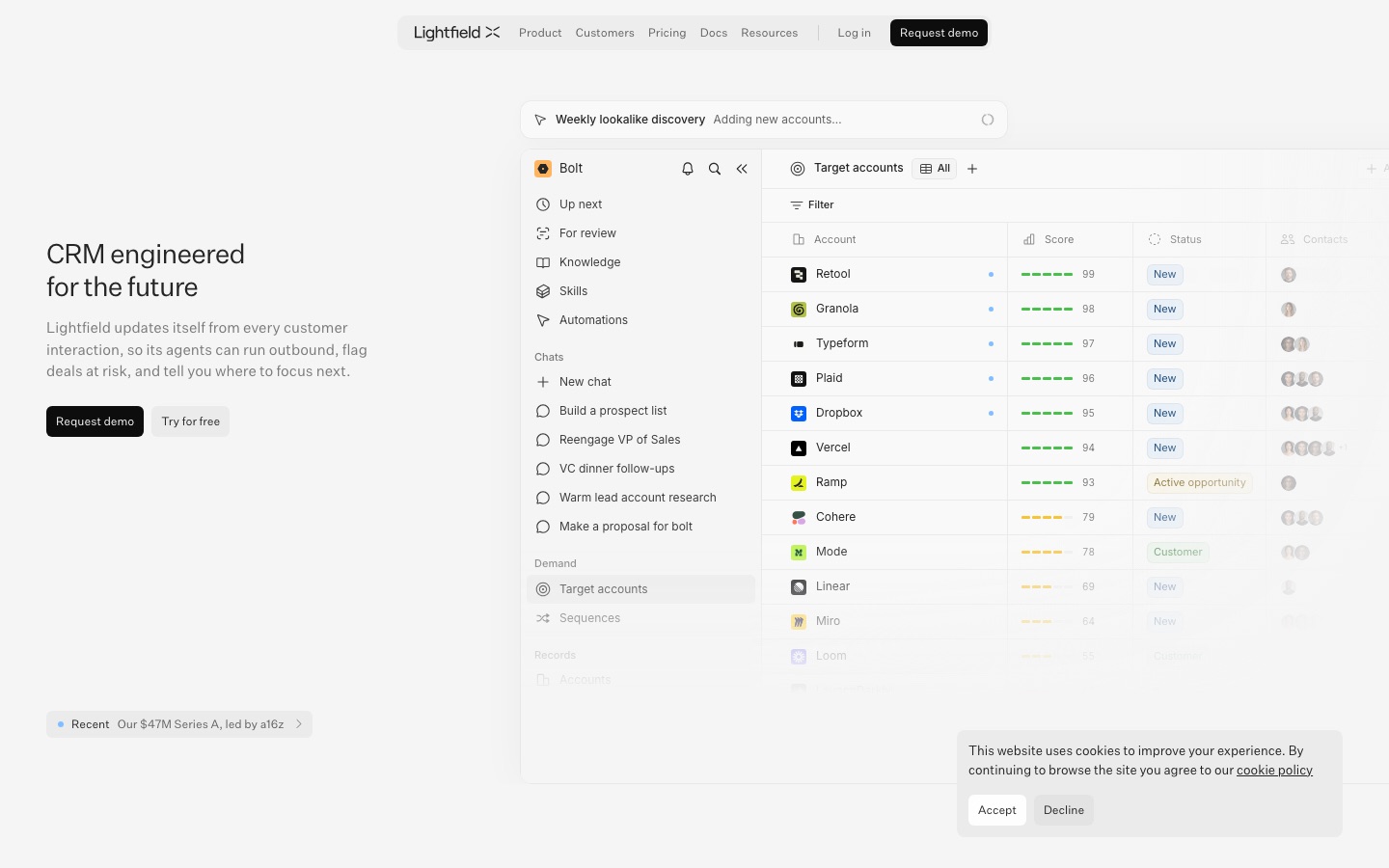
Lightfield is an AI-native CRM that fills itself in from email, calendar, Slack and meeting recordings. Sales teams connect their accounts, and Lightfield keeps records current while its agents build prospect lists, draft outreach, prepare for calls and review deals. Data is also reachable through an API, MCP and CLI.
Best for Founders and small-to-midsize sales teams that want a CRM maintained automatically and agents that handle outbound and follow-up work.
- Listed in
- Sales & CRMAI Agents & Automation
- Platforms
- Web, API, MCP
- Pricing model
- Subscription
- Free trial
- Yes
- API
- Yes
- Made by
- Lightfield
- Added
Last verified: . Information taken from lightfield.app.
What is Lightfield?
Lightfield is a CRM designed around AI agents instead of manual data entry. Once email, calendar, Slack and LinkedIn are connected, it records each customer interaction, transcribes meetings and keeps accounts, contacts and opportunities current without anyone filling in fields. The data model supports custom objects and relationships, and a context graph preserves how records change over time so agents have history to reason from. On top of that record, agents build target account lists resembling existing customers, draft outreach for approval, prepare meeting briefs, write follow-ups and review deals against a qualification framework stored as reusable skills. Users can also question the CRM in chat, for example about pipeline coverage or what lost accounts had in common. Records are readable and writable through an API, MCP and a CLI. The company lists SOC 2 Type II, HIPAA and GDPR on its pricing page and has announced a $47M Series A led by a16z.
Key Features
Automatic data capture
Syncs email, calendar and Slack activity into the CRM and updates the related records without manual entry.
Meeting recorder
Records and transcribes calls on a user's calendar, then turns them into summaries and next steps.
Pipeline generation
Finds lookalike accounts, scores them on signals such as funding or hiring, and drafts outreach emails for review.
Sales assistant skills
Runs repeatable tasks such as account research, call prep and deal review according to written instructions.
Workflows and sequences
Builds event-driven automations and outreach sequences that are described in plain language.
Open platform
Exposes every record through an API, MCP and a command-line tool for custom agents and integrations.
Screenshots
Use Cases
- Founder-led sales
- Keep a CRM current while a small team sells, without assigning anyone to data entry.
- Outbound to lookalike accounts
- Generate a weekly list of companies similar to current customers and send approved emails.
- Deal reviews
- Check each open opportunity against the qualification framework and get one suggested next step.
- Onboarding new reps
- Give new sellers suggested actions that follow the team's own playbook.
- Learning from lost deals
- Ask what churned or lost accounts had in common across all recorded conversations.
Things to know
- Two kinds of seats
- Capture seats sync a user's email and meetings; viewer seats are unlimited on Pro and above and allow reading records and using chat.
- Record limits by plan
- Starter allows up to 50,000 records, Pro 250,000 and Growth 750,000.
- Some features are not final
- The pricing page marks LinkedIn sync as beta and the voice dialer as coming soon.
- Higher plans bill annually
- Starter is billed monthly per user, while Pro, Growth and Enterprise are billed annually per workspace.
FAQs
What is Lightfield?
Lightfield is an AI-native CRM that captures customer interactions automatically and lets agents act on that data.
What is Lightfield used for?
Lightfield is used to manage accounts and deals, record meetings, generate pipeline through outbound agents and analyse sales performance by asking questions in chat.
Is Lightfield free?
Lightfield is a paid product. Its Starter plan can be tried free for 14 days, according to the pricing page.
How much does Lightfield cost?
Lightfield has Starter, Pro, Growth and Enterprise plans; Starter is charged per user and the higher plans per workspace. See the official pricing page for current prices.
Does Lightfield have an API?
Yes. Lightfield lets you read and write every record through an API, MCP and a CLI.
What is a capture seat in Lightfield?
A capture seat is a Lightfield seat whose email and meetings from Google or Outlook are synced into the CRM, including recording and transcription. Viewer seats can see records and use chat.
What are Lightfield workspace credits?
Workspace credits in Lightfield pay for agent-driven usage such as sequences, automations, workflows and enrichment lookups. They are pooled across the workspace.
Who it's for
- Founders
- Sales teams
- Revenue operations
- Go-to-market teams
- Customer success teams
Used in these workflows
- B2B sales outreach: which AI tool does which job, from first list to signed contractStage 5: CRM and pipeline
Each guide lists the stages of one job and the tools that help at each stage. All guides
Comments
No comments yet. If you have used Lightfield, tell other readers how it went.
Alternatives to Lightfield
| Tool | Free plan | Starting price | API |
|---|---|---|---|
 AttioCRM with AI agents, workflows and automatic data enrichment for teams that manage pipeline and accounts. AttioCRM with AI agents, workflows and automatic data enrichment for teams that manage pipeline and accounts. |
Yes | $44/mo | Yes |
 ClayGo-to-market platform that combines third-party data enrichment, AI research agents and workflow automation. ClayGo-to-market platform that combines third-party data enrichment, AI research agents and workflow automation. |
Yes | — | Yes |
 HubSpotCustomer platform that joins CRM, marketing, sales and service software with built-in AI agents. HubSpotCustomer platform that joins CRM, marketing, sales and service software with built-in AI agents. |
Yes | — | — |
 InrōInstagram DM automation with an AI agent, comment-to-DM replies, DM campaigns and a contact inbox. InrōInstagram DM automation with an AI agent, comment-to-DM replies, DM campaigns and a contact inbox. |
Yes | — | Yes |
 StorylaneDemo automation platform for building interactive product demos, plus RepX AI SDR agents for inbound visitors. StorylaneDemo automation platform for building interactive product demos, plus RepX AI SDR agents for inbound visitors. |
Yes | — | Yes |
Listed in the same categories as Lightfield. A starting price appears only where we checked it on the maker’s pricing page; a dash means not checked or not published. All Sales & CRM tools