
ImgUpscaler
Browser-based AI image upscaler from LinoCut AI with output up to 16K, batch mode and related enhancement tools.
ImgUpscaler is a browser-based AI image upscaler operated by LinoCut AI. ImgUpscaler raises image resolution up to 16K while reducing blur, noise and pixelation: you upload a JPG, PNG, WebP or HEIC file, choose an output size and download the result. A batch mode handles 2 to 20 images, and ImgUpscaler can be tried without an account.
Best for Online sellers, designers and casual users who need to enlarge a low-resolution image for print, a product listing or a large screen without installing software.
- Listed in
- Image UpscalerImage Editing
- Platforms
- Web
- Pricing model
- Freemium
- Free plan
- Yes
- Made by
- LinoCut AI
- Added
Last verified: . Information taken from imgupscaler.ai.
What is ImgUpscaler?
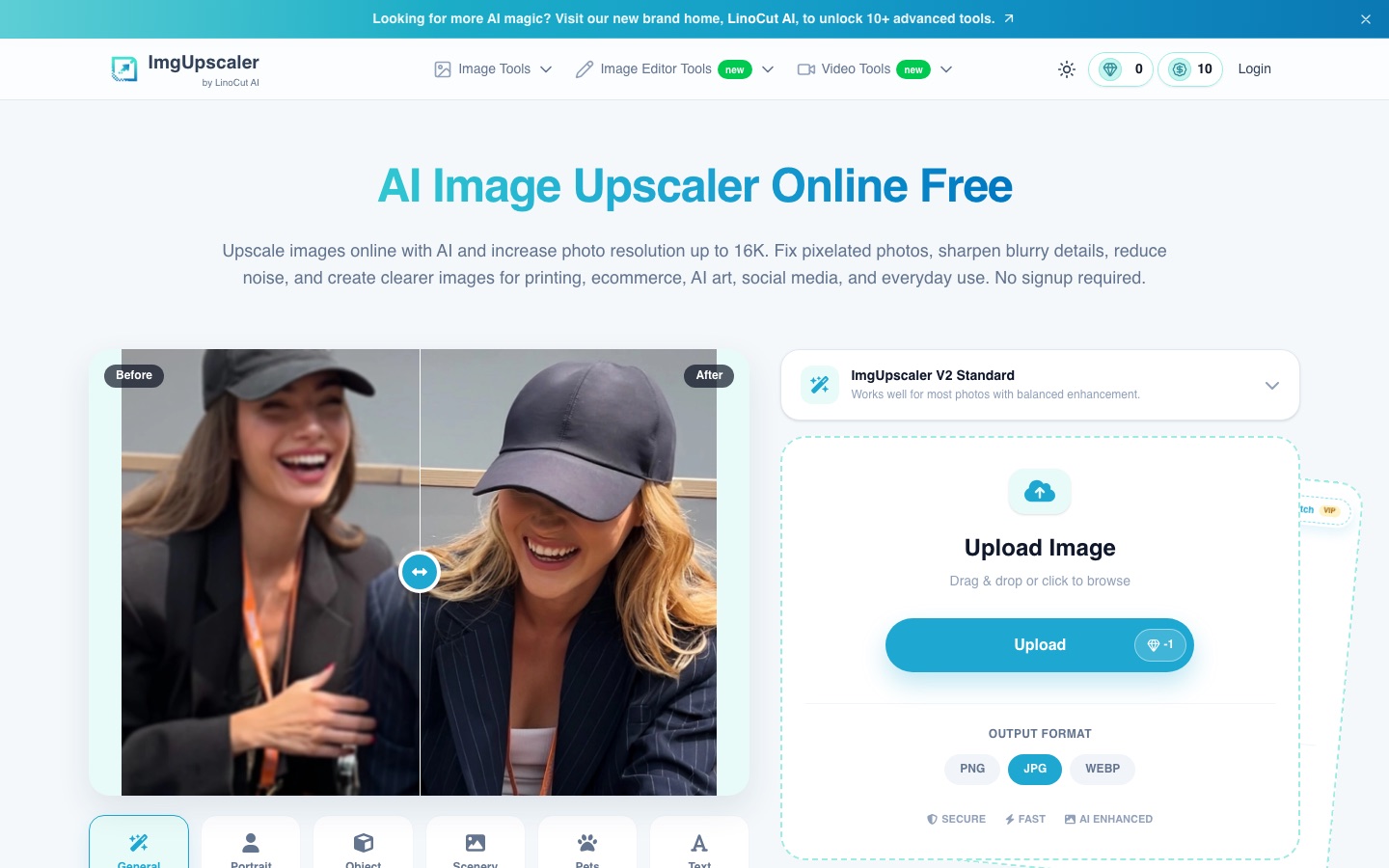
ImgUpscaler at imgupscaler.ai is an online image upscaler operated by LinoCut AI. It increases image resolution, with output sizes described as going up to 16K, and is intended to reduce pixelation, blur and noise at the same time. The upload panel offers content presets such as general, portrait, object, scenery, pets and text, a batch mode for 2 to 20 images, and PNG, JPG or WebP output. Input can be JPG, PNG, WebP or HEIC. The tool runs in the browser on desktop and mobile devices and can be tried without creating an account. The same site hosts related tools, including a photo enhancer, old photo restoration, sharpening, colourisation, a text enhancer for screenshots, and several image and video generation and editing tools.
Key Features
High-Resolution Output
Offers enlargement options from standard and HD through 4K and 8K, up to 16K.
Content Presets
Provides modes tuned for portraits, objects, scenery, pets and text as well as a general setting.
Batch Mode
Processes between 2 and 20 images in a single job instead of one at a time.
Output Format Choice
Exports the enlarged image as PNG, JPG or WebP.
No Account Needed to Try
Works in the browser without installation or signup for a first test.
Before-and-After Preview
Shows the original next to the upscaled result so the difference can be checked before downloading.
How ImgUpscaler works
Upload an image
Choose a JPG, PNG, WebP or HEIC file from your device.
Choose an upscale option
Pick the output size or enhancement level, from a standard enlargement up to 16K.
Let the AI process it
The upscaler works on edges, textures and resolution while reducing blur, noise and pixelation.
Preview and download
Compare the before and after views, then download the enlarged image.
Use Cases
- Large-Format Printing
- Raise the resolution of a small photo so it holds up on a poster, banner or framed print.
- E-commerce Product Photos
- Make product images clearer for marketplace listings, catalogues and ad creatives.
- AI Art and Anime
- Enlarge generated artwork and illustrations so they can be used as wallpapers or published.
- Old Family Photos
- Increase the size and visible detail of small or grainy pictures before sharing or printing them.
- Screenshots and Scans
- Improve the legibility of small text in screenshots, labels and scanned documents.
Things to know
- Prices are not listed here
- The pricing page lists credit amounts and prices separately without tying them together in its text, so no figures are reproduced here.
- Two ways to pay
- Paid use is offered as a subscription or as one-time credit packs.
- Free credits refresh
- The Free tier is described as having credits that refresh periodically and as suited to light use.
- Third-party models
- The site notes that it relies on AI models from third parties and has no affiliation with Google LLC.
FAQs
What is ImgUpscaler?
ImgUpscaler (imgupscaler.ai) is an online AI image upscaler run by LinoCut AI, with a set of related photo enhancement tools on the same site.
What is ImgUpscaler used for?
ImgUpscaler is used to enlarge low-resolution images for printing, online shops, AI art, social media posts and old family photos, and to make small text in screenshots easier to read.
Is ImgUpscaler free?
ImgUpscaler has a Free tier whose credits refresh periodically, and the site says the upscaler can be tried without signing up. Subscriptions and one-time credit packs are sold for heavier use.
How large can ImgUpscaler make an image?
ImgUpscaler describes output options up to 16K, with standard, HD, 4K and 8K levels below that.
What file formats does ImgUpscaler support?
ImgUpscaler accepts JPG, PNG, WebP and HEIC uploads and exports PNG, JPG or WebP files.
Can ImgUpscaler process several images at once?
Yes. The batch mode in ImgUpscaler takes 2 to 20 images in one job.
Does ImgUpscaler work on mobile?
Yes. ImgUpscaler runs in the browser on iPhone and Android devices as well as on Windows, Mac, tablets and Chromebooks, with no software to install.
Who makes ImgUpscaler?
ImgUpscaler is operated by LinoCut AI, which lists a contact address in Singapore.
Who it's for
- E-commerce sellers
- Designers
- Marketers
- AI artists
- Casual users
Used in these workflows
- From culling a shoot to repairing old prints: AI tools for photo workStage 4: Upscaling and sharpening
Each guide lists the stages of one job and the tools that help at each stage. All guides
Comments
No comments yet. If you have used ImgUpscaler, tell other readers how it went.
Alternatives to ImgUpscaler
| Tool | Free plan | Starting price | API |
|---|---|---|---|
 PicWishAI photo editor for cutting out backgrounds, sharpening blurry shots and retouching product images. |
Yes | — | Yes |
 SnapEditOnline AI photo editor for removing objects and backgrounds, enhancing images and batch processing. |
Yes | — | Yes |
 Artguru AIOnline AI enhancer for photos, video and documents: upscaling, old photo restoration, denoising and sharper scans. |
— | — | Yes |
 ImgUpscalerOnline AI upscaler that enlarges images by 2x or 4x, with batch processing on paid plans. |
Yes | — | — |
 Pica AIOnline photo tools for face swapping, old photo restoration, image enhancement and AI headshots. |
— | — | — |
Listed in the same categories as ImgUpscaler. A starting price appears only where we checked it on the maker’s pricing page; a dash means not checked or not published. All Image Upscaler tools