
Banani
AI UI design tool that turns prompts, screenshots or Figma links into editable multi-screen prototypes.
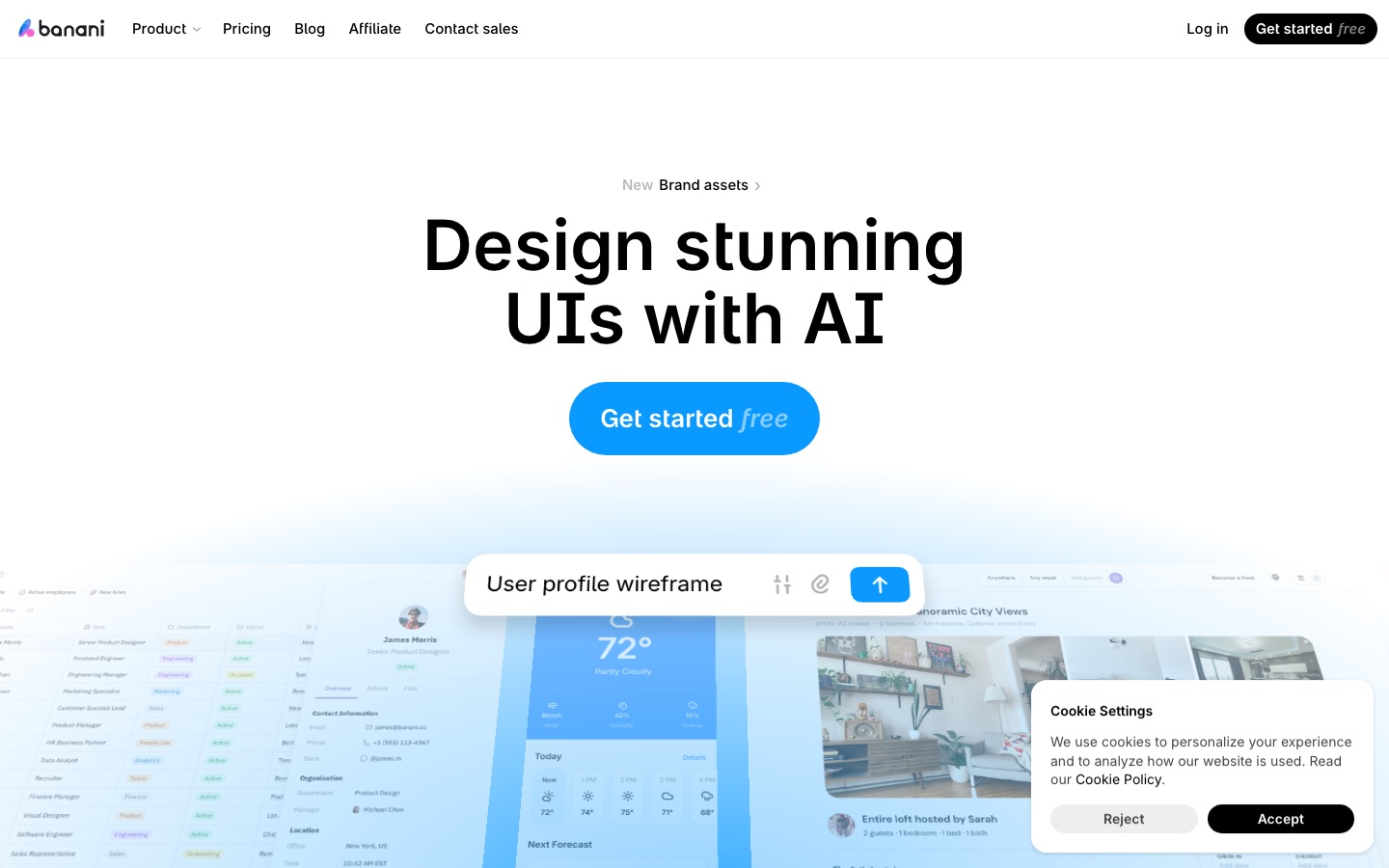
Banani is an AI tool for UI design that produces editable, multi-screen interface prototypes from a text prompt, a screenshot or a Figma link. Banani is used by describing a product, refining the screens through chat or manual style controls, and then sharing a project link or exporting the work as Figma layers, HTML/CSS or image files.
Best for Product managers, founders and engineers who need presentable UI concepts quickly without a dedicated designer, and designers who want a faster first draft.
- Listed in
- UI & UX Design
- Platforms
- Web, MCP
- Pricing model
- Freemium
- Free plan
- Yes
- Made by
- Banani
- Added
Last verified: . Information taken from banani.co.
What is Banani?
Banani is an AI design tool that produces user interface layouts and clickable prototypes from a written description. Besides text, it accepts images, screenshots and Figma links as references, reading their layout and visual style so that it can either reproduce the interface or propose new directions. The output is a set of connected screens that remain editable: you can ask the assistant in chat to shift the mood of a design, or adjust colours, type and other tokens by hand. Finished work is shared through a project link or exported to Figma, HTML/CSS or image files, and an MCP connection lets coding agents read the designs directly. The site says the product was founded by Vlad Solomakha and Vova Parkhomchuk and is offered on free, Plus, Pro and enterprise tiers.
Key Features
Text to Prototype
Builds several linked, editable screens from a plain-language description of the product you have in mind.
Reference-Based Generation
Takes an image, a screenshot or a Figma link and extracts its layout and styling to recreate the screen or branch into new ideas.
Style Controls
Changes the feel of a design through a chat request, with manual control over colours, typography and other tokens.
Sharing by Link
Sends a project or a single screen to colleagues so they can look at it and comment.
Export Options
Transfers designs to Figma as layers that stay editable and keep auto layout, or outputs HTML/CSS or image files; Figma and code export belong to paid plans.
MCP Connection
Links chosen screens to coding agents such as Claude Code, Cursor and Codex so they can build them in your stack.
How Banani works
Describe or upload
Write what the product should do, or supply an image, screenshot or Figma link as a reference.
Review the generated screens
Banani returns a clickable prototype made of several screens.
Adjust the design
Click an element or chat with the assistant to change it, and tune style tokens manually.
Share or export
Send a project link, or take the design out as Figma layers, HTML/CSS or image files.
Screenshots
Use Cases
- Wireframes for Product Specs
- A product manager sketches a flow quickly to explain an idea to engineers and stakeholders.
- Founder Prototypes
- A startup without a designer mocks up an app before committing development time.
- Redesign from a Screenshot
- Feed in an existing screen and generate alternative versions of it.
- Designer Handoff to Figma
- Generate a first pass, then continue refining the layers inside Figma.
- Design to Code with Agents
- Pass selected screens over MCP to a coding agent that implements them.
Things to know
- Generation runs on credits
- One generation usually uses more than a single credit, depending on how complex the request is. Free accounts get 12 a month with 3 daily refills; Plus gets 100 with 10 daily refills; Pro is unlimited.
- Figma and code export are paid
- The pricing FAQ limits Figma export and HTML/CSS export to the Plus and Pro plans.
- Out of credits pauses generation only
- Existing projects stay viewable and shareable; new AI generations wait until credits refill or the billing cycle resets.
- Yearly prices shown
- The listed prices are those displayed with yearly billing, which the site says is 40% lower than paying monthly.
FAQs
What is Banani?
Banani is an AI tool for designing user interfaces. It generates editable screens and interactive prototypes from prompts, reference images and product requirement documents.
What is Banani used for?
Banani is used to draft wireframes and higher-fidelity UI for web apps, mobile apps, dashboards and landing pages, then share or export the result.
Is Banani free?
Yes. Banani has a Free plan that does not expire and needs no credit card; it includes 12 credits per month plus 3 daily refills and private projects.
How much does Banani cost?
Banani: a free plan is available. Paid plan rates are published on banani.co. Check the official pricing page for current amounts.
Can Banani export to Figma?
Yes, on paid plans. Banani's pricing FAQ says Plus and Pro users can send designs to Figma as editable layers and also export HTML/CSS.
Does Banani work with coding agents?
Yes. Banani offers an MCP connection for agents such as Claude Code, Cursor and Codex, and the pricing FAQ states that every plan includes it.
Who makes Banani?
Banani was founded by Vlad Solomakha and Vova Parkhomchuk, who describe the company as a small team of designers and developers.
Who it's for
- Product managers
- Founders
- Designers
- Engineers
- Students
Used in these workflows
- Designing an app interface with AI: research, screens, prototype, codeStage 3: UI screens
- Designing an app interface with AI: research, screens, prototype, codeStage 6: Design to code and handoff
Each guide lists the stages of one job and the tools that help at each stage. All guides
Comments
No comments yet. If you have used Banani, tell other readers how it went.
Alternatives to Banani
| Tool | Free plan | Starting price | API |
|---|---|---|---|
 PenpotOpen-source design platform for interface design, prototyping and design systems, with code inspection and an MCP server. |
Yes | $7/mo | Yes |
 AuraAI landing page builder that generates designs from prompts, with templates, a CMS and HTML or Figma export. |
Yes | — | — |
 GetLayersLibrary of website templates, 3D scenes, sections and gradients delivered as prompts for AI coding tools. |
Yes | — | — |
 MasterGoCollaborative online interface design platform with AI prototype generation and design-to-code handoff. |
Yes | — | Yes |
 Modao AI (墨刀AI)Chinese prototyping and product collaboration platform with AI that generates prototypes, PRDs and slide decks. |
Yes | — | — |
Listed in the same category as Banani. A starting price appears only where we checked it on the maker’s pricing page; a dash means not checked or not published. All UI & UX Design tools