
Penpot
Open-source design platform for interface design, prototyping and design systems, with code inspection and an MCP server.
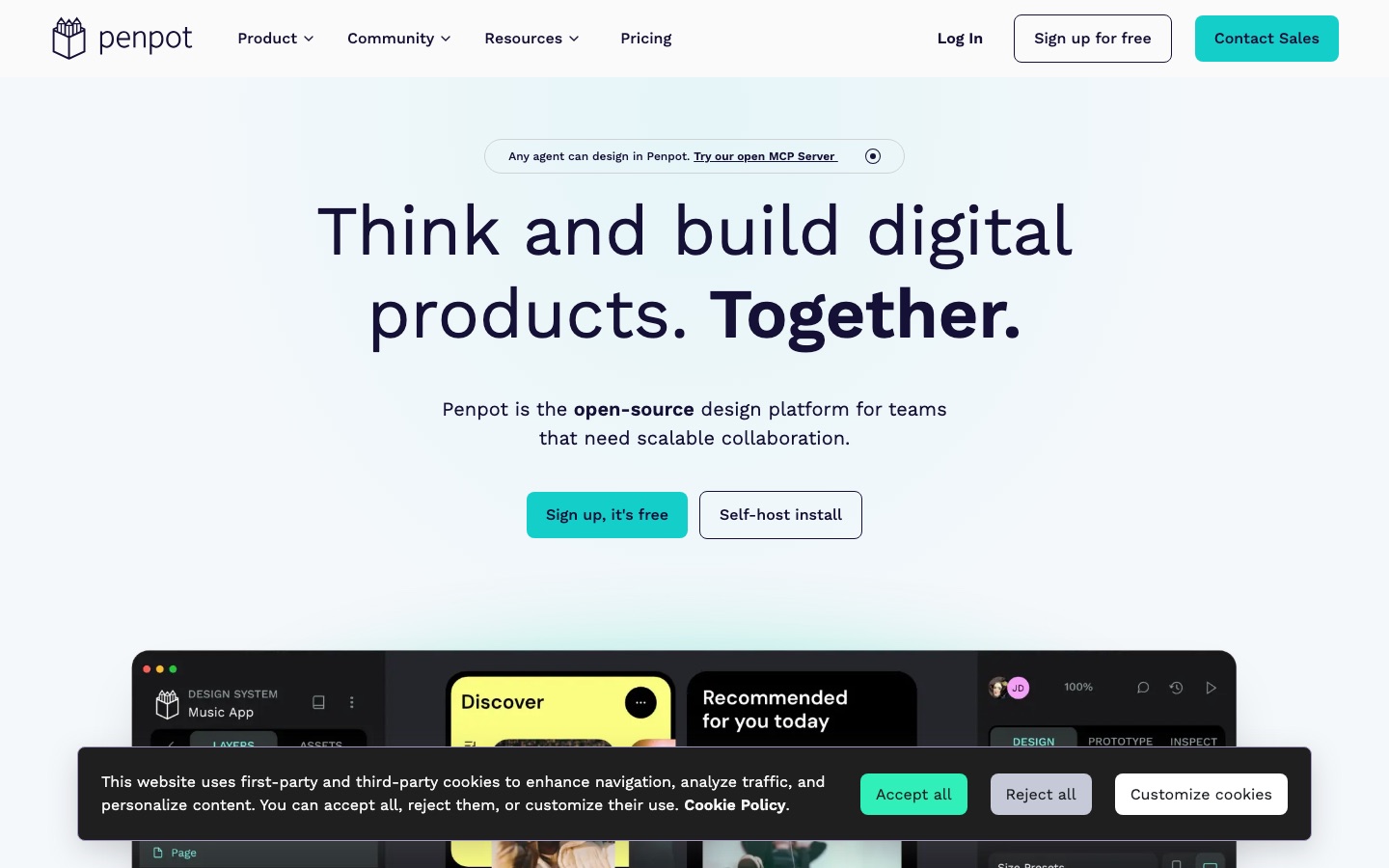
Penpot is an open-source design platform where teams draw interfaces, build interactive prototypes and maintain design systems. Penpot runs as a hosted cloud service or on your own server, expresses layouts with CSS Grid and Flex, and exposes an MCP server so that AI agents can read and create designs alongside designers and developers.
Best for Product teams that want designers and developers working in one open-source tool, especially those that need self-hosting or design tokens.
- Listed in
- UI & UX DesignGraphic Design
- Platforms
- Web, API, MCP, Plugin
- Pricing model
- Freemium
- Starting price
- $7 per month Unlimited plan, per editor; total capped at $175 per month. The Professional plan is free.
- Free plan
- Yes
- Free trial
- Yes
- API
- Yes
- Made by
- Kaleidos
- Added
Last verified: . Information taken from penpot.app.
What is Penpot?
Penpot is an open-source design platform aimed at teams that build digital products. Designers use it for wireframes, responsive interface layouts and clickable prototypes, with layout rules that follow CSS Grid and Flexbox rather than a proprietary model. For larger organisations it supports design systems through reusable components, shared libraries and design tokens that are part of the product itself. Developers can inspect a design and take code from it in open formats such as CSS, HTML, SVG and JSON, and files are stored in an open format too. Penpot also connects to AI tooling: an MCP server lets agents and language models work inside a file, covering conversions between code and design in both directions. It is offered as a cloud service and as a self-hosted install, and it can be extended with plugins.
Key Features
Interface Design
Builds responsive screens and wireframes with rule-based layouts using CSS Grid and Flex.
Interactive Prototypes
Links screens into clickable flows so a team can test an idea before any code is written.
Design Systems
Manages components, shared libraries and built-in design tokens for consistent work across many files.
Code Inspection
Shows developers markup and styles that correspond to the design, in CSS, HTML, SVG and JSON.
AI Workflows via MCP
Opens files to agents and language models through an MCP server, for turning code into designs, designs into code and one design into another.
Self-Hosting
Can be installed on your own infrastructure instead of the hosted cloud, with a dedicated private server offered as a paid option.
Screenshots
Use Cases
- Designing a Web Application
- Lay out screens with the same grid and flex rules the front end will use.
- Developer Handoff
- Let engineers open the design, inspect spacing and copy styles without a separate export step.
- Maintaining a Design System
- Keep tokens, components and libraries in one place and reuse them across teams.
- Keeping Design Data In-House
- Run the tool on company servers when files must stay inside your own network.
- Agent-Assisted Design
- Connect an AI agent through the MCP server to generate or adjust layouts from code or prompts.
Pricing
Professional
Free
per user per month, free
- Full design toolset
- No file limits
- Unlimited teams
Unlimited
$7
per editor per month, capped at $175 per month regardless of team size
- Extra storage
- Extended version history
- Early access to features
Enterprise
$25
per member per month
- Advanced governance
- Centralised administration
- Team permissions
Private Server
$50,000
per year, listed as $50k per year
- Dedicated infrastructure
- Custom hosting
- Enterprise-grade support
Prices as listed in the text of the official pricing page, which states that all prices are in USD. Cloud plans are shown per month; the Private Server option is quoted per year. Discounts for non-profits, education and open-source projects are available on application. Checked 9 Oct 2026 at penpot.app.
Things to know
- Prices are stated in USD
- The pricing page says explicitly that every listed price is in US dollars.
- Paid cloud plans have a trial
- The pricing page offers a 14-day free trial on paid plans.
- Discounts on application
- Non-profit, education and open-source organisations can apply for reduced pricing.
- Cloud and self-host are priced separately
- The pricing page switches between a view for the hosted service and one for installations you run yourself.
FAQs
What is Penpot?
Penpot is an open-source design platform for interface design, prototyping and design systems, used by designers and developers together.
What is Penpot used for?
Penpot is used to create wireframes, UI layouts and interactive prototypes, to manage design systems and to hand designs over to developers as inspectable code.
Is Penpot free?
Yes. Penpot's Professional cloud plan costs $0 per user per month and is described on the pricing page as fully featured, and the software itself is open source.
How much does Penpot cost?
Penpot's pricing page lists Professional at $0, Unlimited at $7 per editor per month with a $175 monthly cap, Enterprise at $25 per member per month and a Private Server at $50k per year, all in USD.
Can Penpot be self-hosted?
Yes. Penpot offers a self-host install as an alternative to its cloud service, and the pricing page has separate cloud and self-host views.
Does Penpot work with AI agents?
Yes. Penpot provides an open MCP server so that agents and language models can work with design files.
Who makes Penpot?
Penpot's website carries the copyright of Kaleidos (KALEIDOS Subsidiary SL).
Does Penpot have an API and plugins?
Yes. Penpot's site has an Integration & API section and a plugins directory for extending the tool.
Who it's for
- Product designers
- Front-end developers
- Design system teams
- Open-source projects
- Enterprises
Used in these workflows
- Designing an app interface with AI: research, screens, prototype, codeStage 3: UI screens
- Designing an app interface with AI: research, screens, prototype, codeStage 6: Design to code and handoff
Each guide lists the stages of one job and the tools that help at each stage. All guides
Comments
No comments yet. If you have used Penpot, tell other readers how it went.
Alternatives to Penpot
| Tool | Free plan | Starting price | API |
|---|---|---|---|
 MasterGoCollaborative online interface design platform with AI prototype generation and design-to-code handoff. |
Yes | — | Yes |
 BananiAI UI design tool that turns prompts, screenshots or Figma links into editable multi-screen prototypes. |
Yes | — | — |
GrainientLibrary of grainy, smooth and animated gradients plus AI-generated backgrounds, with a real-time shader tool. |
— | — | — |
 BannerbearAPI that generates images, PDFs, animations and videos automatically from reusable design templates. |
— | $49/mo | Yes |
 GetLayersLibrary of website templates, 3D scenes, sections and gradients delivered as prompts for AI coding tools. |
Yes | — | — |
Listed in the same categories as Penpot. A starting price appears only where we checked it on the maker’s pricing page; a dash means not checked or not published. All UI & UX Design tools