
Vectorizer.AI
Online converter that traces PNG, JPG, GIF and WebP bitmaps into SVG, PDF, EPS and DXF vector files.
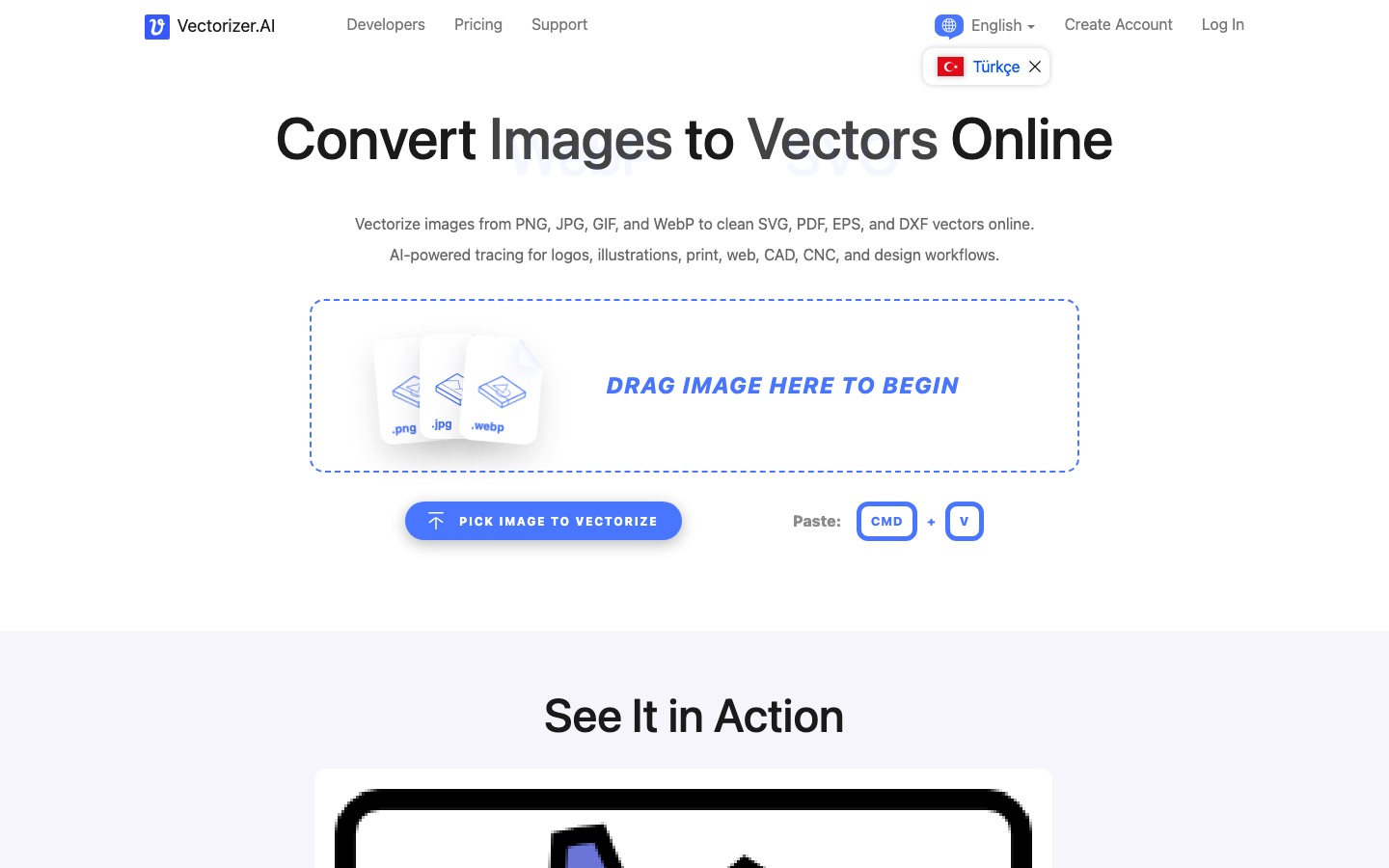
Vectorizer.AI is an online image vectorizer that converts PNG, JPG, GIF, BMP and WebP pictures into SVG, PDF, EPS or DXF files. Vectorizer.AI is used by dropping an image onto the page, checking the interactive preview and downloading the vector, which requires a Web App subscription. An API handles automated conversion.
Best for Designers, print and cutting shops and developers who need clean, scalable vectors from logos, drawings or scans.
- Platforms
- Web, API
- Pricing model
- Subscription
- Starting price
- $9.99 per month Web App plan, billed monthly
- API
- Yes
- Made by
- Cedar Lake Ventures, Inc.
- Added
Last verified: . Information taken from vectorizer.ai.
What is Vectorizer.AI?
Vectorizer.AI is a browser-based service that converts raster pictures into vector artwork. You drop in a PNG, JPG, GIF, BMP or WebP file and the system redraws the pixels as geometric shapes, which can then be saved as SVG, PDF, EPS or DXF, or as a tidied PNG. The engine pairs deep learning networks, trained in-house on the company's own dataset, with classical algorithms, and it fits whole shapes such as circles, ellipses, stars and rounded rectangles rather than relying only on Bezier curves. Conversion runs without any settings, though you may crop the source, change the palette size and decide which corners stay sharp. A free interactive preview is shown before purchase. Downloads in the Web App need a monthly subscription, and a separate credit-based API serves automated pipelines. The operator is Cedar Lake Ventures, Inc.
Key Features
Automatic Tracing
Turns a bitmap into vector shapes without asking the user for any settings.
Whole-Shape Fitting
Recognises circles, ellipses, rounded rectangles and stars and writes them as parameterised shapes at any rotation.
Corner Control
Lets you mark recovered corners as sharp or rounded and set a radius, with a live preview you can pan and zoom.
Palette Control
Detects how many colours the image uses and lets you raise or lower that number.
Transparency Support
Reads 32-bit input with an alpha channel, so partly transparent areas and anti-aliased edges carry through.
Export Options
Saves to SVG, PDF, EPS, DXF or PNG, with settings for how shapes are drawn and grouped and which format version is written.
How Vectorizer.AI works
Pick an image
Choose the bitmap you want converted and drop it onto the page, or paste it from the clipboard.
Let it process
The service analyses the picture and rebuilds it from geometric shapes instead of pixels.
Preview and download
Examine the interactive preview, then download the vector file if the result suits you.
Screenshots
Use Cases
- Rebuilding a Logo
- Recover a scalable version of a logo that only survives as a small PNG or JPG.
- Print Preparation
- Produce artwork that stays sharp at poster or banner size.
- Cutting and Engraving
- Create outlines for vinyl cutters, screen printing and laser engravers.
- CAD and CNC Paths
- Export DXF outlines for CAD drawings and CNC machines.
- Automated Conversion
- Call the API from a website, mobile app or production pipeline so uploads are vectorized without a person involved.
Pricing
Web App
$9.99
per month, billed monthly, cancel anytime
Unlimited web images
- Upload, preview and download in the browser
- No API access
API (smallest tier)
$9.99
per month, billed monthly, cancel anytime
1 credit = 1 API image
- Unused credits roll over, up to 5x the monthly amount
- 100 credits: $18.99 per month
- 1,000 credits: $139.99 per month
Prices as listed in the text of the official pricing page with USD selected. The API is sold in many tiers; only the smallest tier and two larger examples are shown here. Checked 8 Oct 2026 at vectorizer.ai.
Things to know
- Size limits
- Input is capped at 3 megapixels and 30 megabytes per file.
- Files are deleted after a day
- The site says uploads and results are currently kept for 24 hours and removed soon afterwards, and that this policy may change.
- No machine learning training
- The terms prohibit using the output to train machine learning models.
- Subscriptions are non-refundable
- Fees are not refunded, unused API credits are lost on cancellation, and the company does not issue invoices or accept purchase orders.
FAQs
What is Vectorizer.AI?
Vectorizer.AI is an online tool that converts bitmap images into vector graphics. It traces the pixels into geometric shapes that scale to any size without blurring.
What is Vectorizer.AI used for?
Vectorizer.AI is used to turn logos, illustrations, sketches and scans into editable vectors for print, web graphics, cutting, engraving, CAD and CNC work.
What file formats does Vectorizer.AI support?
Vectorizer.AI accepts PNG, JPG, GIF, BMP and WebP images. It outputs SVG, PDF, EPS and DXF vectors, plus a cleaned-up PNG.
Is Vectorizer.AI free?
Previewing is free, downloading is not. Vectorizer.AI lets you upload and vectorize as many images as you like and inspect the result, but production downloads in the Web App need a subscription.
How much does Vectorizer.AI cost?
The Vectorizer.AI Web App costs $9.99 per month for unlimited images. API plans are separate and start at $9.99 per month, with larger tiers such as 100 credits for $18.99 per month.
Does Vectorizer.AI have an API?
Yes. Vectorizer.AI offers an API where one credit converts one image, and the pricing page says integration and testing are free without a subscription.
What are the image size limits in Vectorizer.AI?
Vectorizer.AI accepts images up to 3 megapixels and files up to 30 megabytes. Cropping before conversion means only the selected area counts toward the pixel limit.
Who makes Vectorizer.AI?
Vectorizer.AI is operated by Cedar Lake Ventures, Inc., the company named in the footer of the site.
Who it's for
- Graphic designers
- Print shops
- Sign and vinyl cutters
- CNC and CAD users
- Developers
Used in these workflows
- Designing an app interface with AI: research, screens, prototype, codeStage 4: Icons and illustrations
Each guide lists the stages of one job and the tools that help at each stage. All guides
Comments
No comments yet. If you have used Vectorizer.AI, tell other readers how it went.
Alternatives to Vectorizer.AI
| Tool | Free plan | Starting price | API |
|---|---|---|---|
 QuiverAIAI models that generate, edit, vectorize and animate SVG graphics, offered as a web app and an API. |
— | — | Yes |
 Cleanup.picturesWeb inpainting tool that removes objects, people, text and defects from photos by brushing over them. |
Yes | — | Yes |
 IdeogramImage models known for accurate text rendering, with task-focused apps and a unified API. |
— | — | Yes |
 PhotoroomAI photo editor for e-commerce product images, with background removal, batch editing and an API. |
Yes | — | Yes |
 RecraftAn AI design tool that generates editable vectors, photoreal images and mockups in a consistent style. |
Yes | — | Yes |
Listed in the same categories as Vectorizer.AI. A starting price appears only where we checked it on the maker’s pricing page; a dash means not checked or not published. All Vector & Logo Design tools