
Underleaf
LaTeX AI assistant that converts handwritten notes, images and PDFs into LaTeX code.
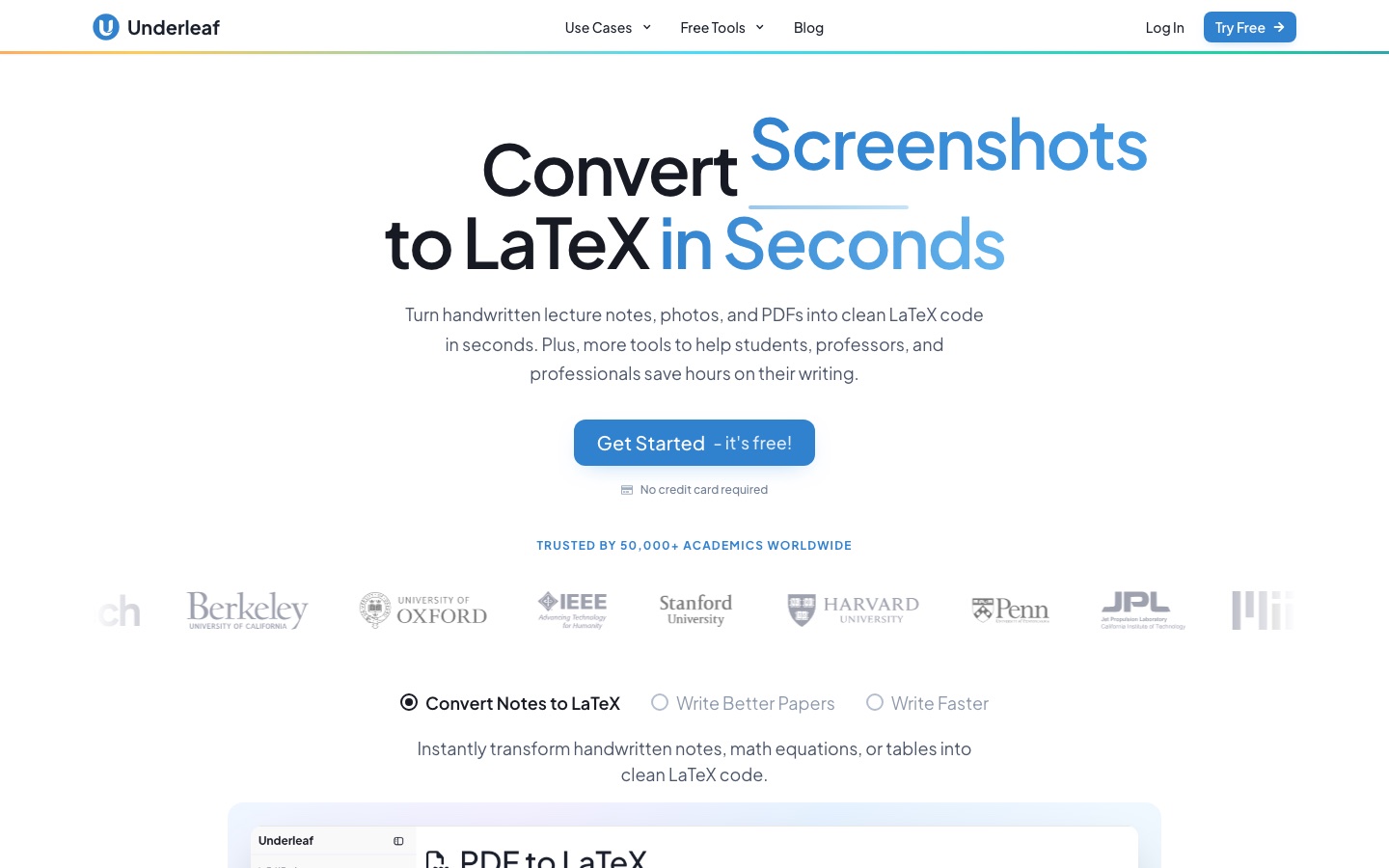
Underleaf is a LaTeX AI assistant that converts handwritten notes, photos, tables, spreadsheets and PDFs into LaTeX code. Underleaf is used in the browser by uploading a file, checking the typeset preview, fixing details with AI edits and copying or downloading the source; it also offers academic writing tools and a Chrome extension.
Best for Students, professors and researchers who need existing notes, tables or papers turned into LaTeX without retyping them.
- Platforms
- Web, Browser extension
- Pricing model
- Freemium
- Starting price
- $6 per month Essentials plan, billed annually at $72 per year.
- Free plan
- Yes
- Made by
- Underleaf
- Added
Last verified: . Information taken from underleaf.ai.
What is Underleaf?
Underleaf is a LaTeX assistant for students and researchers that converts existing material into LaTeX source. It accepts handwritten notes, photos, screenshots, pictures of a whiteboard, individual equations, tables, spreadsheets, Word files and PDFs of many pages, and diagrams or plots can be turned into TikZ. A PDF comes back as a single structured file in which sections, equation numbering, tables and figures are preserved, and you choose which pages to process. The result is shown as a typeset preview, can be corrected with AI edits, and is then copied or downloaded. Writing tools draft abstracts, summaries and thesis statements, rewrite passages for clarity and look up citations with BibTeX output. A Chrome extension brings the same help next to a draft in the browser, and more than 60 free tools run without an account. Everything works in the browser. A free plan provides 10 credits a month; Essentials, Pro and Team plans add more.
Key Features
Image and handwriting to LaTeX
Reads photographed or scanned notes and equations and outputs compilable LaTeX.
PDF to LaTeX
Converts selected pages of a multi-page PDF into a single structured document with numbered equations.
Table and spreadsheet conversion
Turns tables, Excel sheets and Word documents into LaTeX markup.
TikZ generation
Recreates diagrams and plots as TikZ code.
Academic writing tools
Drafts abstracts and summaries, rewrites text for clarity and finds citations with BibTeX.
Chrome extension
Lets you rewrite, shorten or explain a selection and insert the result without leaving the page.
How Underleaf works
Upload the material
Add a photo, scan, PDF or spreadsheet; multi-page files can go in as one upload.
The AI reads it
Equations, matrices, tables and figures are recognised and written out as LaTeX.
Preview and continue
Check the typeset result, make AI edits if needed, then copy or download the source.
Screenshots
Use Cases
- Typesetting Lecture Notes
- Convert a term's handwritten pages into searchable typeset documents.
- Rebuilding Course Material
- Move old handouts and problem sets into LaTeX without retyping.
- Digitising a Scanned Paper
- Recover editable source from a journal article that exists only as a scan.
- Moving Results into a Paper
- Paste a spreadsheet of results and get a formatted table.
- Preparing References
- Generate BibTeX entries from a DOI or a citation search.
Pricing
Essentials
$6
per month, $72 charged annually
200 credits per month
- Standard AI features
- Up to 10 pages per PDF at once
- 7-day conversion history
- Chrome extension
Pro
$12
per month, $144 charged annually
500 credits per month
- All LaTeX tools
- Up to 20 pages per PDF at once
- 30-day conversion history
- Priority support
Prices as listed in the text of the official pricing page with annual billing selected; the page labels them USD. A free plan with 10 credits a month is mentioned in the site FAQ. Team pricing is not published. Checked 9 Oct 2026 at underleaf.ai.
Things to know
- Page limits per conversion
- Essentials handles up to 10 PDF pages in one go and Pro up to 20.
- Conversion history
- Past conversions are kept for 7 days on Essentials and 30 days on Pro.
- Document handling
- The site states that only submitted content is processed and that it is not stored permanently.
- Team plan
- Team is aimed at groups of five or more and adds central billing and invoices suitable for university reimbursement.
FAQs
What is Underleaf?
Underleaf is an AI assistant for LaTeX that converts notes, images, tables and PDFs into LaTeX code and adds academic writing tools.
What is Underleaf used for?
Underleaf is used to turn handwritten or scanned material into compilable LaTeX, generate tables and TikZ figures, and get writing help on papers.
Is Underleaf free?
Underleaf has a free plan with 10 credits a month and no card requirement. Many of its 60+ free tools also run without an account.
How much does Underleaf cost?
Underleaf's Essentials plan is $6 per month when billed annually ($72 a year), and Pro is $12 per month billed annually ($144 a year). Team pricing for groups of five or more is arranged separately.
What can Underleaf convert to LaTeX?
Underleaf converts handwritten notes, photos, screenshots, equations, tables, spreadsheets, Word files and PDFs with many pages; plots and diagrams can become TikZ.
Do I need to install Underleaf?
No. Underleaf runs in the browser, and the Chrome extension is optional.
What happens to documents I upload to Underleaf?
Underleaf says it processes only the content you submit, encrypts transfers and does not store document content permanently.
Can Underleaf convert a whole paper?
Yes. Underleaf accepts a full PDF and lets you pick pages, converting up to 10 at a time on Essentials and 20 on Pro.
Who it's for
- Students
- Professors
- Researchers
- Research groups
Comments
No comments yet. If you have used Underleaf, tell other readers how it went.
Alternatives to Underleaf
| Tool | Free plan | Starting price | API |
|---|---|---|---|
 Image to Text ConverterOnline OCR tool that pulls editable text out of photos, screenshots, handwriting and PDFs, with batch conversion. |
Yes | — | Yes |
 LightPDFAI-assisted PDF toolkit for editing, converting, signing, OCR, translation and chatting with documents. |
Yes | — | — |
PDFgearFree PDF editor for desktop, mobile and web with AI features, conversion and OCR. |
Yes | — | — |
 ParseurAI document parsing software that extracts structured data from PDFs, emails, scans and images and sends it to other apps. |
Yes | — | Yes |
 SwifDoo PDFPDF editor for editing, converting, compressing, signing and protecting files, with OCR and AI summaries and translation. |
— | — | — |
Listed in the same categories as Underleaf. A starting price appears only where we checked it on the maker’s pricing page; a dash means not checked or not published. All Image Recognition & OCR tools