
TinyWow
Collection of free browser-based tools for PDFs, images, video, files and AI writing, with an optional premium tier.
TinyWow is a website that gathers more than 200 free online tools for PDFs, images, video, file conversion and AI writing. TinyWow is used in the browser: pick a tool, upload a file or enter text, and download the result. Uploaded and processed files are deleted within an hour, and a premium tier removes ads and limits.
Best for People who need quick, occasional document, image or video conversions and short AI-written text without installing software.
- Platforms
- Web
- Pricing model
- Freemium
- Free plan
- Yes
- Free trial
- Yes
- Made by
- Jenni AI
- Added
Last verified: . Information taken from tinywow.com.
What is TinyWow?
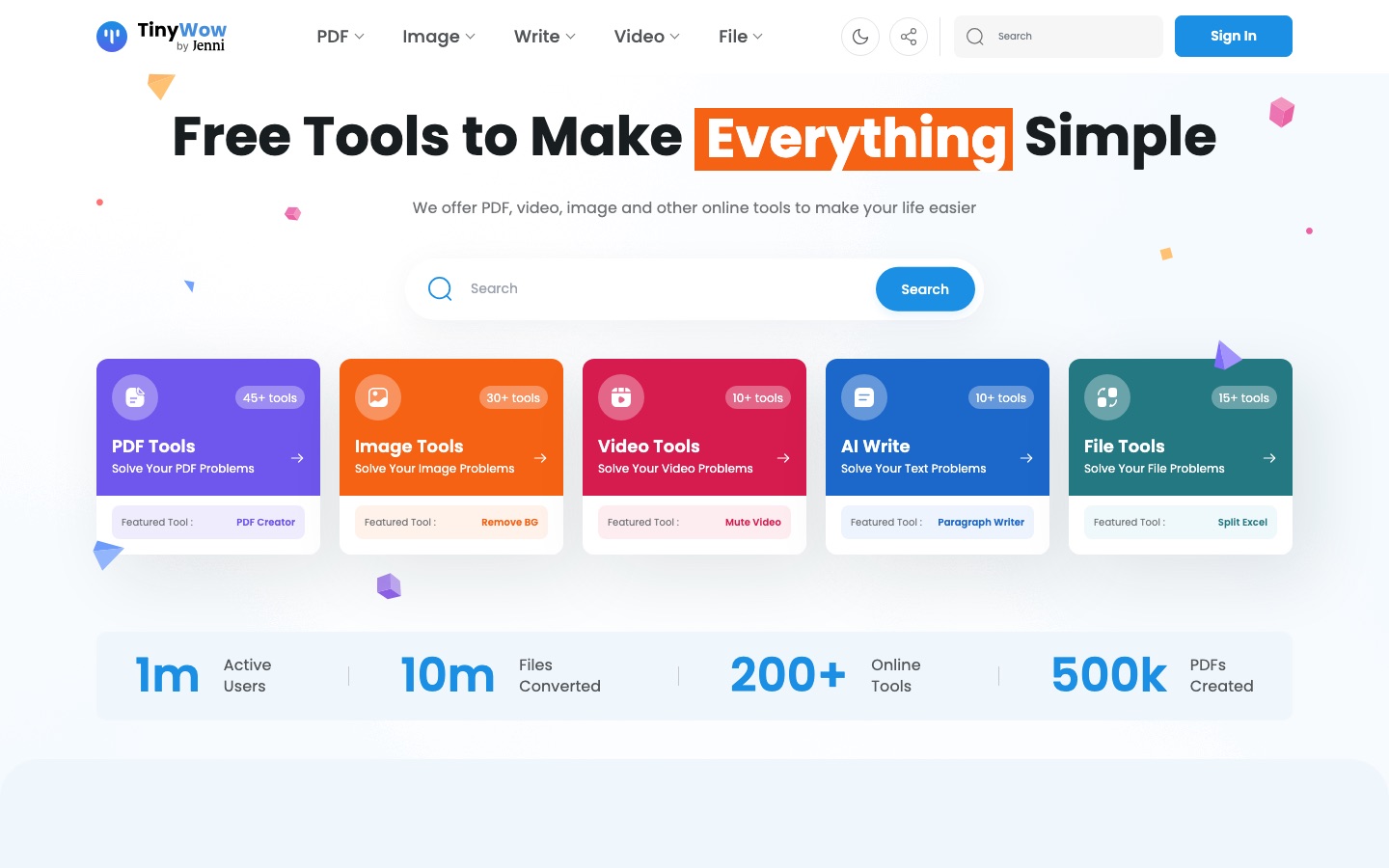
TinyWow is a collection of free, browser-based utilities for everyday file and content tasks. The catalogue is split into five groups. PDF tools cover editing, creating, merging, splitting, compressing, signing, protecting, translating and converting to and from Word, Excel, PowerPoint and image formats. Image tools include an AI background remover, object and person removal, photo restoration, colourising, upscaling, an AI image generator and basic resizing, cropping and compression. Video tools trim, compress and convert clips, extract audio and transcribe speech. File tools convert between CSV, Excel, XML and JSON, and AI Write produces essays, paragraphs, articles, outlines, captions and grammar fixes. The site says files are removed after one hour. It carries advertising; a Premium subscription with a seven-day trial removes ads and captchas, lifts usage limits and speeds up processing. TinyWow is operated by Jenni AI.
Key Features
PDF Toolkit
Edits, creates, merges, splits, compresses, rearranges, signs and password-protects PDF files, and converts them to Word, Excel, PowerPoint or JPG.
AI Image Tools
Removes backgrounds, objects, people, text or watermarks from photos, restores and colourises old pictures, and raises image resolution.
AI Writing Tools
Generates essays, paragraphs, articles, blog outlines, social captions and business names, and rewrites or corrects existing text.
Video and Audio Utilities
Trims, resizes and compresses video, turns MP4 into GIF or MP3, pulls out the audio track and transcribes audio or video to text.
File Converters
Moves data between CSV, Excel, XML and JSON, splits large spreadsheets and converts e-book formats such as EPUB to MOBI.
Automatic File Deletion
Clears both uploaded and processed files from the service after one hour, with a manual delete option in the file list.
Screenshots
Use Cases
- Fixing a PDF Before Sending
- Merge several documents, reorder the pages and shrink the file size for email.
- Preparing Product Photos
- Cut out the background of an image and resize it for a shop listing or profile.
- Turning Scans into Text
- Extract the text from a scanned PDF or a photo so it can be edited.
- Drafting Short Content
- Produce a first version of a paragraph, caption or blog outline and then improve the wording.
- Converting Clips for Sharing
- Trim a recording, compress it and export a GIF or an MP3 from it.
Things to know
- Files are kept for one hour
- The site says uploaded and generated files are deleted after an hour or less.
- Free use includes ads and captchas
- Premium is described as ad-free and captcha-free with unlimited usage and priority processing.
- Unlocking PDFs needs the password
- The password-removal tool works only when you already know the current password of the file.
FAQs
What is TinyWow?
TinyWow is a website with more than 200 free online tools for PDFs, images, video, file conversion and AI writing.
What is TinyWow used for?
TinyWow is used for quick tasks such as editing or converting a PDF, removing an image background, compressing a video or generating a short piece of text with AI.
Is TinyWow free?
Yes, TinyWow's tools are offered free with advertising. A paid Premium tier removes ads and captchas, lifts usage limits and gives faster processing, and it comes with a 7-day free trial.
Do I need an account to use TinyWow?
No sign-up is required for TinyWow's featured tools, according to the home page. Creating a free account is optional.
What happens to files I upload to TinyWow?
TinyWow states that all files, processed or not, are deleted after one hour. You can also delete them yourself from the My Files list.
Who makes TinyWow?
TinyWow is a Jenni AI company, as stated in the footer of the site.
Which PDF conversions does TinyWow support?
TinyWow converts PDFs to Word, Excel, PowerPoint and JPG, and creates PDFs from Word, Excel, JPG and PNG files.
Who it's for
- Students
- Office workers
- Small businesses
- Content creators
- Educators
Comments
No comments yet. If you have used TinyWow, tell other readers how it went.
Alternatives to TinyWow
| Tool | Free plan | Starting price | API |
|---|---|---|---|
 AI Doc MakerAI generator that turns a prompt into formatted documents, PDFs, slides, spreadsheets and voiceovers. AI Doc MakerAI generator that turns a prompt into formatted documents, PDFs, slides, spreadsheets and voiceovers. |
Yes | — | — |
 WPS AIAI assistant in Kingsoft's WPS Office that drafts documents, outlines slides, summarises files and writes spreadsheet formulas. WPS AIAI assistant in Kingsoft's WPS Office that drafts documents, outlines slides, summarises files and writes spreadsheet formulas. |
— | — | — |
 CanvaBrowser-based design suite for social posts, presentations, video and print, with built-in AI tools. CanvaBrowser-based design suite for social posts, presentations, video and print, with built-in AI tools. |
Yes | — | — |
 AI Book GeneratorGenerates a full ebook with chapters and cover from a title and topic, or assists you chapter by chapter. AI Book GeneratorGenerates a full ebook with chapters and cover from a title and topic, or assists you chapter by chapter. |
Yes | — | — |
 AI LawyerLegal AI assistant that answers legal questions in chat, summarises and compares documents, and drafts letters and clauses. AI LawyerLegal AI assistant that answers legal questions in chat, summarises and compares documents, and drafts letters and clauses. |
— | — | — |
Listed in the same categories as TinyWow. A starting price appears only where we checked it on the maker’s pricing page; a dash means not checked or not published. All Documents & PDF tools