
Quadratic
AI spreadsheet that connects to databases and files and writes formulas, Python, SQL and charts from plain-language requests.
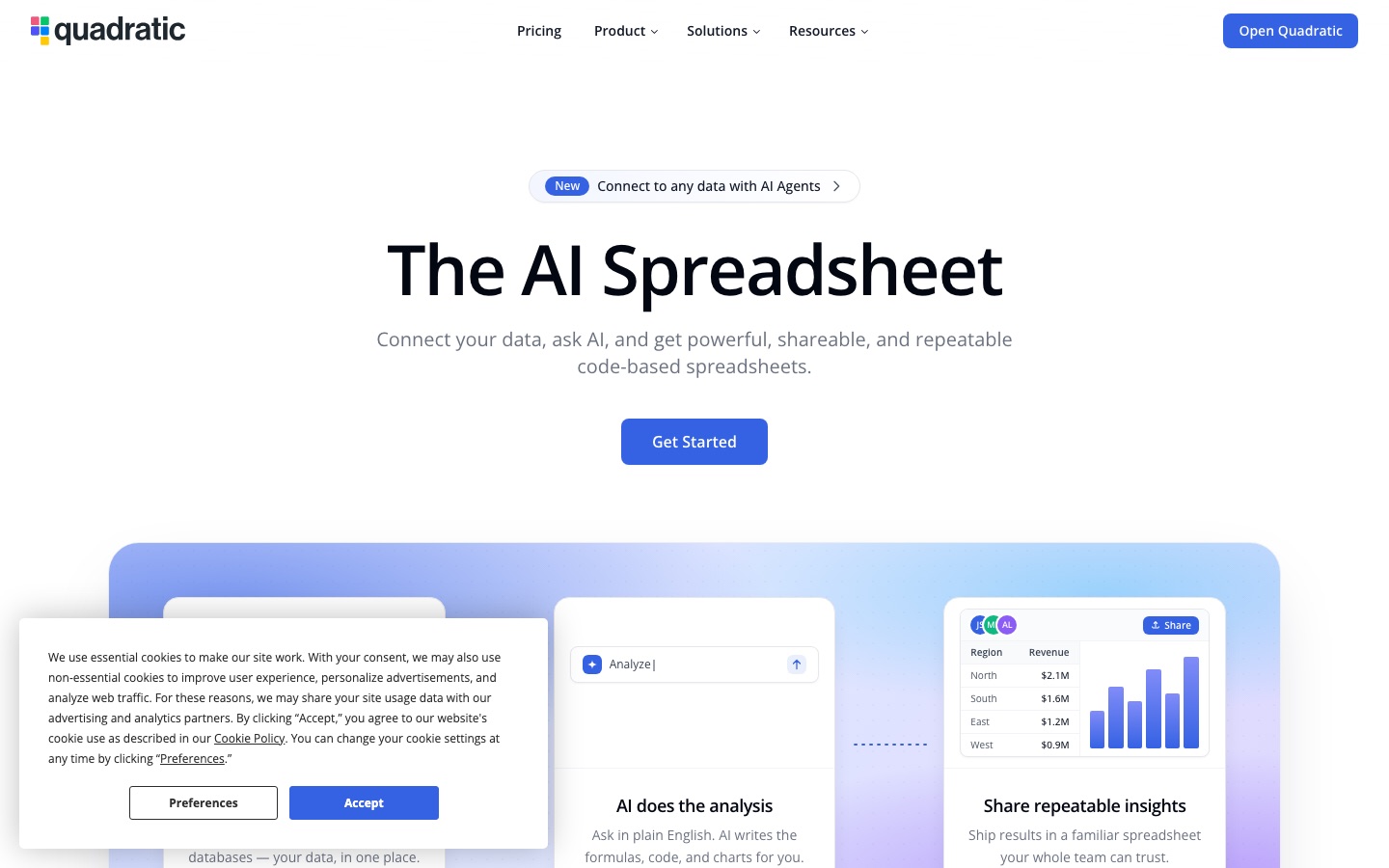
Quadratic is an AI spreadsheet for data analysis. Quadratic connects to files, databases and business apps, and its assistant writes formulas, Python, SQL and charts from questions asked in plain English. Users of Quadratic import or connect data, ask for an analysis, check the generated cells and share the resulting sheet with their team.
Best for Analysts and teams who want spreadsheet-style work on live database data with code they can inspect.
- Platforms
- Web, API, MCP
- Pricing model
- Freemium
- Free plan
- Yes
- API
- Yes
- Made by
- Quadratic Growth Inc.
- Added
Last verified: . Information taken from quadratichq.com.
What is Quadratic?
Quadratic is a spreadsheet application with a built-in AI assistant and support for code inside cells. Users bring in CSV, Excel, PDF and Parquet files or connect live sources such as Postgres, MySQL, BigQuery and Snowflake, along with services including QuickBooks, Plaid, Google Analytics and Mixpanel. A question typed in ordinary English is turned into formulas, Python or SQL cells and charts, and each generated cell can be opened, read and edited so the method behind a result is visible. The site says a sheet can hold 100 million rows. Quadratic also exposes an API for reading and writing cells and triggering AI runs, and it supports the Model Context Protocol so external agents can work in a sheet. Plans range from a free Personal tier to Pro, Business and Enterprise.
Key Features
Natural-Language Analysis
Converts a typed question into formulas, code cells and charts placed directly in the sheet.
Code Cells
Runs Python, SQL and JavaScript alongside ordinary spreadsheet formulas.
Data Connections
Links to databases and warehouses such as Postgres, MySQL, MS SQL, BigQuery and Snowflake, plus QuickBooks, Plaid, Mixpanel and Google Analytics.
Large Datasets
Opens multi-gigabyte CSV and Parquet files and keeps sorting, filtering and AI analysis working at up to 100 million rows, according to the site.
MCP and API
Lets agents like Claude, Cursor or ChatGPT read and write a sheet over MCP, and offers an HTTP API for cells and AI runs.
Auditable Results
Shows the code behind every AI answer and provides an explanation of what each step does.
How Quadratic works
Connect your data
Import CSV, Excel or PDF files, or link a live database or connector.
Ask the AI
Describe the analysis you need in everyday language; the assistant writes the formulas, code and charts.
Share the sheet
Pass the finished spreadsheet to teammates, who can rerun and verify it.
Use Cases
- Querying a Production Database
- Connect Postgres or Snowflake and ask for a breakdown without writing the SQL by hand.
- Financial Reporting
- Pull profit-and-loss and invoice data from QuickBooks into a sheet that can be refreshed.
- Personal Finance Dashboards
- Use the Plaid connection to bring in balances and transactions for budgeting.
- Cleaning Large Tables
- Find missing or inconsistent values in datasets too big for conventional spreadsheets.
- Agent Workflows
- Give an MCP-enabled agent a live sheet where its work can be reviewed and approved.
Things to know
- Free plan is limited
- The Personal plan restricts AI usage, sharing, number of files and connections; unlimited sharing starts with Pro.
- Per-user billing
- Pro is charged for every member of a team, and adding a member mid-period results in a pro-rated charge.
- AI credits
- Paid plans include a monthly allowance of AI credits, and Business can buy more on demand.
- Self-hosting on Enterprise
- A self-hosted deployment and single sign-on are listed only under the Enterprise plan.
FAQs
What is Quadratic?
Quadratic is an AI spreadsheet that connects to data sources and generates formulas, Python, SQL and charts from plain-language requests.
What is Quadratic used for?
Quadratic is used for data analysis, reporting and exploration by finance, product, sales, marketing and business intelligence teams, as well as traders and investors.
Is Quadratic free?
Yes, Quadratic has a free Personal plan with limited AI usage, sharing, files and connections. Paid Pro, Business and Enterprise plans raise those limits.
How much does Quadratic cost?
Quadratic lists Personal, Pro, Business and Enterprise plans; Pro and Business are charged per user. See the official pricing page for current figures.
Does Quadratic have an API?
Yes. Quadratic provides an API for reading and writing cells and triggering AI runs, and it also supports the Model Context Protocol.
Which programming languages does Quadratic support?
Quadratic supports Python, SQL and JavaScript in cells, in addition to spreadsheet formulas.
Who makes Quadratic?
Quadratic is made by Quadratic Growth Inc.
Is Quadratic compliant with security standards?
Quadratic states that it is SOC 2 and HIPAA certified and publishes details in its trust center.
Who it's for
- Data analysts
- Finance teams
- Traders and investors
- Product managers
- Business intelligence teams
Used in these workflows
- From raw data to a finished report: what AI does at each step, and what you still checkStage 3: Cleaning and preparing
- Small business bookkeeping: where AI saves the typing and where you still need an accountantStage 4: Spreadsheets and checks
- AI tools for writing a research paper without handing over the thinkingStage 5: Data analysis and figures
Each guide lists the stages of one job and the tools that help at each stage. All guides
Comments
No comments yet. If you have used Quadratic, tell other readers how it went.
Alternatives to Quadratic
| Tool | Free plan | Starting price | API |
|---|---|---|---|
 AI2SQLAI SQL assistant that writes, explains, fixes and optimises queries against your real database schema. |
Yes | $9/mo | Yes |
 GPTExcelAI spreadsheet assistant that writes formulas, builds pivot tables and charts, and answers questions about uploaded files. |
Yes | — | — |
 AskYourDatabaseAI assistant that turns plain-language questions about a SQL database into queries, answers and charts. |
— | $49/mo | — |
 BlazeSQLAI data analyst that connects to a SQL database, writes queries from plain-language questions and builds dashboards. |
No | — | Yes |
 Chat2DBAI SQL client that converts plain-language questions into queries and manages many database types in one place. |
Yes | — | Yes |
Listed in the same categories as Quadratic. A starting price appears only where we checked it on the maker’s pricing page; a dash means not checked or not published. All Data Analysis & Analytics tools