
Chat2DB
AI SQL client that converts plain-language questions into queries and manages many database types in one place.
Chat2DB is an AI SQL client that converts questions written in plain language into SQL queries and manages databases through a graphical interface. Chat2DB connects to systems such as MySQL, PostgreSQL, MongoDB and Snowflake, and adds data migration and AI-built dashboards. Chat2DB is used by connecting a database and typing a question.
Best for Developers and analysts who work across several database engines and want AI help writing, fixing and visualising SQL queries.
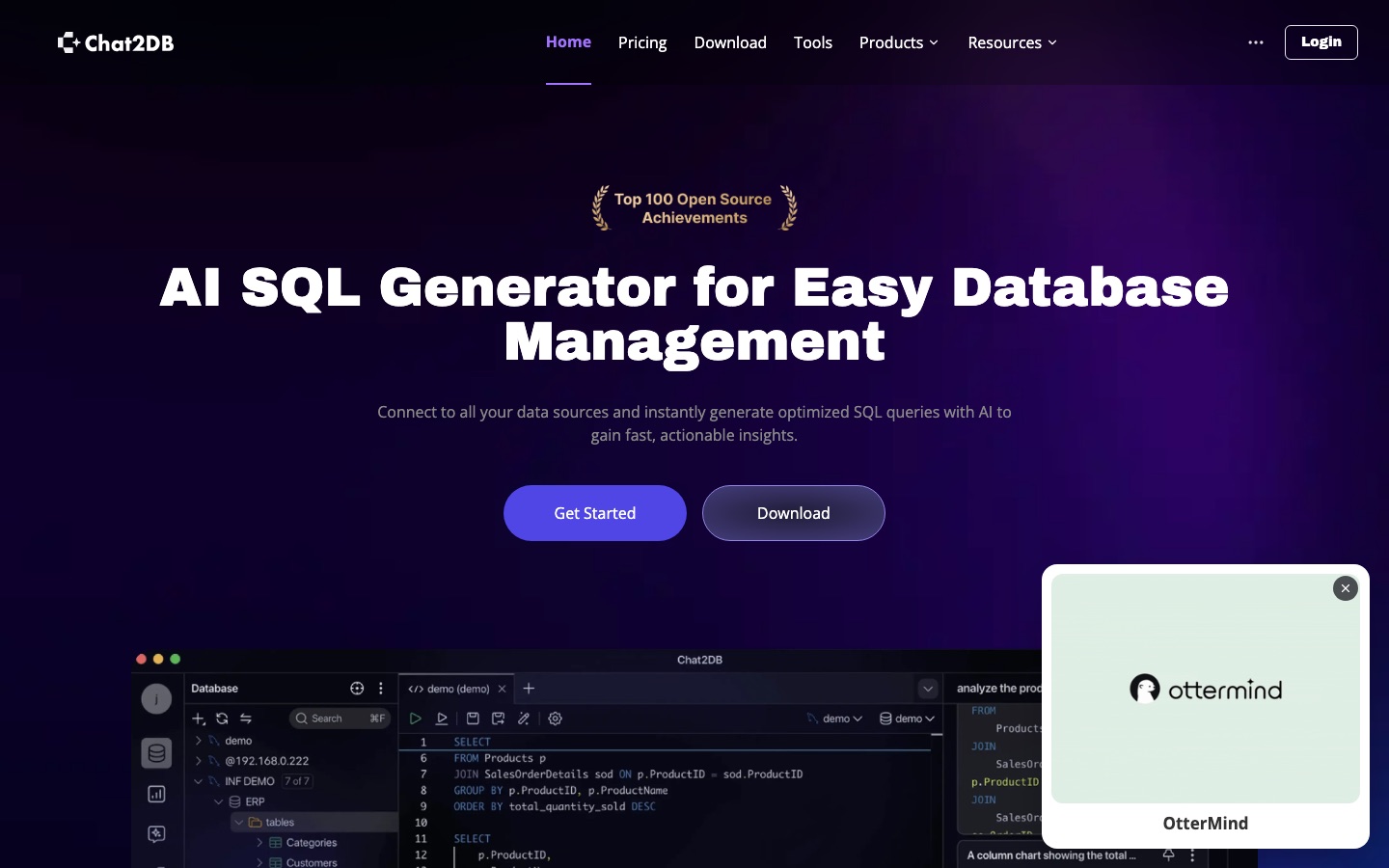
- Platforms
- API
- Pricing model
- Freemium
- Free plan
- Yes
- Free trial
- Yes
- API
- Yes
- Added
Last verified: . Information taken from chat2db.ai.
What is Chat2DB?
Chat2DB is a database client with AI features for writing and running SQL. A text-to-SQL function turns a question typed in ordinary language into a query, and a copilot inside the editor completes statements, repairs errors and generates code from a schema. The graphical side handles everyday administration: viewing and editing rows, drawing ER diagrams, syncing structures between databases and importing or exporting CSV, XLSX, XLS and SQL files. An analysis mode answers questions with charts and assembles dashboards that can be shared by link. Chat2DB connects to relational and non-relational systems, among them MySQL, PostgreSQL, Oracle, SQL Server, MongoDB, Redis, Snowflake and BigQuery. The project is open source under the Apache 2.0 license. Editions are named Community, Local, Pro and Enterprise.
Key Features
Text to SQL
Translates a question written in everyday language into a SQL statement for the connected database.
AI SQL editor
Suggests completions while you type and offers a one-click fix when a query fails.
Visual table management
Shows data in an editable grid with sorting, filtering and ER diagram views.
Data and schema migration
Copies data between databases, synchronises structures and imports or exports spreadsheet and SQL files.
AI dashboards
Answers analytical questions with generated charts and groups them into shareable dashboards.
Team security controls
Adds permission management, SQL auditing, SSH tunnelling and encrypted storage for team use.
Screenshots
Use Cases
- Querying without deep SQL knowledge
- An analyst asks for monthly sales by region and receives the query and result.
- Managing several databases
- A developer works with MySQL, MongoDB and Redis from one client.
- Fixing a broken query
- An engineer uses the error fix feature to correct a failing statement.
- Moving data between systems
- A team migrates tables from one database engine to another.
- Sharing a business dashboard
- A manager sends colleagues a link to charts built from live data.
Things to know
- Offline use disables AI
- The Local edition can be activated offline with a permanent license, but AI functions do not work without a connection.
- Community edition needs AI setup
- The comparison table shows the Community edition requires your own AI configuration, while paid editions have AI ready on installation.
- Free tier is limited to relational databases
- The pricing FAQ says the free plan supports relational database management only.
- Education and non-profit discounts
- Verified students and academic staff get 50% off Professional features, and registered non-profits can apply for a Team discount.
FAQs
What is Chat2DB?
Chat2DB is an AI-assisted SQL client and database management tool. It generates SQL from natural language and provides a graphical interface for many database types.
What is Chat2DB used for?
Chat2DB is used to write queries, manage tables, migrate data and build dashboards. Its AI features help people who are not fluent in SQL to query a database.
Is Chat2DB free?
Chat2DB has a Community edition and an open-source codebase under the Apache 2.0 license. In the Community edition, AI features require you to configure your own AI service.
How much does Chat2DB cost?
Chat2DB sells Local and Pro editions and a custom Enterprise option. See the official pricing page for current prices; students and teachers can get 50% off Professional features.
Does Chat2DB have a free trial?
Yes. Chat2DB's pricing FAQ describes a 30-day trial of the Professional plan that costs nothing and starts without payment information.
Which databases does Chat2DB support?
Chat2DB supports around 30 databases, including MySQL, PostgreSQL, Oracle, SQL Server, SQLite, MongoDB, Redis, Snowflake, BigQuery and ClickHouse.
Does Chat2DB send my data to an AI model?
Chat2DB says query results are processed locally and that the AI works from table structure only. The site also notes that its code is open source for transparency.
Does Chat2DB have an API?
Yes, Chat2DB states that its AI services are available through APIs for integration into other applications.
Who it's for
- Developers
- Data analysts
- Database administrators
- Data engineers
- Students
Comments
No comments yet. If you have used Chat2DB, tell other readers how it went.
Alternatives to Chat2DB
| Tool | Free plan | Starting price | API |
|---|---|---|---|
 AI2SQLAI SQL assistant that writes, explains, fixes and optimises queries against your real database schema. AI2SQLAI SQL assistant that writes, explains, fixes and optimises queries against your real database schema. |
Yes | $9/mo | Yes |
 Vanna AIOpen-source SQL agent framework that lets users query company databases in natural language. Vanna AIOpen-source SQL agent framework that lets users query company databases in natural language. |
— | — | Yes |
 GPTExcelAI spreadsheet assistant that writes formulas, builds pivot tables and charts, and answers questions about uploaded files. GPTExcelAI spreadsheet assistant that writes formulas, builds pivot tables and charts, and answers questions about uploaded files. |
Yes | — | — |
 QuadraticAI spreadsheet that connects to databases and files and writes formulas, Python, SQL and charts from plain-language requests. QuadraticAI spreadsheet that connects to databases and files and writes formulas, Python, SQL and charts from plain-language requests. |
Yes | — | Yes |
SQLAI.aiAI SQL toolbox that generates, optimizes, validates, explains, formats and converts queries across 30+ database engines. |
— | — | Yes |
Listed in the same categories as Chat2DB. A starting price appears only where we checked it on the maker’s pricing page; a dash means not checked or not published. All AI Code Assistant tools