
OpenL
AI translator for text, images, documents and speech in more than 100 languages.
OpenL is an AI translation service for text, images, documents and speech that covers more than 100 languages. OpenL can be used in a browser without logging in, through Chrome and Edge extensions or in an iPhone app. A free tier gives daily credits, and paid plans raise the character, file-size and usage limits.
Best for People who regularly translate documents, screenshots and longer passages and want one tool across many languages.
- Listed in
- Translation
- Platforms
- Web, iOS, Browser extension, API
- Pricing model
- Freemium
- Free plan
- Yes
- API
- Yes
- Made by
- OpenL
- Added
Last verified: . Information taken from openl.io.
What is OpenL?
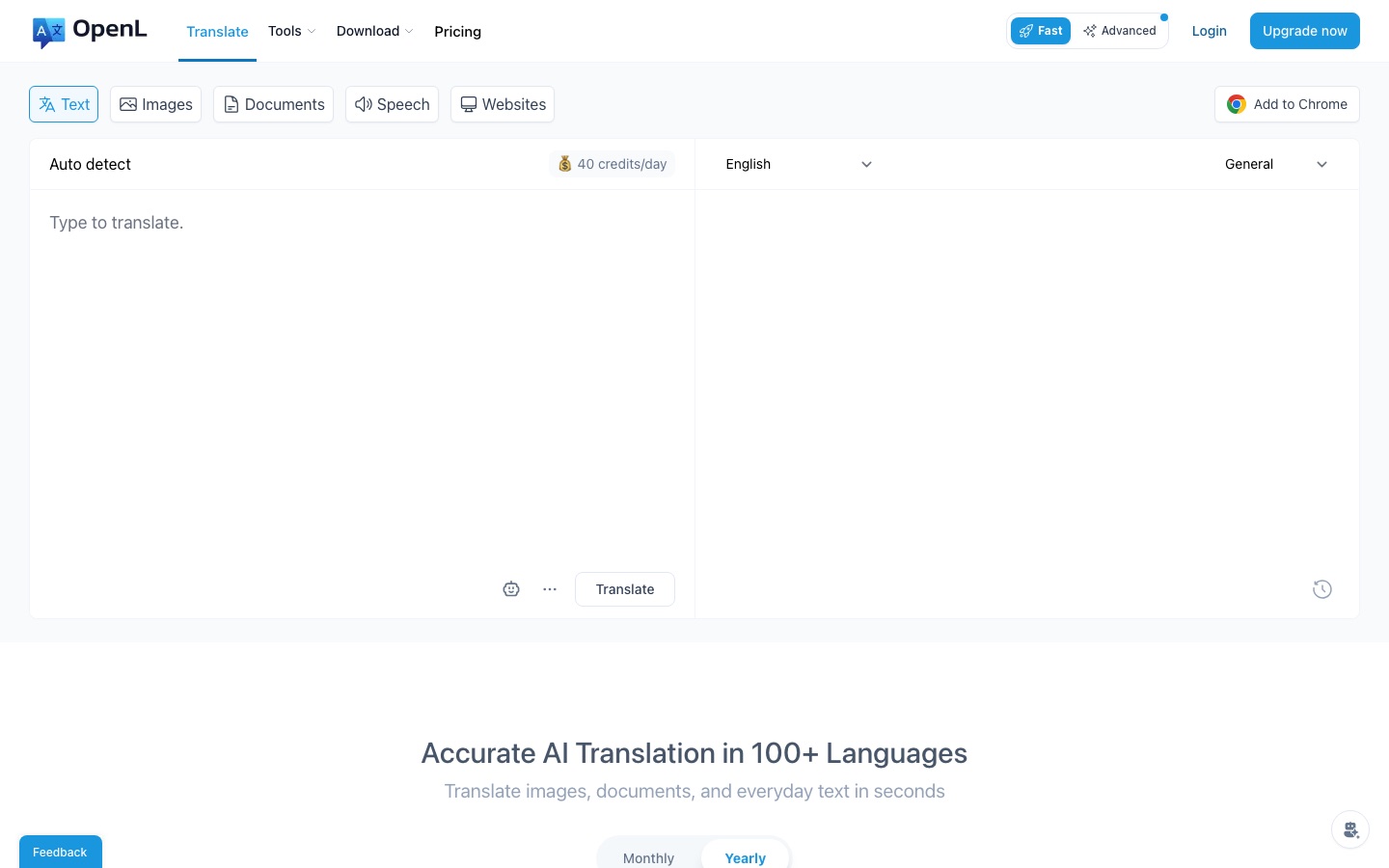
OpenL is an AI-powered translator that handles typed text, images and screenshots, document files and speech. It supports over 100 languages, ranging from widely spoken ones to niche options such as Ancient Greek and Old Norse. The web translator works without an account and has separate tabs for text, images, documents, speech and websites; document translation accepts PDF, DOCX, Markdown and subtitle files. Browser extensions for Chrome and Microsoft Edge translate selected text on any page, and there is an iPhone app. Beyond translation, the service includes grammar checking, rewriting, summarising and language-learning aids, plus extras such as an AI content detector. The free tier provides 40 credits a day and 1,500 characters per request. Paid plans named Starter, Pro and Ultimate lift those limits and add an Advanced mode for more precise output. A translation API is also listed.
Key Features
Text Translation
Translates typed or pasted text between more than 100 languages.
Image Translation
Reads the text inside photos and screenshots and can return the picture with the wording translated.
Document Translation
Translates uploaded PDF, DOCX, Markdown and subtitle files, including scanned PDFs on paid plans.
Speech Translation
Translates spoken audio, with text-to-speech and speech-to-text tools alongside.
Browser Extensions
Translates highlighted text on any website from Chrome or Edge and offers a side panel for longer content.
Writing Tools
Checks grammar, rewrites and summarises text in addition to translating it.
Screenshots
Use Cases
- Translating Contracts and Reports
- Upload a document and receive a translated copy.
- Reading Foreign Websites
- Select text on a page and see it in your own language through the extension.
- Understanding Screenshots
- Translate text captured in an image from a chat or an app.
- Writing in a Second Language
- Check grammar and tone before sending a message abroad.
- Bulk Jobs
- Translate many strings in one pass with the bulk translator.
Things to know
- Web and iOS subscriptions are separate
- A plan bought on the website applies only there, and one bought in the iOS app applies only to the app.
- Advanced credits have a soft cap
- Heavy users of Advanced mode may see requests slowed once monthly use passes 4,000 credits; the company says it can remove that cap if asked.
- Payments go through Lemon Squeezy
- Card details are handled by the payment provider and are not stored by OpenL.
- Cancellation applies at period end
- A cancelled subscription stays active until the current billing cycle finishes.
FAQs
What is OpenL?
OpenL is an AI translation tool for text, images, documents and speech that supports more than 100 languages.
What is OpenL used for?
OpenL is used to translate everyday messages, files such as PDFs and Word documents, screenshots and audio, and to check grammar or rewrite text.
Is OpenL free?
Yes, with limits. OpenL includes free daily usage and can be started without logging in; the free tier allows 1,500 characters per request.
How much does OpenL cost?
Pro and Ultimate plans with higher limits are shown on the official pricing page.
Does OpenL work on mobile?
Yes. OpenL has an iPhone app, and notes that iOS subscriptions and web subscriptions are separate and cannot be shared across devices.
Does OpenL have an API?
Yes. OpenL lists a Translation API among its products.
Does OpenL store my documents?
OpenL says it does not store translation data and deletes it once a translation finishes, with history kept only in the local browser.
Is there a student discount for OpenL?
Yes. OpenL offers students and teachers with an .edu email address a 30% discount code on request.
Who it's for
- Students
- Translators
- Business professionals
- Researchers
- Travellers
Used in these workflows
- Translation and localization, job by job: AI tools for documents, subtitles, dubbing and live speechStage 1: Text and document translation
- Translation and localization, job by job: AI tools for documents, subtitles, dubbing and live speechStage 6: Images and on-screen text
- Planning a trip with AI: which tools help before, during and afterStage 6: Translating on the road
- A children's picture book, start to finish: where AI tools help and where they don'tStage 8: Translating the book
Each guide lists the stages of one job and the tools that help at each stage. All guides
Comments
No comments yet. If you have used OpenL, tell other readers how it went.
Alternatives to OpenL
| Tool | Free plan | Starting price | API |
|---|---|---|---|
 AITranslator.comFree AI translator that compares the output of 22 AI models and returns the translation most of them agree on. |
Yes | — | Yes |
 MachineTranslation.comAI translator that runs text and documents through 22 models and returns the version most of them agree on. |
Yes | — | — |
 PolytranslatorFree AI translator for 475 languages and dialects, including rare, ancient and constructed ones. |
Yes | — | Yes |
 AI Manga TranslatorOnline tool that translates the text in manga and comic images while keeping the original page layout. |
Yes | — | Yes |
 DeepL TranslatorAI translator for text, documents and speech in more than 100 languages, with apps, integrations and an API. |
Yes | — | Yes |
Listed in the same category as OpenL. A starting price appears only where we checked it on the maker’s pricing page; a dash means not checked or not published. All Translation tools