
nao
Open-source framework for building, testing and deploying analytics agents on your own data stack.
nao is an open-source analytics agent builder made by Nao Labs. Data teams use nao to organise warehouse schemas, documentation and rules as a file-based context, measure how reliably the agent turns questions into SQL, and then deploy a chat interface where colleagues ask questions about company data in plain English.
Best for Data teams that want a self-hosted, testable analytics agent built on their existing warehouse and modelling tools.
- Platforms
- Web, MCP
- Pricing model
- Freemium
- Free plan
- Yes
- Made by
- Nao Labs
- Added
Last verified: . Information taken from getnao.io.
What is nao?
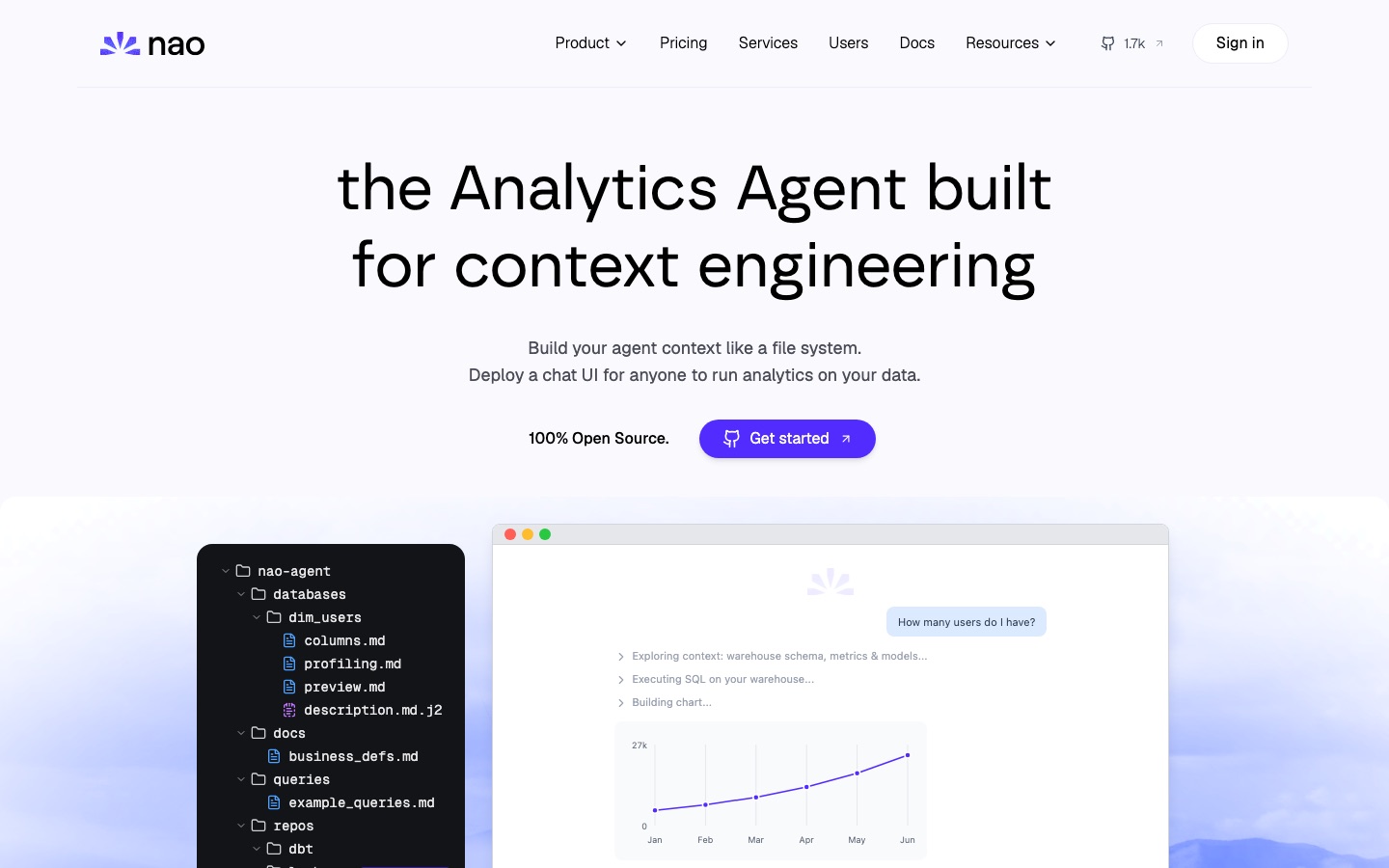
nao is an open-source analytics agent builder from Nao Labs. Its premise is that an agent answering questions about company data is only as dependable as the context it receives, so that context is organised as a file system: table columns, profiling results, previews, business definitions, example queries and rule files sit in folders the team can read and version. Command-line steps create the project, synchronise context from warehouses, dbt or Looker repositories and sources such as Notion, and run question-to-SQL tests that report pass rate, timing and token use. Once the context is ready, a chat interface lets colleagues ask questions in plain English and build data stories. The agent can be self-hosted with the team's own LLM key, and an MCP server makes it reachable from chat and coding tools.
Key Features
File-System Context
Stores schemas, metadata, documentation, rules and tools as files in a project that `nao init` creates.
Context Sync
Pulls context automatically from databases, code repositories and external sources with `nao sync`.
Reliability Tests
Runs unit tests that map questions to SQL via `nao test` and reports how many passed, average time and tokens consumed.
Chat Interface
Deploys a chat UI where users query data in natural language, create data stories and admins monitor conversations.
Bring Your Own Key
Connects the deployment to your own LLM key so the only model expense is token consumption.
MCP Access
Exposes the agent through MCP so questions can come from Slack, Teams, WhatsApp, Telegram, Claude, Codex or Cursor.
How nao works
Initialise the project
Run `nao init` to create the folder structure that holds the agent's context.
Synchronise sources
Run `nao sync` to pull schemas, models and documents from connected systems.
Test the context
Run `nao test` to score question-to-SQL cases and track reliability.
Deploy the chat
Launch the chat UI so the rest of the company can query data.
Use Cases
- Self-Serve Analytics
- Give non-technical colleagues a chat window for questions that would otherwise go to the data team.
- Documenting Business Definitions
- Keep metric definitions and rules in versioned files that the agent reads on every question.
- Evaluating Context Changes
- Re-run the test suite after editing context to see whether answer accuracy moved.
- Private Deployments
- Host the agent inside company infrastructure when data may not leave the network.
- Asking From Chat Tools
- Query the warehouse from a Slack or Teams channel through the MCP connection.
Things to know
- Model costs are separate
- The free edition requires your own LLM key, so token usage is paid to the model provider.
- Cloud is early access
- The managed nao Cloud deployment is offered through an early-access request with custom pricing.
- Enterprise-only controls
- SSO, row-level security and per-user LLM budgets are listed under the Enterprise tier only.
FAQs
What is nao?
nao is an open-source tool for building analytics agents: you assemble the agent's context as files, test its reliability, and deploy a chat interface over your data.
Is nao free?
Yes, nao has a free self-hosted edition that includes the context builder, the chat UI and a Slack integration, used with your own LLM key.
How much does nao cost?
nao lists its self-hosted edition as free and its Cloud and Enterprise options as custom-priced. Contact the company for a quote.
Can nao be self-hosted?
Yes. nao can run entirely in your own infrastructure with your own LLM keys, which the company presents as the option for teams with strict data requirements.
Which data sources does nao work with?
nao synchronises context from databases, repositories such as dbt and Looker projects, and external sources; its configuration example shows BigQuery and Notion.
What does the nao Enterprise tier add?
The nao Enterprise tier adds single sign-on with Okta or Microsoft, row-level security, per-user LLM budgets, a company-branded interface and SOC 2 Type II reports.
Who makes nao?
nao is developed by Nao Labs, which also offers a managed cloud deployment currently open for early access.
Who it's for
- Data teams
- Analytics engineers
- Data analysts
- Business users
Comments
No comments yet. If you have used nao, tell other readers how it went.
Alternatives to nao
| Tool | Free plan | Starting price | API |
|---|---|---|---|
 Vanna AIOpen-source SQL agent framework that lets users query company databases in natural language. Vanna AIOpen-source SQL agent framework that lets users query company databases in natural language. |
— | — | Yes |
 AirbyteOpen-source data movement platform that replicates data from 700+ sources and exposes it to analytics and AI agents. AirbyteOpen-source data movement platform that replicates data from 700+ sources and exposes it to analytics and AI agents. |
— | — | Yes |
 PostHogProduct data platform combining analytics, session replay, feature flags, error tracking and a warehouse, with AI on top. PostHogProduct data platform combining analytics, session replay, feature flags, error tracking and a warehouse, with AI on top. |
Yes | — | Yes |
 AjelixAgentic AI workspace that turns uploaded data into Excel files, dashboards, slide decks and other deliverables. AjelixAgentic AI workspace that turns uploaded data into Excel files, dashboards, slide decks and other deliverables. |
Yes | — | — |
 DatabricksUnified data and AI platform for data engineering, warehousing, analytics, governance and building AI agents. DatabricksUnified data and AI platform for data engineering, warehousing, analytics, governance and building AI agents. |
Yes | — | — |
Listed in the same categories as nao. A starting price appears only where we checked it on the maker’s pricing page; a dash means not checked or not published. All Data Analysis & Analytics tools