
Mangaka
AI manga generator that turns a written story into illustrated manga panels with custom characters and styles.
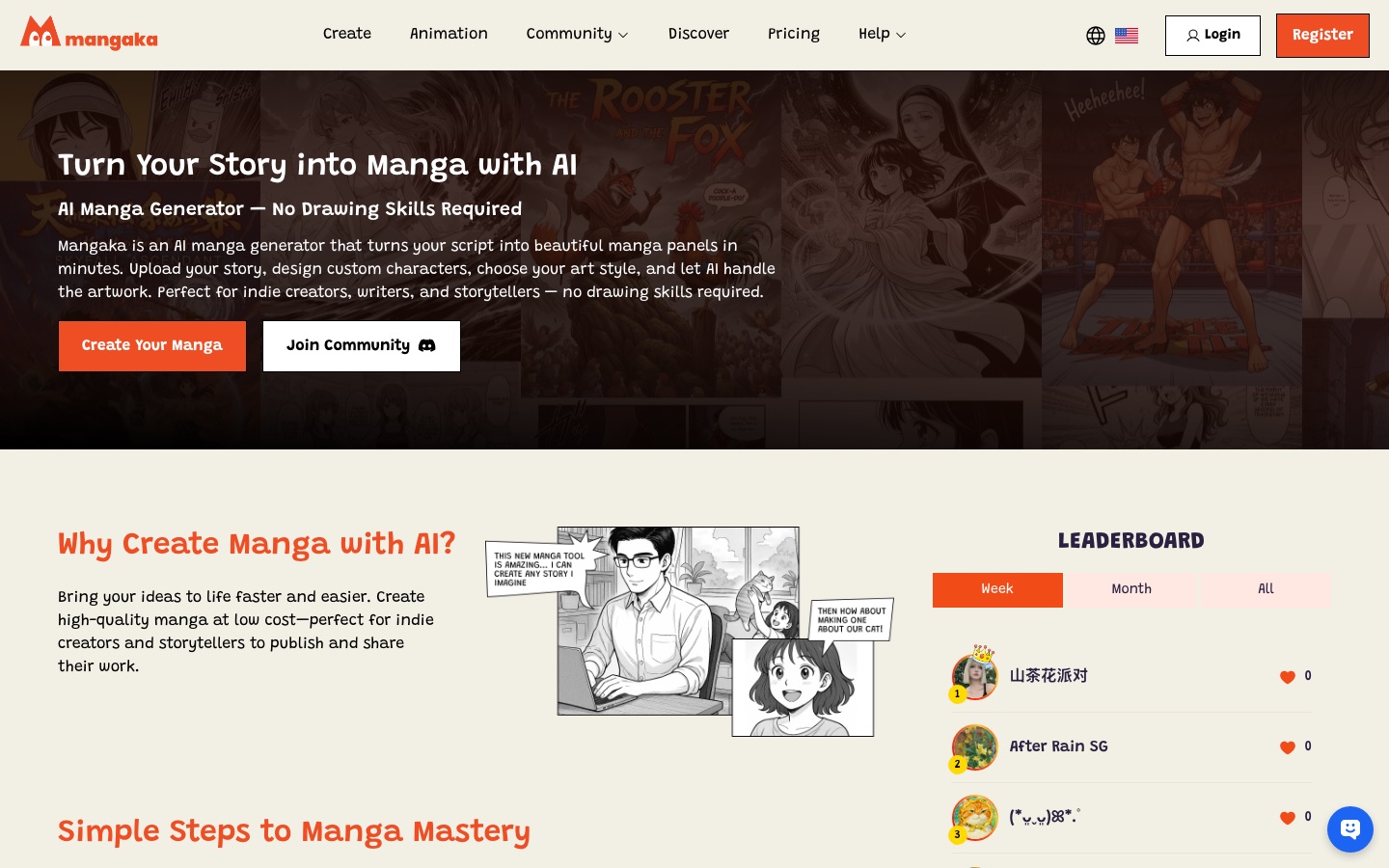
Mangaka is a web tool that uses AI to convert a written story into manga panels. In Mangaka you write or upload a script, design the characters, choose a manga style and let the AI draw the pages, which you can then edit and download. It is aimed at writers and indie creators who do not draw.
Best for Writers and indie creators who want to turn a script into manga pages without drawing them by hand.
- Listed in
- Anime & Comic Art
- Platforms
- Web
- Made by
- ThinkPrompt
- Added
Last verified: . Information taken from mangaka.app.
What is Mangaka?
Mangaka is an AI manga generator for people who have a story but do not draw. You type a script or upload it as a TXT file, set up the characters, and pick one of the available manga styles or define your own. The service then produces the panels, which can be downloaded once generation finishes. According to the tutorial outline on the site, characters can be adjusted for pose and expression, and dialogue or other text in the storyboard can be edited afterwards. A separate request-based option creates an animated intro for a chapter, with voiceovers matched to characters, transitions and background music, meant for sharing on social media. The site also has a community area, a leaderboard and a Discover section for published work. Mangaka is operated by ThinkPrompt, based in Ho Chi Minh City.
Key Features
Script to Panels
Generates manga pages from a story you write in the editor or supply as a text file.
Character Design
Lets you build custom characters and change their poses and facial expressions.
Manga Styles
Offers several ready-made art styles and the option of creating a custom one.
Storyboard Editing
Allows speech bubbles and other text to be rewritten after the artwork exists.
Animated Chapter Intros
Produces a short opener with character voiceovers, transitions and music on request.
Community and Discover
Provides a place to publish chapters, browse other creators' work and appear on a leaderboard.
How Mangaka works
Write the story
Type your script or upload it as a TXT file.
Design the characters
Create the cast and select a manga style, or set up a custom style.
Generate and download
Wait while the AI draws the panels, then save or share the result.
Videos
Use Cases
- Illustrating a Web Novel
- Turn chapters of prose into manga pages without commissioning an artist.
- Prototyping a Series
- Test characters and a visual style before committing to a longer project.
- Social Media Teasers
- Use an animated intro to announce a new chapter.
- Storyboarding
- Lay out scenes and dialogue to see how a story reads in panels.
- Sharing with Readers
- Publish finished chapters to the community section for feedback.
Things to know
- Animated intros are by request
- The chapter intro video is obtained by submitting a request rather than generated instantly.
- Pricing is on a separate page
- The site links to a pricing page; check it for plan details.
FAQs
What is Mangaka?
Mangaka is an AI manga generator at mangaka.app. It converts a written script into manga panels using characters and an art style you choose.
Do I need to know how to draw to use Mangaka?
No. Mangaka is presented as a tool for writers and storytellers without drawing skills, with the AI producing the artwork.
How do I give Mangaka my story?
You can write the story directly in Mangaka or upload a TXT file that contains it.
Can I edit a manga after Mangaka generates it?
Yes. Mangaka's tutorial covers adjusting character poses and expressions and editing dialogue and text in the storyboard.
Does Mangaka make animations?
Mangaka offers an AI-generated animated intro for a manga chapter on request, with voiceovers, transitions and background music.
Who makes Mangaka?
Mangaka is run by ThinkPrompt, whose contact address on the site is in Ho Chi Minh City, Vietnam.
Who it's for
- Indie manga creators
- Writers
- Storytellers
- Hobbyists
Used in these workflows
- Comics and manga with AI: what the tools can draw, and what stays in your handsStage 3: Panels and pages
- Comics and manga with AI: what the tools can draw, and what stays in your handsStage 5: Lettering and layout
Each guide lists the stages of one job and the tools that help at each stage. All guides
Comments
No comments yet. If you have used Mangaka, tell other readers how it went.
Alternatives to Mangaka
| Tool | Free plan | Starting price | API |
|---|---|---|---|
 OiiOii.aiAI animation workspace where agents turn an idea into characters, scenes, storyboards and short films. |
— | — | — |
 AnifusionAI manga and comic creator with panel layouts, text-to-image generation, speech bubbles and a canvas editor. |
Yes | — | Yes |
 LlamaGen.AiAI comic generator that turns prompts, scripts or images into comics, manga and webtoons with consistent characters. |
Yes | — | Yes |
 TaleSceneTurns a short written story into a storyboarded, voiced multi-scene AI video with consistent characters. |
Yes | — | — |
 AI Manga TranslatorOnline tool that translates the text in manga and comic images while keeping the original page layout. |
Yes | — | Yes |
Listed in the same category as Mangaka. A starting price appears only where we checked it on the maker’s pricing page; a dash means not checked or not published. All Anime & Comic Art tools