
Anifusion
AI manga and comic creator with panel layouts, text-to-image generation, speech bubbles and a canvas editor.
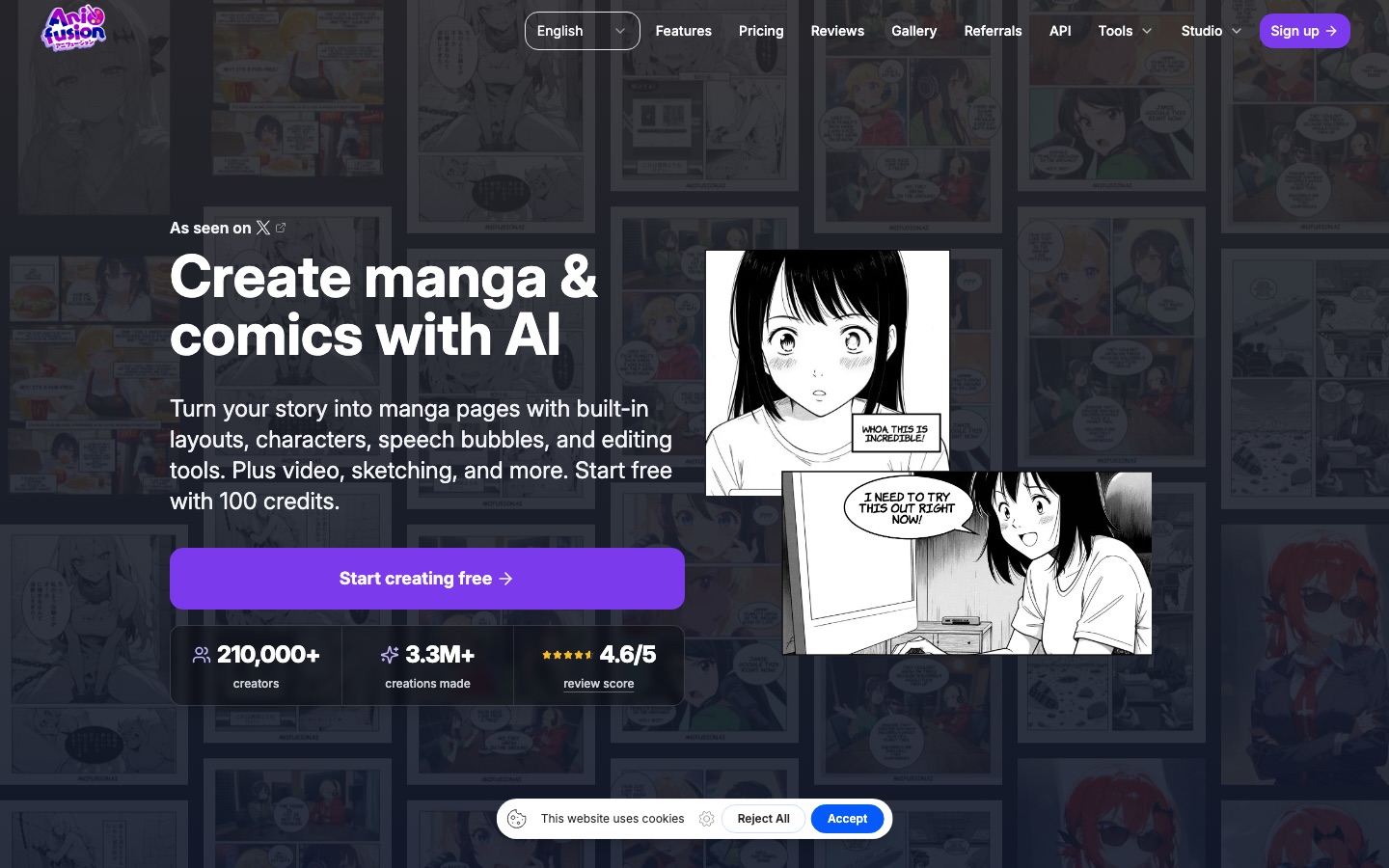
Anifusion is a web-based AI manga and comic creator. In Anifusion you pick a page grid, write what every panel should show, and anime-focused image models draw the artwork, which you then adjust in a canvas editor with speech bubbles and manga fonts. Anifusion also generates standalone anime images, videos and character sheets.
Best for Storytellers who want to produce manga or comic pages on a desktop browser without drawing the panels by hand.
- Listed in
- Anime & Comic ArtAI Image Generator
- Platforms
- Web, API, MCP
- Pricing model
- Freemium
- Free plan
- Yes
- API
- Yes
- Made by
- CodeConda LLC
- Added
Last verified: . Information taken from anifusion.ai.
What is Anifusion?
Anifusion is an online studio for making manga, comics and anime-style art with AI, run by CodeConda LLC. A page starts from a layout, either a preset panel grid or one you arrange yourself. You then write what happens in each panel and the service generates the art, combining language models for story text with image models such as AnimagineXL, FLUX and other Stable Diffusion XL variants. Pages remain editable in a built-in canvas where you can inpaint, enhance faces, control poses and add lettering, including vertical text. Beyond comics, the workspace covers single-image generation, sketch-to-image, video animation, six-view character sheets and training of custom LoRA models. Finished work can be exported, used commercially under the site's terms, or published to a community gallery. Creator and Pro subscribers can also drive the service through a REST API or a hosted MCP endpoint.
Key Features
Panel layouts
Offers preset comic grids and a flexible builder for arranging your own page structure.
Text-to-manga
Generates the artwork for every panel from a written description after a layout is chosen.
Canvas editor
Supports inpainting, face enhancement and pose control on an infinite canvas.
Lettering tools
Adds speech bubbles, vertical text, manga fonts and text effects to panels.
Character sheets and LoRA
Creates reusable multi-view character references and trains custom models for consistent styles.
API and MCP access
Lets paid subscribers create comics, images and videos from their own apps or compatible AI clients.
How Anifusion works
Choose a layout
Pick a panel preset or build your own grid for the page.
Tell your story
Describe what each panel should show and generate the art.
Edit and download
Adjust panels and lettering in the editor, then export the finished page.
Screenshots
Use Cases
- Drafting a manga chapter
- Turn a script into laid-out, illustrated pages for review.
- Webcomic production
- Produce left-to-right comic strips or vertical-scroll episodes.
- Character design
- Build a reference sheet for a character and reuse it across panels.
- Anime illustrations
- Generate single images in a chosen anime style from a prompt.
- Sharing with readers
- Publish finished comics to the community gallery and link to an external support page.
Things to know
- Desktop only
- There is no mobile version; the FAQ says only desktop devices are supported at present.
- Content policy
- Pornography and material made for sexual gratification are prohibited in both private and public use, regardless of subscription.
- Publishing needs a subscription
- Posting to the community gallery requires an active plan, a username and a public profile.
- Credit cost varies by model
- One image generation costs between 5 and 100 credits depending on the model used.
FAQs
What is Anifusion?
Anifusion is an AI studio for creating manga, comics and anime art in the browser, with layouts, image generation, lettering and editing in one workspace.
Is Anifusion free?
Yes, to start. Anifusion gives new accounts 100 credits without asking for a credit card, and paid plans add a monthly credit allowance.
How much does Anifusion cost?
Yearly billing is advertised at a 17% saving.
Does Anifusion have an API?
Yes. Anifusion provides a REST API and a hosted MCP endpoint, both of which require an active Creator or Pro subscription.
Does Anifusion work on mobile?
No. Anifusion's FAQ says the product supports desktop devices only for now.
Can I use Anifusion comics commercially?
Yes. Anifusion allows commercial use of works you create, provided you follow its terms and policies and hold the rights to your inputs.
Who makes Anifusion?
Anifusion is a product of CodeConda LLC.
Do Anifusion credits expire?
No. Unused Anifusion credits carry over between billing periods, and credits bought in packs stay on the account after cancellation.
Who it's for
- Manga creators
- Webcomic artists
- Writers
- Hobbyists
- Studios
Comments
No comments yet. If you have used Anifusion, tell other readers how it went.
Alternatives to Anifusion
| Tool | Free plan | Starting price | API |
|---|---|---|---|
 LlamaGen.AiAI comic generator that turns prompts, scripts or images into comics, manga and webtoons with consistent characters. LlamaGen.AiAI comic generator that turns prompts, scripts or images into comics, manga and webtoons with consistent characters. |
Yes | — | Yes |
 AI Tattoo InkAI tattoo generator that creates custom design concepts from a description in eight tattoo styles. AI Tattoo InkAI tattoo generator that creates custom design concepts from a description in eight tattoo styles. |
— | $5 | — |
 AIGardenPlannerTurns a photo of your yard into AI garden design previews, with a free 3D planner, plant advisor and plant identifier. AIGardenPlannerTurns a photo of your yard into AI garden design previews, with a free 3D planner, plant advisor and plant identifier. |
Yes | — | — |
 AnijamChat-based AI video agent for making animation, anime-style clips, ads and social videos from prompts. AnijamChat-based AI video agent for making animation, anime-style clips, ads and social videos from prompts. |
Yes | — | — |
 AnimateAIAI video generator for animated stories that handles characters, storyboards and video scenes in one workflow. AnimateAIAI video generator for animated stories that handles characters, storyboards and video scenes in one workflow. |
— | — | — |
Listed in the same categories as Anifusion. A starting price appears only where we checked it on the maker’s pricing page; a dash means not checked or not published. All Anime & Comic Art tools