
TaleScene
Turns a short written story into a storyboarded, voiced multi-scene AI video with consistent characters.
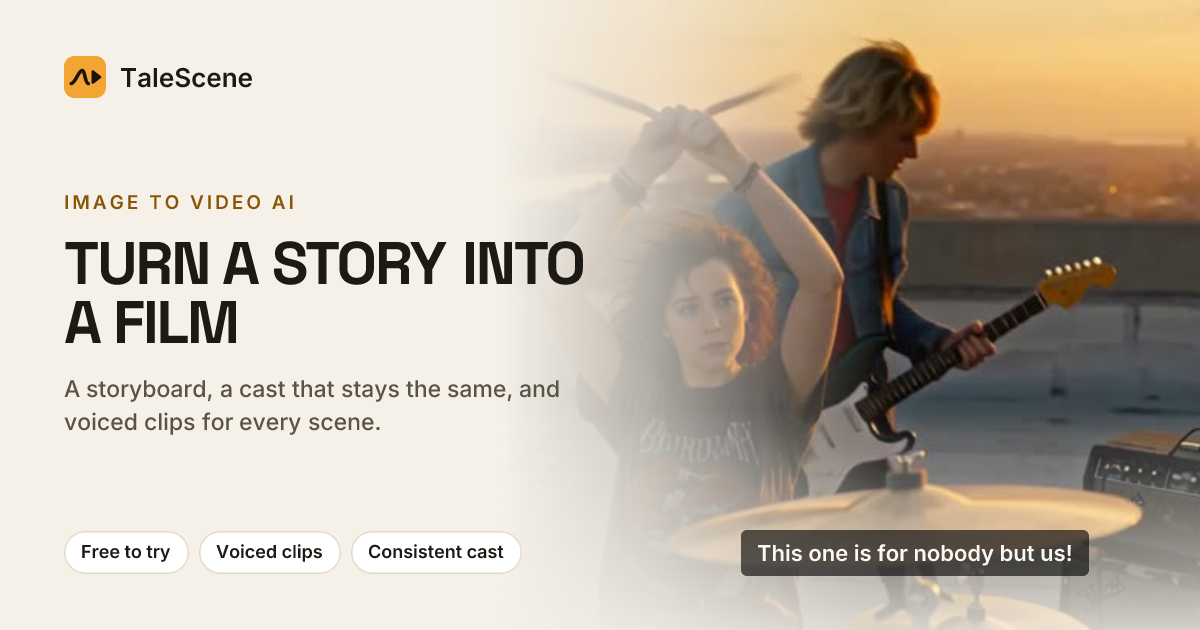
TaleScene is an AI video tool that converts a few sentences of story text into a script, a keyframe storyboard and finally a voiced, subtitled multi-scene film. With TaleScene, users write a paragraph, review and adjust each frame, then spend credits to animate the shots and download the result as an MP4.
Best for Creators, marketers and storytellers who want to turn a short narrative into a multi-shot video where characters keep the same appearance throughout.
- Platforms
- Web
- Pricing model
- Credits
- Starting price
- $19.90 one-time Starter Pack
- Free plan
- Yes
- Added
Last verified: . Information taken from talescene.com.
What is TaleScene?
TaleScene is a web-based AI generator that builds complete short films from written stories by first drawing each scene as an image and then animating those images into video. A user types a brief narrative in any language, and TaleScene produces a cast list, shot list and dialogue, then renders one keyframe per shot. These frames are assembled into an animatic with subtitles so the story can be checked before money is spent. Character references are created once and applied to every frame, which keeps faces, hair and clothing stable across scenes. Once satisfied, the user animates shots with a choice of video engines, including MiniMax H3, Kling 3.0 and several Seedance versions, each billed per second of footage. Individual frames or clips can be redone without touching the rest. Finished films download as MP4 files and can be used commercially.
Key Features
Automatic script and shot list
Converts a short story paragraph into characters, a list of shots with descriptions and every line of dialogue.
Keyframe storyboard and animatic
Generates a still image for each shot and plays them in sequence with subtitles so the story can be reviewed before animation.
Character consistency
Creates a reference portrait for each character and conditions every keyframe on it, keeping the same face, hair and outfit across scenes.
Voiced dialogue in the source language
Speaks each line within its shot and times subtitles to it, following the language the story was written in, such as English, Spanish, Chinese, Japanese or Portuguese.
Per-shot editing
Lets users redraw a single frame or re-render a single clip, with the credit cost displayed before confirming, while other shots remain unchanged.
Multiple styles and video engines
Offers visual looks such as anime, watercolor, claymation, comic book, 3D animation and live action, plus a choice of engines at 720p, 768p or 1080p.
How TaleScene works
Write the story
Enter two or three sentences describing who the story is about, what happens and how it ends, in any language.
Cast characters
TaleScene designs each character once, or the user selects characters from a saved cast library.
Review the storyboard
A keyframe image is generated for each shot and the frames are played together as an animatic at no cost.
Animate the film
Each approved keyframe is turned into a voiced video clip using paid credits, and the clips play end to end as a finished film.
Use Cases
- Short social videos
- A creator writes a brief narrative and publishes the resulting multi-scene film on YouTube, TikTok or Instagram.
- Client storytelling projects
- A freelancer produces a narrative video for a client, using the commercial rights granted for generated films.
- Pre-visualizing a story
- A writer uses the free script and storyboard stage to see how a plot plays out as shots before committing to animation.
- Personalized character videos
- A user uploads reference photos of themselves or consenting people to cast them as recurring characters in a story.
- Multilingual content
- A team writes stories in Spanish or Japanese and receives scripts, voiced lines and subtitles in that same language.
Pricing
Free
Free
one-time, free on sign-up
20 credits on signup (one-time)
- Script and storyboard previews
- All 12 visual styles
- 4 saved characters in most regions
- No video engines included
Starter Pack
$19.90
one-time, paid once, no subscription
200 credits
- About $0.099 per credit
- MiniMax H3, Kling 3.0 and Seedance 2.0 engines
- Save 10 characters, 5 locations, 5 props
- Redraw frames and re-render clips
Film Pack
$49.90
one-time, paid once, no subscription
700 credits
- About $0.071 per credit
- Adds Seedance 2.5 at 720p
- Save 20 characters, 10 locations, 10 props
Studio Pack
$99.90
one-time, paid once, no subscription
1,600 credits
- About $0.062 per credit
- Adds Kling 3.0 at 1080p
- Save 50 characters, 25 locations, 25 props
Premiere Pack
$199.90
one-time, paid once, no subscription
3,500 credits
- About $0.057 per credit, lowest rate
- Adds Seedance 2.5 at 1080p
- Save 100 characters, 50 locations, 50 props
Prices exclude local tax, which is added at checkout. Packs are one-time payments; credits, engines and library space last one year. Upgrading within 3 days costs only the difference. Checked 2 Nov 2026 at talescene.com.
Things to know
- Free credits cover previews only
- New accounts receive 20 credits without a card, enough for a script and storyboard; animating video requires a paid credit pack.
- Credit validity and upgrades
- Pack credits, engines and library space last one year from purchase, packs stack, and an upgrade within 3 days costs only the price difference.
- Refunds and watermarks
- Shots that fail to render are refunded automatically, and paid renders carry no watermark.
- Upload restrictions
- Character photos must show yourself or people who gave permission, nudity or sexual content is refused, and in some regions uploads need a credit pack.
FAQs
What is TaleScene?
TaleScene is an AI tool that turns a written story into a storyboard and then a voiced, multi-scene video with consistent characters. It works by generating a keyframe image per shot and animating each one.
Is TaleScene free?
TaleScene offers 20 free credits on sign-up with no card required, which cover a script and storyboard. Rendering video requires a one-time credit pack starting at $19.90.
Does TaleScene require a subscription?
TaleScene sells one-time credit packs rather than subscriptions. Pack credits remain valid for one year and multiple packs can be stacked.
How does TaleScene keep characters consistent?
TaleScene creates a reference portrait for each character and uses it to condition every keyframe before animation. This keeps the face, hair and outfit the same across scenes.
Can I use TaleScene videos commercially?
Yes, TaleScene states that generated videos belong to the user to publish and monetize, including client work. The MP4 download is free once a film has rendered.
What languages does TaleScene support?
TaleScene accepts stories in any language and produces scripts and subtitles in the language used, such as English, Spanish, Chinese, Japanese and Portuguese.
How long does TaleScene take to generate a video?
TaleScene typically renders a six-scene story in a few minutes, with each clip taking roughly one to three minutes in parallel. Rendering continues in the background if the tab is closed.
Can I upload my own characters to TaleScene?
Yes, TaleScene allows one to three reference photos per character, of yourself or people who consented. Library size depends on the account or pack, from 4 characters on free accounts in most regions up to 100 on the Premiere Pack.
Who it's for
- content creators
- storytellers and writers
- marketers
- freelance video producers
- social media managers
Comments
No comments yet. If you have used TaleScene, tell other readers how it went.
Alternatives to TaleScene
| Tool | Free plan | Starting price | API |
|---|---|---|---|
 AnimateAIAI video generator for animated stories that handles characters, storyboards and video scenes in one workflow. |
— | — | — |
 OiiOii.aiAI animation workspace where agents turn an idea into characters, scenes, storyboards and short films. |
— | — | — |
 VideoIdeas StudioAI video studio that takes a one-sentence idea through script, storyboard and render into a finished short film. |
— | — | — |
 ComicoryAI comic generator that turns written stories into multi-panel comics, manga and strips with consistent characters. |
Yes | — | — |
 DomoAIAI video studio that generates clips from text, images or footage and restyles existing video into other looks. |
Yes | — | Yes |
Listed in the same categories as TaleScene. A starting price appears only where we checked it on the maker’s pricing page; a dash means not checked or not published. All AI Video Generator tools