
Krea
One workspace for creating, editing and enhancing images and video across many leading AI models.
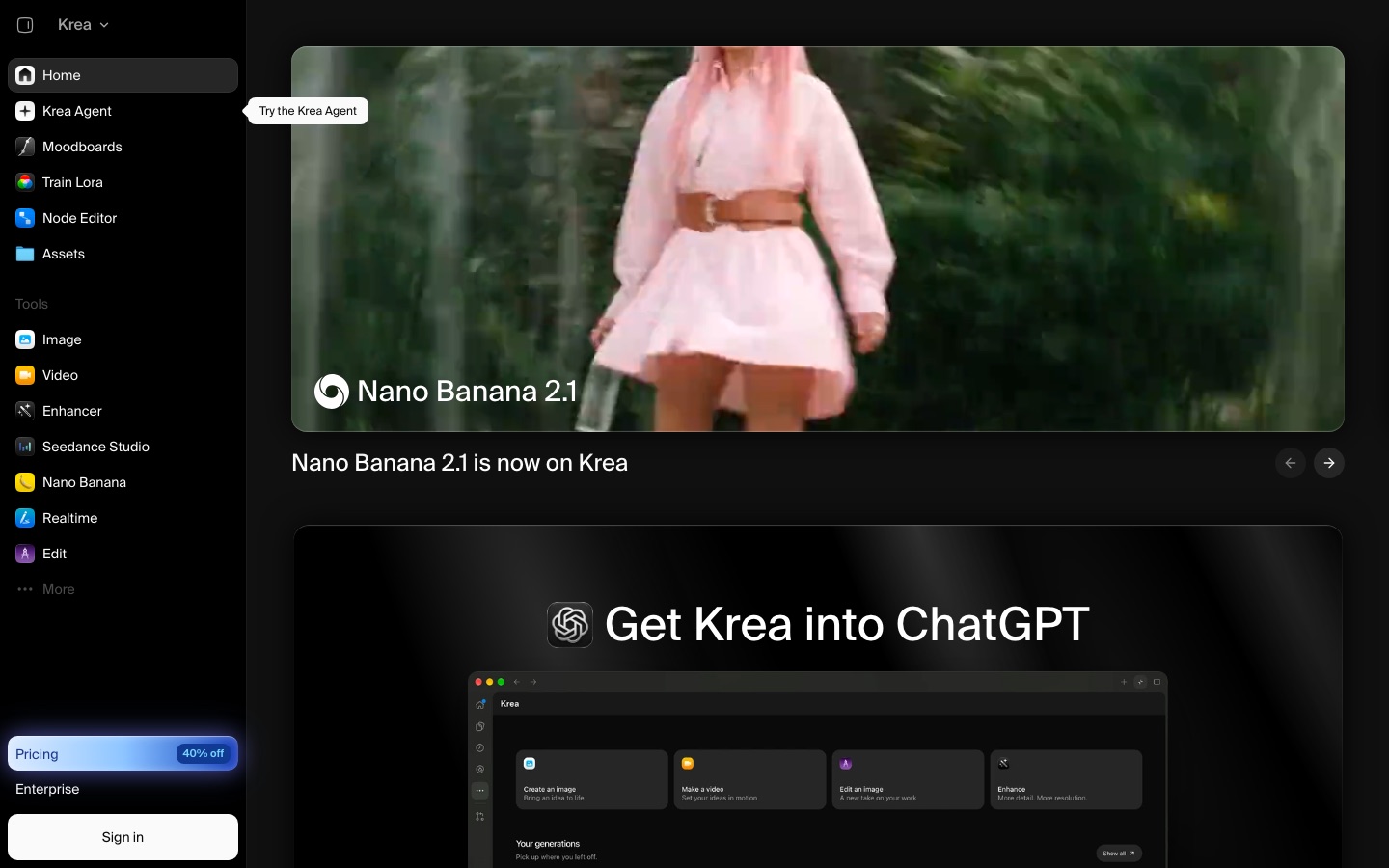
Krea is a web-based AI creative suite for generating, editing and upscaling images and video. Krea users type a prompt, sketch on a real-time canvas or brief an agent, and choose between Krea's own models and third-party ones such as Flux, Veo and Kling. Plugins, a REST API and custom LoRA training extend it to other tools.
Best for Designers, agencies and studios that want many image and video models, real-time generation and custom-trained styles in one workspace, and developers who want the same through an API.
- Platforms
- Web, API, MCP, Plugin
- Pricing model
- Freemium
- Free plan
- Yes
- API
- Yes
- Made by
- Krea
- Added
Last verified: . Information taken from krea.ai.
What is Krea?
Krea is a creative AI suite that brings image generation, video generation, editing, upscaling and 3D object generation into one web workspace. It runs its own models, including Krea 2, next to a catalogue of third-party image and video models such as Flux, Nano Banana, Veo, Kling and Sora. A real-time mode produces images as you type or draw, an agent plans and generates across models from a single brief, and a node editor chains steps into reusable workflows that can be saved as apps. Users can train LoRA models on their own images to fix a character, style or object. Plugins exist for Photoshop, After Effects and ChatGPT, and a REST API and an MCP option serve developers. Usage is counted in compute units, with a Free plan and paid tiers up to Business and Enterprise.
Key Features
Multi-Model Image Generation
Generates images from text with Krea's in-house models or third-party ones such as Flux, Seedream and Nano Banana.
Video Generation
Creates clips from text or an image with models including Veo, Kling, Sora and Seedance, plus motion transfer and video upscaling.
Realtime Generation
Renders an image while you are still typing or drawing, so a composition can be adjusted with immediate feedback.
Krea Agent
Works from one brief: it lays out a plan, produces the assets with suitable models and revises them.
Upscaling and Enhancement
Raises image resolution up to 22K with paid upscalers that include Topaz, and removes backgrounds.
LoRA Training and Nodes
Trains a custom model on your own images and links generation, editing and upscaling steps in a visual node editor.
Screenshots
Use Cases
- Architecture Concepts
- Turn sketches, massing models or viewport captures into visual options for a design review or competition entry.
- Marketing and Product Imagery
- Generate product shots and campaign assets, in the app or programmatically through the API.
- On-Brand Asset Sets
- Train a LoRA on a brand, character or product line so later generations keep the same look.
- Print-Ready Enlargement
- Upscale a finished image to a very high resolution for print or large displays.
- Repeatable Team Workflows
- Save a node workflow for a recurring visual task and share it with a workspace.
Things to know
- Usage is counted in compute units
- Each plan comes with an allowance of compute units, and additional unit packs can be bought, with bulk discounts listed as a plan feature.
- Upscaling limits depend on the plan
- The plan comparison lists limited upscaling up to 2K with basic models, and up to 22K with paid upscalers such as Topaz.
- Business covers a whole workspace
- The Business plan is described as one flat price that includes up to 50 seats, with custom roles and model access controls.
- Enterprise adds legal and security terms
- SAML single sign-on, audit logs, custom terms and indemnification against intellectual property claims are listed for enterprise customers.
FAQs
What is Krea?
Krea is an AI creative suite for generating, editing and enhancing images and video in one web workspace, using its own models and many third-party ones.
What is Krea used for?
Krea is used for image and video generation, upscaling, real-time visual exploration and custom model training. Its site highlights creatives, agencies, studios and architecture practices among its users.
Is Krea free?
Yes, Krea has a Free plan. The pricing page lists it with a compute-unit allowance, access to real-time models and no credit card required.
Does Krea have an API?
Yes. Krea offers a REST API and SDK that reach more than 40 image and video models, plus upscaling and LoRA training, billed in compute units.
Which models can I use in Krea?
Krea offers its own Krea 2 model together with third-party models. Its pages name Flux, Nano Banana, Seedream, Ideogram, Veo, Kling, Sora, Wan, Hailuo and Runway among them.
What is the Krea Agent?
The Krea Agent is a mode that works from a single brief: it draws up a plan, produces the images or video with whichever models fit, and revises the results.
Does Krea work with other tools?
Yes. Krea lists plugins for Photoshop and After Effects, a ChatGPT integration and an MCP option alongside its API.
Can I train my own model in Krea?
Yes. Krea supports image and video LoRA finetuning on your own pictures; the plan list shows 50 training images on lower tiers and up to 2,000 on the Max plan.
Who it's for
- Designers
- Video creators
- Marketers
- Agencies
- Creative teams
Comments
No comments yet. If you have used Krea, tell other readers how it went.
Alternatives to Krea
| Tool | Free plan | Starting price | API |
|---|---|---|---|
 Leonardo.AiA creative suite for generating, animating and polishing images with a choice of AI models. |
Yes | — | Yes |
 ImagineArtAI creative suite that generates images, video and audio from prompts, with studios for ads, film and fashion. |
— | — | — |
 DeeVid AIAll-in-one AI studio for generating videos, images, avatars, voice and music from text, photos or clips. |
Yes | $10/mo | — |
 DreaminaMulti-model AI platform for generating images, videos and talking avatars, including Seedream and Seedance. |
Yes | — | — |
 GoEnhance AIAI video and image platform that gathers many generation models and tools such as video-to-video, face swap and lip sync. |
Yes | — | Yes |
Listed in the same categories as Krea. A starting price appears only where we checked it on the maker’s pricing page; a dash means not checked or not published. All AI Image Generator tools