
Dreamina
Multi-model AI platform for generating images, videos and talking avatars, including Seedream and Seedance.
Dreamina is a web-based AI creation platform, hosted on a CapCut domain, that generates images, videos and talking avatars from text prompts, images, sketches or reference clips. Dreamina lets users choose between several models, including Seedream and Nano Banana for images and Seedance, Sora 2 and Veo 3.1 for video, and it runs on credits.
Best for Content creators and marketers producing short videos, product visuals, posters and avatar clips who want several image and video models under one account.
- Platforms
- Web
- Pricing model
- Freemium
- Free plan
- Yes
- Added
Last verified: . Information taken from dreamina.capcut.com.
What is Dreamina?
Dreamina is a browser-based creation platform, served from a CapCut domain, that brings image, video and avatar generation into one place. Rather than depending on one engine, it lets you choose among several: the Seedream family and Nano Banana for pictures, and Seedance, Sora 2 and Veo 3.1 for video. A clip can begin from text, a still image, a sketch or reference footage, and the newest Seedance release is described as producing 30-second videos guided by as many as 50 references. Further sections cover talking avatars, photo editing, style transfer, and logo and poster design. There is a free option with credits, and paid plans add credits along with extras such as watermark-free downloads.
Key Features
Choice of Image Models
Generates pictures with Seedream 5.0 Pro and Lite, Nano Banana and other models from the same prompt box.
Video from Several Inputs
Creates video from a text prompt, a single image, a rough sketch or reference clips.
Reference-Guided Video
Uses supplied images, footage and audio to steer camera movement, characters and pacing in Seedance.
Avatars
Makes avatars from a photo, including anime versions and talking avatars driven by text.
Photo Editing and Restyling
Restores old photos, swaps backgrounds, expands scenes and redraws portraits in other art styles.
Design Presets
Produces logos, app icons, sticker packs and posters for launches and seasonal campaigns.
Use Cases
- Product Showcase Clips
- An online seller turns product stills into short promotional videos.
- Social Reels and Effects
- A creator makes trend-style clips such as dance videos, face swaps and 360 spins.
- Campaign Posters
- A marketer designs posters for a product launch, a fashion campaign or a sales event.
- Brand Marks and Stickers
- A small brand drafts logo ideas, app icons and sticker sets.
- Presenter Videos
- A team creates a speaking avatar to deliver a script on camera.
Things to know
- Credit cost varies
- Each generation uses credits, and the amount depends on the model, feature and settings selected.
- Watermark removal is a paid benefit
- Downloading without the Dreamina watermark is listed among the benefits of the paid plans.
- Commercial use is conditional
- Dreamina says commercial eligibility depends on its terms, the content and the models or assets involved, and advises checking the Terms of Service first.
- Prices follow the visitor's region
- The pricing page showed plan prices in a local currency during our check, so no figures are listed here.
FAQs
What is Dreamina?
Dreamina is an online platform for generating AI images, videos and avatars. It offers a selection of different models rather than a single engine.
What is Dreamina used for?
Dreamina is used to make short videos, product visuals, posters, logos, restyled photos and talking-avatar clips from prompts or reference material.
Is Dreamina free?
Dreamina has a free option that comes with credits for trying the tools. Paid plans provide more credits and added benefits.
Which Dreamina plans exist?
Dreamina's pricing page lists Basic, Standard, Advanced and Ultra tiers alongside the free option. Prices appeared in a local currency during our check, so they are not listed here.
What do Dreamina paid plans add?
Dreamina's paid plans list downloads without the watermark, longer and higher-resolution video, frame rates up to 60 FPS, lip sync and a faster queue.
How are Dreamina credits used?
Dreamina credits pay for each generation, and the amount needed changes with the model, feature and settings chosen.
Which AI models does Dreamina offer?
For images Dreamina lists Nano Banana, Nano Banana Pro and the Seedream 5.0 Pro and Lite models; for video Dreamina lists Veo 3.1, Sora 2 and Seedance 2.0 and 2.5.
Can I use Dreamina results commercially?
That depends on Dreamina's terms, the content and the models involved, so Dreamina advises checking its Terms of Service first.
Who it's for
- Content creators
- Marketers
- E-commerce sellers
- Designers
- Short-video makers
Prompts for Dreamina
Ready-made prompts that show what Dreamina can make, each with the result it produced. Open one to copy it or fill in your own details.
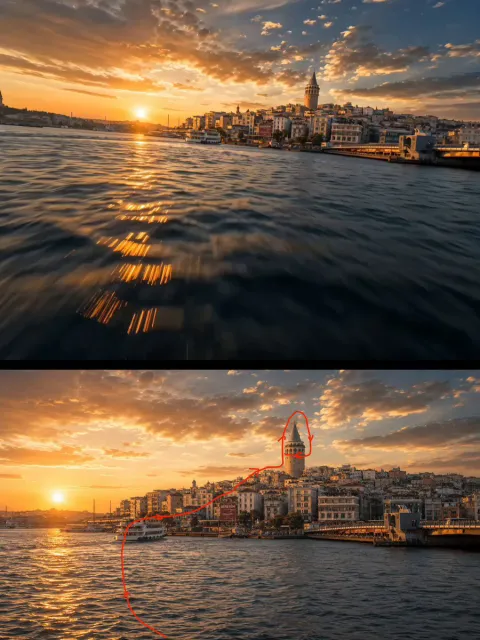 Istanbul Golden Hour Drone Flight Over the Sea
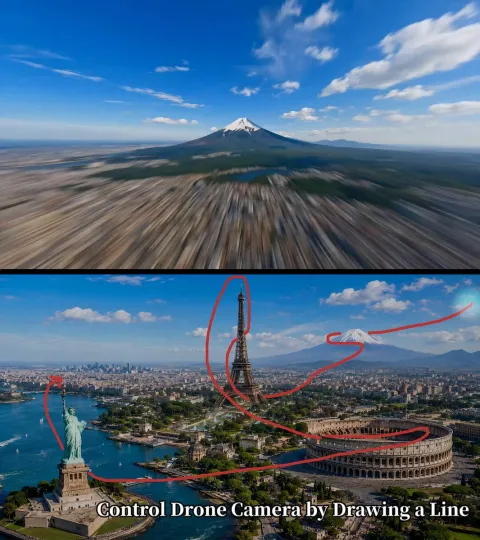 Landmark Drone Flythrough Mt. Fuji to Statue of Liberty
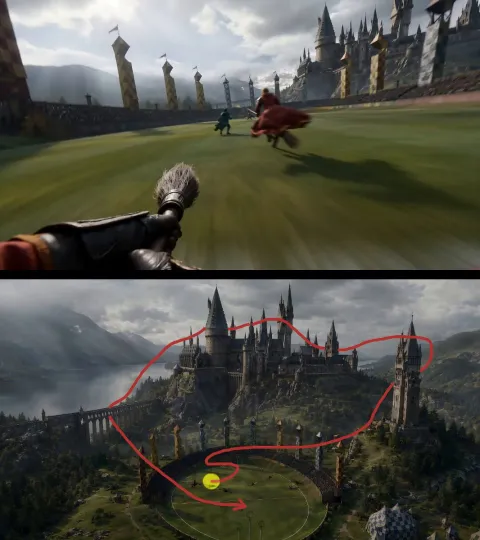 First-Person Broom Chase Video
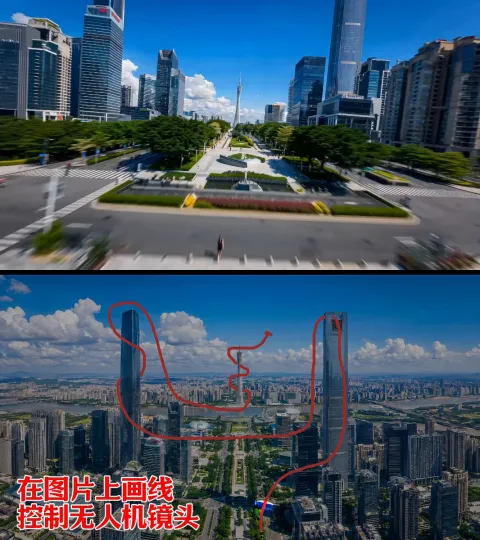 Red-Line Guided FPV Camera Flythrough Video
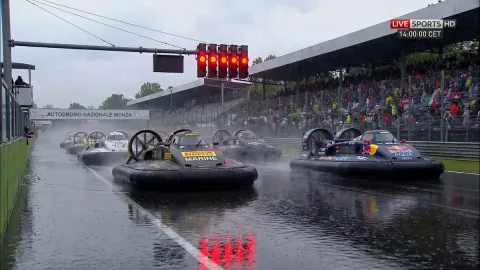 Hovercraft Race Broadcast Video
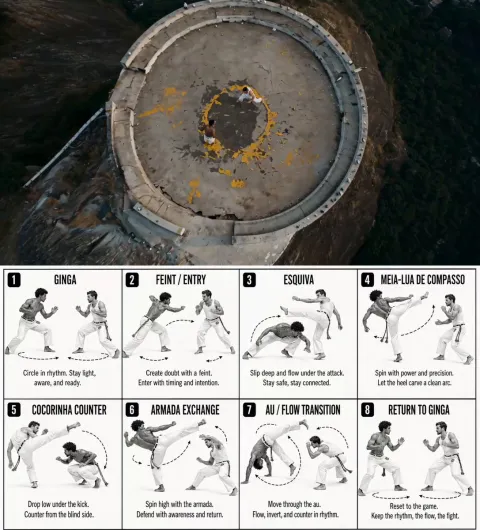 Cliffside Capoeira Duel Drone Shot
Open the collection: Seedance video prompts · Browse all prompts
Comments
No comments yet. If you have used Dreamina, tell other readers how it went.
Alternatives to Dreamina
| Tool | Free plan | Starting price | API |
|---|---|---|---|
 DeeVid AIAll-in-one AI studio for generating videos, images, avatars, voice and music from text, photos or clips. |
Yes | $10/mo | — |
 A2EAI video and image toolset covering image to video, face and head swap, lip sync, voice cloning and avatars. |
Yes | — | Yes |
 Supawork AIMulti-tool AI workspace for video and image generation, writing checks, resumes, document translation and study help. |
— | — | Yes |
 GoEnhance AIAI video and image platform that gathers many generation models and tools such as video-to-video, face swap and lip sync. |
Yes | — | Yes |
 ImagineMePersonal AI art generator that trains a private model on your photos and creates images and videos of you. |
— | $5 | — |
Listed in the same categories as Dreamina. A starting price appears only where we checked it on the maker’s pricing page; a dash means not checked or not published. All AI Image Generator tools