
HiNoter
AI note-taker that records, transcribes and summarises meetings, audio, video and YouTube links.
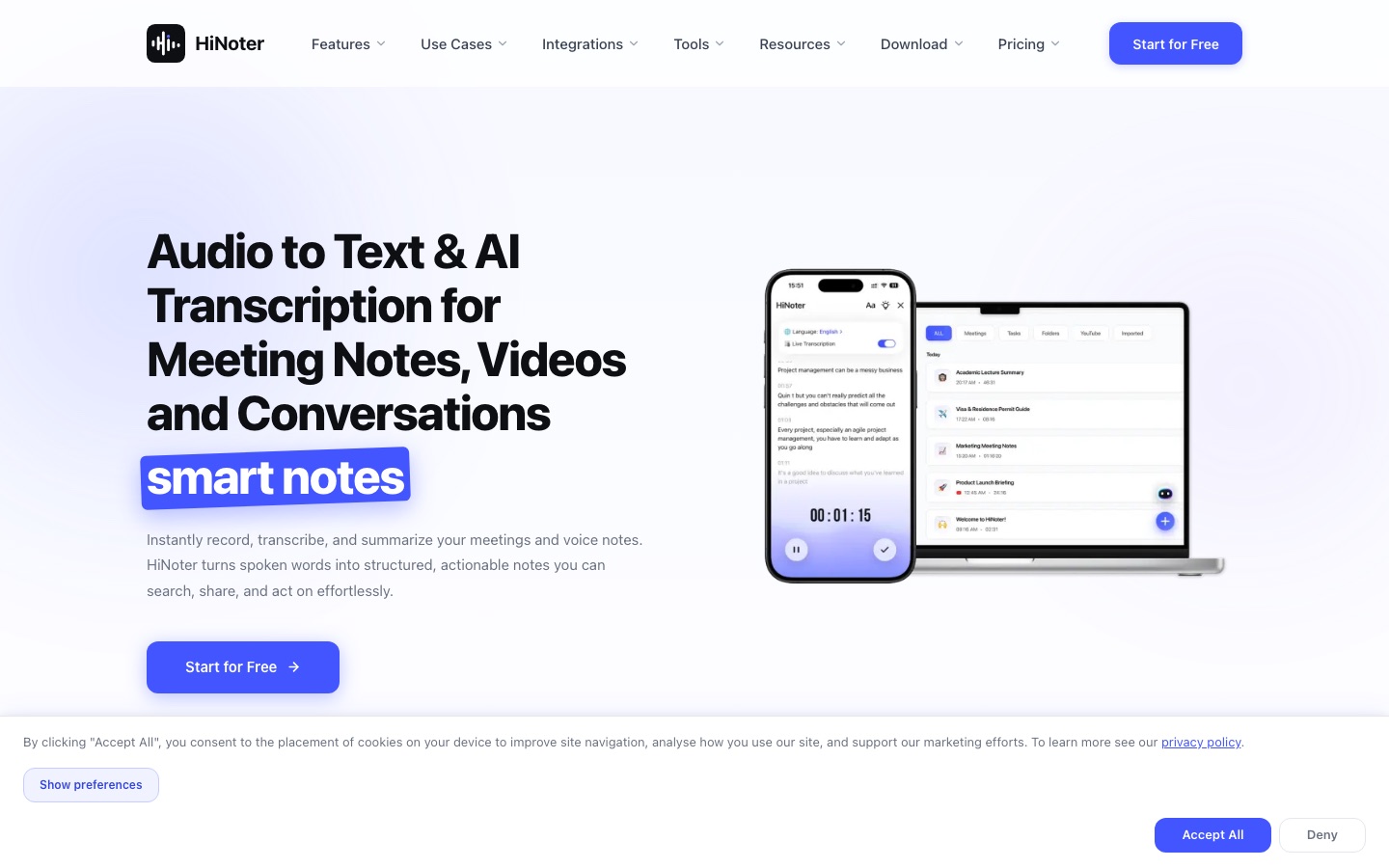
HiNoter is an AI note-taking app that records or imports meetings, audio and video and converts the speech to text. HiNoter then writes structured notes with key decisions and action items, and can draw a mind map of the content. Users record live, upload a file or paste a YouTube link, then search, share or export the result.
Best for Professionals and students who sit through many calls, lectures or interviews and want written notes produced for them.
- Platforms
- Web, iOS, Android
- Made by
- HiNoter
- Added
Last verified: . Information taken from hinoter.com.
What is HiNoter?
HiNoter is an AI note-taking and transcription app for meetings and recordings. Speech is captured live, uploaded as an audio or video file, or fetched from a YouTube link, and is transcribed with the Whisper Large V3 model, which the site says covers over 100 languages. From the transcript HiNoter drafts structured notes containing the agenda, decisions and action items, along with a summary and an optional mind map. Users can chat with their notes and receive answers that point back to the source passage, translate transcripts across more than 50 languages, and run OCR on PDFs to make them searchable. A meeting assistant joins scheduled calls on Zoom, Google Meet and Microsoft Teams once a calendar is connected. Mobile apps are listed for the App Store and Google Play, and recording continues in the background.
Key Features
Audio and Video Transcription
Converts uploaded recordings or live speech into text that can be reviewed and exported.
AI Meeting Notes
Produces structured notes with agenda, key decisions and action items after a meeting ends.
YouTube Transcript Generator
Takes a pasted video link and returns a transcript with highlights and takeaways.
Chat with Notes
Answers questions about a recording and cites the part of the transcript it used.
Translation
Transcribes and translates content between more than 50 languages.
PDF OCR
Extracts editable, searchable text from PDF files.
How HiNoter works
Capture or import
Record a meeting, upload an audio, video or PDF file, or paste a video link.
Let HiNoter transcribe
The speech is converted to text automatically.
Read the summary
Structured notes list key points, decisions and action items, with an optional mind map.
Search, share or export
Query the notes in chat, translate them or send them to teammates.
Screenshots
Use Cases
- Sales Call Logging
- An account executive records a client call and gets follow-ups listed afterwards.
- Sprint Meetings
- A product team keeps decisions from planning sessions in searchable notes.
- Lecture Notes
- A student transcribes a recorded lecture into organised study material.
- Candidate Interviews
- A recruiter records an interview and receives a summary of the candidate's answers.
- Show Notes
- A podcaster converts an episode into captions and a script.
Things to know
- Accuracy is the vendor's figure
- The 95%+ accuracy and language counts are stated by HiNoter and were not independently checked.
- Extra converters
- The site also offers standalone utilities such as an MP3 converter and an MP4-to-MP3 tool.
FAQs
What is HiNoter?
HiNoter is an AI note-taking app that transcribes, summarises and organises meetings and audio recordings into searchable notes.
How does HiNoter work?
HiNoter transcribes audio that you record or upload, then generates a structured summary with key decisions and action items.
Which meeting platforms does HiNoter support?
HiNoter supports Zoom, Google Meet and Microsoft Teams, and also accepts uploaded recordings.
Can HiNoter transcribe YouTube videos?
Yes. HiNoter generates a transcript and summary from a pasted YouTube link.
How accurate is HiNoter?
HiNoter says it uses Whisper Large V3 and reports accuracy above 95% in real-world conditions; results depend on audio quality.
Does HiNoter work on mobile?
Yes. HiNoter's site links to apps on the App Store and Google Play and says recording can run in the background.
How does HiNoter handle privacy?
HiNoter states that data is encrypted, that users can delete any recording or note, and that it does not sell data.
Who it's for
- Sales teams
- Product teams
- Consultants
- Students
- Recruiters
- Content creators
Comments
No comments yet. If you have used HiNoter, tell other readers how it went.
Alternatives to HiNoter
| Tool | Free plan | Starting price | API |
|---|---|---|---|
 Otter.aiAI meeting notetaker that transcribes conversations live and produces summaries, action items and searchable notes. Otter.aiAI meeting notetaker that transcribes conversations live and produces summaries, action items and searchable notes. |
Yes | $16.99/mo | Yes |
 Read AIAI meeting notetaker that creates summaries, transcripts and action items and searches across meetings, email and chat. Read AIAI meeting notetaker that creates summaries, transcripts and action items and searches across meetings, email and chat. |
Yes | $15/mo | Yes |
 Fathom AI NotetakerAI meeting notetaker that records, transcribes and summarises calls on Zoom, Google Meet and Microsoft Teams. Fathom AI NotetakerAI meeting notetaker that records, transcribes and summarises calls on Zoom, Google Meet and Microsoft Teams. |
Yes | — | Yes |
 Fireflies.aiAI meeting assistant that records, transcribes, summarises and makes team conversations searchable. Fireflies.aiAI meeting assistant that records, transcribes, summarises and makes team conversations searchable. |
Yes | — | Yes |
 HappyScribeAI transcription, subtitling and meeting notetaker that works in 150+ languages, with optional human review. HappyScribeAI transcription, subtitling and meeting notetaker that works in 150+ languages, with optional human review. |
Yes | — | Yes |
Listed in the same categories as HiNoter. A starting price appears only where we checked it on the maker’s pricing page; a dash means not checked or not published. All Meeting Assistants tools