
Herdr
Background runtime that keeps AI coding agents' terminals alive on your machines so you can detach and reattach later.
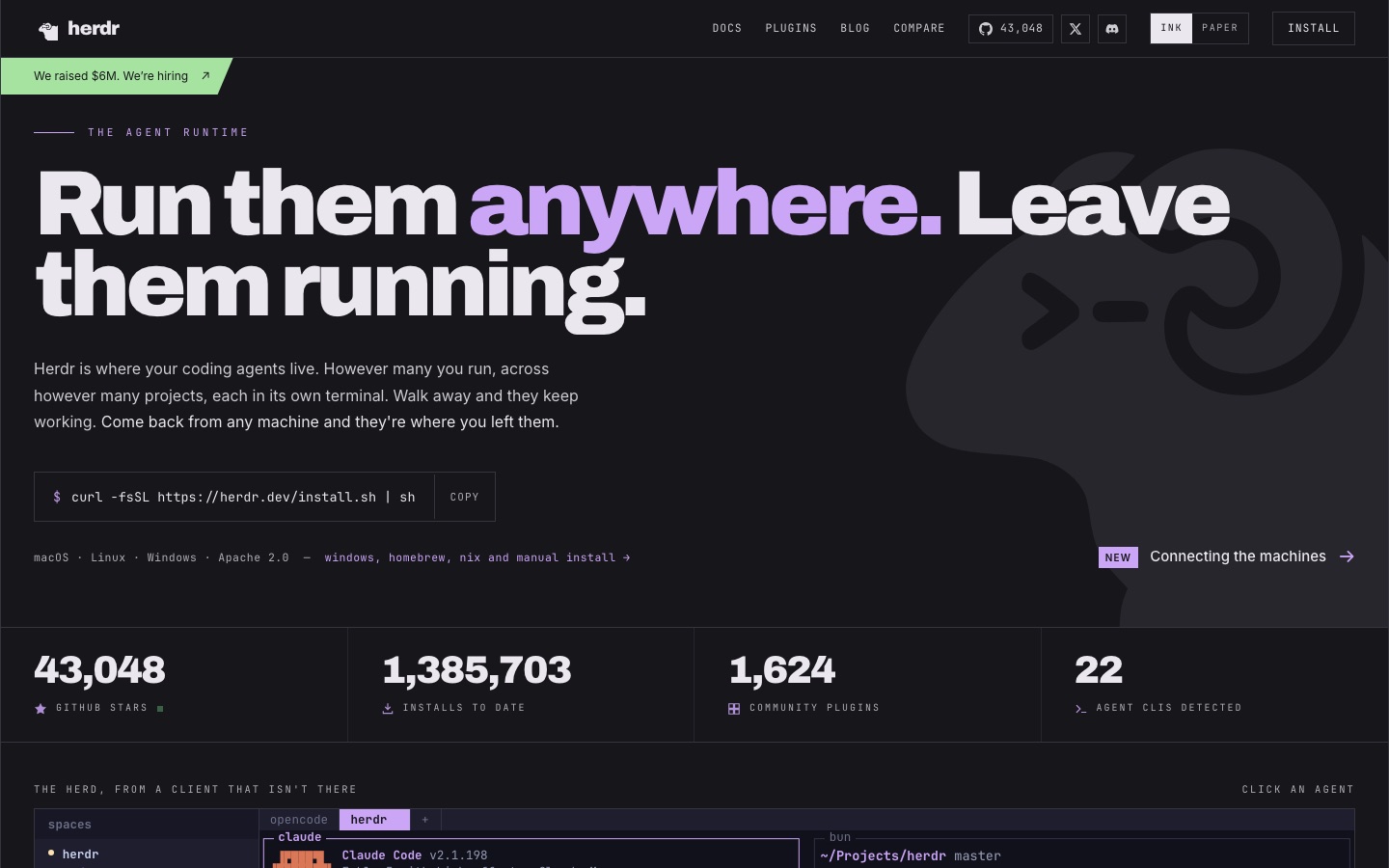
Herdr is a runtime for AI coding agents that holds each agent's terminal open inside a background server on your own machines. Herdr is used to keep tools such as Claude Code or Codex working after the laptop closes, to see which agent is blocked, and to reattach later from another terminal.
Best for Developers who run several terminal-based coding agents at once and want them to keep working unattended across a laptop, a desktop and remote servers.
- Platforms
- macOS, Linux, Windows, API
- API
- Yes
- Made by
- Herdr, Inc.
- Added
Last verified: . Information taken from herdr.dev.
What is Herdr?
Herdr is a runtime for AI coding agents that keeps every agent in its own terminal inside a background server. Because the terminals belong to that server and not to a window you keep open, agents carry on when the laptop lid closes or the network drops, and after a reboot Herdr restores the layout and resumes the sessions. It reads each pane and labels the agent in it as working, blocked or idle, so the one waiting for input is easy to find. A command line and a socket API expose the same controls, which lets agents split panes, launch one another and send prompts. Herdr does not wrap or replace tools such as Claude Code, Codex, Cursor or opencode; it only hosts their terminals. Remote machines can be added over SSH. It ships as a single binary for macOS, Linux and Windows under the Apache 2.0 license.
Key Features
Persistent background server
Terminals live inside a server process, so agents continue after the lid is shut or the connection is lost.
Session restore
Following a machine restart, Herdr rebuilds the workspace layout and resumes the agent sessions that were open.
Agent status detection
Each pane is read and tagged working, blocked or idle, and an agent that has stopped for an answer is flagged.
CLI and socket API
People and agents share one control surface for splitting panes, starting other agents, prompting them and waiting for a blocked state.
Works with existing agent CLIs
Recognises 22 agent command-line tools, among them Claude Code, Codex, Cursor, opencode, Grok and Copilot, without wrapping them.
Multiple machines over SSH
A desktop or rented server added with the machine command shows its workspaces and agents beside the local ones.
How Herdr works
Install the binary
Run the install script on macOS or Linux, or the PowerShell command on Windows; Homebrew, Nix and manual installs are also documented.
Run your agents inside Herdr
Launch the agent CLIs you already use in Herdr workspaces; the server keeps their terminals open.
Detach and come back
Walk away, then reattach from any terminal to find the same layout and sessions.
Screenshots
Use Cases
- Leaving long jobs unattended
- Start a multi-hour refactor or data backfill, close the laptop and check the result later.
- Running agents across several repositories
- Keep a separate workspace per project and switch between them from one terminal.
- Finding the agent that needs approval
- See at a glance which agent has paused on a permission prompt instead of opening every pane.
- Agent-to-agent orchestration
- Let one agent launch helpers, hand them prompts and wait until they are blocked or finished.
- Working from more than one computer
- Attach to agents on a remote box from a laptop and detach without stopping them.
Things to know
- Apache 2.0 license
- The site lists Herdr as Apache 2.0 software; the version shown at the time of review was v0.9.3.
- Herdr Cloud is not available yet
- A hosted option for connecting machines without SSH configuration is marked as coming soon, with a waitlist.
- It hosts agents, it is not one
- Herdr does not generate code itself; you still need a coding agent CLI such as Claude Code or Codex.
FAQs
What is Herdr?
Herdr is a runtime for AI coding agents. It runs as a background server that owns the agents' terminals, so they keep working when you are not attached.
What is Herdr used for?
Herdr is used to run several coding agents in parallel across projects, leave them working unattended and reattach from another terminal or machine.
Which operating systems does Herdr support?
Herdr is distributed as one binary for macOS, Linux and Windows. The site also mentions Homebrew, Nix and manual installation.
Which coding agents work with Herdr?
Herdr detects 22 agent CLIs out of the box, including Claude Code, Codex, Cursor, opencode, Grok, Copilot and Hermes.
Does Herdr have an API?
Yes. Herdr exposes a socket API that mirrors its command line, and agents can use it to control panes and other agents.
Is Herdr open source?
Herdr is published under the Apache 2.0 license, according to its website.
Who makes Herdr?
Herdr is made by Herdr, Inc., as stated in the website footer.
Who it's for
- Software developers
- AI engineers
- DevOps engineers
- Teams running several coding agents
Comments
No comments yet. If you have used Herdr, tell other readers how it went.
Alternatives to Herdr
| Tool | Free plan | Starting price | API |
|---|---|---|---|
 OrcaOpen-source agent development environment that runs many CLI coding agents in parallel git worktrees. |
Yes | — | — |
 FactoryAgent-native software development platform whose Droids plan, build, review and ship code across desktop, CLI and web. |
— | — | — |
 JetBrains AIJetBrains' AI tooling for developers, led by Air, a system for running and reviewing coding agents. |
— | — | — |
 MulticaSource-available project management platform where AI coding agents are assigned issues like human teammates. |
— | — | Yes |
 OpenCodeOpen source AI coding agent for the terminal, desktop and IDE that works with models from many providers. |
Yes | — | — |
Listed in the same categories as Herdr. A starting price appears only where we checked it on the maker’s pricing page; a dash means not checked or not published. All AI Code Assistant tools