
FlutterFlow
Visual development platform for building mobile, web and desktop apps, with AI generation and exportable code.
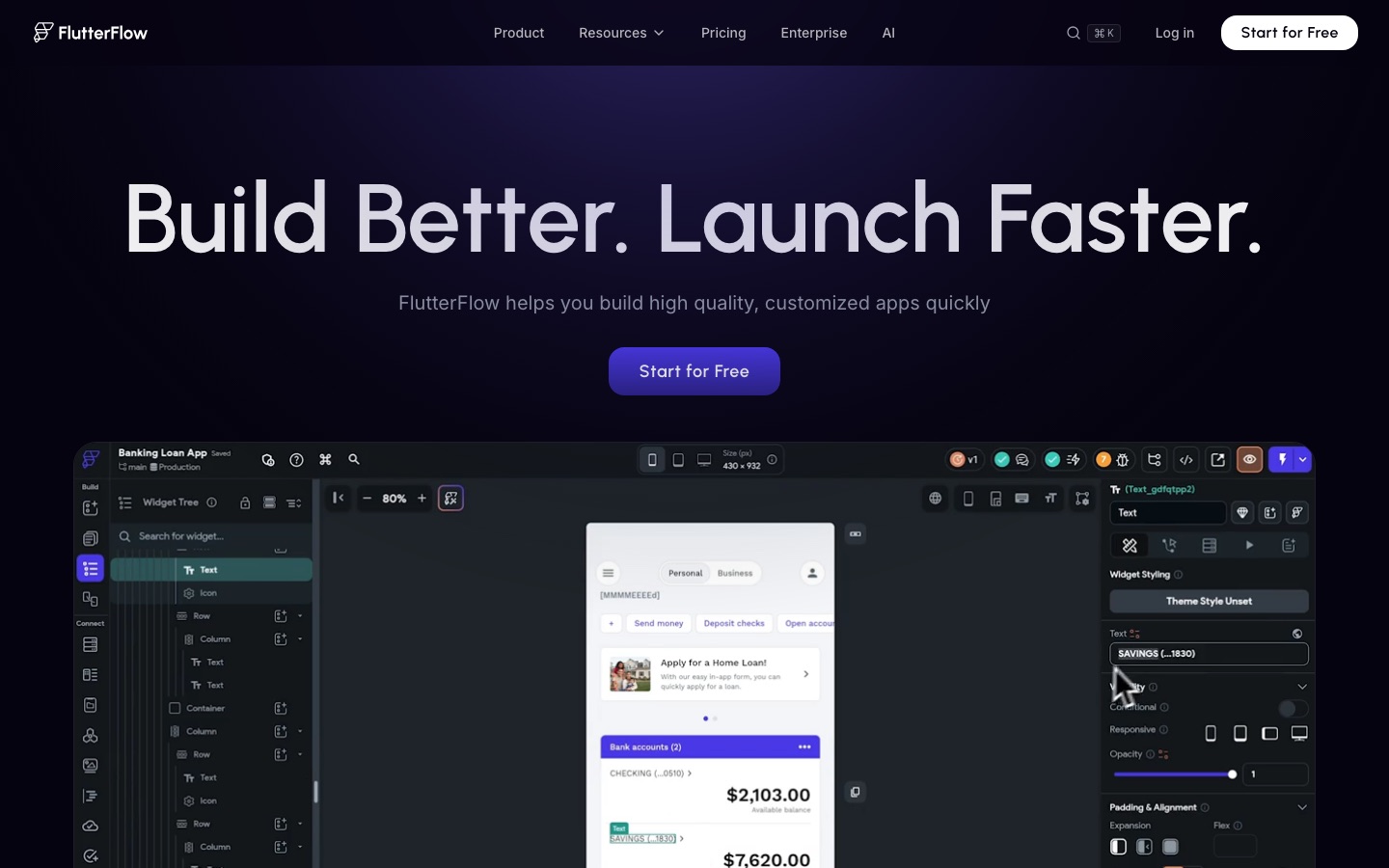
FlutterFlow is a visual development platform for creating mobile, web and desktop applications. FlutterFlow users assemble screens from ready-made interface elements, wire up behaviour in a visual action editor, connect data through Firebase, Supabase or REST APIs, and then publish to the App Store, Play Store or the web, or export the underlying source code.
Best for Developers, founders and product teams who want to build and ship a cross-platform app visually while keeping the option to download the source code.
- Listed in
- App & Website Builders
- Platforms
- Web
- Pricing model
- Freemium
- Free plan
- Yes
- Made by
- FlutterFlow, Inc.
- Added
Last verified: . Information taken from flutterflow.io.
What is FlutterFlow?
FlutterFlow is a visual development platform for building mobile, web and desktop applications. Screens are assembled from a library of more than 200 ready-made interface elements, and app behaviour is defined in a visual Action Flow Editor instead of being typed out by hand. Where the visual tools fall short, developers can write custom actions and widgets, define their own design system or bring a theme in from Figma. Data comes from Firebase or Supabase, from third-party services or from a team's own REST backend, and there are prepared integrations for payments and maps. Teams can work on the same project with branching, comments and task assignment. Finished apps can be published to the App Store, the Play Store and the web, and the source code can be exported. The plan comparison also lists AI generation requests and AI agents.
Key Features
Visual UI Builder
Lays out screens from a catalogue of over 200 prebuilt interface elements, with fine control over each widget's properties.
Action Flow Editor
Defines what happens when a user taps, submits or navigates by arranging logic visually rather than coding it.
Custom Code and Widgets
Lets developers add their own actions and widgets when an interaction is not covered by the standard components.
Data and API Connections
Links an app to Firebase or Supabase databases, to external APIs or to a self-hosted REST backend.
Team Collaboration
Supports branching, in-project comments and task assignment so several people can work on one app.
Deployment and Code Export
Publishes to the App Store, Play Store and web, and offers source code download on paid plans.
Screenshots
Use Cases
- Building an MVP
- Put together a working first version of a mobile app to show investors or early users.
- Client Projects
- Agencies and freelancers deliver apps for customers and hand over the exported code.
- Internal Prototypes
- Product managers turn a backlog idea into a clickable, testable app without waiting for engineering time.
- Design-to-App Handover
- Import a Figma theme so the built app follows the brand's colours and typography.
- Multi-Platform Releases
- Maintain one responsive project and release it to phones, browsers and desktop.
Things to know
- Free plan limits
- The Free plan covers up to two projects, and its AI generation allowance is a small lifetime quota rather than a monthly one.
- Code download is a paid feature
- Downloading source code or an APK, custom-domain web publishing and one-click store deployment start at the Basic plan.
- Seat-based pricing on team plans
- Growth and Business are priced per seat, with real-time collaboration for two users on Growth and up to five on Business.
- Lite credits
- Each plan includes an allowance of Lite credits, granted monthly on paid tiers.
FAQs
What is FlutterFlow?
FlutterFlow is a visual development platform for building mobile, web and desktop apps. It combines a drag-and-drop interface builder with a visual logic editor, data integrations and deployment tools.
What is FlutterFlow used for?
FlutterFlow is used to design, build, test and publish applications without writing every screen by hand. Teams use it for MVPs, client apps and production releases to app stores and the web.
Is FlutterFlow free?
FlutterFlow has a Free plan for building and testing an app, limited to two projects. Paid plans named Basic, Growth and Business add features such as code download, store deployment and collaboration; see the official pricing page for current rates.
Can I export my code from FlutterFlow?
Yes. FlutterFlow lets you download the project's source code, and the pricing page lists code and APK download from the Basic plan upward.
Which databases does FlutterFlow connect to?
FlutterFlow offers integrations with Firebase and Supabase. It can also call third-party APIs or your own REST backend.
Does FlutterFlow include AI features?
Yes. The FlutterFlow plan comparison lists AI generation requests on every tier, with a larger monthly allowance on higher plans, as well as AI agents.
Who makes FlutterFlow?
FlutterFlow is made by FlutterFlow, Inc., which states that more than 3.3 million users build with the platform.
Who it's for
- App developers
- Startup founders
- Product managers
- Agencies
- Students
Comments
No comments yet. If you have used FlutterFlow, tell other readers how it went.
Alternatives to FlutterFlow
| Tool | Free plan | Starting price | API |
|---|---|---|---|
 UX PilotAI design tool that generates wireframes, high-fidelity UI screens and user flows, then exports to Figma or code. UX PilotAI design tool that generates wireframes, high-fidelity UI screens and user flows, then exports to Figma or code. |
Yes | — | — |
 Base44No-code AI platform that builds apps, websites and AI agents from plain-language descriptions. Base44No-code AI platform that builds apps, websites and AI agents from plain-language descriptions. |
Yes | — | — |
 BoltChat-based AI builder that turns written prompts into websites, apps, prototypes and slides with hosting included. BoltChat-based AI builder that turns written prompts into websites, apps, prototypes and slides with hosting included. |
Yes | — | — |
 DorikNo-code website builder that generates full sites, copy and images from a prompt and includes hosting, CMS and SEO tools. DorikNo-code website builder that generates full sites, copy and images from a prompt and includes hosting, CMS and SEO tools. |
Yes | — | Yes |
 GetResponseEmail marketing and automation platform with AI-assisted emails, landing pages, forms, SMS and a website builder. GetResponseEmail marketing and automation platform with AI-assisted emails, landing pages, forms, SMS and a website builder. |
Yes | — | Yes |
Listed in the same category as FlutterFlow. A starting price appears only where we checked it on the maker’s pricing page; a dash means not checked or not published. All App & Website Builders tools