
EbSynth
VFX software that applies the edits you make on one video frame to the rest of the shot.
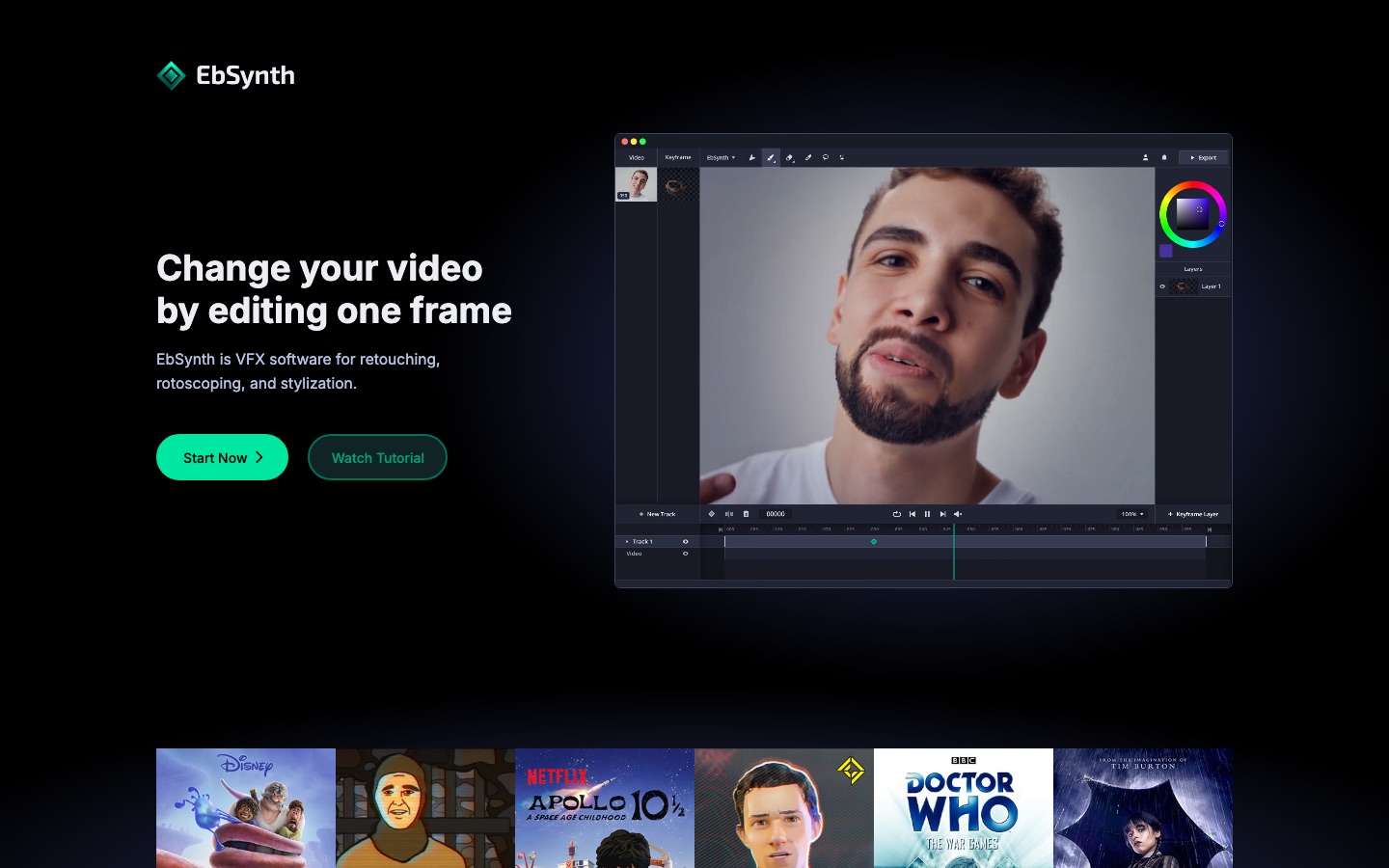
EbSynth is visual effects software that restyles or retouches a video from a single edited frame. EbSynth is used by painting or correcting one keyframe and letting the program carry that look across the other frames, which suits hand-drawn animation, digital makeup, colorizing and rotoscoping. It runs in a desktop browser, with a free plan available.
Best for Artists and editors who want to paint, retouch or stylize a shot by working on a few keyframes instead of every frame.
- Listed in
- Video EditingAI Video Generator
- Platforms
- Web, Windows
- Pricing model
- Freemium
- Free plan
- Yes
- Made by
- Secret Weapons
- Added
Last verified: . Information taken from ebsynth.com.
What is EbSynth?
EbSynth is a visual effects program that changes a whole video based on edits made to a single frame. You paint, retouch or restyle one keyframe, and the software carries that change through the remaining frames of the shot. Typical jobs are turning live footage into hand-painted animation, digital makeup and touch-ups, colorizing, rotoscoping, and adding painterly texture to line art. According to the site's FAQ, the propagation step is a texture-synthesis algorithm that works only from your footage and keyframes, not a generative model; an optional Generate Image feature uses AI to create keyframes. EbSynth runs in a desktop browser, with Chrome recommended, and is unavailable on mobile devices. Three plans exist: Free with 720p MP4 export, Pro with 1080p and 4K export, PNG output with alpha and priority processing, and Studio, a Windows desktop app that processes footage locally.
Key Features
Keyframe Propagation
Spreads the look of a painted or edited frame over the whole clip using optical flow from the source video.
Paint Over Video
Turns a filmed performance into hand-drawn animation once you paint the keyframes.
Retouch and Colorize
Applies touch-ups, digital makeup or colour to moving footage without manual tracking.
Multiple Video Tracks
Lets separately moving parts, such as a background, a face or the eyes, be handled on their own tracks with different keyframe timing.
AI Keyframe Generation
Offers an optional Generate Image function for producing keyframes with AI.
Export Options
Outputs MP4 at 720p on the Free plan, and 1080p, 4K and PNG sequences with alpha on Pro.
Use Cases
- Hand-Painted Animation
- Paint a handful of frames of live footage and let the remaining frames follow the same brushwork.
- Beauty and Clean-Up Work
- Fix skin, remove blemishes or add makeup on one frame and have it hold through the shot.
- Colorizing Footage
- Add colour to a keyframe of black-and-white material and extend it over the clip.
- Texturing Line Art
- Give a line-drawn animation a painterly finish from one carefully painted frame.
- Confidential Studio Projects
- Process footage on local Windows machines with the Studio plan when files cannot leave the building.
Things to know
- Desktop only
- The app does not run on phones or tablets, and Chrome is the recommended browser, particularly for long or high-resolution projects.
- Temporary uploads for rendering
- Video and keyframes go to EbSynth's servers for rendering and are removed afterwards; the Studio plan processes everything offline.
- Core algorithm is not generative AI
- Propagation uses texture synthesis driven by your own footage and keyframes; AI is involved only in the optional keyframe generator.
- Subscriptions end with the billing period
- A cancelled plan remains active until the current billing period is over.
FAQs
What is EbSynth?
EbSynth is a VFX program that transfers the edits made on a keyframe to the other frames of a video, covering stylization, rotoscoping and retouching work.
What is EbSynth used for?
EbSynth is used to turn footage into painted animation, apply retouching or digital makeup, colorize video and add texture to line art.
Is EbSynth AI?
Partly. EbSynth's FAQ says keyframe propagation is a texture-synthesis algorithm that does not rely on generative models trained on outside data, while the optional Generate Image feature does use AI.
Is EbSynth free?
Yes. EbSynth has a Free plan with all core functions and 720p MP4 export, and the site says it has no time limit. Higher resolutions, PNG output and priority processing need the Pro plan.
Does EbSynth work on mobile?
No. EbSynth states that it is available on desktop devices only, and it recommends Chrome as the browser.
Does EbSynth store my projects?
No. EbSynth says projects stay on your computer; video and keyframes are uploaded temporarily for rendering and deleted after the result is returned.
Who makes EbSynth?
The company behind EbSynth is Secret Weapons, where it was created by Ondřej Jamriška together with Šárka Sochorová.
How much does EbSynth cost?
EbSynth lists Free, Pro and Studio plans. No figures are quoted here; see the pricing section of the official site.
Who it's for
- VFX artists
- Animators
- Video editors
- Illustrators
- Post-production studios
Used in these workflows
- AI tools for making a film, stage by stageStage 7: Editing and finishing
Each guide lists the stages of one job and the tools that help at each stage. All guides
Comments
No comments yet. If you have used EbSynth, tell other readers how it went.
Alternatives to EbSynth
| Tool | Free plan | Starting price | API |
|---|---|---|---|
 AnimakerOnline animation maker that generates and edits animated videos with AI voices, subtitles and a character builder. |
Yes | — | — |
 CrayoWeb-based AI editor for short-form video with auto clipping, voiceovers, subtitles and story video generators. |
— | — | Yes |
 Deepfakes WebCloud face swap service that places a face from one photo into an uploaded video, on the web and in mobile apps. |
Yes | — | — |
 DomoAIAI video studio that generates clips from text, images or footage and restyles existing video into other looks. |
Yes | — | Yes |
 FlexClipOnline video maker and editor with templates, stock media and AI tools for text-to-video, subtitles and voice. |
— | — | — |
Listed in the same categories as EbSynth. A starting price appears only where we checked it on the maker’s pricing page; a dash means not checked or not published. All Video Editing tools