ChatGPT
AI chat assistant that answers questions, writes, creates images, runs deep research and helps with code.
ChatGPT is an AI chat assistant. ChatGPT takes a typed request and replies in conversation, and it can also write and edit text, create images, search the web, read uploaded files and run multi-step deep research with cited reports. ChatGPT can be tried without an account, and signing up is free.
Best for People who want one general-purpose assistant for questions, writing, images and research rather than a separate tool for each task.
- Platforms
- Web
- Pricing model
- Freemium
- Free plan
- Yes
- Added
Last verified: . Information taken from chatgpt.com.
What is ChatGPT?
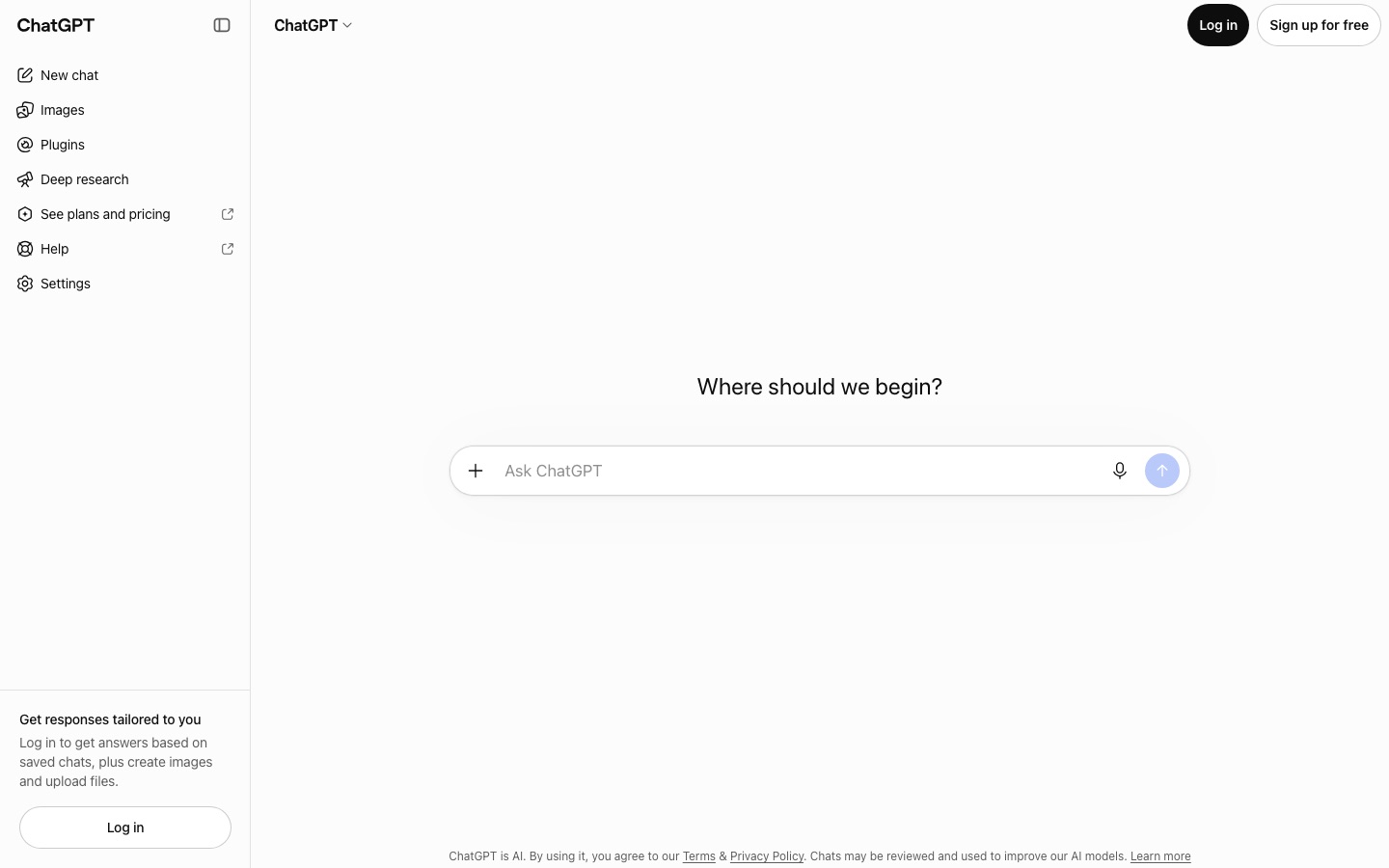
ChatGPT is a conversational AI assistant that you use by typing a request into a chat box and reading the reply. Its own site describes it as a single place to get answers, write, create images, finish work tasks and code. The start page works without an account: a visitor can open a new chat immediately, although saved chats, file and photo uploads, image creation and web search are tied to logging in. The sidebar also lists Images, Plugins and a Deep research mode, which carries out multi-step research, compares sources and produces cited reports that can be reopened later. Accounts can be created at no charge with Google, Microsoft, Apple, a phone number or an email address, and paid plans are linked from the same page. The site notes that conversations can be reviewed and may help train its AI models.
Key Features
Chat
Replies to typed questions and instructions in a running conversation that can be continued or cleared.
Image Creation
Generates pictures from a description once you are signed in, from a dedicated Images area or inside a chat.
Deep Research
Works through a question in several steps, weighs sources against each other and returns a report with citations.
Web Search
Looks up current information online as part of an answer for signed-in users.
File and Photo Uploads
Accepts attached files, photos and camera input so a reply can draw on your own material.
Saved Chats and Tailored Replies
Keeps earlier conversations in your account and uses them to shape later answers.
Use Cases
- Drafting and Editing Text
- Ask for a first version of an email, summary or article and refine it in follow-up messages.
- Getting Explanations
- Put a question in plain language and ask for clarification until the answer is clear.
- Researching a Topic with Sources
- Run a deep research task and keep the cited report for later reference.
- Creating Illustrations
- Describe a picture and receive a generated image to use in a document or post.
- Working Through Code
- Paste a snippet and ask for an explanation, a fix or a new function.
Things to know
- Logged-out use is limited
- Without an account, conversations are not saved, and uploads, image creation and web search are unavailable.
- Chats may be reviewed
- The site states that conversations may be reviewed and used to improve its AI models.
- Plans are listed elsewhere
- The start page links out to plans and pricing but does not describe the paid tiers itself.
FAQs
What is ChatGPT?
ChatGPT is an AI chat assistant that responds to written requests. Its site says it can answer questions, write, create images, help complete work and code in one place.
What is ChatGPT used for?
ChatGPT is used for getting answers, drafting and revising text, generating images, researching topics and writing or explaining code.
Is ChatGPT free?
Yes, ChatGPT can be started for free: the site offers free sign-up and even lets visitors chat without logging in. Paid plans exist as well and are linked from the site.
Do I need an account to use ChatGPT?
No, ChatGPT lets you begin a chat without an account. Logging in is required to save chats, upload files, create images and use web search.
Can ChatGPT create images?
Yes. ChatGPT has an Images section and a create-image option, both available after logging in.
What image formats can I upload to ChatGPT?
ChatGPT's upload control accepts PNG, JPEG/JPG, WEBP, GIF, BMP, AVIF and HEIC/HEIF image files.
Does ChatGPT use my chats for training?
Possibly. ChatGPT's start page says conversations can be reviewed and may be used for improving its AI models, and links to further details.
Who it's for
- General users
- Students
- Writers
- Developers
- Knowledge workers
Read about it

Comments
No comments yet. If you have used ChatGPT, tell other readers how it went.
Alternatives to ChatGPT
| Tool | Free plan | Starting price | API |
|---|---|---|---|
 Google GeminiGoogle's AI assistant for chat, research, and image, video and music generation, tied into Google apps. Google GeminiGoogle's AI assistant for chat, research, and image, video and music generation, tied into Google apps. |
Yes | — | Yes |
 QwenFree AI assistant built on the Qwen model series, with search, deep research, image and video generation and an API. QwenFree AI assistant built on the Qwen model series, with search, deep research, image and video generation and an API. |
Yes | — | Yes |
 DeepSeekAI research company offering a chat assistant, a desktop harness and a token-billed API for its language models. DeepSeekAI research company offering a chat assistant, a desktop harness and a token-billed API for its language models. |
— | — | Yes |
 LinerAI search and research agents that give cited answers, find academic papers and draft documents. LinerAI search and research agents that give cited answers, find academic papers and draft documents. |
Yes | — | Yes |
 AI Doc MakerAI generator that turns a prompt into formatted documents, PDFs, slides, spreadsheets and voiceovers. AI Doc MakerAI generator that turns a prompt into formatted documents, PDFs, slides, spreadsheets and voiceovers. |
Yes | — | — |
Listed in the same categories as ChatGPT. A starting price appears only where we checked it on the maker’s pricing page; a dash means not checked or not published. All AI Chatbots tools