

Bigjpg
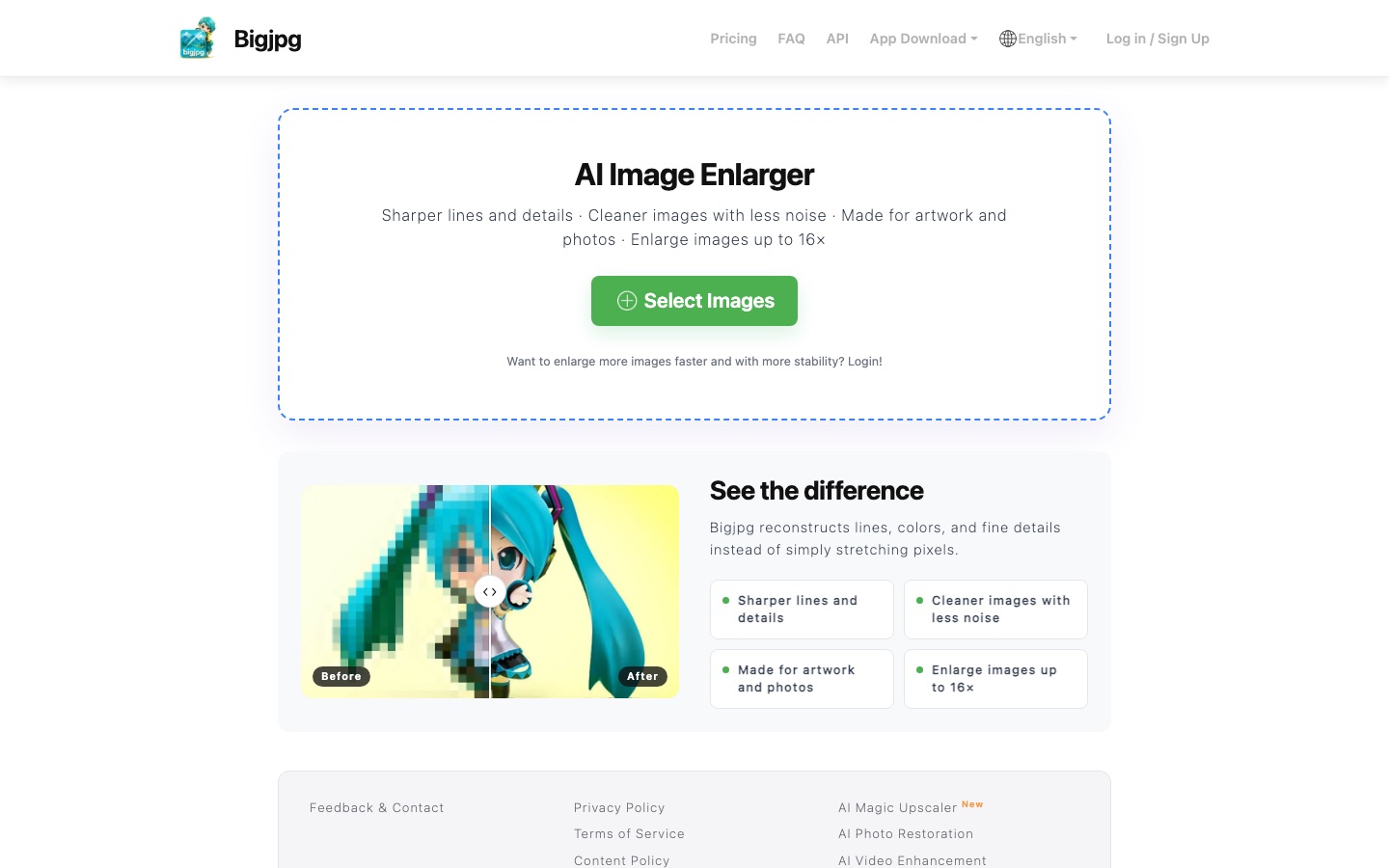
AI image enlarger that upscales artwork and photos up to 16x while reducing noise and jagged edges.
Bigjpg is an AI image enlarger that uses deep convolutional neural networks to upscale anime artwork, illustrations and photos by 2x or 4x, and by 8x or 16x on paid plans, while reducing noise. Bigjpg is used by selecting images, choosing the image type, scale and noise reduction level, then downloading the enlarged file.
Best for Illustrators and anime artists who need to enlarge drawings without blur, and developers who want to automate upscaling through an API.
- Listed in
- Image UpscalerDeveloper API
- Platforms
- Web, Windows, macOS, iOS, Android, API
- Pricing model
- Freemium
- Starting price
- $6 per 2 months Basic plan: $6 covers a 2-month term with 500 images per month
- Free plan
- Yes
- API
- Yes
- Added
Last verified: . Information taken from bigjpg.com.
What is Bigjpg?
Bigjpg is an image enlargement service that uses deep convolutional neural networks to increase resolution. Instead of stretching existing pixels, it redraws edges, colour areas and small details, and the developers say the approach is tuned for anime artwork and illustration, with ordinary photographs supported too. Before a job starts you choose the image type, the scale factor and how strongly noise should be reduced. The tool runs in a web browser and is also distributed as Windows, Mac, iOS and Android apps. Free use is restricted in file size, speed and magnification, whereas paid accounts get high-performance servers, larger uploads, the highest scale factors, simultaneous jobs and access to an API. The site interface is offered in 19 languages.
Key Features
Neural Upscaling
Enlarges pictures by 2x or 4x, and by 8x or 16x on upgraded accounts.
Artwork and Photo Modes
Switches processing between a setting for cartoon-style illustration and one for photographs.
Adjustable Denoising
Offers five noise reduction settings ranging from none to highest.
Offline Processing
Keeps jobs running after the browser is closed for logged-in users, with results kept in an enlarging history.
Batch and Parallel Jobs
Lets paid members enlarge several images at once and download them together.
REST API
Gives paid members endpoints for uploading images, creating enlargement tasks, querying results and retrying failed tasks.
How Bigjpg works
Select images
Pick one or more pictures to upload on the home page; logging in first allows faster and more stable processing.
Choose the image type
Set the job to Artwork for illustration and anime, or to Photo for photographs.
Set scale and noise reduction
Pick the enlargement factor and one of five noise reduction levels from none to highest; 8x and 16x need an upgraded account.
Start and download
Start the task, wait for the estimated time to run down, and download the result. Logged-in users can close the browser and collect the file from their enlarging history.
Use Cases
- Enlarging Illustrations for Print
- Raise the resolution of a digital drawing before sending it to a printer.
- Wallpapers From Small Images
- Scale low-resolution anime art until it fits a high-resolution display.
- Cleaning Compressed Pictures
- Reduce visible noise and jagged edges in heavily compressed files while enlarging them.
- Bulk Asset Preparation
- Process a whole set of images in one session on a paid account and download them together.
- Automated Pipelines
- Call the enlarger from scripts or other software through the API with an API key.
Pricing
Free
Free
- Shared server at slow speed
- Uploads up to 5 MB
Basic
$6
for 2 months
500 images per month
- High-performance server
- Uploads up to 50 MB
- Enlarging up to 16x
Standard
$12
for 6 months
1,000 images per month
- High-performance server
- Uploads up to 50 MB
- Enlarging up to 16x
Premium
$22
for 12 months
2,000 images per month
- High-performance server with top priority
- Uploads up to 50 MB
- Enlarging up to 16x
Prices as listed in the plan table on the official home page. Each paid plan is sold for a fixed term with a monthly image quota; the amount shown covers the whole term. Checked 8 Oct 2026 at bigjpg.com.
Things to know
- Free limits
- Free users can upload images of up to 3000x3000 pixels and 5 MB; paid users can upload files of up to 50 MB.
- Keep the browser open if not logged in
- Without an account the enlarged image is lost if the browser is closed; logged-in users get offline enlarging.
- Plans are sold by term
- Paid plans cover a fixed number of months, 2, 6 or 12, each with a monthly image quota.
- Servers and retention
- The default server is in mainland China with a United States option in settings, and uploads are deleted within 24 hours on free accounts or 72 hours on premium accounts.
FAQs
How does Bigjpg enlarge images?
Bigjpg applies deep convolutional neural networks that suppress noise and jagged edges while adding resolution, instead of simply stretching pixels.
What is Bigjpg used for?
Bigjpg is used to enlarge illustrations, anime artwork and photographs by 2x to 16x, for example for printing, wallpapers or cleaning up small, noisy files.
Is Bigjpg free?
Yes, Bigjpg has a free plan. It runs on a shared server at slow speed and limits uploads to 3000x3000 pixels and 5 MB, and the 8x and 16x factors require an upgrade.
How much does Bigjpg cost?
Bigjpg lists three paid plans on its home page: Basic at $6 for 2 months with 500 images per month, Standard at $12 for 6 months with 1,000 images per month, and Premium at $22 for 12 months with 2,000 images per month.
Does Bigjpg have an API?
Yes, Bigjpg has an API, and it is available to paid members. It covers image upload, creating enlargement tasks, querying results and retrying tasks, authenticated with an API key.
Does Bigjpg work on mobile?
Yes. Bigjpg links to an iOS app and an Android app in addition to its website and its Windows and Mac programs.
How long does Bigjpg keep uploaded images?
Bigjpg deletes images from free accounts within 24 hours and those from premium accounts within 72 hours. Image links are encrypted, so a file can only be downloaded by someone who has the link.
Why are Bigjpg downloads slow?
Bigjpg's default server is in mainland China. Logged-in users can switch to a United States server on the settings page to speed up downloads.
Who it's for
- Illustrators
- Anime artists
- Photographers
- Print designers
- Developers
Read about it
Used in these workflows
- From culling a shoot to repairing old prints: AI tools for photo workStage 4: Upscaling and sharpening
- Comics and manga with AI: what the tools can draw, and what stays in your handsStage 6: Upscaling for print and web
- A children's picture book, start to finish: where AI tools help and where they don'tStage 6: Print-ready images
Each guide lists the stages of one job and the tools that help at each stage. All guides
Comments
No comments yet. If you have used Bigjpg, tell other readers how it went.
Alternatives to Bigjpg
| Tool | Free plan | Starting price | API |
|---|---|---|---|
 Upscale.mediaBrowser-based AI upscaler that enlarges and enhances images and short videos, with bulk and API options. |
Yes | — | Yes |
 3D AI StudioBrowser toolkit for generating 3D models from text or images, with texturing, remeshing and several AI engines. |
— | — | Yes |
 AI or NotAI detector for images, text, audio and video, including deepfakes, available on the web and through an API. |
Yes | — | Yes |
 Artguru AIOnline AI enhancer for photos, video and documents: upscaling, old photo restoration, denoising and sharper scans. |
— | — | Yes |
 Cleanup.picturesWeb inpainting tool that removes objects, people, text and defects from photos by brushing over them. |
Yes | — | Yes |
Listed in the same categories as Bigjpg. A starting price appears only where we checked it on the maker’s pricing page; a dash means not checked or not published. All Image Upscaler tools