
Wondercraft
AI studio for business video and audio, combining generation models, guided workflows and a timeline editor.
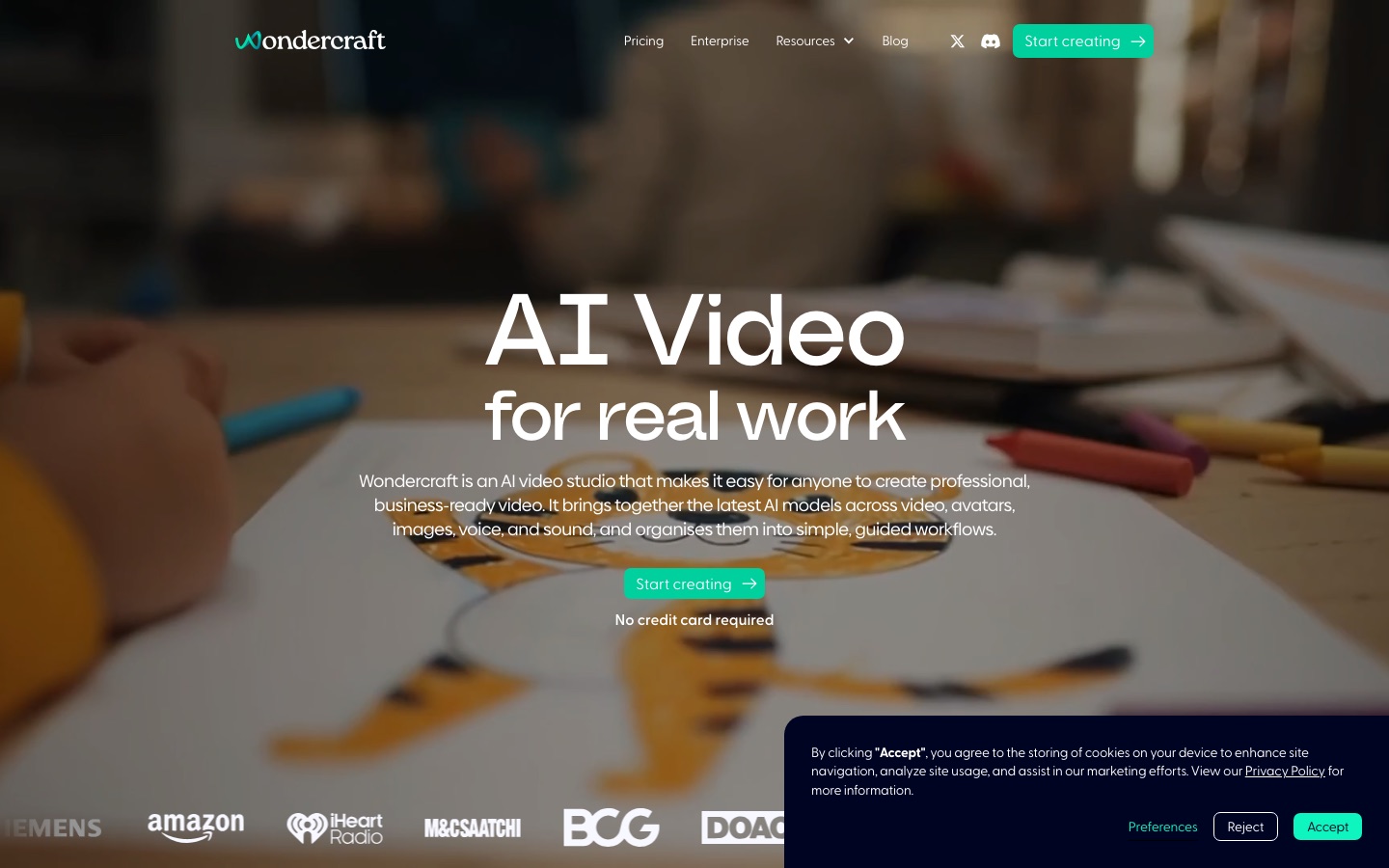
Wondercraft is an AI studio for making business video and audio content. Wondercraft brings video, avatar, image, voice and music models into guided workflows and a timeline editor, and also produces podcasts, audio ads and voice clones. Wondercraft is used by supplying notes, a document or a script and refining the generated draft in the studio.
Best for Marketing, communications and L&D teams that need training, announcement or podcast content produced from documents and scripts with consistent branding.
- Platforms
- Web, API
- Pricing model
- Freemium
- Free plan
- Yes
- API
- Yes
- Made by
- Wondercraft Limited
- Added
Last verified: . Information taken from wondercraft.ai.
What is Wondercraft?
Wondercraft is an AI studio for producing business video and audio. It gathers models for video, avatars, images, voice, music and sound and arranges them into guided workflows aimed at specific outputs such as training, onboarding, explainers, launches and promotional clips. Users can start from notes, documents like PowerPoint or PDF files, an existing script or a podcast, or upload footage for the built-in agent, Wonda, to cut into highlights and add branding or captions. Results open in a studio with a timeline, canvas, layouts, captions, resizing, layers and export. Audio-first formats remain part of the product: podcasts, audio ads, guided meditations, text to speech and voice cloning. An API and documentation are available for integration. The pricing page lists Free, Creator, Pro and Enterprise tiers that run on credits. The operator is Wondercraft Limited, and the site says customer data is not used for model training.
Key Features
Guided video workflows
Turns a brief or source document into a first-draft video for a defined purpose, such as onboarding or a product launch.
Timeline studio
Opens generated clips in an editor with layers, captions, layouts, resizing and branding controls.
Wonda agent
Coordinates the underlying models, regenerates parts on request and edits uploaded footage into shorter cuts.
Podcast and audio production
Creates podcasts, audio ads, meditations and narrated content with voices, music and sound effects.
Voice cloning and text to speech
Builds a voice from samples and converts scripts to spoken audio in various styles and languages.
Avatars and image to video
Generates on-screen presenters and animates still images into moving shots.
Screenshots
Use Cases
- Training and onboarding videos
- An L&D team converts a policy document into a narrated explainer.
- Internal podcasts
- A communications team turns long reports into audio episodes for staff.
- Audio adverts
- An agency drafts several versions of a radio or podcast ad for a client.
- Product announcements
- A marketing team produces a launch video that follows brand guidelines.
- Highlight reels
- An editor uploads a recording and has it trimmed into captioned social clips.
Things to know
- Video rollout notice
- A banner on the home page said the video product was launching the following week and that audio was live at that time.
- Free tier limits
- The Free tier provides 150 credits, limited access to AI models and exports capped at 720p.
- Watermark and commercial rights
- Removal of the watermark and full commercial rights are listed from the Creator tier.
- Collaboration is on Pro
- Team collaboration for up to three users, 4K upscaling and unlimited custom AI characters are listed under Pro.
FAQs
What is Wondercraft?
Wondercraft is an AI studio that creates business video and audio. It combines AI models for video, voice, images and sound with guided workflows and an editor.
What is Wondercraft used for?
Wondercraft is used for training and onboarding videos, internal updates, product announcements, explainers, promotional clips, podcasts, audio ads and meditations.
Is Wondercraft free?
Yes, Wondercraft has a Free tier with 150 credits and no credit card requirement. The Free tier has limited model access and exports at up to 720p.
How much does Wondercraft cost?
Wondercraft lists Free, Creator, Pro and Enterprise tiers with monthly or yearly billing, each based on credits. See the official pricing page for current figures.
Does Wondercraft have an API?
Yes. Wondercraft offers an API for generation and editing, and the Creator tier lists API access among its features.
Do I need editing experience to use Wondercraft?
No. Wondercraft's workflows ask for a few choices and produce a draft automatically, and the studio timeline is there when finer control is wanted.
Does Wondercraft use my data to train models?
No. Wondercraft's site states that customer data is not used to train AI models, and it describes the service as SOC 2 and GDPR compliant.
Who it's for
- Marketing teams
- L&D teams
- HR teams
- Agencies
- Podcasters
- Creators
Used in these workflows
- What it takes to start a podcast, and where AI tools save the most timeStage 6: Intro music and voiceover
Each guide lists the stages of one job and the tools that help at each stage. All guides
Comments
No comments yet. If you have used Wondercraft, tell other readers how it went.
Alternatives to Wondercraft
| Tool | Free plan | Starting price | API |
|---|---|---|---|
 ListnrAI voice generator for text to speech, voice cloning and narration in a browser-based studio. |
Yes | — | Yes |
 Kits AIAI audio tools for music producers: voice cloning, singing voice conversion, stem splitting and mastering. |
Yes | — | Yes |
 MusicFab AIOnline AI music maker that creates full songs with vocals or instrumentals from text prompts, lyrics or hummed ideas. |
Yes | — | — |
 PopPop AICollection of AI audio and 3D tools: text to speech, vocal remover, AI cover songs, sound effects and Vita3D. |
Yes | — | — |
 VisionStoryAI video generator that makes talking avatar videos from photos, scripts, audio or slides. |
Yes | — | Yes |
Listed in the same categories as Wondercraft. A starting price appears only where we checked it on the maker’s pricing page; a dash means not checked or not published. All AI Video Generator tools