
Listnr
AI voice generator for text to speech, voice cloning and narration in a browser-based studio.
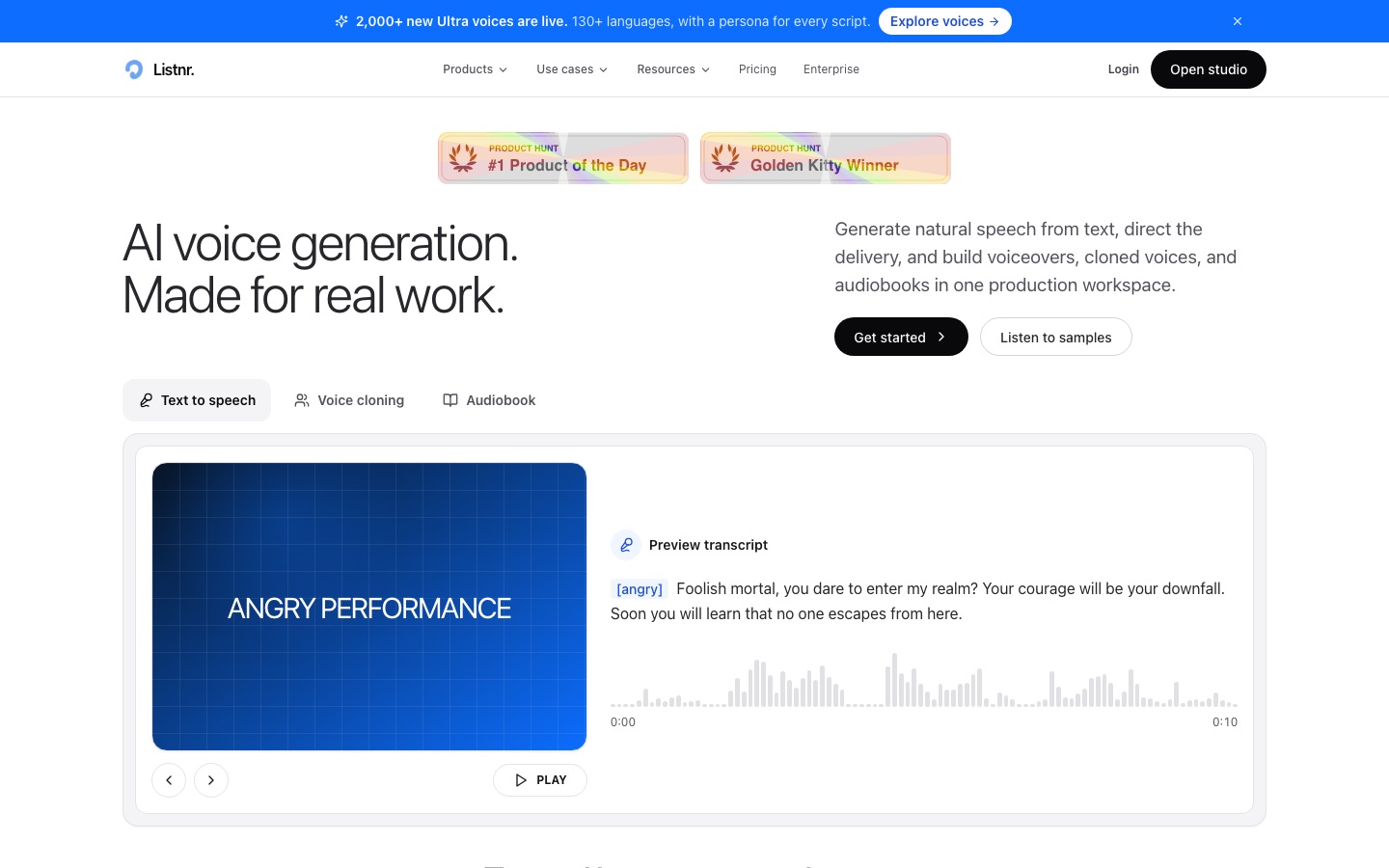
Listnr is an AI voice generator that converts written scripts into spoken audio. In Listnr Studio a user pastes a script, picks one of more than 1,000 voices covering 142+ languages and accents, previews the delivery and exports the result. Listnr also offers voice cloning from an approved recording and a text to speech API.
Best for Creators and content teams who need voiceovers for videos, podcasts, audiobooks or training material in many languages without recording sessions.
- Platforms
- Web, API
- Pricing model
- Freemium
- Free plan
- Yes
- API
- Yes
- Made by
- Listnr AI
- Added
Last verified: . Information taken from listnr.ai.
What is Listnr?
Listnr is a text to speech and voice generation service built around a studio that runs in the browser. Scripts are edited much like a document: they can be split into blocks, each block can be given a different speaker, and a single line can be regenerated while the others stay as they were. Delivery is shaped with style prompts, pauses, pacing and emphasis controls, and custom pronunciations keep names and technical terms consistent, although the available emotion controls depend on the voice chosen. The library holds more than 1,000 voices in 142+ languages and accents. Listnr also clones a voice from a recording the user owns or has permission to use, provides a text to speech API, and includes translation and a podcast studio. Usage is metered in monthly credits.
Key Features
Voice Library
Offers more than 1,000 AI voices that can be browsed by language, accent, gender and style and previewed before use.
Block-Based Studio
Arranges a script into scenes, assigns a different voice to each speaker and regenerates single lines without redoing the whole take.
Style Prompts
Steers delivery toward warm, calm, confident, excited or narrator-like readings on voices that support those controls.
Voice Cloning
Builds a reusable voice from an approved recording so later scripts can be generated in the same voice.
Pronunciation and Pacing
Adds pauses, speed changes, emphasis and saved pronunciations for brand names or technical words.
Text to Speech API
Exposes voice generation to developers who want speech inside their own products or internal tools.
How Listnr works
Open Listnr Studio
Start a project in the browser-based editor.
Add the script
Paste or type the text and split it into blocks if several speakers are needed.
Choose a voice
Filter the library by language, accent, gender or style and assign voices.
Preview and adjust
Listen to the take, then change pacing, pauses or style prompts and regenerate lines.
Export the audio
Download the finished voiceover for the video, podcast or course.
Screenshots
Use Cases
- YouTube and Social Voiceovers
- Narrate explainers, shorts and ads from a written script.
- Audiobook Narration
- Turn long manuscripts into consistent narration across chapters.
- Podcast Production
- Generate intros, stories and full episodes in the podcast studio.
- E-Learning Modules
- Produce lesson audio and update a single line when course content changes.
- Localized Campaigns
- Create the same voiceover in several languages and regional accents.
Things to know
- Credits reset each billing cycle
- When the monthly quota is used up, new audio cannot be generated until the reset unless extra credits are bought or the plan is upgraded.
- Controls vary by voice
- The site notes that voice availability, languages and delivery controls differ between voices.
- Cloning requires permission
- Voice cloning is offered for voices the user owns or has consent to use.
- Refunds are limited
- Listnr says it generally does not refund partial months or used quota.
FAQs
What is Listnr?
Listnr is an AI voice generator for text to speech, voice cloning and narration, used through a browser studio or an API.
What is Listnr used for?
Listnr is used to produce voiceovers for videos, podcasts, audiobooks, ads, product demos and training content.
Is Listnr free?
Yes, Listnr has a free plan with 1,000 starting credits and no credit card requirement. Downloads and exports are limited on it.
How much does Listnr cost?
Listnr: a free plan is available. Paid plan rates are published on listnr.ai. Check the official pricing page for current amounts.
Does Listnr have an API?
Yes. Listnr offers a text to speech API, and enterprise customers can get dedicated API throughput.
Can I use Listnr audio commercially?
Yes on paid plans. Listnr says Individual, Solo and Agency include commercial rights, covering monetized YouTube videos, ads, audiobooks and presentations.
How many languages does Listnr support?
Listnr states that its voices cover 142+ languages and accents.
Does Listnr support cloning my own voice?
Yes. Listnr supports cloning for voices you own or are permitted to use.
Who it's for
- Video creators
- Podcasters
- Educators
- Publishers
- Agencies
Used in these workflows
- Producing an audiobook with AI narration, from manuscript to releaseStage 3: Generating the narration
- Making an animated explainer video with AI, from script to subtitlesStage 4: Recording the voiceover
- Producing an audiobook with AI narration, from manuscript to releaseStage 4: Proof-listening and pronunciation fixes
- Where AI tools fit in making a documentary, from research to subtitlesStage 6: Narration and voiceover
- AI tools for writing a book, from the first idea to launch weekStage 8: Audiobook narration
Each guide lists the stages of one job and the tools that help at each stage. All guides
Comments
No comments yet. If you have used Listnr, tell other readers how it went.
Alternatives to Listnr
| Tool | Free plan | Starting price | API |
|---|---|---|---|
 LazybirdAI voiceover generator that turns scripts into downloadable speech with 200+ voices, voice cloning and an API. |
Yes | — | Yes |
 NaturalReaderAI text-to-speech apps that read documents, web pages and scanned books aloud and create voiceovers. |
Yes | — | — |
 TypecastAI voice generator with emotion-aware text to speech, voice cloning, a mobile app and a developer API. |
Yes | — | Yes |
 PopPop AICollection of AI audio and 3D tools: text to speech, vocal remover, AI cover songs, sound effects and Vita3D. |
Yes | — | — |
 Fish AudioAI voice platform for text to speech and voice cloning with emotion tags, a large voice library and a developer API. |
Yes | — | Yes |
Listed in the same categories as Listnr. A starting price appears only where we checked it on the maker’s pricing page; a dash means not checked or not published. All Text to Speech tools