
UniScribe
Online transcription tool that converts audio, video and YouTube links to text with summaries, mind maps and export options.
UniScribe is a web-based AI transcription service that converts audio files, video files and online video links into text. UniScribe is used by uploading a file or pasting a link, clicking Transcribe, and then editing, sharing or exporting the transcript. It also generates a summary, a mind map and key questions from each recording.
Best for People who regularly turn recordings such as meetings, interviews, lectures and podcasts into searchable text and want a summary alongside the transcript.
- Listed in
- Transcription & CaptionsSummarizer
- Platforms
- Web, API
- Pricing model
- Freemium
- Free plan
- Yes
- API
- Yes
- Made by
- VanCode LLC
- Added
Last verified: . Information taken from uniscribe.co.
What is UniScribe?
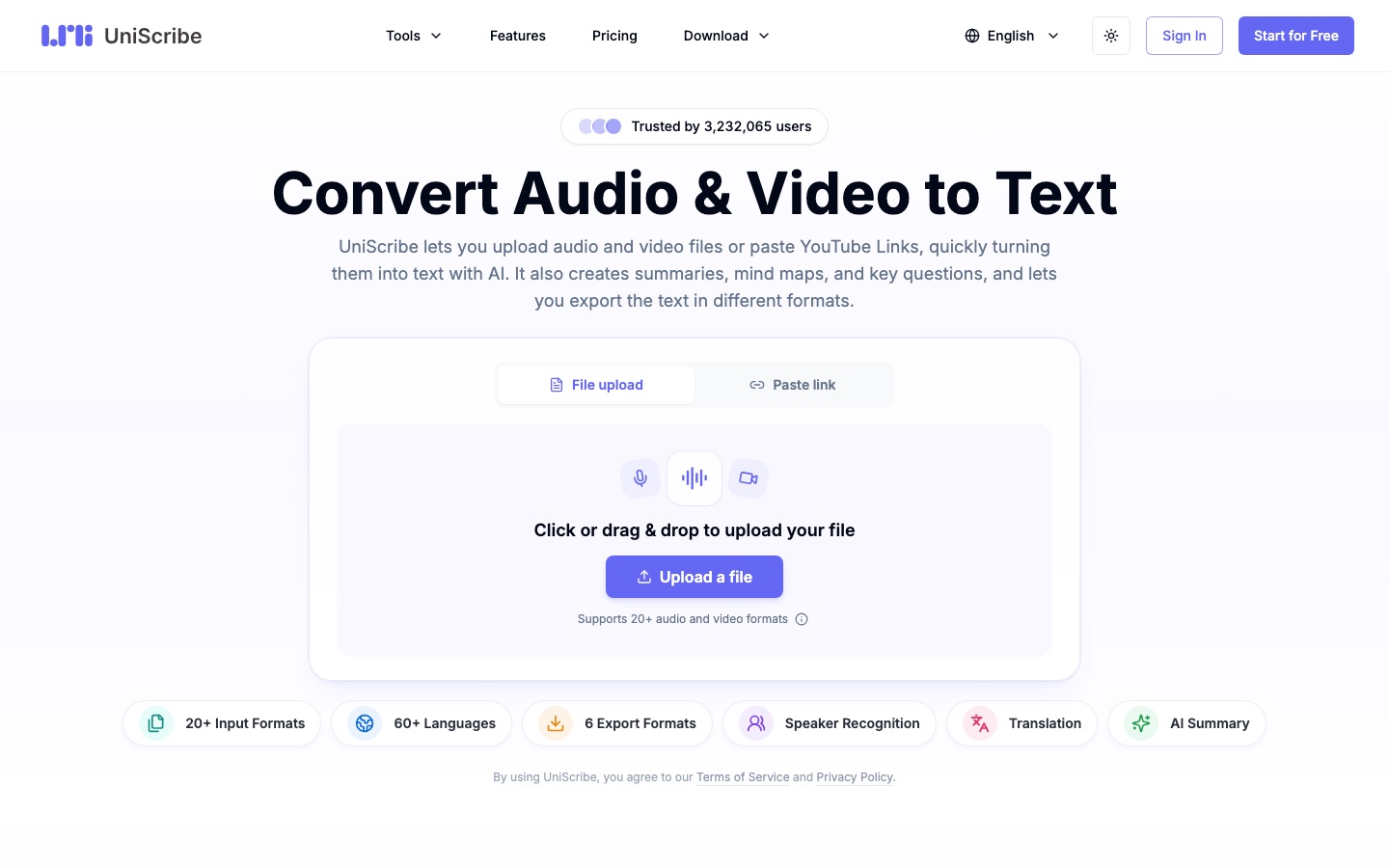
UniScribe is an online transcription service for spoken audio and video. Users upload a recording from their device or paste a link to a YouTube or other online video, and the service returns a transcript with timestamps and speaker labels; the site says an hour of audio is usually ready in under a minute. More than 20 input formats are accepted, including MP3, WAV, M4A, MP4 and MOV, and transcription covers over 60 languages. From each transcript UniScribe produces an AI summary, a mind map and a list of key questions, and it can translate the text. Results can be edited online, shared by link or exported in six formats: DOCX, PDF, TXT, CSV, SRT and VTT. A free plan gives 120 minutes a month; paid subscriptions and one-time minute packages raise file limits and add batch upload, custom vocabulary and API access. The service is operated by VanCode LLC.
Key Features
File and Link Transcription
Transcribes uploaded audio or video and online video links, so a YouTube video does not need to be downloaded first.
Speaker Labels and Timestamps
Marks who spoke and when in the transcript, which helps with meetings and interviews.
Summary, Mind Map and Key Questions
Derives a short summary, a visual outline and question-and-answer highlights from the transcribed content.
Translation
Translates a finished transcript into other languages from within the same workspace.
Six Export Formats
Saves transcripts in DOCX, PDF, TXT or CSV form, or as SRT and VTT subtitle files, and can share them through a view link.
Batch Upload and API
Processes up to 50 files at a time on paid plans and exposes an API for integrating transcription into other tools.
How UniScribe works
Upload or paste
Add an audio or video file from your device, or paste the link of an online video.
Transcribe
Click Transcribe and wait while the recording is converted to text.
Export or share
Download the transcript in the format you need or send a link that lets others view it.
Screenshots
Use Cases
- Meeting and Call Notes
- Turn a recorded Zoom or Teams meeting into text with speakers identified.
- Interview Quotes
- Transcribe an interview and return to the exact timestamp of a statement.
- Podcast Show Notes
- Create a transcript and summary to publish with each episode.
- Lecture Review
- Convert course recordings into notes with key points for revision.
- Subtitles for Video
- Export an SRT or VTT file to use as captions.
Things to know
- Free plan limits
- The Free plan uses a basic transcription model, keeps media files for 30 days and restricts uploads to three 30-minute files a day.
- Accuracy depends on the recording
- The site notes that results vary mostly with audio quality and with choosing the correct language.
- One-time packages expire
- Lite and Plus minute packages are valid for 90 days and the Max package for 180 days.
- The API is in beta
- The documentation warns that endpoints and features may change without notice.
FAQs
What is UniScribe?
UniScribe is an online AI tool that converts audio and video files, as well as YouTube and other video links, into text.
Is UniScribe free?
Yes, UniScribe has a Free plan with 120 minutes of transcription per month. It is limited to 3 files per day and 30 minutes per file, with one upload at a time.
How much does UniScribe cost?
UniScribe sells Basic, Standard and Pro subscriptions with monthly or annual billing, plus one-time minute packages. See the official pricing page for current prices.
Which languages does UniScribe support?
UniScribe supports transcription in more than 60 languages.
Which file formats does UniScribe support?
UniScribe accepts over 20 formats, including MP3, WAV, M4A, FLAC, OGG, AAC, WMA, MP4, MOV, MKV and WEBM. Transcripts export to PDF, DOCX, TXT, CSV, SRT and VTT.
How long can a file be in UniScribe?
Paid UniScribe plans accept files of as much as five hours or 5 GB each. Files on the Free plan are limited to 30 minutes.
Does UniScribe have an API?
Yes. API access is listed among the paid plan features of UniScribe, and the site publishes API documentation that is marked as beta.
Who makes UniScribe?
UniScribe is operated by VanCode LLC, according to the site footer.
Who it's for
- Content creators
- Students
- Teachers
- Journalists
- Podcasters
- Researchers
Comments
No comments yet. If you have used UniScribe, tell other readers how it went.
Alternatives to UniScribe
| Tool | Free plan | Starting price | API |
|---|---|---|---|
 XspaceGPTTool that downloads Twitter Spaces and turns them into transcripts, AI summaries and mind maps. |
— | — | — |
 Transcript LOLAI transcription service for audio and video with speaker detection, an editor, AI summaries and exports to text and subtitle formats. |
Yes | — | Yes |
 YouTube TranscriptExtracts transcripts from public YouTube videos, with bulk channel and playlist export, AI summaries and an API. |
Yes | — | Yes |
 ChatTubeChat with YouTube videos to get answers, summaries, transcripts and translations, via a Chrome extension or the web. |
Yes | — | — |
 CliptoLocal-first AI memory for video, audio, images and documents, with transcription, search and summaries. |
— | — | — |
Listed in the same categories as UniScribe. A starting price appears only where we checked it on the maker’s pricing page; a dash means not checked or not published. All Transcription & Captions tools